This is the full developer documentation for Gateweave
# Gateweave Docs
> How to use, run and build on Gateweave's open-source business tools. Each one is a single Cloudflare Worker you can run on your own account, or use on Gateweave Cloud.
## Products
[Section titled “Products”](#products)
[Gateweave Track](/track/)A realtime issue tracker on one Cloudflare Worker, with a local copy that works offline and AI agents as members. Version v0.34.0.
[Gateweave Agents](/agents/)See which coding agents work in which repositories, share their setups, run your own agents and keep a wiki of each repository. Version v0.22.0.
[Gateweave ID](/id/)An OpenID Connect provider with passkeys and access rules: one sign-in for Gateweave's products and your own apps. Version v0.13.0.
[Gateweave Mail](/mail/)Mailboxes for people and AI agents on one Cloudflare Worker. Early: it is not on Gateweave Cloud yet. Not released yet.
## Where these pages come from
[Section titled “Where these pages come from”](#where-these-pages-come-from)
Each product’s pages are its own `README.md`, `docs/` and `CHANGELOG.md`, copied from [its repository](https://github.com/gateweavehq) at its latest release every day. Every page links to the file it came from, so a fix goes to the product’s repository as a pull request.
## For AI agents
[Section titled “For AI agents”](#for-ai-agents)
The same pages as plain text, for a model’s context:
* [`/llms.txt`](/llms.txt) lists what is here.
* [`/llms-full.txt`](/llms-full.txt) has every page, and [`/llms-small.txt`](/llms-small.txt) a shorter version.
* Each product’s pages on their own are linked from `/llms.txt`.
An agent can also work in the products, not only read about them: Track and Mail have an MCP server, and Agents’ repository wikis answer an agent’s questions over MCP. Their overviews say how to connect one.
# Page not found
> This page isn't here. It may have moved when a product's docs changed. Search, or start from the home page.
# Gateweave Agents
> See which coding agents work where, keep what they read in one place, and run your own teams of agents. Open source, on Cloudflare, with no server to run.
[**See what it does**](https://gateweave.com/agents) · [**Deploy your own**](#self-hosting) · [Ready-made setups](https://github.com/gateweavehq/agents/tree/v0.22.0/setups)
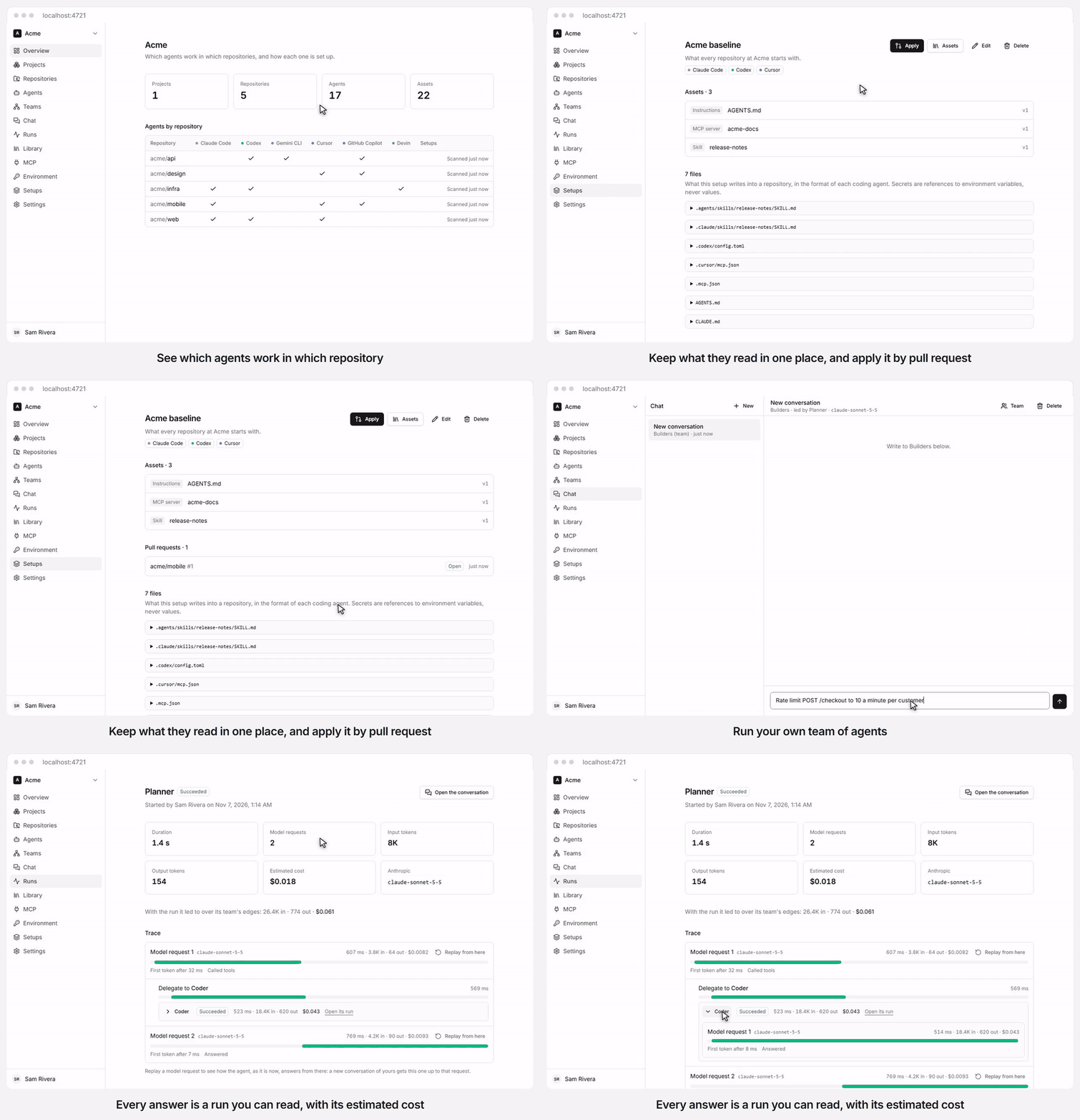
The real build, with made-up repositories on a stand-in GitHub and a stand-in for the model, so the answer and its numbers are for show. The time spent loading is cut out.
[](https://deploy.workers.cloudflare.com/?url=https://github.com/gateweavehq/agents)
Gateweave Agents is part of [Gateweave](https://gateweave.com), the family of open-source business tools that run on Cloudflare, next to [Gateweave Track](https://github.com/gateweavehq/track) and [Gateweave ID](https://github.com/gateweavehq/id).
> **Status: early development.** [docs/spec.md](/agents/spec/) has the plan.
## What works today
[Section titled “What works today”](#what-works-today)
* **Accounts.** Accounts, workspaces, members and invitations.
* **Find your agents.** Workspaces connect to GitHub or GitLab (gitlab.com or self-managed). The agents configured in each repository (Claude Code, Codex, Gemini CLI, Cursor, GitHub Copilot, Devin) and what they read are found and kept up to date on every push, and can be browsed by project, by repository, by agent and by asset.
* **Keep what they read.** A workspace library keeps versions of the assets worth sharing and shows which repositories carry each one and which are behind.
* **Apply it.** Setups pin those assets for a set of coding agents, preview the files they write, apply them to a repository by pull request and show where a repository has drifted from them since. Ready-made setups, kept as plain folders in [setups/](https://github.com/gateweavehq/agents/tree/v0.22.0/setups), are added to a workspace in one click, and the [CLI](https://github.com/gateweavehq/agents/blob/v0.22.0/packages/cli) applies a setup to a working tree and checks it in CI.
* **Read about the code.** A model writes a wiki of each repository, private ones included, with the workspace’s own key: numbered pages that cite the lines they explain, steered by `.devin/wiki.json` as DeepWiki is. AI agents read it and ask it questions over MCP with DeepWiki’s tools, signing in with OAuth. No model runs for that, so only writing a wiki costs the workspace anything.
* **Run your own agents.** Workspaces keep their own model provider keys and environment sets (variables, and secrets whose values are stored encrypted), and define agents that Gateweave runs with a model, instructions from the library, an environment set and MCP servers. Agents work in teams, delegating to, asking and reporting to each other along the edges of a graph.
* **See what they did.** Members chat with an agent or a team, and every answer is a run with its trace and estimated cost, the runs a team’s agents led to nested inside it. A run can be replayed from any model request with the agent as it is now, and its trace sent to the workspace’s own OpenTelemetry endpoint.
* **Let them start on their own.** Triggers start an agent’s runs from another service’s signed webhooks or on a schedule, if wanted only for issues with a label or a given assignee, and can keep one conversation per issue.
* **Let them write code.** An agent with a sandbox works in a checkout of its repository, runs MCP servers that are local commands there, and proposes its work as a pull request. Ready-made agents [triage Gateweave Track issues](/agents/track-triage/) and [work on the ones assigned to them](/agents/track-work/), from a comment on the issue to a pull request, and go on in the same conversation and pull request when someone comments on the issue, such as to answer the agent’s question or ask for a change.
## Tech stack
[Section titled “Tech stack”](#tech-stack)
[TanStack Start](https://tanstack.com/start) · React 19 · Tailwind CSS 4 · [Better Auth](https://better-auth.com) · [Drizzle ORM](https://orm.drizzle.team) · Cloudflare Workers, Durable Objects and D1 · TypeScript 7 · Vitest · Biome
## Getting started
[Section titled “Getting started”](#getting-started)
Requirements: Node.js 24 (22+ works) and pnpm 12.
```sh
pnpm install
pnpm doctor # checks your toolchain and setup, and explains how to fix anything missing
pnpm dev:setup # creates .dev.vars with a random secret, migrates the local database
pnpm dev # http://localhost:4720
```
Sign up with any email and password, then create a workspace. The first account runs the server, and can close sign-up to people it has not let in (account page > This server). To enable “Sign in with GitHub”, uncomment and fill in `GITHUB_CLIENT_ID` and `GITHUB_CLIENT_SECRET` in `.dev.vars`. To connect workspaces to GitHub, create a GitHub App as [docs/github-app.md](/agents/github-app/) describes. GitLab needs nothing on the server: an owner or admin connects it in Settings > GitLab with an access token, which the server keeps encrypted, so `SECRETS_KEY` must be set.
Workspaces keep their model provider keys and environment secrets encrypted with the server’s `SECRETS_KEY`, which `pnpm dev:setup` generates for local development. On a deployed Worker, set it once with `openssl rand -base64 32 | pnpm wrangler secret put SECRETS_KEY` and keep it: if it changes, workspaces have to add their keys and secret values again.
Chat sends each agent’s requests straight to its model provider. To send them through a [Cloudflare AI Gateway](https://developers.cloudflare.com/ai-gateway/) instead, for its logs, caching and rate limits, set `AI_GATEWAY_URL` to `https://gateway.ai.cloudflare.com/v1//`, and `AI_GATEWAY_TOKEN` if the gateway is authenticated.
To offer [Workers AI](https://developers.cloudflare.com/workers-ai/) models to workspaces, with no key of their own, set the secret `WORKERS_AI_TOKEN` (a Cloudflare API token with the Workers AI permission) and `CLOUDFLARE_ACCOUNT_ID`, or leave the account out and it is taken from `AI_GATEWAY_URL`. Your Cloudflare account pays for those runs, so leave both out unless you mean that. Set the token with `pnpm wrangler secret put WORKERS_AI_TOKEN`. `WORKERS_AI_WORKSPACES` offers it only to the workspaces you list, and `WORKERS_AI_DAILY_DOLLARS` limits what each may spend on it in a day; see [docs/self-hosting.md](/agents/self-hosting/).
To let agents have a sandbox, a Linux machine per conversation where they run commands and edit files, add the `SANDBOX` binding and the `containers` entry that the `staging` environment in `wrangler.jsonc` has to the environment you deploy. Deploying then needs Docker, which builds `sandbox/Dockerfile`, and your Cloudflare account pays for the [Containers](https://developers.cloudflare.com/containers/) time; each workspace has at most three sandboxes at once, and each stops after 15 minutes without use. To offer them only to some workspaces, list their ids in `SANDBOX_WORKSPACES`, separated by commas. To cap what they cost, set `SANDBOX_DAILY_MINUTES` (each workspace’s minutes per UTC day) and `SANDBOX_MONTHLY_BUDGET` (US dollars per UTC month for the whole server). The budget prices sandbox time at the most Cloudflare charges for its machine, about $0.074 an hour, so your bill comes in under it. Set `SANDBOX_ALERT_EMAIL` as a secret to get an email at 80% and at 100% of the budget (this needs email, above). Turns that would go over a limit are refused with a message that says which one. An agent’s sandbox can check out one of the workspace’s repositories when the server is set up as a GitHub App (see above), and propose its work as a pull request. The Worker mints a token for that repository alone and adds it as the clone leaves, so the token never enters the sandbox. For the one push a pull request needs, it mints a token that writes, and only to the conversation’s own branch. An agent can also take its turns with Claude Code, Codex or OpenCode, which the image installs, in place of Gateweave’s own loop. They run in its sandbox with the workspace’s Anthropic or OpenAI key, which the Worker adds to their requests on the way out, so the key never enters the sandbox either.
## Self-hosting
[Section titled “Self-hosting”](#self-hosting)
[](https://deploy.workers.cloudflare.com/?url=https://github.com/gateweavehq/agents)
The button copies Agents to your GitHub or GitLab account, creates the database, and deploys it to your Cloudflare account; every push to your copy deploys again. From the command line, use `pnpm run deploy`. See [docs/self-hosting.md](/agents/self-hosting/) for the first deploy, every setting, your own domain, email, sandboxes and their limits, and updating.
## Contributing
[Section titled “Contributing”](#contributing)
Read [CONTRIBUTING.md](https://github.com/gateweavehq/agents/blob/v0.22.0/CONTRIBUTING.md) and [AGENTS.md](https://github.com/gateweavehq/agents/blob/v0.22.0/AGENTS.md). Run `pnpm verify` before you open a pull request.
## License
[Section titled “License”](#license)
[AGPL-3.0](https://github.com/gateweavehq/agents/blob/v0.22.0/LICENSE). Contributions are made under the [CLA](https://github.com/gateweavehq/agents/blob/v0.22.0/CLA.md), which covers every Gateweave project.
# Agents architecture
How Gateweave Agents is built today. [spec.md](/agents/spec/) describes where it is going; this file changes with the code.
## One Worker
[Section titled “One Worker”](#one-worker)
The UI, the API and auth ship as one Worker (`apps/web`), the same shape as Gateweave Track:
* **TanStack Start** renders pages on the server and hydrates them in the browser. Server functions are the API: each one checks the session and, for workspace data, the caller’s membership before doing anything.
* **Better Auth** owns accounts, sessions, workspaces (its organizations), members, roles and invitations, stored in **D1**. There is one Better Auth instance per isolate, built on first use, because workerd forbids I/O in global scope. It can also sign people in through an OpenID Connect provider: see “Signing in through a provider” below.
* **Rate limits** on sign-in, password reset, invitations and email are counted in a `RateLimiter` Durable Object per client address or recipient, so they hold across isolates and locations. Everything else is limited in memory per isolate. Every Worker reaches another zone from one address, `2a06:98c0:3600::103`, so a request with that address and a `cf-worker` header is counted by the zone it names, which Cloudflare sets and a sender cannot change (`workers-address.ts`). Without that, junk from anyone’s Worker could use up what a provider’s logout or Track’s deliveries need. Better Auth counts a request before anything in it can step in, so the request is changed before it gets there, and a session made from a Worker holds a made-up address, which nothing here shows anyone.
* **Email** goes through Cloudflare Email Service when `EMAIL_FROM` is set: password reset, verification and invitations. Without it, invitations are links to share.
* **What is past its time** goes once a day, on a Cron Trigger every deployment inherits from `wrangler.jsonc` (`apps/web/src/server/db/prune.ts`). Better Auth removes a session or a verification only when something looks it up, so those nobody comes back for would otherwise stay, with the address and browser a session holds, and invitations with the address they were sent to. OAuth refresh tokens, access tokens and client assertions past their time go too, since they name the person an agent acts as, and so do audit log entries older than a year. Gateweave Cloud’s privacy policy states these periods, so a change here is a change to it.
* **Headers** go on every answer (`apps/web/src/server/security-headers.ts`): `nosniff`, a referrer rule and, over HTTPS, `Strict-Transport-Security`. A page also gets `X-Frame-Options`, `Cache-Control: private, no-store` and a Content-Security-Policy with a nonce made for that response. A conversation shows what a model wrote, and a model can be talked into writing anything, so nothing can frame a page, a script runs only from this Worker’s own address or with the nonce, and a page connects only to this Worker. A member’s picture is the one thing a page shows from elsewhere, and only from GitHub or the sign-in provider. Vite’s dev server gets none of this, because its hot reload adds scripts without a nonce. The browser tests run against the production build, so they get the policy, and `e2e/fixtures.ts` fails a test on any refusal it reports. They only see the pages they open, so a change to what a page loads still needs a look in a browser.
### Signing in through a provider
[Section titled “Signing in through a provider”](#signing-in-through-a-provider)
With `OIDC_ISSUER`, `OIDC_CLIENT_ID` and `OIDC_CLIENT_SECRET` set, Agents is a client of an OpenID Connect provider, through Better Auth’s `generic-oauth` plugin (`apps/web/src/server/auth/oidc-sign-in.ts`). What comes out of it is an account row and an ordinary session, so nothing past the sign-in page knows the difference. It is how Gateweave Cloud signs people in with Gateweave ID, and how a self-hoster uses their own provider: one path, differing only by configuration. Track has the same code, and the same reasons.
* **Discovery waits until someone needs it.** The plugin’s `init` waits for the provider’s discovery document with no time limit, and every request to a new isolate waits for `init`, so a slow provider would stop password sign-in and every session check. Agents replaces `init` so that each isolate starts as the plugin does after a failed discovery, which it retries, within 10 seconds, for a request that names the provider. That sets a field of the plugin’s that is not public, so an upgrade that moves it fails the tests rather than the deployment. The cost is one wait for the first person to use the button in each isolate.
* **Linking is never assumed.** The provider is not in `trustedProviders`, so an existing account links only when the provider says the address is verified and Agents’ account has verified it too. Anything but a JSON `true` in `email_verified` counts as unverified, since some providers send text.
* **Agents keeps no tokens.** It signs people in and never acts for them at the provider, so the account hook clears them all, and the ID token too, as soon as it has served its purpose. The same goes for signing in with GitHub: the GitHub integration makes an exchange of its own. The client authenticates with `client_secret_basic`, which every provider has to take.
* **The provider can end sessions.** `POST /api/auth/backchannel-logout/oidc` takes a logout token, checked against the provider’s keys: issuer, audience, at most 5 minutes old, the logout event and no nonce, which together keep an ID token from passing as one. A session row keeps the `sid` of the ID token it came from (`session.oidc_sid`, never sent to the browser), and a token naming a `sid` ends just those sessions, and only if they belong to the `sub` it may also name. A token naming only a `sub` ends everything of that person’s, which is the safe side of a provider that cannot say which. Once a token has arrived it is seen through with `waitUntil`, even if the provider stops waiting. Keys that cannot be fetched at that moment get a 503 and end nothing: it says nothing about the token, and a provider tries a 503 again where it takes a 400 as final.
* **A chat left open stops at its next message.** `apps/web/src/server/chat.ts` checks the session when the socket opens and passes its id on; the conversation looks it up in D1 before each message (`apps/web/src/server/conversation.ts`), so a socket whose session ended, by this logout or any other way, is closed (4401) without its message reaching the agent. So is one whose person has left the workspace or been removed from it, which the same query sees. A turn already under way finishes, and an idle socket stays open until it sends. The page (`conversation-view.tsx`) puts the refused words back in the box and asks the gateway with `HEAD` whether a socket would open now. If so, it opens one and says the message was not sent. If not, it says why and leaves the words to copy: the session ended, with a link to sign in, or the conversation is out of reach. It asks the same when a socket drops, since a refused handshake looks like any other dropped socket and the library would retry it for ever.
* **Signing out of Agents stays in Agents.** The provider’s session is left alone, as other apps signed in through it would expect, and `disableProviderLogout` keeps the plugin from sending anyone there.
* **A closed server may trust it.** While sign-up is by invitation, the owner can have anyone who signs in through the provider make an account, since it keeps its own list. See “Who owns a server” below.
### Who owns a server
[Section titled “Who owns a server”](#who-owns-a-server)
**One account runs the server, and decides who else may make an account.** A row in `deployment` (one row, `id` = 1) names the owner (`owner_id`), says whether sign-up is `open` or `closed`, and whether the sign-in provider is trusted (`trust_provider`). A second table, `sign_up_allow`, is the owner’s list. `apps/web/src/server/auth/deployment.ts` asks, and the triggers in `0007_sign_up_hold.sql` hold it. Track and Agents have the same shape, and ID’s is the model.
* **A new server is open, so a self-hosted one changes nothing.** `0007_sign_up_hold.sql` makes the oldest account the owner of a server that has accounts, and leaves the owner empty on one that has none, where the first account becomes it (`first_account_owns_deployment`). D1 runs writes one at a time, so there is only one first. The owner closes sign-up on their account page, under “This server”.
* **Closed means an address needs a way in.** The first account of a server with none; an address on the list, or at a domain on it; an address with a pending, unexpired invitation to a workspace, from any workspace’s admin as before; or, where the owner trusts the provider, an account made through it. GitHub is never trusted that way. People who already have an account sign in as ever.
* **The list holds an address, lowercased, or a domain written with a leading `@`.** A domain covers addresses at exactly that domain, which is the part after the last `@`, and not its subdomains. Entries are checked with zod at the owner’s endpoint (`apps/web/src/lib/sign-up-allow.ts`): trimmed, lowercased, a valid address or `@` and a valid domain name, which for a name with other letters is its punycode. A note of at most 200 characters is the owner’s own. At most 5,000 entries: the endpoint says so, and the trigger `sign_up_allow_is_capped` holds it when two adds arrive together. Taking an entry off lets no more people in; an account it already made stays.
* **Every path that makes an account asks.** `databaseHooks.user.create.before` in `auth/config.ts` covers email and password sign-up, GitHub, the sign-in provider and accepting an invitation (which follows making the account). `mayMakeAccount` is the one function that decides. A `before` hook on `/sign-up/email` asks first, so that Better Auth’s “that address is taken” does not tell a stranger which addresses have an account: on a closed server an address with no way in hears the refusal whether or not it has one.
* **The database refuses the rest.** The trigger `user_needs_a_way_in` has the same rule for a path that forgets to ask, with a missing `deployment` row counting as closed. One part of the rule cannot be read from the user row: whether an account comes from the provider is known only when its sign-in is linked, which is after it. So the hook, which knows the route Better Auth ran (`signsInThroughProvider`: `/callback/:id` with the provider’s id), writes a pass for the address in `sign_up_pass`, good for a minute, and only where the owner trusts the provider. With trust on the trigger lets an insert through only while an unexpired pass exists for `lower(new.email)`. `user.create.after` deletes it, and writing one deletes the expired. A path that skips the hook has no pass, so trust opens nothing for it.
* **The refusal says one thing for every address:** “This server takes new accounts by invitation. Ask whoever runs it to invite you.” (`SIGN_UP_CLOSED`). For GitHub and the provider it comes back to `/login?error=SIGN_UP_CLOSED`, which the page words itself. With `SIGN_UP_REQUEST_URL` set to an https address, the sign-in page also shows “Ask for access” linking to it while sign-up is closed.
* **The owner’s endpoints are Better Auth’s `/deployment/...`.** To anyone but the owner they answer 404 as if they were not there. Everything that changes something asks for a fresh session (`freshAge`, a day), since each lets others in and would outlast a stolen cookie. Listing takes a search and a page at a time (50), newest first, with whether an account with the address, or at the domain, exists yet.
* **The owner’s account stays while sign-up is closed.** Without it a closed server would have nobody who can open it. The account page refuses with words, and `deployment_keeps_its_owner` holds it in the database. On an open server the account may go, and ownership passes to the earliest account left (`created_at`, then `id`) in the trigger `deployment_hands_over_its_owner`, which runs before the row goes so that the foreign key finds nothing to empty. Every account here is a person, so none is skipped. If none is left the owner is empty, and the next account becomes it. A server is never left without an owner while it has accounts.
* **Not here:** server invitations, and a rule that only the owner makes workspaces while closed. ID has both, because its apps trust whoever has an account. Here a workspace’s admin may still invite any address, and that invitation is a way in.
## The registry
[Section titled “The registry”](#the-registry)
Each workspace’s registry is a Durable Object with its own SQLite database (`RegistryDO` in `packages/registry`, named by the workspace id). Pages read it through server functions; it is not synced to the browser yet (see “Decisions” in the spec).
* **Access.** The registry has no route. A server function checks the caller’s session and D1 membership (`currentMember`), then calls the workspace’s registry over RPC. Deleting a workspace deletes its registry too.
* **Data.** Projects group repositories, and a repository can be in several. Repositories are matched by the provider’s own id, so a rename keeps their history. A scan of one repository at one commit lists the agents configured in it (Claude Code, Codex, and so on, and their subagents) and the assets they read: instructions, prompts, skills, plugins, scripts, MCP servers and settings. `packages/model` defines that contract, and the registry validates every call against it.
* **Content.** Files are stored once, by Git blob id, in a `blobs` table; files over 256 KiB keep their id and size but not their text. An asset’s hash covers its files’ paths, relative to the asset, and their blob ids, so the same skill or `CLAUDE.md` has the same hash in every repository. That is how drift shows: compare hashes. An asset gets a new version only when its hash changes, and each version records the commit it was found at.
* **Scans replace.** Applying a scan makes the repository’s agents and assets match it, in one transaction. What it no longer finds is marked removed rather than deleted, and comes back with the same id if a later scan finds it. A scan older than the last one applied is ignored, so webhooks that arrive out of order cannot roll a repository back. A failed scan is recorded without touching what earlier scans found.
* **Room for the runtime.** Agents and assets may have no repository: those are agents defined in the app and assets in the library (phases 2 and 3). Runs have a table of their own (see “Runs”), and teams will too.
* **Deleting a workspace** (AGT-76). An owner deletes it in Settings > Workspace, after typing its name; Better Auth’s organization plugin lets only an owner, and deletes its D1 rows (members, invitations, and its GitHub installation link, by cascade). Its `afterDeleteOrganization` hook then deletes what it held elsewhere (`apps/web/src/server/workspace-deletion.ts`): each conversation the registry knows, nested ones too and those waiting to be destroyed, with its messages, traces and sandbox, ten at a time, then the registry’s storage with its sealed keys and secrets. A conversation that fails is logged and the rest go on; nothing is reachable either way, since no member is left. The GitHub App installation stays on GitHub until someone uninstalls it there.
### Deleting an account
[Section titled “Deleting an account”](#deleting-an-account)
People delete their own account on `/settings/account`, through `POST /api/auth/account/delete` (`apps/web/src/server/auth/delete-account.ts`). Better Auth’s `/delete-user` stays off: it lets someone with a password through without it, and its hooks can only remove a member from a workspace, which leaves their conversations.
* **What it asks for.** A session from the last day, and the password if the account has one. An account without one types its address in the page, which only guards against a slip. Better Auth’s `/unlink-account` is disabled, because it removes a password on a recent session alone, which would let a stolen cookie get past that question. So are the other routes it offers any session and the app has no use for, such as `/verify-password`, which takes guesses at a password. The list is `disabledPaths` in `apps/web/src/server/auth/config.ts`, and `apps/web/src/server/auth/routes.test.ts` fails when an upgrade adds a route to what answers, so someone decides about it.
* **A closed server keeps its owner.** Whoever runs the server is refused while sign-up is closed, and `deployment_keeps_its_owner` holds it. See “Who owns a server”. The owner’s list of addresses stays when they go: it holds people who may have no account.
* **A workspace keeps an owner.** The only owner of a workspace is refused and told which, because a workspace with no owner has nobody who can fix it. The plugin and this endpoint both count and then act, so two owners leaving at once could each see the other still there. Two triggers on `member` hold it in the database, however a row comes to change, and they let go of a workspace that is being deleted. That needs the organization row to go first, so `beforeDeleteOrganization` deletes it and its members follow by cascade.
* **D1 goes in one batch.** It notes every workspace that has to forget the person in `pending_erasure` (ids only), deletes the user, and takes invitations addressed to them, along with the address in every audit log entry for an invitation sent to it. Foreign keys take the sessions, sign-ins, memberships and the invitations they sent. It is one transaction, so no account goes without that note, and a trigger’s refusal leaves everything in place.
* **Each registry then forgets them.** A registry keeps ids and no names, so there is nothing to rewrite, and names come from D1, falling back to “A former member”. Their conversations have to go, since each holds what they wrote and nobody else can open it. `forgetPerson` (`packages/registry/src/forget.ts`) takes the rows of the conversations they started, nested ones included, clears their runs’ link to them and puts the ids in `conversations_to_destroy`, in one write. D1’s note goes once that has answered.
* **The registry’s alarm destroys them.** Ten per alarm, each with its messages, traces and sandbox. Each alarm has a subrequest budget of its own, so someone with hundreds of conversations is done in minutes on any plan. A row goes once its object has gone. One that fails is tried again a minute later, then twice as long each time, up to a day, for as long as it takes. Deleting the workspace meanwhile reaches those too, since `conversationIds` includes them. The SDK empties an object and then aborts it, and on Cloudflare the abort can reach the caller before the answer, as an error saying `destroyed`. That counts as done, for every caller (`destroyConversationObject`). Local workerd answers first, so only a deployed Worker shows this.
* **It is asked until it has answered.** The daily cron asks again for 20 `pending_erasure` rows, a number a Worker on the Free plan can reach, those never tried again and the ones tried longest ago first, so a run of them that keep failing does not keep the rest waiting. Asking twice finds nothing to do.
* **Workspaces they left count too.** Each keeps their conversations, which nobody could open. A trigger notes whoever leaves in `former_member` (ids only), however they came to leave, and the note goes with the account or the workspace. Workspaces someone left before v0.15 are not noted, so their conversations stay in those until someone asks whoever runs the server.
What stays, and the page says so before anyone confirms:
* Their runs, for the workspace’s usage, under their id and shown as “A former member”. A run holds counts and no words.
* What they set up for a workspace, because it is the team’s: agents, triggers, model keys, secrets, telemetry settings, and MCP and GitLab connections, including tokens they connected. Taking those away would silently break the team’s agents, so the page tells people to disconnect them first or revoke them at the service. A GitLab connection names the account it was made with.
* Conversations a trigger started, which name the trigger and were never theirs.
* What already left: what model providers received, what telemetry sent, and what agents did on GitHub, GitLab or in Track.
* Point-in-time recovery, which Cloudflare provides and Agents does not control: 30 days back for a Durable Object, and for D1 30 days on Workers Paid or 7 on Workers Free. Restoring a state from before the deletion brings the person back with it.
### Audit log
[Section titled “Audit log”](#audit-log)
Owners and admins see who changed the workspace, and when, in Settings > Audit log, newest first, 50 at a time. It covers how the workspace is set up, not the work done in it (`apps/web/src/lib/audit-events.ts` lists every action):
* **People**: invitations sent and revoked, with the address; people joining, leaving and removed; role changes, from and to; the workspace renamed or moved.
* **Keys and secrets**: provider keys saved and removed, environment sets created and edited, secrets set and removed, telemetry turned on and off. Names only, never a value; a telemetry endpoint by its host.
* **Connections**: GitHub and GitLab connected and disconnected, a GitLab webhook’s new secret, MCP servers added, edited, signed in and out (by host), triggers created, changed, deleted and given a new secret, and Track triage or Track work set up.
* **Agents, teams and setups**: created, changed (which fields) and deleted, and a setup’s pull request opened or updated in a repository.
* **Deletions**: projects and library assets.
Chats, scans, runs, replays and wikis are not in it. The registry is never told who asks, so the log is a D1 table, `audit_event`, written by the Worker once a change has been made: by the server function that made it (`auditFor` in `apps/web/src/server/audit.ts`), or for Better Auth’s changes to people, by its after hook (`apps/web/src/server/auth/audit.ts`), which reads what a change replaced, a role or a name, in the before hook. A change that fails records nothing. A row that cannot be written is logged and the change stands.
Each entry holds the member who made the change by id, and a label taken at the time, as what it was done to may be gone later: a name, an invited address, a host. People are named when the log is read, from the user table, so someone who deleted their account reads as “Deleted member”. Entries go with the workspace (they reference it), after a year (the daily cron), and an invited address goes when the person it was sent to deletes their account (see above).
### Changing a name or password
[Section titled “Changing a name or password”](#changing-a-name-or-password)
People change both on `/settings/account`, through Better Auth’s `/update-user` and `/change-password`, and what stands behind either may be a stolen cookie. The rules are in `apps/web/src/server/auth/account-changes.ts` and the hooks of `config.ts`.
* **A rename takes a name and nothing else:** 1 to 100 characters once trimmed, which sign-up keeps to as well. The route would otherwise set a picture too, whose address everyone in someone’s workspaces fetches. It allows ten a minute. Pages read a name from D1, so nothing else holds a copy to tell.
* **A provider’s name is taken once.** GitHub’s or an OpenID Connect provider’s name fills in a new account and is not read again, so a name changed here stays.
* **A new password needs the current one,** at five tries a minute from one client address, and sends the person an email, which may be how they first hear that someone else has it.
* **Tries at a password are also held per person,** since a stolen cookie can be sent from many addresses (`apps/web/src/server/auth/password-tries.ts`). This and deleting an account share an allowance of 10 at once, refilling over an hour, within 30 that refill over a day. Only a request with a session for that account spends it, so nobody can lock a person out with their address alone, and signing in is not part of it. Whoever holds the cookie can spend it, but a password reset asks for no session, and the account page can end every session with no password, including the one a stolen cookie may be a copy of. When it runs out the person gets an email saying so and what to do, at most once a day and only at an address they have verified, because anyone can sign up with a stranger’s. The refusal does not wait for it.
* **It ends every session,** whatever the request asks, since whoever knew the old password may be why it is changing and may be the one asking. Better Auth makes a new session for the browser that asked, which keeps the `oidc_sid` of the one it replaced, because it came from the same sign-in at the provider and a logout token still has to reach it. A chat left open in that browser refuses its next message like any other whose session ended, then gives the words back and goes on with the new session.
## GitHub
[Section titled “GitHub”](#github)
A workspace reads its repositories through a GitHub App ([github-app.md](/agents/github-app/) sets one up). `packages/github` is the app’s client: a JWT signed with WebCrypto, installation tokens cached per isolate, the OAuth web flow with PKCE, and webhook signatures. It needs nothing but `fetch` and `crypto.subtle`, so it runs in workerd without Node polyfills.
* **Linking.** A `github_installation` row in D1 links an installation to one workspace. An admin links it through install, setup and callback (`apps/web/src/server/github/flow.ts`). The installation id that GitHub’s setup redirect carries is not trusted: the link is made only after a user token shows that this person controls the installation’s account on GitHub (`controlsInstallation` in `packages/github/src/app.ts`). For a personal account, that is the account’s own user (`GET /user`); for an organization, an active admin of it (`GET /user/memberships/orgs/{org}`, which needs the app’s “Members: read” organization permission). Being able to see the installation is not enough: `GET /user/installations` lists it for anyone with access to one of its repositories, read-only collaborators included. Everyone else gets the same refusal as for an installation they cannot see. The token is not kept.
* **Writing.** Commits, branches and pull requests through the REST API (`packages/github/src/writes.ts`), for applying setups.
* **Staying in step.** Linking, and webhooks for installation and repository changes, list the installation’s repositories and reconcile them into the registry: new ones appear, renamed ones keep their history (they are matched by GitHub’s id), and ones the app no longer reaches are marked removed. Uninstalling the app, or disconnecting it, removes them all. Webhooks are verified with the app’s secret; deliveries for installations no workspace linked are acknowledged and dropped.
## GitLab
[Section titled “GitLab”](#gitlab)
A workspace can also read the projects of a GitLab, gitlab.com or a self-managed one (AGT-79). GitLab has no app to install, so an owner or admin connects it on Settings > GitLab with an access token: a project, group or personal token with `read_api` and `read_repository` and at least the Reporter role. The client is `packages/registry/src/gitlab/client.ts`; the connections are `gitlab_connections` rows in the registry (`gitlab/connections.ts`).
* **The token is a secret of the workspace.** The registry tries it (`GET /user`), seals it with `secrets.ts` and opens it only to read repositories. The page shows its last four characters. Requests send it in `PRIVATE-TOKEN` to the connection’s own address only, with redirects refused, so it cannot be led elsewhere; the address must be https.
* **Projects are repositories.** The projects the token’s user is a member of with Reporter access, not archived or empty, become repositories with `provider: "gitlab"`, the connection’s id as their `installationId` and their page as `webUrl`, made from the connection’s address so a link only ever leads to that GitLab, reconciled as an installation’s are. GitLab numbers projects per instance, so a repository’s `externalId` is the host and the project’s id (`gitlab.example.com:42`). Listing them again is a button on the page.
* **Scans read what GitHub’s do.** The branch’s head, the commit’s tree (keyset pages of 100, at most 20,000 entries) and raw blobs, a few at a time. The tree gives Git’s blob ids, so files and assets hash the same as on GitHub. It gives no sizes: a blob too large or binary is found when it is read.
* **A push webhook rescans.** The page shows the webhook’s URL (`/api/gitlab/webhooks/:workspaceId/:connectionId`) and, once, its secret token, which the registry keeps sealed. GitLab sends it in `X-Gitlab-Token`. The gateway (`apps/web/src/server/gitlab.ts`) turns away unknown workspaces, and the registry compares the token in constant time before reading the event; a mismatch gets the same 404 as a missing connection. A push to the default branch queues a scan.
* **Not yet.** Setups are applied by pull request, and sandboxes check out through the GitHub App, so both offer GitHub repositories only and say so for GitLab ones. Merge requests come next.
## Format adapters
[Section titled “Format adapters”](#format-adapters)
`packages/adapters` turns a repository’s files into the agents and assets of a scan. It is pure TypeScript with no I/O, so it runs in the Worker. The scanner lists the repository’s tree, asks `wantsFile` which paths it needs, downloads those, and calls `detect`.
* **One adapter per coding agent** (Claude Code, Codex, Gemini CLI, Cursor, GitHub Copilot and Devin), each knowing only its own files, so a repository with just `AGENTS.md` has a Codex agent and nothing else. The vendor’s documentation is linked at the top of each adapter.
* **GitHub Copilot and Devin** are scanned (AGT-69) and written (AGT-74).
* **Copilot** reads `.github/copilot-instructions.md`, `.github/instructions`, prompt files, custom agents and chat modes, `.vscode/mcp.json` and `.github/skills`. A setup gives it `AGENTS.md`, which it reads anywhere, its own path-specific instructions back in `.github/instructions`, the shared `.agents/skills`, and `.vscode/mcp.json` (servers under `servers`, variables as `${env:NAME}`).
* **Devin** reads `.devin/rules`, `.devin/global_rules.md`, `.devin/config.json`, and Windsurf’s rule files, which Devin Desktop took over from Windsurf. A setup gives it `AGENTS.md` only. Its MCP servers live in a file its docs keep out of Git, and its docs name no folder for skills, so a setup reports both as not written for it. A scan lists Devin once the repository has a file of Devin’s own.
* **Shared files are shared assets.** `detect` merges what the adapters find by asset key, so `AGENTS.md` or a `.agents/skills` folder is one asset that several agents read.
* **Secrets stay in the adapters.** Settings and MCP configuration are stored as canonical JSON (or TOML) with every value under `env` or `headers`, and anything that looks like a credential, replaced by ``. Metadata carries the names of variables and headers, never values.
* **A Claude Code plugin is its root folder**, the parent of `.claude-plugin/`, because its commands, agents, skills and hooks live beside the manifest and a change to them must change the asset. Files are given by blob and size; only `.claude-plugin/*.json`, `.mcp.json` and `hooks/hooks.json` keep their (redacted) text. Another plugin’s folder is never part of a plugin, and a plugin at the repository root takes only the documented component locations (and the paths its manifest names), not the whole repository. A root plugin is keyed `.claude-plugin`, since a path cannot be empty.
* **Problems, not exceptions.** A file that is missing its text or does not parse becomes a `ScanProblem` and is skipped; the rest of the scan goes on.
* **Writers are the reverse of `detect`.** `writeAssets(assets, runtimes)` turns library assets into the files to put in a repository, in each agent’s own format. It is pure and byte-stable: sorted keys, `\n` newlines, one trailing newline, files sorted by path, and the same output whatever order the input came in, so drift detection can compare Git blob ids with a later scan. It returns `{ files, problems }`; an asset it cannot write whole is reported and skipped, never written in part.
* *Instructions* go back to the path in their name. Per folder, the shared text is combined in name order into `AGENTS.md` (Codex, Cursor). `CLAUDE.md` and `GEMINI.md` import it (`@AGENTS.md`, `@./AGENTS.md`) when another agent reads `AGENTS.md` too, and hold the text themselves otherwise. Cursor rules (`alwaysApply` in the metadata) become `.cursor/rules/*.mdc` and `.claude/rules` files stay Claude Code’s; other runtimes ignore both.
* *Skills* go to `.claude/skills` for Claude Code and `.agents/skills` for Codex, Gemini CLI and Cursor, in a folder named after the `name` in `SKILL.md`, so a library can call a skill anything.
* *MCP servers* go to `.mcp.json`, `.codex/config.toml`, `.gemini/settings.json`, `.cursor/mcp.json` and `.vscode/mcp.json`. A stored server is converted between formats. The registry keeps `` where a secret was, so the writer writes a reference to an environment variable instead (`${NAME}`, `${env:NAME}`, Codex’s `env_vars` and `env_http_headers`), named after the `env` entry or header. A `` anywhere else has no name to point at, so that server is reported and left out. No file ever contains ``.
* *Not written* (reported as problems): `settings`, `prompt`, `script`, `env-set` and `plugin`.
* **Applying is planned, not guessed.** `planApply` decides how those files land in a repository (pure, like the writers): files it owns are replaced, symlinks and non-folders in the way are reported and left alone, and in the five MCP configuration files only the setup’s own servers are merged in (under `servers` in VS Code’s, `mcpServers` in the other JSON ones), so a repository’s other servers and settings survive.
## Scans
[Section titled “Scans”](#scans)
Each workspace’s `RegistryDO` scans its own repositories. Requests wait in its SQLite database (`scan_requests`), and its alarm works through them a few at a time.
* **What asks for a scan.** A push to a repository’s default branch (the webhook), and a reconcile that finds a repository new, back after removal, on another default branch or never scanned. Asking again while a request waits moves it to the front.
* **What a scan reads.** The default branch’s head and its whole tree, then the text of the files the adapters want (`wantsFile`), fifty blobs per GraphQL request. Texts the registry already holds, by blob id, are not downloaded again, so a scan after a push downloads what the push changed. A wanted symlink, such as `CLAUDE.md` pointing to `AGENTS.md`, is read as its target. A head the last successful scan already read is not scanned again, unless a member asks with “Scan now”, which forces a read for after the adapters learn something new.
* **What a scan records.** Besides agents and assets, every file it read: path, blob id, size and whether it is a symlink (`repository_files`), with the text of each new one kept by blob id. Every file a setup writes is one the adapters want (a test in `packages/adapters` holds the writers to it), so drift needs nothing else. Only files that changed since the last scan are written.
* **Writes stay synchronous.** A scan awaits GitHub outside any transaction, then validates the result like any other scan and applies it in one. A failure is recorded on the repository and tried again after a minute, ten minutes and an hour; what earlier scans found stays.
## The library
[Section titled “The library”](#the-library)
The library is the workspace’s own copy of the skills, prompts and configuration it wants to keep: assets with no repository (`packages/registry/src/library.ts`).
* **Adding.** An owner or admin adds a repository asset’s current content, as a new library asset or as the next version of one of the same kind. Content the library asset already has as its latest version adds nothing. A library asset is keyed by its kind and name, and a name is unique among the library’s live assets of that kind.
* **Writing.** An owner or admin can also type a library asset in the app: an `instructions`, `prompt` or `skill`, one text file each. The file is named as a scan names the same file (`AGENTS.md`, `SKILL.md`, and `.md`), and its blob id and the asset hash are computed the way a scan does, so a repository carrying that text counts as a use.
* **Editing.** On a library asset’s page, an owner or admin edits the text of any file the registry kept (up to 256 KiB each) and saves it as the next version. A version is added only when the asset hash changes. A skill’s description follows its `SKILL.md` front matter. Repository assets cannot be edited: the repository is the source of their text.
* **Uses come from content.** A repository asset uses a library asset when its hash equals one of that asset’s versions, and is behind when that version is not the latest. Nothing links them, so a file copied by hand counts the same as one a setup will write, and a repository that changes its copy stops counting at its next scan.
* **Removing** marks the library asset removed, frees its name and leaves repositories alone.
## Setups
[Section titled “Setups”](#setups)
A setup is a set of library assets, each pinned to one of its versions, for the coding agents it configures (`packages/registry/src/setups.ts`). Owners and admins manage them.
* **Pins move by hand.** A new version in the library shows on the setup as an update, and the setup keeps writing the pinned version until someone moves the pin. An asset that leaves the library keeps its pin, since its versions are kept, but cannot be pinned anew.
* **The preview is the writers’ output.** The registry reads each pinned version’s files and runs `writeAssets` from `packages/adapters` for the setup’s coding agents, so the page shows exactly the files a setup writes, and what it cannot write and why.
* **Ready-made setups are folders.** `setups//` at the repository root holds a `setup.json` and the files of its assets (see `setups/README.md`). The app bundles them into the Worker as text (`apps/web/src/server/ready-made.ts`) and reads each with `readSetupFolder`. Tests in `packages/adapters/test/ready-made.test.ts` hold every folder to the same rules: it reads, writes cleanly for its coding agents, is found again by `detect`, and carries no secret.
* **Adding one is one write.** `importSetup` runs in a single transaction: for each asset it reuses the library asset of the same kind and name when one of its versions already has these files, adds a version when the files differ, and creates the asset otherwise. It then creates a setup pinning the result. Adding the same setup twice therefore makes no new versions. An owner or admin reaches it from the Setups page.
* **A setup can ask for an address.** A self-hosted MCP server, such as Gateweave Mail’s, is at a different address in every install, so its asset in `setup.json` has an `askUrl`, and its file holds an example. Whoever adds the setup gives the address (a dialog on the Setups page, `--url =` in the CLI), and `withAddresses` writes it into the server’s file before anything else reads it. The address must pass `mcpServerUrl`, as a server written in the app does. Adding the setup again with another address makes a new version of that server only, which setups pinning the older one are then offered as an update: a workspace keeps one address for each server name.
## Applying setups
[Section titled “Applying setups”](#applying-setups)
Applying a setup to a repository opens a pull request (`packages/registry/src/apply.ts`). Owners and admins apply them, and [github-app.md](/agents/github-app/#applying-a-setup) has the user’s view.
* **The default branch is never written.** The registry reads its head, plans the files with `planApply` from `packages/adapters`, commits them on top of that head with a tree based on the head’s (so no other file changes), and points a new `gateweave/-` branch at the commit. Files go into the tree as content, so a commit is two requests however many files it changes. Shared configuration files are merged, not replaced, and their text comes from the registry’s blobs when the last scan kept it. Any other file is compared by Git blob id and never downloaded.
* **Each application is a row** in `setup_applications`: the repository, the setup, the pins, the files it leaves the setup owning (by blob id, for drift), the branch and commit, and the pull request with its state. Every GitHub outcome is written in a transaction of its own as soon as it is known, never across an await.
* **Applying again** with the pull request still open checks it on GitHub first. If it was merged or closed without a webhook saying so, the row catches up and a new pull request is opened. If someone else pushed to its branch, the registry refuses. Otherwise a new commit replaces the branch’s, and nothing happens when the open pull request already writes the same files.
* **Refusals are answers.** `applySetup` returns `{ status: "refused", message }` instead of throwing: an error loses its class on its way out of the Durable Object, and the message is meant for the person who asked. One setup is applied to one repository at a time per instance.
* **A merge queues a forced scan** of the repository, whether a webhook or applying again reported it. It is forced because the push’s own scan may have read the merge before the merge was recorded, and an unforced scan skips a head it has read.
## Drift
[Section titled “Drift”](#drift)
Drift is how a repository compares with a setup merged into it (`packages/registry/src/drift.ts`). It is computed when a page asks, from what the registry already holds, so it cannot go stale and needs no GitHub request.
* **The baseline** is the newest merged pull request that applied the setup there, with the files it left the setup owning, by blob id. A later pull request that is still open is shown beside it, and one closed without merging changes nothing.
* **The comparison** plans the setup’s current files against the files the last scan recorded, with `planApply`, exactly as applying it again would. Each file that plan would change is **behind** when the repository still holds what the merge left (or the setup did not own the file then), **changed** when it holds something else, and **missing** when the file is gone. A file the setup owned that applying would now leave alone, such as one replaced by a symlink, is changed too. In a shared configuration file only the setup’s own servers count, so a server someone else added there is not drift.
* **The state** of a setup in a repository is its most urgent file’s: missing, changed, behind, then in sync. Until a scan has read the merge it is **unscanned**, rather than every file looking missing. A repository’s state in the lists is the most urgent of its setups’.
* **Applying again** from either page opens a pull request, or updates the open one, through the same dialog as **Apply**.
## Model providers
[Section titled “Model providers”](#model-providers)
A workspace brings its own keys for the model providers its agents use (Anthropic, OpenAI and Google), so usage is billed to the workspace’s accounts. An owner or admin adds them on the Models settings page. **Workers AI** is the exception: it needs no key of the workspace’s (see “Workers AI” below). Everything about keys (saving, sealing, checking) takes only the three keyed providers, `KEYED_PROVIDERS` in `packages/model/src/vocabulary.ts`; `MODEL_PROVIDERS` is those and Workers AI, for what an agent definition may name.
* **Sealed in the registry.** A key is encrypted with AES-256-GCM before it is stored, under a key derived with HKDF from the server’s `SECRETS_KEY` secret and the workspace’s Durable Object id, with the key’s place as additional data (`packages/registry/src/secrets.ts`). A key sealed in one workspace does not open in another, and a sealed value copied to another row does not open there either. Without `SECRETS_KEY` the page says so and keys cannot be added.
* **Only the registry opens one**, when a request needs it. Server functions get the provider, the last four characters, who added it and when, and the last check, never the key.
* **Checking a key** lists the provider’s models with it (`listProviderModels` in `packages/registry/src/providers.ts`) and records whether that worked, how many models there are, or the provider’s refusal in a sentence. A check that finishes after the key was replaced is dropped.
* **Losing `SECRETS_KEY` loses the keys.** A check then says the key cannot be opened, and it has to be added again. Sealed values carry a version, so a rotation scheme can be added beside this one.
### Workers AI
[Section titled “Workers AI”](#workers-ai)
Workers AI models run on Cloudflare’s own GPUs and cost the workspace nothing directly: the **deployment pays** through its Cloudflare account, and only when it opts in. Gateweave Cloud’s production leaves it off for now; a self-hoster turns it on.
* **Turning it on** takes a secret `WORKERS_AI_TOKEN` (a Cloudflare API token with the Workers AI permission, never in `wrangler.jsonc`) and the account that pays: the var `CLOUDFLARE_ACCOUNT_ID`, or else the account in `AI_GATEWAY_URL`. Without both, Workers AI is not offered, and says so: the agent dialogs label it “(not on this server)”, Settings > Models says the server does not offer it, and a turn of an agent that uses it is refused up front with “This server does not offer Workers AI”. `workersAiOffered` in `packages/model/src/workers-ai.ts` decides, for the registry, the runtime and the app alike.
* **No key.** Workspaces never save one, and Settings > Models has no key form for it. The registry’s `beginTurn` hands the runtime `key: null` for it; the runtime reads the token and account from its own environment. The token is never stored, never returned by a server function and never in a page; the registry only sees whether it is set.
* **Reached by URL**, like AI Gateway, because the `AI` binding always calls Cloudflare. The runtime uses Cloudflare’s OpenAI-compatible REST API through `@ai-sdk/openai-compatible` (`packages/runtime/src/models.ts`): `https://api.cloudflare.com/client/v4/accounts//ai/v1`, `Authorization: Bearer `, with `includeUsage` on. With `AI_GATEWAY_URL` set, the request goes to the same URL with a `cf-aig-gateway-id` header naming the gateway, plus `cf-aig-metadata` and (for an authenticated gateway) `cf-aig-authorization`, as for the other providers.
* **Usage.** Streamed, every chunk carries a `usage` object with that chunk’s increment, and the last chunk before `[DONE]` carries the totals for the request, which is the one the AI SDK keeps. A test pins this shape, so a change in the SDK cannot silently undercount.
* **Models** are Workers AI’s own ids, such as `@cf/meta/llama-4-scout-17b-16e-instruct`. The lists in the agent dialog and on Settings > Models come from the catalog (`GET /accounts//ai/models/search?task=Text Generation`, in `packages/runtime/src/workers-ai.ts`), made with the deployment’s token and keeping the models whose `function_calling` property is `"true"`, because agents need tools. Any id can still be typed.
* **Prices** for six models are in `MODEL_PRICES` (`packages/model/src/prices.ts`), from the catalog’s `price` property. Other Workers AI models get no estimate, as an unlisted model of any provider does.
## Agents run by Gateweave
[Section titled “Agents run by Gateweave”](#agents-run-by-gateweave)
Owners and admins define agents in the app (runtime `gateweave`). Each one is a row in `agents`, with no repository and its own id as its key, and a row in `agent_definitions` beside it (`packages/registry/src/definitions.ts`).
* **The model** is a provider and the provider’s id for it. The form lists the models the workspace’s key can use (`listModels`), and takes any id, so an agent can be defined before the key is added.
* **Instructions** are a library asset of kind instructions or prompt, pinned to a version as a setup’s assets are, and all text. The agent reads it through `agent_assets`, so the asset’s page lists the agent. A new version in the library changes nothing until someone moves the pin.
* **MCP servers** are pinned like instructions, each optionally limited to some of its tools (see “MCP servers”). The form offers the tools of the server’s last check on the MCP page; a server never checked keeps the list its pin has and says to check it first, so saving the form never drops a limit it could not show.
* **A sandbox**, off by default, gives each of the agent’s conversations a Linux machine to run commands and edit files in (see “Sandboxes”).
* **A turn reads one snapshot** (`agentSnapshot`): the model and the pinned instructions’ text, in one synchronous read, so a turn never mixes two versions of an agent.
* **Removing an agent** marks it removed, as scans do, so its id stays known to whatever names it later, such as runs.
## Environment sets
[Section titled “Environment sets”](#environment-sets)
An environment set is what an agent run by Gateweave runs with: variables and secrets. Owners and admins manage them on the Environment page (`packages/registry/src/environment.ts`).
* **A set is a library asset** of kind `env-set` with one file, `environment.json`: `{ "variables": { "NAME": "value" }, "secrets": ["NAME"] }`. Names match `^[A-Z_][A-Z0-9_]*$`, there are at most 200 entries, and a name is a variable or a secret, never both. The registry writes the file with sorted keys, so the same content is the same bytes: an edit that changes nothing makes no version, and variables are versioned, shown and diffed like any asset. Secret values are never in the file. A set cannot be edited as plain files or copied from a repository, which would bypass those rules.
* **Secret values** are sealed (see “Model providers”) in `env_secrets`, with the place `env-sets//`. They belong to the set, not to a version, so moving a pin keeps them. A value can be set only for a name that is a secret in the set’s current version. When an edit drops a name, its value is kept and shown as unused until someone removes it, so a typo fixed back finds its value again.
* **An agent picks one set**, pinned to a version like its instructions (`agent_definitions`, and `agent_assets` for the asset’s page). A new version changes nothing until the pin moves. `agentSnapshot` does not carry it.
* **The runtime opens it.** The registry’s private `#openEnvironment(agentId)` opens the pinned version’s variables and secrets, with the names that have no value (or whose value no longer opens) as `missing`. No RPC returns what it opens: values leave the registry only in an MCP server’s headers, through `turnServers`, for `beginTurn` and `mcpCheckTarget`. Pages and server functions only see `set` or `missing`.
* **Without `SECRETS_KEY`** the page says so and values cannot be set; sets with only variables work as they are.
## MCP servers
[Section titled “MCP servers”](#mcp-servers)
An agent run by Gateweave gets its tools from MCP servers in the library (`packages/registry/src/mcp-servers.ts`): remote ones, and, for an agent with a sandbox, ones that run as a local command.
* **A server is a library asset** of kind `mcp-server` with one file, `.mcp.json`, holding one server in the shape Claude Code reads: `{ "headers": {…}, "type": "http" | "sse", "url": "…" }`, written with sorted keys so the same settings are the same bytes. Owners and admins add one in the library or copy one a scan found. Its settings are edited in a form, not as text, so the rules below always hold, and saving the same settings makes no version.
* **No secret in the file.** The URL is https (plain http only for the machine itself), with no user, query or fragment, which is where tokens hide. Each header’s value names a variable of the agent’s environment set, as in `Bearer ${API_TOKEN}`, with only text before it. A scan keeps no header values at all, so a copied server’s headers read as variables named after them, and Codex’s `bearer_token_env_var` as an `Authorization: Bearer` header (`readMcpConnection` in `packages/adapters`).
* **An agent pins up to ten servers**, each to a version like its instructions (`agent_mcp_servers`, and `agent_assets` for the asset’s page). Pinning refuses a server the runtime could not reach: one whose URL breaks the rules above, or one that runs as a local command, for an agent without a sandbox. The agent’s page shows each server’s transport and URL, or its command, or why it cannot be reached, and the variables its headers (or its command’s environment) use, each marked set or missing in the agent’s environment set.
* **A pin can limit the agent to some of the server’s tools** (`tools` on the pin, a JSON list of the server’s own tool names; null is all of them). An agent that reads text nobody vetted, such as issue bodies, should hold only the tools its job needs, so a prompt hidden in that text cannot reach the rest. The list is the agent’s, not the server’s: it moves with the pin to a newer version, and a name the server does not offer is just absent. Names are checked as input (no spaces, no repeats, at least one); an empty list is not “no tools”, so it is refused.
* **Each turn connects anew** (`packages/runtime/src/tools.ts`). `beginTurn` reads the agent’s servers with the agent, before anything awaits, and returns each with its headers’ values filled in from the opened environment set, in memory for that turn like the key. A server whose variables are not all there is left out, with which ones. The runtime connects to the rest at once with `@ai-sdk/mcp`, ten seconds each to connect and list their tools, keeps only the tools the pin allows before they reach the model, and closes every connection when the turn ends. It does not use the Agents SDK’s `addMcpServer`, which would keep the headers, secrets included, in the conversation’s SQLite.
* **No redirects.** The MCP client refuses them with `redirect: "error"`, which Workers do not take, so the runtime gives it a `fetch` with `redirect: "manual"`: a 3xx is a failure, and the agent’s headers never reach the address it names.
* **Tools are named `__`**, with the characters providers refuse replaced by `_`, so two servers cannot clash. A turn makes at most ten model requests (`MAX_STEPS`): the first, and one after each round of tool calls. Tool calls a stopped turn left without a result are dropped from the next turn’s history, which providers would refuse.
* **A server that cannot be reached** is a failed span in the trace, with why in our words (its credentials refused, nothing at its URL, a redirect, no answer in time), never what it said. The turn goes on without it.
* **A check** (`checkMcpServer` in the same file) connects the way a turn does, with one shared connect path, and lists the server’s tools. An owner or admin runs it from the MCP page; the server function asks `mcpCheckTarget` for the server at its current version, with the headers filled in from the environment set of an agent that pins it (one pinned to the current version if there is one, else any live agent, else no environment), runs the check in the Worker and keeps the result with `recordMcpCheck` in `mcp_checks`: when, which version, whether it worked, the tools with their descriptions (cut to a sensible size), and the error in our words. The headers live in that request’s memory and never reach the browser; the check keeps no header value and nothing the server said but its tools’ names and descriptions. A server that runs as a local command has no Check button: it starts only in an agent’s sandbox (below).
* **A local command starts in the agent’s sandbox** (AGT-71). A server stored with a `command` (`npx -y @acme/mcp`, `uvx …`), as scans find them in `.mcp.json` and the other formats, keeps its arguments and its `env`, whose values name variables of the agent’s environment set as headers do (a scan keeps no `env` value). `beginTurn` fills them in only for a turn with a sandbox, and never with a secret: the sandbox holds none, so that nothing a command there runs can leak one. A server whose environment names a secret is left out of the turn, saying which, and a turn without a sandbox leaves every local server out. The runtime asks the conversation’s sandbox to start the command (`startMcpServer` in `packages/runtime/src/sandbox.ts`) in `/workspace`, under `timeout`, with its own messages in a log; the two streams of its standard input and output cross from the sandbox to the conversation over RPC, and `SandboxStdioTransport` (`packages/runtime/src/local-servers.ts`) speaks MCP’s stdio framing, one JSON-RPC message per line, over them for `@ai-sdk/mcp`. A local server has 90 seconds to start and list its tools, since the sandbox may start and `npx` download first. Its downloads go out as any command’s do, to package registries only. Closing the turn’s connections ends its input, and the command is stopped ten seconds later if it has not exited.
* **A server can be connected through OAuth** (AGT-78), as the MCP authorization spec describes, instead of naming a key in a header. An owner or admin presses Connect on the MCP page (`/api/mcp-oauth/connect`, `apps/web/src/server/mcp-oauth.ts`). The registry makes a single-use state, bound to them and valid for ten minutes (`packages/registry/src/mcp-oauth.ts`), and `@ai-sdk/mcp`’s `auth()` discovers the server’s authorization server, registers the app as a public client, and sends them to sign in with PKCE. On `/api/mcp-oauth/callback` the state names the workspace and server; the registry takes it once, for the same person, while they are still an admin, and the code is traded for tokens. The client registration, the verifier and the tokens are sealed in `mcp_oauth`; pages see only who connected it and when. A turn or a check marks the server `oauth` (`turnServers`), and the runtime’s `RegistryOAuthProvider` (`packages/runtime/src/mcp-oauth.ts`) gives `@ai-sdk/mcp` the token, which it refreshes when the server refuses it, keeping the new one sealed. The connection is for the URL the server had when it was made: after the server moves it is not sent, and the page asks to connect again. Agents that pin the server act on it as the person who connected it, and the page says so.
* **A secret goes to one origin** (AGT-64, `turnServers` in `packages/registry/src/mcp-servers.ts`). Anyone who may edit a server may change its URL, and the secrets its headers name were often entered by someone else. So `env_secrets.sent_to` keeps the origin a value was first sent to, by a check or a turn, and from then on a server at any other origin is left out, saying which secret was entered for another address. Entering the value again clears it; Track triage ties its key to Track’s origin as it stores it. Tying the value rather than watching servers’ URLs covers a new server that names an existing secret, and versions an agent pins, alike. The ties are read and made in the write that ends `beginTurn` or `mcpCheckTarget`, and a value entered again while the environment was being opened is not sent: that server waits for the next turn. Values stored before then were tied once, as each registry first woke after the deploy (AGT-65, `bindUnsentSecrets`): each to the origin of the servers that could send it, the version each live agent pins and the current version a check sends to. One named at different origins stays unbound with those origins (`env_secrets.contested`): it is sent only to one of them, the first a check or a turn uses, and the Environment page lists them on it until it is tied or entered again. One-time passes like this one run through `runPassOnce` (`packages/registry/src/passes.ts`), recorded in `registry_passes`: one that throws is rolled back, logged and recorded as failed with why, and the registry wakes all the same. When `bindUnsentSecrets` fails, the write that records it also closes every value still unbound with an empty `contested` list (AGT-66): `turnServers` sends it to no origin, rather than tying it to the first that asks, until someone enters it again. The Environment page tells owners and admins when that happened (`secretTiesFailedAt`), never why or any value, and marks each value to enter again.
## AI agents (MCP)
[Section titled “AI agents (MCP)”](#ai-agents-mcp)
`/mcp` is a [Model Context Protocol](https://modelcontextprotocol.io) server, so AI agents can work with Agents as the person who connected them. It is the other direction from [MCP servers](#mcp-servers): there, Agents’ own agents reach other servers (`mcp-oauth.ts`); here, outside agents reach Agents. Agents is also the OAuth authorization server these agents sign in to, through Better Auth’s MCP plugin (the `jwt()` and `mcp()` plugins in `apps/web/src/server/auth/config.ts`, ported from Gateweave Track):
1. An agent calls `/mcp` without a token and gets a `401` pointing to the protected resource metadata (`/.well-known/oauth-protected-resource/mcp`), which names Agents’ authorization server.
2. The agent registers itself (dynamic client registration) and sends the person to authorize, with PKCE. They sign in if needed and approve it on `/oauth/consent`. Anyone can register a client under any name, so the consent page also says where the grant will go, and consent is never skipped.
3. The agent gets an access token, a JWT bound to the `/mcp` URL with the `agents` scope, and a refresh token. The gateway (`apps/web/src/server/mcp/index.ts`) verifies the signature, the audience and the scope (`protect.ts`). It reads Agents’ signing keys in-process rather than from the JWKS URL, because a Worker cannot reliably fetch its own hostname. Session cookies are never accepted there, so a web page cannot make a signed-in browser call it, and no Origin check is needed. There are no agent members here, so the only credential is an OAuth token.
The tools, in `apps/web/src/server/mcp/tools.ts`, only read:
* `list_workspaces` returns the name and slug of every workspace the person belongs to, read from D1.
* `read_wiki_structure` and `read_wiki_contents` read a [repository wiki](#repository-wiki) with DeepWiki’s names, arguments and answers, so an agent set up for DeepWiki’s or Devin’s MCP server works unchanged: `repoName` is `owner/name` in any case (for GitLab the full path, split at the last slash), and the answers are DeepWiki’s text, down to “Error fetching wiki for …: Repository not found.” Two arguments DeepWiki lacks are optional: `workspace`, for the rare repository with a wiki in more than one of the person’s workspaces, which the tool then asks for, and `page`, to read one page of `read_wiki_contents` instead of all of them. A repository in the person’s workspaces without a wiki yet says so; anything else, a workspace they are not in among it, is “not found”.
* `ask_wiki_question` takes DeepWiki’s `repoName` (one, or a list of up to 10) and `question`, but no model answers it. DeepWiki’s server has its model write the answer; the caller here is an AI agent with a model of its own, so the tool gives it the pages that bear on the question, whole, best first and up to 40,000 characters, then names the others worth reading, and the agent answers from them. A question so costs the workspace nothing and needs no key. `rankWikiPages` (`packages/model/src/wiki.ts`) ranks pages by the words they share with the question: a word in a title counts most, then in the purpose, then in the text, each weighted by how few pages have it, with English endings such as plurals taken off.
* `list_wiki_repos` lists the repositories with a wiki in the person’s workspaces, as Devin’s server lists its own, with each wiki’s pages and commit.
Tools reach Agents only through the `AgentsAccess` object `createAgentsServer` is given, which offers what the signed-in person may see. A tool that reads a workspace resolves it to the person’s membership in D1 first (invariant 1): the wiki tools ask the registry of each workspace the person is in, or only the one named, and of no other.
Tokens must name one canonical URL, so the endpoint, and the authorization server, exist only when `BETTER_AUTH_URL` pins the base URL. Without it `/mcp` answers `404`. The workspace slugs `mcp` and `oauth` are reserved, so no workspace shadows `/mcp` or `/oauth/...`.
## Sandboxes
[Section titled “Sandboxes”](#sandboxes)
An agent with a sandbox works on a Linux machine of its own in each conversation: it runs commands and reads, writes, edits, finds and searches files there. It is the first part of cloud runners (phase 5, AGT-9). A deployment offers sandboxes when it binds `SANDBOX` with a container; Gateweave Cloud’s `cloud` and `staging` environments do, and self-hosted deploys leave them off until their operator opts in. Cloud offers them only to the workspaces it invites.
* **Engines.** What takes an agent’s turns is its engine. `gateweave`, the default, is Gateweave’s own loop with the agent’s tools (`packages/runtime/src/conversation-agent.ts`). `claude-code` runs Anthropic’s Claude Code CLI in the agent’s sandbox, so it reads the repository’s own `CLAUDE.md`, skills and settings as it would on a laptop, `codex` runs OpenAI’s Codex CLI there, which reads its `AGENTS.md`, and `opencode` runs the open-source OpenCode CLI, which reads `AGENTS.md` and `opencode.json`. The registry enforces two rules for each: it needs a sandbox, and it calls models of a provider it runs with (`ENGINE_PROVIDERS`): Anthropic’s for Claude Code, OpenAI’s for Codex, any of Anthropic’s, OpenAI’s or Google’s for OpenCode. See **Claude Code**, **Codex** and **OpenCode** below. A CLI writes its own messages to a log in the sandbox, out of its events’ way, one turn’s at a time. When it ends without saying how its turn went, the conversation asks the sandbox how it ended (`engineExit`): its exit status, how long it ran, and the last ten lines of its log, at most 1,000 characters, with anything like a key taken out before they leave the sandbox. The turn fails with those (AGT-48). A kill before the turn’s hour reads as the sandbox running out of memory, since nothing else there kills the CLI.
* **One container per conversation.** `RunnerSandbox` (`packages/runtime/src/sandbox.ts`) is a Durable Object with a container, named like its conversation and reached only by it, over RPC. It has no route. The container starts on the first call, from `sandbox/Dockerfile` (Debian with Node.js 24, Python 3, git, ripgrep, curl, jq and the shim `@cloudflare/sandbox` 1.0 talks to), as a `standard-1` instance (`SANDBOX_INSTANCE`), and stops after 15 minutes without a call; its disk goes with it. Deleting the conversation stops it at once. pnpm and Yarn come through Corepack, in the version a repository’s `packageManager` names, downloaded from npm on first use, Yarn 2 and later included; the image carries pnpm’s current version (`PNPM_VERSION`). Corepack never asks, and never writes `packageManager` into the repository.
* **No internet, but packages.** The container starts with `enableInternet: false`, and all of its HTTP and HTTPS goes to `SandboxOutbound`, a `WorkerEntrypoint` of the app’s Worker, through the container’s own certificate authority. `decideOutbound` (`packages/runtime/src/outbound.ts`) lets through GET and HEAD to package registries (npm, PyPI, crates.io, Go’s module proxy), git’s fetches of the conversation’s repository on github.com and the push `push` makes, an engine’s requests to its model’s provider while it runs a turn, and the engine tools’ host, and answers everything else with a 403 that says why, which the command prints. A redirect goes back to the command, so each address it leads to is decided on too. The sandbox holds no secret of the workspace’s: the key, the environment set and MCP headers stay in the Worker.
* **The tools** (`packages/runtime/src/sandbox-tools.ts`): `run_command` (a bash line, in a directory, stopped by `timeout` after 120 seconds unless the model asks for up to 600, its output clipped to its first and last 15 KB), `read_file` (numbered lines, 2,000 at a time), `write_file`, `edit_file` (an exact replacement, found once unless every place is asked for), `find_files` and `search` (ripgrep). File paths stay under `/workspace`; that keeps the tools on the work, not a wall, since a command reaches the whole machine, which holds nothing else. They reach the container through `SandboxPort`, which the tests fill with files in memory.
* **The trace** has a span for each call, under the server name `sandbox`, with its sizes and never its content, like an MCP tool’s. A call that fails keeps the reason the tool gave the model, clipped to 500 characters (`traced` with `showErrors`), so a run’s page says why; it can name a path or quote what git answered. An MCP server’s reason is not kept, since it can carry what a third party said. A turn with a sandbox may take 40 model requests (`MAX_SANDBOX_STEPS`) instead of 10, since its work goes in many small steps.
* **The registry decides.** The agent’s `sandbox` setting is in `agent_definitions` and its snapshot. `beginTurn` refuses a turn that needs a sandbox where the server binds none, in a workspace the server does not invite when it names the ones it does (`SANDBOX_WORKSPACES`, by id, which a registry knows as its Durable Object’s name; Gateweave Cloud offers sandboxes by invitation), and one that would make more than three of the workspace’s conversations hold one at once (`MAX_WORKSPACE_SANDBOXES`): a conversation holds one from a run marked `sandbox` until 15 minutes after its last such run ended. An ask over a team’s edge has no tools, so it needs no sandbox, unless the agent’s engine runs only in one, as every engine but Gateweave’s loop does. A turn awaits as it is prepared (the key, the environment set, the meter), and others may begin meanwhile, so this limit and the daily one below decide again in the write that begins the run (`#sandboxLimitRefusal`), with the same refusal (AGT-63).
* **Sandbox time and its limits** (AGT-45). The runs say how much sandbox time a workspace uses (`sandboxSeconds` in `packages/registry/src/runs.ts`):
* Each conversation’s sandbox counts from a run with it until 15 minutes after the last.
* Runs that overlap that way are merged.
* The idle minutes count as soon as a run ends, since the sandbox runs them anyway.
Then two limits apply, both off unless the server sets them:
* **Daily.** `SANDBOX_DAILY_MINUTES` refuses a turn that needs a sandbox once the workspace has used that much of the UTC day.
* **Monthly.** `SANDBOX_MONTHLY_BUDGET` covers the whole deployment. Before such a turn, and after it ends, the registry reports the workspace’s figure for the month to `SandboxMeterDO` (`packages/registry/src/sandbox-meter.ts`). That is one Durable Object per deployment, bound as `SANDBOX_METER`, with no route. It keeps each workspace’s latest figure, and prices the total at `SANDBOX_SECOND_PRICE`, the most a second of the machine costs. Turns are refused once that reaches the budget.
* The first report to pass 80% or 100% calls `sandboxBudgetPassed` once a month. The app’s `RegistryDO` emails `SANDBOX_ALERT_EMAIL` from there.
* A setting that is not a number allows nothing, so a typo never lifts a limit.
* A budget without the meter refuses too.
A turn that begins under a limit runs to its end, so a limit can be passed by up to an hour of each sandbox in use.
* **A repository in the sandbox** (AGT-41). An agent with a sandbox can choose a repository the workspace’s GitHub App reaches (`agent_definitions.repository_id`). On the conversation’s first tool call, `withCheckout` (`packages/runtime/src/checkout.ts`) asks the sandbox to clone it into `/workspace/repo` from its default branch, blobs on demand, onto `gateweave/`, and the model is told so after the agent’s instructions. A checkout that fails is that tool’s answer, and the next call tries again. The conversation keeps the repository it first checked out; one chosen later is for later conversations. The container’s disk goes when it idles, so the next checkout starts over.
* **The token never enters the sandbox.** Git’s requests go out through `SandboxOutbound` like any other. `decideOutbound` lets through only git’s smart HTTP fetch of that one repository (`info/refs` for `git-upload-pack`, and the pack), refusing pushes and the rest of github.com. For those it allows, the Worker asks the sandbox which repository it checked out and mints an installation token scoped to that repository with `contents: read` (`GitHubApp.repositoryToken`). The Worker adds the token as the request leaves, so no command can print it. The registry refuses the turn when the app no longer reaches the repository, or when the server is not set up as a GitHub App.
* **Pull requests from the sandbox** (AGT-42). A turn whose sandbox has a repository also has `open_pull_request {title, body}` (`packages/runtime/src/pull-requests.ts`). The sandbox commits every change with the title as the message, with the repository’s own hooks. Its author is the agent’s name with the address of the GitHub App’s bot account (`+[bot]@users.noreply.github.com`, read once per installation with `GitHubApp.botIdentity`), so GitHub links the commit to the app and a CLA check can read it. Without the app, or when that lookup fails, it is the agent at `noreply@gateweave.com`. It refuses when the work has no commit the default branch lacks, then runs `git push` of `gateweave/` (`RunnerSandbox.push`). The Worker then opens a pull request against the default branch with a token for `pull_requests: write` and `contents: read`, or updates the one the branch has open; the sandbox never makes it. GitHub lists only the first for these calls, but refuses a pull request with “not all refs are readable” without the second. A sandbox that stopped and starts again (after 15 minutes without use) clones the repository afresh and goes on from the branch as the conversation last pushed it, so its next push adds to the same pull request. The pull request goes on the run (`runs.pull_request`), and Runs and Chat link to it.
* **Only that push gets through.** `RunnerSandbox` opens a push window, in memory, for as long as its own `git push` runs. Only then does `decideOutbound` let `git-receive-pack` through, with a token for `contents: write`. Before the pack goes on, `SandboxOutbound` reads the ref updates it starts with (`pushedRefs`) and refuses anything else (`checkPush`):
* more than one ref, or any ref but the conversation’s branch;
* deleting the branch;
* an update from a commit other than the one the conversation last pushed, so commits someone else pushed are never dropped.
A push it cannot read, encoded or over 50 MB, is refused too. A command the agent runs can never push, even while the window is open, to anything but that branch.
* **Claude Code** (AGT-44). The image installs Anthropic’s Claude Code CLI, pinned (`CLAUDE_CODE_VERSION` in `sandbox/Dockerfile`). A turn of an agent whose engine is `claude-code` checks the repository out first, if the agent has one, then runs `claude -p` there with `--output-format stream-json` (`RunnerSandbox.startEngine`, the engines’ common part in `packages/runtime/src/engines.ts`, Claude Code’s own in `packages/runtime/src/claude-code.ts`). It runs in `dontAsk` mode with Bash, the file tools and skills allowed, since nobody is there to approve a call; `bypassPermissions` refuses to run as root, which the sandbox’s commands are. The message goes on its input, the agent’s instructions and where it runs follow its own system prompt, and it may take 100 turns and an hour. Its `--settings`, which outrank the repository’s settings files, turn its attribution off (`CLAUDE_CODE_SETTINGS`): no Co-Authored-By trailer on a commit and no “Generated with Claude Code” line in a pull request (AGT-57). Codex adds none when it runs with an API key, as it does here, and OpenCode adds none at all.
* **Its events are the turn.** The conversation reads the CLI’s events as they come (`ClaudeCodeTurn`): the main conversation’s text goes to the chat, and its tool calls as `claude-code__`, their results clipped to 4,000 characters. Its model requests are metered where they leave the sandbox (below), so its events give no model spans. Each tool call becomes a tool span under the server name `claude-code`, a subagent’s too. A result that is an error fails the turn, in the same words as Gateweave’s loop uses. A message the CLI writes itself (its model is ``, as for a refused key) is meant for a terminal: it is neither text in the chat nor a request in the trace, and only a failure the app has no words for quotes it.
* **The key never enters the sandbox.** The CLI’s `ANTHROPIC_API_KEY` is a placeholder. While the turn runs, `RunnerSandbox` holds the workspace’s key in memory, and `decideOutbound` lets `POST /v1/messages` (and `count_tokens`) to `api.anthropic.com` through. `SandboxOutbound` puts the key on each such request (`anthropicRequest` in `packages/runtime/src/models.ts`), and sends it through AI Gateway when the deployment names one, with the same metadata as Gateweave’s own requests. Updates, telemetry and error reports are off, and so are background tasks, so a turn ends with its last answer. The CLI also asks that host for an organization’s managed settings and policy limits (`/api/claude_code/settings` and `/policy_limits`). They are refused like anything else there, and it goes on without them, as staging showed.
* **One session per conversation.** The sandbox keeps the session’s id; a later turn resumes it while the container has its transcript. A container that stopped starts a new session, which reads the conversation so far, the most recent 50,000 characters, before the new message. Stopping a turn sends Claude Code Ctrl+C’s signal, and a kill 10 seconds later.
* **Gateweave’s tools are one MCP server.** The turn’s other tools, the agent’s MCP servers, `open_pull_request` and a team’s edges, are the same as in Gateweave’s loop. The CLI reaches them as the MCP server `gateweave`, at `http://tools.gateweave.internal/mcp` (`packages/runtime/src/engine-tools.ts`): `--mcp-config` names it, `--strict-mcp-config` keeps any other server the repository configures out, and `mcp__gateweave` is allowed. That host exists only inside the sandbox. `SandboxOutbound` hands its requests to the conversation (`ConversationAgent.engineTools`) with a token made for the turn, which the sandbox never sees, and the conversation answers them with `createMcpHandler` from `@modelcontextprotocol/server`. So an MCP server’s secret headers, the GitHub App and the team’s other conversations stay in the Worker. The server is `alwaysLoad`, so the model has the tools in its first request, as in the loop: otherwise the CLI connects in the background and later keeps them behind its tool search. It says the tools never change, so the CLI opens no `subscriptions/listen` stream, which a handler made for each request could not keep. A call runs as the loop would run it and records its own span; the chat shows it under the tool’s own name (`acme__search`, `open_pull_request`, an edge), so a pull request’s card and a delegated answer look as they do in the loop. The server’s `timeout` is the turn’s hour, since an edge’s nested turn can take longer than the 60 seconds an HTTP server’s request has otherwise, and calls are never moved to the background. Once the turn ends, or is stopped, the host refuses and the calls under way are cancelled.
* **Codex** (AGT-44). The image installs OpenAI’s Codex CLI too, pinned (`CODEX_VERSION`), and a turn of an agent whose engine is `codex` runs `codex exec --json` the same way (`packages/runtime/src/codex.ts`), with approvals and Codex’s own sandbox off, since the container is the sandbox, and `--ignore-user-config`, so its settings are Gateweave’s alone, given as `-c` overrides. The agent’s instructions and where it runs are its `developer_instructions`.
* **Its own provider.** Codex’s built-in OpenAI provider ignores `OPENAI_BASE_URL`, tries a WebSocket first and lists models at chatgpt.com, so the turn names a provider of its own (`model_providers.gateweave`): the Responses API at `https://api.openai.com/v1`, over HTTPS only, its key a placeholder in `GATEWEAVE_OPENAI_KEY`. `decideOutbound` lets `POST /v1/responses` to `api.openai.com` through while Codex runs a turn, compactions included, and `SandboxOutbound` puts the workspace’s key on it (`openaiRequest`), through AI Gateway when the deployment names one. Update checks, analytics, feedback and web search are off. Codex trusts the sandbox’s certificate through `SSL_CERT_FILE`.
* **Its items are the chat.** An `agent_message` is text; a command (`codex__shell`), a patch (`codex__apply_patch`) and another MCP server’s call are tool calls with spans under the server name `codex`; a call of Gateweave’s `gateweave` server shows under its own name and records its own span, as with Claude Code. A command that exits with an error shows as failed, with its exit code. A failed turn’s status (`unexpected status 401 …`, `last status: 429 …`) is said in Gateweave’s words; anything else Codex says is quoted with whatever looks like a key taken out, since OpenAI’s errors repeat part of it.
* **One thread per conversation.** A later turn resumes the thread (`exec resume --last --all`) while the container has a session under `/root/.codex/sessions`; the container holds no other. Otherwise it starts a new one with the conversation so far, as Claude Code does. Gateweave’s tools are the same MCP server, named with `omit_tools_from = ["deferred"]` so the model has them in its first request rather than behind Codex’s tool search, and `tool_timeout_sec` the turn’s hour. Codex speaks MCP’s stateless 2025-06-18 revision, which the handler answers too.
* **OpenCode** (AGT-44). The image installs the OpenCode CLI (MIT), pinned (`OPENCODE_VERSION`): its build for the container’s machine alone, and the `@opencode-ai/plugin` package it would otherwise fetch from npm into its settings folder on a new container’s first turn. An agent whose engine is `opencode` runs with its Anthropic, OpenAI or Google model (`packages/runtime/src/opencode.ts`), and its turns come out as `opencode run --format json --auto` prints them. Permissions are approved as `--auto` approves them, since nobody is there to answer.
* **A server per container** (AGT-50, `packages/runtime/src/opencode-server.ts`). Before its first request, `opencode run` starts Bun and loads its settings, plugins, MCP servers and database: about 4 s a turn on one vCPU, and 9 s on `standard-1`. So the container’s first OpenCode turn starts `opencode serve` (`OPENCODE_SERVER_SCRIPT`), which outlives the turn.
* Each turn drives the server from the sandbox’s Durable Object, through the container’s port (`getTcpPort`). It opens the project’s events, sends the message (`prompt_async`) and prints what `opencode run` would of the events until the session is idle. On a running server, a turn reaches its first request in tens of milliseconds.
* `opencode run --attach` would skip the start too, but with `--format json` it prints nothing: it returns without waiting for its events.
* Each step before the message has a time limit, and so does each request asking whether a new server is up. On Cloudflare, a request to a port that nothing listens on yet can go unanswered, where Docker refuses it at once, so the first turn on staging waited for good.
* The server reads its settings when it starts. It starts over when a turn’s differ, which happens when the agent’s model changes, or whether it has instructions or Gateweave’s tools.
* It lists an MCP server’s tools only when it connects to it, so each turn with tools reconnects `gateweave` first, and the server lists the turn’s own.
* Stopping a turn stops the session (`abort`). At the hour’s limit, the turn ends as one that `timeout` stopped.
* The server keeps its warnings and errors in `/tmp/opencode-server.log`. A turn that ends without saying why quotes the part of that log written since the turn began, with the server’s exit status if it exited.
* **Its settings come last.** OpenCode reads `OPENCODE_CONFIG_CONTENT` after the repository’s `opencode.json`, so the turn’s settings win where both speak: the agent’s model alone (for its small tasks too), at its provider’s own address with a placeholder for a key, no update checks, shared sessions, model list or language server downloads, and no snapshots of the work. It takes instructions only from files, so the sandbox writes the agent’s instructions and where it runs to `/tmp/gateweave-instructions.md`, which its `instructions` name: they follow the repository’s `AGENTS.md` in its system prompt, and the server reads them at each message. A new session gets the title `Gateweave`, which spares the request to a small model OpenCode makes for one otherwise.
* **Its tools.** It prints a tool call only once it has its result, so the tool span starts back by how long the call took, which keeps the sandbox’s clock out of the trace. Its `task` tool is on: a subagent’s session prints nothing, but its requests are metered like the others (below). `webfetch` is off, since the sandbox reaches no website.
* **The key never enters the sandbox,** as with the others: `decideOutbound` opens the API of the agent’s provider to the running turn, `POST /v1/messages` to `api.anthropic.com`, `POST /v1/responses` to `api.openai.com`, or, for Google, `POST /v1beta/models/:generateContent` and `:streamGenerateContent?alt=sse` to `generativelanguage.googleapis.com` (the requests `@ai-sdk/google` makes, with no other query, so a request cannot bring a key of its own), and nothing of the others’. The key goes where the provider takes it: `x-goog-api-key` for Google (`googleRequest`), through AI Gateway’s `google-ai-studio` path when the deployment names one, as for Gateweave’s own calls. A failure comes as an `error` event with the provider’s status, said in Gateweave’s words, once OpenCode’s own five retries of a request that may succeed later have failed too.
* **One session per conversation.** The conversation keeps its session’s id, and a later turn continues that session while the server has it, even after the server starts over; otherwise it starts a new one with the conversation so far. Gateweave’s tools are the same MCP server, a `remote` one in its settings without OAuth, whose timeout, the turn’s hour, covers each call. OpenCode speaks MCP’s 2025-11-25 revision.
* **It needs more than the smallest machine.** OpenCode runs on Bun. A local run of the image under `lite`’s limits (256 MiB, 1/16 vCPU) ran out of memory before its first answer; under `basic`’s (1 GiB, 1/4 vCPU) a turn took about half a minute and used 415 MiB at most. The sandbox starts as `standard-1`, so keep it at `basic` or above. Claude Code fits in `lite`.
* **What a model request may carry** (AGT-62, `checkModelRequest` and `forwardedHeaders` in `packages/runtime/src/outbound.ts`, `sendModelRequest` in `packages/runtime/src/model-requests.ts`). A request for the model is the one way out whose contents the sandbox chooses, and it leaves with the workspace’s key. The providers run tools of their own for a request (MCP connectors, web search and fetch, code execution, file search), which would send what it holds wherever it says. So before the key goes on, the Worker reads the body, unencoded, and refuses with a 403 one that is not a JSON object or that:
* names a model other than the agent’s (`model`, or Google’s path);
* for Anthropic, has `mcp_servers` or `container`, or a tool with a `type` other than `custom` (Claude Code’s and OpenCode’s tools have none), or `inference_geo` or a `speed` other than `standard`, which cost more;
* for OpenAI, has a tool other than `function`, `custom` (Codex’s `apply_patch`), a `namespace` of those (Codex’s MCP tools) or `tool_search`, which looks only through the request’s own deferred tools; or `web_search_options`, or a stored `prompt`, whose tools the request does not show; or reads what the workspace’s organization stored (`previous_response_id`, `conversation`, a `file_id`, an `item_reference` input item, typed or not), which Codex and OpenCode never do, as they store nothing; or a `service_tier` other than `auto` or `default`;
* for Google, has a tool other than `functionDeclarations`, `cachedContent` (which brings its own instructions and tools), or a `fileData` part with a URI anywhere in the body;
* has the provider fetch an image, document or file by URL (`data:` URLs are fine).
What goes out is the checked JSON, written out again, so the provider reads what was checked. A body is at most 16 MB (413 otherwise), under Anthropic’s own 32 MB: checking holds its text and its parsed value at once, about four times its size, in an isolate of 128 MB that serves other requests too. The body is decoded as it streams, so no chunk is kept, and each form of it is let go as the next is made. Its headers are `content-type`, `accept`, `user-agent`, and for Anthropic `anthropic-version` and the betas in `ANTHROPIC_BETAS`: those Claude Code 2.1.308 and OpenCode 1.19.5 send that change how the model answers, thinks or caches. Betas of other APIs (files, batches, MCP servers, environments), of server tools (web search, the advisor) and those that let Anthropic answer with another model or price (server-side fallback, fast mode) are dropped, as is every other header: a CLI’s telemetry and session ids, `OpenAI-Organization`, and `OpenAI-Beta`, which Codex sends only on the WebSocket it does not use here. A refusal is a failed model span in the run’s trace with the reason, like a request the provider refused.
* Claude Code would use other models for small tasks and subagents (Haiku, by its aliases), and fall back to another when one is overloaded. Its turn runs with each of those set to the agent’s model (`claudeCodeModelEnv`), and `CLAUDE_CODE_NO_MODEL_FALLBACK`. OpenCode’s `small_model` is the agent’s already, and Codex calls only its `--model`.
* No engine needs a server tool here. Claude Code’s `WebSearch` would send Anthropic’s `web_search` tool, but it is not among the turn’s allowed tools, and its `WebFetch` fetches from the sandbox, which reaches no website. Codex’s web search is off. Both would be refused.
* **Model requests are metered where they leave the sandbox** (AGT-49, `packages/runtime/src/meter.ts`). A CLI’s events leave out what it does not print: OpenCode’s subagents, Claude Code’s in part, and Codex’s requests one by one, of which it prints only the thread’s total. `SandboxOutbound` sees every request for the model, since it adds the key, so the trace takes its model spans from there and the engines’ events give only the chat and the tool spans.
* A request that goes out first asks the conversation for a step (`engineRequestStarted`), with the turn’s token, which the engine’s later tool calls belong to. Anthropic’s `count_tokens`, which no model answers, is not metered.
* The answer streams on to the CLI as it comes. A copy of each chunk is read on the side: the usage at Anthropic’s `message_start` and `message_delta`, in OpenAI’s `response.completed`, in Google’s last chunk, or in an answer that is not a stream. Only the usage, the model, how the answer ended, its first bytes’ time and AI Gateway’s log id are kept, never a body.
* When the answer ends, or the CLI stops reading it, the Worker reports it (`engineRequestEnded`, under `waitUntil`), and the span is priced at the model’s list price. A refused request (a status that is not 2xx), one that failed as it streamed, and one cut off are spans that failed, with what they had used. The conversation checks the report against a schema and records nothing without the turn’s token, or once the turn has ended.
* A turn’s CLI can end a moment before its last request is reported, so the turn waits up to five seconds for the requests still open before it closes the run.
## Chat
[Section titled “Chat”](#chat)
Members talk to agents run by Gateweave on the Chat page. Each conversation is a Durable Object of its own, `ConversationAgent` (`packages/runtime`), built on the Agents SDK’s `AIChatAgent`: it keeps the messages in its SQLite, streams the reply over a WebSocket, and picks a stream back up after a reconnect.
* **A conversation belongs to the member who started it.** The registry keeps the index (`conversations`: the agent, who started it, the title and when), and nobody else lists, opens or deletes it, admins included. The Durable Object is named `:`.
* **No public route.** The browser connects to `/api/chat//` and reads `…/get-messages` first. The gateway (`apps/web/src/server/chat.ts`) takes only GET, requires the app’s own Origin on WebSockets, checks the session, the membership in D1 and the conversation’s owner, and passes the request on without its cookies. Anyone else gets the 404 a missing conversation gets. A socket carries the session’s id instead (`CHAT_SESSION_HEADER`), and takes no message once that session is gone; one that came without it closes at once.
* **Each turn asks the registry** (`beginTurn`). It records the turn (the first message titles the conversation) and returns the agent’s snapshot with the workspace’s key for its provider, opened, or a sentence saying why the agent cannot answer: it was removed, or the workspace has no key. The key stays in memory for that turn.
* **The model** is called with the AI SDK (`streamText`) and the provider’s own package, with the agent’s pinned instructions as the system prompt. Stopping a turn aborts the model’s request. A provider’s refusal becomes a sentence of ours chosen by its status (`describeFailure` in `packages/runtime/src/models.ts`); the provider’s message, which can quote the key, is neither shown nor logged.
* **AI Gateway, when the deployment names one.** With `AI_GATEWAY_URL` (`https://gateway.ai.cloudflare.com/v1//`), every model request goes through that gateway with the workspace’s key (Workers AI: the deployment’s token, see “Workers AI”), and `cf-aig-metadata` names the workspace, agent and conversation so its logs and analytics split by workspace. `AI_GATEWAY_TOKEN` is for an authenticated gateway. The gateway is reached by URL rather than through an `ai` binding, because the binding always calls Cloudflare: local development and the tests would need a Cloudflare login. Without the setting, requests go straight to the provider.
* **Replies are Markdown**, rendered with `react-markdown` and GitHub’s extensions. An image in a reply shows as a link instead, so a reply cannot make the browser fetch an address it chose (which could carry the conversation away in its query).
* **Deleting a conversation** removes its row, then destroys its Durable Object with the messages and traces. Its runs stay (see “Runs”).
* **Tools** come from the agent’s MCP servers (see “MCP servers”). The conversation shows each call as its server and tool, running, done or failed; what went in and came back is in the messages, for the model, and not shown.
## Runs
[Section titled “Runs”](#runs)
Every turn that reaches the model is a run. The registry keeps a summary of each, and the conversation’s Durable Object keeps its trace (`packages/runtime/src/trace.ts`).
* **The registry opens the run.** `beginTurn` adds a `runs` row (`running`, the agent, model, conversation and member) in the write that opens the key, and returns its id. A turn the registry refuses (no key, the agent removed) is not a run.
* **The trace stays with the conversation**: a span per model request in the conversation’s own SQLite (`trace_runs`, `trace_spans`), written as each step starts and ends, with its timing, tokens, cache reads, estimated cost, finish reason, time to the first token and AI Gateway’s log id (`cf-aig-log-id`). Connecting to each MCP server is a span too, with how many tools it gives the agent (after its allowlist), and so is each tool call, under the model request that made it, with the sizes of its input and output. A trace holds no message text and no tool input or output (only the reason a sandbox tool failed, as above), so it is private to the conversation without being secret: it goes when the conversation is deleted, and admins can read it while it lasts.
* **The runtime closes the run** once, from whichever of the AI SDK’s `onEnd`, `onAbort` and `onError` comes first: `succeeded`, `failed` (with our sentence, never the provider’s), or `stopped`. It sums the model spans and reports them with `finishRun`, which changes only a run still `running`, so a late or repeated report changes nothing.
* **A restart can cut a run short.** When a conversation wakes, it closes the runs it finds still open as `interrupted`, at the last moment its trace saw them move, and reports them. A conversation nobody opens again never wakes, so the registry marks runs older than an hour `interrupted` itself, with no end, before it lists or sums them. If the conversation does wake later, its report still fills in what the run used, once.
* **Cost is an estimate**, in millionths of a dollar: each request at the list prices of the day it ran (`packages/model/src/prices.ts`), with cache reads and writes at their own rates and the long-context rates when a request crosses its model’s threshold. A model the table does not list gets no estimate, and neither does a run that used one; the Overview says how many runs it left out. The provider’s bill and AI Gateway’s logs stay the record.
* **Runs outlive their conversations.** Deleting a conversation clears the run’s link to it in the same write, so the workspace’s usage stays counted.
* **A run can be replayed from a model request** (AGT-73), to see whether a change to the agent’s instructions or model fixes a run that went wrong. Each turn remembers the person’s message it answered (`run_messages` in the conversation, `packages/runtime/src/replay.ts`). Replaying step `n` reads the run’s conversation up to that message, with the first `n` steps of the answer (their tool calls and results; a step starts at each `step-start` part), and a new conversation of the caller’s (`startReplay`, `conversations.replay_of`) takes it as its history: its first run is the replay (`runs.replay_of`), with the agent, or its team, as it is now. Only whoever started a run may replay it, since that copies their conversation’s words into a new one; owners and admins may also replay a trigger’s run, whose words they read on the run already. A run of an engine in the sandbox is refused, since its session lives in the CLI, and so is a run a team’s edge started (replay the run at the top), one still going, and one from before runs remembered their message. The run’s page offers “Replay from here” on each model request, links a replay to the run it replays, and lists a run’s replays.
* **The workspace can get the traces** over OpenTelemetry (AGT-72). Settings > Telemetry keeps an OTLP/HTTP endpoint and its headers, sealed together in the registry’s `telemetry` row (`packages/registry/src/telemetry.ts`); pages see the headers’ names and how the last export went. When a run ends, `#report` puts it in the conversation’s `otel_outbox` and sends it at once (`packages/runtime/src/telemetry-export.ts`): the registry opens the headers for that send (`telemetryTarget`), the run’s spans become OTLP JSON (`otlp.ts`) and are posted to the endpoint’s `/v1/traces`, without following redirects. The run is an `invoke_agent` span, its model requests `chat` spans with GenAI’s `gen_ai.*` attributes for model, tokens and cache reads plus `gateweave.cost_usd`, the tools each request called `execute_tool` spans under it, and its MCP connections and edges spans of their own. The trace id is the run at the top’s id, and a nested run’s span hangs under the edge span that started it, so a team’s turn is one trace. No message text and no tool input or output is sent. A send that fails for the network, a 429 or a 5xx is tried again from the outbox (an Agents SDK schedule), up to five times, 30 seconds then four times longer each time; a refused key or another 4xx is not. Each try’s outcome is recorded against the settings it used, and exporting never fails a run.
* **The deployment gets a copy.** When a deployment binds a Workers Analytics Engine dataset as `USAGE`, `finishRun` writes one event for each run it closes (`packages/registry/src/usage.ts`), indexed by workspace, with the run’s agent, model, tokens, cost and sandbox time. Writing it never fails the run, and without the binding nothing is written. It lets whoever runs the server see usage across workspaces, for charts and billing, without asking each registry; docs/self-hosting.md has the fields and a query.
## Teams
[Section titled “Teams”](#teams)
A team is a directed graph of agents run by Gateweave (`packages/registry/src/teams.ts`). It lives in the registry: `teams`, `team_members` and `team_edges`.
* **Members** are agents run by Gateweave or other teams, by id; ids are UUIDs, so an agent’s never clashes with a team’s. One of the agents is the lead, the one a chat with the team talks to. In edges, a team stands for its lead.
* **Edges** go from one member to another: `delegate` hands over a task and waits for the result, `ask` asks one question that is answered without tools, and `report` sends a message without waiting.
* **The whole graph is saved at once.** `setTeamGraph` takes the members, the edges and the lead and checks them together in one write, so a page never saves half a change and nothing can slip between two checks.
* **Two rules keep every turn finite**, checked in the team and in every team it is part of, since a change deep down changes what the teams above it do:
* a team never contains itself, directly or through the teams in it;
* `delegate` and `ask` edges, the ones that wait for an answer, never go in a circle once each team in the graph stands for its lead. A refusal names the circle, agent by agent. Reports may go back up, since nobody waits on them; how far they go is a limit of the runtime.
* **A removed agent stays where it was**, marked, until someone takes it out, so removing an agent never changes a graph by itself. It cannot join a team anew or start leading one. A team that is in another team cannot be deleted until it is taken out of there.
### A team’s turns
[Section titled “A team’s turns”](#a-teams-turns)
A conversation can be with a team (`conversations.team_id`). Each turn is answered by the team’s lead as it is then (`packages/registry/src/team-turns.ts`, `packages/runtime/src/edges.ts`).
* **Where an agent stands** is the path of teams from the one the person talks to down to the one it acts in, and the agent. The lead of the team being chatted with stands at the top. The registry keeps each run’s place (`runs.team_path`), so the runtime never says where a turn is.
* **Its edges are its tools.** A turn gets one tool per edge its agent can take where it stands: its own edges in the team it acts in and, when it leads that team, the team’s own edges in the team above. That is what “a team stands for its lead” means in a turn. Tools are named `delegate__`, `ask__` and `report__` and sorted by name, so a turn’s tools come in the same order each time. Edges to removed agents are left out.
* **Taking an edge is a nested turn** of the agent at the other end. It runs in a new conversation of its own, a `ConversationAgent` reached by RPC (`nestedTurn`). It sees only the task, question or message, never the conversation that called it.
* `delegate` gets the agent’s MCP tools and its own edges, and the caller waits for the answer.
* `ask` is one model request without tools or edges, and the caller waits.
* `report` gets a full turn, and the caller goes on as soon as the registry has begun it. The nested conversation stays awake until the turn ends (`keepAliveWhile`).
* Stopping a turn stops the delegates and asks it waits on; reports go on.
* **The registry decides each one.** The nested turn calls `beginTurn` with the edge it came through: the calling run, its span for the call, the edge’s kind, team and member. The registry checks it against the graphs as they are, from the calling run’s stored place, and checks the limits. It does so again in the write that opens the run, so two calls at once cannot both slip under a limit. A refusal comes back to the calling model as the tool’s error, in our words.
* **The limits** (`TEAM_TURN_LIMITS`): a message’s turns nest at most 4 edges deep, one turn takes at most 8 edges, and one message leads to at most 32 nested turns in all. An answer to an `ask` takes no edges. Reports may go in a circle, so these limits are what keeps a team from running away with the workspace’s keys.
* **Nested runs** have the calling run (`parent_run_id`), its span for the call (`parent_span_id`), the run of the person’s message (`root_run_id`), the edge and the depth. The caller’s trace has an `edge` span per call, pointing at the run it started. A nested run belongs to the member whose message started it all, and counts once in usage, like any run.
* **No public route.** A nested conversation (`conversations.root_id`) is not listed or opened by the registry, so the chat gateway sends 404 for it. A turn there without an edge is refused. Deleting the person’s conversation deletes the nested ones with it, Durable Objects included.
## Triggers
[Section titled “Triggers”](#triggers)
A trigger starts a run of an agent run by Gateweave, or of a team’s lead, when another service posts a webhook to it (`packages/registry/src/triggers.ts`, `apps/web/src/server/triggers.ts`), or on a schedule. Owners and admins make them on the agent’s or team’s page, each with a name, a prompt and how many runs it may start a day.
* **Standard Webhooks.** Each trigger has a secret, `whsec_` and 32 random bytes in base64, sealed in the registry like a provider key and shown once, when it is made or replaced. A delivery carries `webhook-id`, `webhook-timestamp` and `webhook-signature`: an HMAC-SHA256 of `id.timestamp.body` under the secret, compared with WebCrypto’s `verify` in constant time, within five minutes of now. Several `v1,` signatures may come at once, as from a sender rotating its secret. A sender that makes its own secret and signs with it, as a Gateweave Track webhook does, is pasted in place of the trigger’s (“Use the sender’s secret”).
* **The gateway is the only public way in.** `POST /api/triggers//` counts each client’s posts in the isolate, caps the body at 64 KB while reading it, requires the three headers, and checks in D1 that the workspace exists before it reaches the registry, so no registry is made for a made-up id. Only then does the registry check the signature: the gateway trusts nothing about the sender, and a member’s session plays no part.
* **One run per event.** The registry keeps each delivery by its `webhook-id` for seven days (`trigger_deliveries`). A retry of one that started a run or was skipped gets `202` with that run and starts nothing. A retry while its run is starting gets `409` with `Retry-After`, since that run may yet fail to begin. One that was over a limit or could not begin is taken again; one left starting for a minute, as when the Worker stopped in between, too.
* **Limits.** A trigger starts at most 10 runs a minute and its own number a day (50 unless set, up to 1,000), counting the runs that began and those about to, in the write that admits the delivery. Past either, the sender gets `429` with `Retry-After`. A workspace has at most 50 triggers. A paused trigger answers `202` and starts nothing.
* **Event types.** A trigger may be limited to some event types, by the `type` in the event’s body (`triggers.events`, up to 20, null for every event). An event of another type, or with none, answers `202`, starts nothing, and shows as skipped with why, so a sender set to send more than the job needs costs no runs. Like a paused trigger’s, a skipped event stays skipped when its sender retries it.
* **Labels.** A trigger may be limited to issues that carry a label (`triggers.label`), by its name, compared trimmed and ignoring case, so `agent` starts runs for Gateweave Track issues labeled `agent`. On `issue.updated` it starts a run only when the label was just added, which the body’s `updatedFrom.labelIds` shows, so an edit of a labeled issue starts nothing. An event about no issue, or about another one, is skipped with why, as an event of another type is. A scheduled trigger takes no label.
* **Assignees.** A trigger may be limited to the issues assigned to one Gateweave Track member (`triggers.assignee`), by the id Track gives them, which MCP’s `get_workspace` returns as `you` for an agent member’s key (`assigneeSkip` in `packages/model/src/triggers.ts`). The issue’s `assigneeId` must be that id, and on `issue.updated` the change must have just made it so: `updatedFrom` lists the fields a change touched, so an edit of an issue that stayed theirs starts nothing. A comment starts a run while the issue is theirs, but only a person’s (`data.actor.type`): Track sends no change of the agent member a webhook is for, and one by another agent or by Track itself is skipped, so two agents cannot keep each other going. Other events about an issue start a run while it is theirs. A scheduled trigger takes no assignee. The trigger also keeps what Track calls the member (`triggers.assignee_name`), which the app shows in place of the id: a setup gives it, and every signed event about an issue assigned to them names them as of the event (`data.issue.assignee`, read by `assigneeNameOf`), whether or not it starts a run, so a trigger made without a name gets one and a rename in Track shows. A change of assignee drops the name of the one before.
* **Its own conversation.** An admitted delivery opens a conversation for its run alone, started by `trigger:` rather than a member (`conversations.trigger_id`), titled after the trigger and the event’s `type`, unless its trigger keeps one per issue.
* **One conversation per issue.** A trigger may keep one conversation for each Gateweave Track issue (`triggers.per_issue`, AGT-58). The first event about an issue opens it, titled after the trigger and the issue’s key, and notes the issue as `:` (`conversations.issue`, from `issueOfEvent`), which stays the same when the issue is renamed or changes team. A later event about it takes its next turn there, with what was said and done before: a sandbox agent works on the conversation’s branch again, which a new container fetches from GitHub, and `open_pull_request` updates the same pull request. A conversation takes one turn at a time, so while it is on one (a run of it going, younger than a run’s hour, or a delivery’s run starting), an event about the issue gets `429` and shows as over the limit, for the sender to retry. One that was deleted is replaced by a new one, and an event about no issue opens its own, as without the setting. A retry of a delivery whose run could not begin removes the conversation opened for it only when no run took place there. The gateway then calls `triggerTurn` on its `ConversationAgent` over RPC, which asks the registry to begin the run (`beginTriggerTurn`) and stays awake until the turn ends, as a report’s does. The message is the prompt, with each `{{path}}` filled in from the event’s JSON, and the event after it. A team’s trigger starts the lead with the team’s edges, like a person’s message to the team.
* **Nobody’s conversation.** No member lists it, opens it in Chat or goes on with it, and `beginTurn` refuses it. Its runs (`runs.trigger_id`, nested ones too) belong to the trigger, so owners and admins see them and members do not, and the run’s page shows its conversation, which the server reads from the Durable Object for that page alone.
* **Schedules.** A trigger can instead start runs on a schedule (`triggers.schedule`): a cron expression of five fields read in an IANA time zone, so `0 9 * * 1-5` stays 9:00 on weekdays across summer time ([croner](https://github.com/hexagon/croner) parses it). It runs at most every five minutes, and one that never runs is refused. A scheduled trigger takes no webhooks: its URL answers `404` and its secret is never shown. The registry keeps each one’s next time (`triggers.next_run_at`, null while paused) and sets its alarm for the earliest, together with the label scans. When the alarm fires, each due schedule is admitted in one write as a delivery with the id `schedule:`, under the same limits as a webhook’s, and its next time is taken from then on. A schedule that fell behind, as when nothing woke the registry, runs once rather than once for each time it missed. The run starts in its own conversation, as a webhook’s does, with an event of the type `schedule` whose `data.scheduledFor` is the time it was due. The registry package cannot reach the runtime, so the app’s `RegistryDO` (`apps/web/src/server/registry-do.ts`) subclasses it to call `triggerTurn` on the conversation, as the gateway does; a run that cannot begin is kept as a failed delivery.
* **What came lately** shows under each trigger: its last ten deliveries, whether each started a run, was skipped, went over a limit or failed, and why.
* **Deleting a trigger** deletes its deliveries; the conversations and runs it started stay. A team’s triggers go with the team.
### Track triage
[Section titled “Track triage”](#track-triage)
The first agent made for a Gateweave product triages new issues in Gateweave Track, set up by an owner or admin in one dialog on the Agents page ([docs/track-triage.md](/agents/track-triage/)). The names, the prompt and the tools are in `packages/model/src/track-triage.ts`, the setup in `packages/registry/src/track-triage.ts`, and the instructions the agent follows in `apps/web/src/server/track-triage.md`.
* **The key is tried first.** The server function (`apps/web/src/lib/track-triage.ts`) checks Track’s MCP server with the agent member’s key (`gwt_` and 43 characters) and needs the five tools triage uses, before the registry makes anything. The check is kept as the server’s last one, so the MCP page lists its tools at once.
* **One write makes it all:** the instructions, an environment set whose secret `TRACK_AGENT_KEY` holds the key, Track’s MCP server with `Authorization: Bearer ${TRACK_AGENT_KEY}`, the agent pinning all three, and a trigger for it on `issue.created` only, 50 runs a day. The key and the trigger’s secret are sealed before the write, the workspace’s trigger limit is checked before anything is inserted, and a refusal after that throws, so a failure leaves nothing half made. A name already in the library gets a number (`track 2`).
* **Track makes the webhook’s secret.** The trigger’s own is never shown: the dialog’s second step gives the URL to add in Track and takes the secret Track shows, as “Use the sender’s secret” does. The webhook names the agent member under “For agent”, so Track leaves the agent’s own changes out and it never triggers itself.
* **Least privilege.** The agent pins Track’s server with a tool allowlist of `get_workspace`, `get_issue`, `search_issues`, `update_issue` and `add_comment`. An issue is text anyone in the Track workspace wrote: the instructions say to read it as data, and the allowlist is what holds if a model is talked into more.
### Track issue work
[Section titled “Track issue work”](#track-issue-work)
The second agent made for Track works on the issues assigned to it (AGT-54): it is an agent member of a Track workspace that people assign issues to, and each one becomes a run in a sandbox on one of the workspace’s repositories, ending in a pull request ([docs/track-work.md](/agents/track-work/)). The names, the prompt and the tools are in `packages/model/src/track-work.ts`, the setup in `packages/registry/src/track-work.ts`, and the instructions in `apps/web/src/server/track-work.md`. It reuses triage’s parts where they are the same (`makeTrackAccess`: the instructions, the environment set with the key, and Track’s MCP server).
* **The key says who the agent is.** The server function (`apps/web/src/lib/track-work.ts`) checks Track’s MCP server with the key as triage does, then asks it which member the key is (`checkTrackAgent` in `packages/runtime/src/tools.ts`): the one workspace `list_workspaces` lists, which must have the key as an `agent`, and the member `get_workspace` returns as `you`. A Track too old to say is refused with that reason, before anything is made.
* **One write makes it all**, as for triage, plus what the work needs: the agent has a sandbox, the chosen repository and engine, and the registry holds them to the usual rules (an engine calls only its providers’ models, and the repository must be one the GitHub App reaches), so a refusal throws and undoes the write. The trigger takes `issue.created`, `issue.updated` and `comment.created`, with the member’s id and name as its assignee and one conversation per issue, at most 20 runs a day, since each can hold a sandbox for an hour.
* **It reports on the issue.** A trigger’s run is told its page in the app, after the trigger’s message (`triggerTurn`’s `runs`, from `apps/web/src/server/runs-page.ts`: `BETTER_AUTH_URL`’s origin, or the delivery’s), so the agent links it when it comments that it started. It then moves the issue to In Progress, works in the repository, opens a pull request with `open_pull_request` (titled with the issue’s key, and ending `Fixes `, so Track’s GitHub connection links it), comments with its link and moves the issue to In Review. When the issue is unclear it asks in a comment, mentioning who assigned it, and stops.
* **A comment continues the work** (AGT-58). A person’s comment on the issue takes the next turn of the issue’s conversation: the agent answers a question, goes on once its own is answered, or makes the change asked for and pushes it to the same pull request, then comments once. Being assigned the issue again also continues the conversation, rather than starting over.
* **The same limits.** Track’s tools are the same five as triage’s. In the sandbox, the agent’s pushes reach only its conversation’s branch, through `open_pull_request`, as for any agent; the pull request is where a person reviews what an issue talked it into. Agents’ proposal settings in Track still apply to the agent member.
## Repository wiki
[Section titled “Repository wiki”](#repository-wiki)
A repository’s wiki is pages a model writes about its code (AGT-108), each citing the lines it explains, in the shape DeepWiki gives: numbered pages (`1`, `1.1`, `2`) with “Relevant source files” and `**Sources:** [path:12-30]()` under what they cover. An owner or admin has one written on the Wiki page, choosing a model of a provider the workspace has a key for (Anthropic, OpenAI or Google, not Workers AI), and every member reads it. Private repositories are read the way scans read them, through the workspace’s GitHub or GitLab connection.
* **A Workflow writes it.** `startWiki` in the registry notes a generation and starts the app’s `WIKI` Workflow (`apps/web/src/server/wiki/workflow.ts`), one step per model request: one plans the pages, one writes each page, and one makes the wiki the one people read. A step that fails tries again on its own, and so does an answer that is empty, cut off at the output limit or, for a plan, not the JSON asked for. A refusal that asking again cannot change, such as a key the provider does not take, fails at once. A wiki that cannot be written is marked failed with the reason, and the one people read stays as it was. A plan saved by a try whose answer was lost is not asked for again. A repository has one generation underway at a time (a partial unique index), and one that has not got further for an hour counts as failed, so another can start. A server whose Worker has no `WIKI` binding says so instead of starting.
* **The key never leaves the step.** Each step asks the registry for what it needs, the key among it, and hands back what it wrote. Workflows keep what a step returns, so a step returns only a count or a length: never the key, a prompt or the repository’s code. A provider’s refusal is turned into a sentence (`describeFailure`), since its own message can repeat part of the key.
* **Planning reads the tree and the docs.** The planner gets every file’s path and size and the docs worth reading first (`wikiDocs`: the README, `AGENTS.md`, `docs/`, the package manifests), and answers with the pages, each with up to 12 files to read. Files the repository does not have are dropped. Every page then reads the same commit, which planning notes.
* **`.devin/wiki.json` steers it**, as it steers DeepWiki: its pages are kept exactly, in its order and under its parents, and its notes reach every writer. A file that breaks one of DeepWiki’s rules (no pages, more than 30, two with one title, a parent that is not a page, over 100 notes or 10,000 characters in one) is set aside, the model plans on its own, and the wiki says why. Pages nest at most five levels, as far as a page number such as `1.2.1.3.2` goes; a deeper one goes under its ancestor on the fourth, so each can be opened.
* **A page is written from its files’ text**, with line numbers so that it can cite them, up to 160,000 characters in all and 40,000 of any one file; a file cut short is marked as such. `checkCitations` keeps a citation only if it names a file the page read and lines it saw (a file’s last newline ends its last line, not another), and turns any other into the plain path, so a link never points at lines that do not exist. It reads a page in linear time, whatever the model wrote.
* **The finished wiki replaces the last.** `wikiFinish` deletes the older generations of the repository. A failed one keeps its row and reason but not its pages, and only the newest failure stays.
* **Each wiki says where it came from**: the commit, the model, its tokens and the cost at the model’s list prices, where they are known. The pages link each citation to those lines at that commit on GitHub or GitLab.
* **AI agents read it over MCP** at `/mcp`, with DeepWiki’s `read_wiki_structure`, `read_wiki_contents` and `ask_wiki_question`, as the person who connected them; see [AI agents (MCP)](#ai-agents-mcp). Reading and asking use no model, so only writing a wiki costs the workspace anything.
* **What a provider receives** is the repository’s paths and the text of the files a page reads, with the workspace’s own key, as an agent’s run would send them. A wiki stays when the person who started it deletes their account: it is the team’s, and keeps only their id, as a run does.
## The CLI
[Section titled “The CLI”](#the-cli)
`@gateweave/agents` (`packages/cli`) applies a setup kept as files to a working tree, and checks that a working tree still holds it, for CI. It reads a setup folder with `readSetupFolder`, writes it with `writeAssets` and plans it with `planApply`, like the app, so a file the CLI writes is the file the pull request would.
* **The working tree stands in for the repository’s tree.** Only the paths the setup writes and the folders above them are looked at, with `lstat`, so a symlink is never followed and a symlink, file or folder in the way is left alone and reported, as a pull request would leave it.
* **Text is compared in LF.** The CLI writes LF, and reads a checkout’s CRLF as LF, so a Windows checkout does not look changed.
* **`check` fails on what `apply` would write**: exit code 1 lists each file as missing or differing. Paths it would leave alone are warnings, not failures.
* **Addresses come from flags.** A setup that asks for an MCP server’s address (`askUrl`) takes it from `--url =`, for `apply` and `check` alike, and stops with exit code 2, naming the flag, when one is missing.
* **One file, no dependencies.** Vite bundles the CLI, the workspace packages it uses and the ready-made setups into `dist/main.js`, so a version always writes the same files.
* **Published from CI.** Pushing a `cli-v` tag runs `publish-cli.yml`, which publishes that version to npm through trusted publishing, with provenance and no npm token. Only admins can create those tags, and the tag must point at a commit on `main` whose `packages/cli/package.json` has that version. The CLI’s version is its own, apart from the app’s.
## Pages
[Section titled “Pages”](#pages)
The workspace’s pages read the registry through server functions in `apps/web/src/lib/registry.ts`, each of which checks membership first, so a non-member gets the same “not found” as a missing workspace.
* **Overview** counts what the registry holds and shows a matrix of repositories by the coding agents each one configures, with each repository’s drift.
* **Projects** group repositories, and a project’s page shows the same matrix for its repositories and the agents in them. Owners and admins create, edit and delete projects and choose their repositories; everyone else in the workspace sees them.
* **Repositories** lists them with their scan status and drift; a repository’s page shows its agents, the assets they read grouped by kind, the problems the last scan found, the setups merged into it with their drift, and the pull requests that applied them.
* **Wiki** lists the repositories with their wiki’s state, and a repository’s wiki shows its pages beside their numbered outline, at `//wiki//`, the page a path segment so that `1.10` is not read as a number. Owners and admins have one written or written again there, and on a repository’s page; see [Repository wiki](#repository-wiki).
* **Agents** lists every agent and subagent by runtime, and owners and admins define agents run by Gateweave there. An agent’s page shows where a coding agent is configured and what it reads, or how an agent run by Gateweave works: its model, whether the workspace has a key for it, its pinned instructions with their text, its environment set and its MCP servers, with “Only: …” under a server the agent is limited to some tools of. Owners and admins also see its triggers there, as they do on a team’s page, and set up the ready-made agents below the list: [Track triage](#track-triage) and [Track issue work](#track-issue-work).
* **Teams** lists the teams with their leads. A team’s page draws its graph top-down from the lead (`apps/web/src/lib/team-layout.ts`, inline SVG, no graph library): each member one row below the nearest member that reaches it, every kind of edge in its own color and dashes. Below the drawing, its members and its edges are lists, which is what a screen reader reads. Owners and admins create teams, add and take out members, choose the lead and add and remove edges; members see them.
* **Chat** lists the caller’s own conversations, the latest first, and starts one with any agent run by Gateweave or any team. A conversation’s page streams the reply, can stop it, and says when the agent cannot answer and why. Agent and team pages have a Chat button too.
* **Tool calls** show under the reply that made them. The conversation stores every call as a static part named after its tool, while the live stream calls MCP tools dynamic, so the chat reads both (`apps/web/src/lib/tool-calls.ts`).
* **A conversation with a team** has the team drawn beside it, shrunk to fit, as on the team’s page. Its members light up while they work: the page asks the registry for the conversation’s runs still going (`activeRuns`) while a turn runs, and for as long as any is left, as after a report. An agent working inside a member team lights that team. Narrower screens open the team over the conversation with a button.
* **Each call over an edge** shows as its kind and the member it went to, read back from the tool’s name with the team’s member names (`readEdgeToolName` in the model package, next to the naming the runtime uses).
* **Runs** lists the runs people’s messages and triggers started, the latest first, fifty at a time (`apps/web/src/lib/runs.ts`): owners and admins see everyone’s, since they answer for what runs spend, and members see their own. Each shows its total: the tokens and cost of the run and of every run its team’s edges led to, added up from the runs of the same message. A run’s page shows its summary, that total, and its trace as a timeline of connections, model requests, tool calls and calls over a team’s edges. Each call shows the run it started inside the timeline, which opens to that run’s own trace there, fetched when opened, or on its own page. The page links the conversation only for the member who started it; a nested run links the run that called it, and a trigger’s run shows its conversation on the page. The Overview sums the last 30 days of runs, nested ones included.
* **Environment** lists the environment sets with their variables, their secrets as set or missing (never a value), values kept for names that are no longer secrets, and the agents that run with each. Members see all of it; owners and admins create and edit sets and set, replace and remove values.
* **MCP** lists the library’s MCP servers: transport and URL, or the command a local one runs (or why an agent cannot reach it), the variables its headers or environment need, the agents that pin it with their versions, and its last check with the tools it listed. Members see all of it; owners and admins get a Check button per remote server.
* **Library** lists the library’s assets by kind, with how many repository assets carry one of their versions and how many of those are behind. Owners and admins write instructions, prompts and skills there, and add MCP servers.
* **Setups** lists them with how many assets each pins and how many have updates, and below them the ready-made setups, which an owner or admin adds to the workspace in one click; a setup’s page shows its pins, moves one to the latest version, previews the files it writes, applies it to a repository, shows the drift of each repository it was merged into, and lists its pull requests.
* **An asset’s page** shows the text of each of its files and every earlier version. For a repository asset it also shows the agents that read it, the library assets it matches, and how many other assets have the same content; for a library asset, the agents that pin it and the repository assets that use it. A library MCP server has “Edit settings” instead of editing its text. An asset with two versions or more offers “Compare versions”: any two, as a line diff per file (added, removed and changed files). The server function computes it with `diffLines` from the `diff` package, imported inside the handler so it stays out of the browser bundle. A file whose text is not kept shows only that it changed.
Pages refresh themselves while a scan of what they show is waiting or running.
**Settings** has the workspace’s members and invitations, its GitHub connection, where its run traces go (Telemetry), its model provider keys, and, for owners, deleting the workspace.
## Backups
[Section titled “Backups”](#backups)
D1 can be backed up from outside the Worker, but the Durable Objects can’t: only the Worker’s own code reads their SQLite. So the Worker exports a named entrypoint, `Backup` (`apps/web/src/server/backup.ts`), for a backup Worker such as Gateweave Backup’s.
* **No route.** A named entrypoint can’t be reached from the internet. Only a Worker in the same Cloudflare account with a service binding to it can call it, so that binding is the access, the way the gateways’ checks are for people and agents.
* **`objects(cursor)`** lists, 20 workspaces at a time from D1, each one’s `registry.` and then `conversation..` for each conversation its registry lists, those of a team’s turns and of triggers included (`backupConversations`). Deleted workspaces aren’t listed, nor are conversations waiting to be destroyed.
* **`read(name, statements)`** runs the SELECTs of a SQLite dump in that object, after checking in D1 that the workspace exists and, for a conversation, that its registry still lists it, so a backup never wakes a deleted object nor makes an empty one. For any other name it answers null. The object’s `backupRead` (`packages/registry/src/backup.ts`) takes only `SELECT` and `PRAGMA table_list` or `table_info`, one statement each, and runs them together in one transaction that it always rolls back. They see one moment, and nothing they run can change the object.
* **What a dump holds.** Every table of the object’s SQLite, the Agents SDK’s own included: a conversation’s messages are in `cf_agents_session_messages`. A Durable Object’s key-value storage (`_cf_KV`) can’t be read with SQL, so a dump leaves it out; the Agents SDK keeps its own bookkeeping there, such as the object’s name and where a stream was, not messages.
* **Restoring** an object from a backup isn’t built in. The backup’s SQL restores into a SQLite database, to read or to load by hand.
## What comes next
[Section titled “What comes next”](#what-comes-next)
* **More agents in Gateweave products** (phase 4 in `docs/spec.md`, AGT-8), after [Track triage](#track-triage) and [Track issue work](#track-issue-work).
* **Workers AI on Gateweave Cloud** (AGT-36 shipped it for self-hosted servers). Cloud can turn it on with its token now: AGT-75 limits it to the workspaces the deployment invites (`WORKERS_AI_WORKSPACES`, which Cloud sets to `sandbox`, its sandbox invitations) and to `WORKERS_AI_DAILY_DOLLARS` a day each ($20 on Cloud), counted from the workspace’s runs at Workers AI’s list prices. `#prepareTurn` refuses a turn past either, and Settings > Models shows the day’s spend.
* **After cloud runners** (phase 5, AGT-9, done): container cost on Runs (AGT-53).
* **GitLab, step two** (AGT-79): applying setups as merge requests, and sandboxes on GitLab.
## Deploys
[Section titled “Deploys”](#deploys)
`main` deploys to staging after CI passes, and a published GitHub release deploys production, the `cloud` environment of `wrangler.jsonc` (`.github/workflows/deploy.yml`). D1 migrations are applied before the new code goes live.
# Agents changelog
Notable changes to Gateweave Agents, newest first. The format follows [Keep a Changelog](https://keepachangelog.com/en/1.1.0/), and versions follow [Semantic Versioning](https://semver.org). Until 1.0, any release may change how things work: read its entry before updating a self-hosted copy.
Each version’s [GitHub release](https://github.com/gateweavehq/agents/releases) carries the same notes. Publishing a release deploys it to Gateweave Cloud.
## \[0.22.0] - 2026-11-13
[Section titled “\[0.22.0\] - 2026-11-13”](#0220---2026-11-13)
Admins can now see who changed their workspace, and when. This release has one D1 migration.
### Added
[Section titled “Added”](#added)
* **Audit log.** Settings has a new Audit log page for owners and admins. It lists who invited, removed or promoted whom and who joined or left; who saved or removed a model key, set or removed a secret (by name, never its value) or changed an environment set or telemetry; who connected or disconnected GitHub, GitLab or an MCP server, and who changed a trigger or set up Track triage or Track work; who created, changed or deleted an agent, a team or a setup, and who had a setup open a pull request; and who deleted a project or a library asset. The newest come first. It names people as the server knows them now, so someone who deleted their account appears as “Deleted member”. Entries are kept for a year. Chats, scans and runs are not in it. ([#218](https://github.com/gateweavehq/agents/pull/218))
### If you run your own
[Section titled “If you run your own”](#if-you-run-your-own)
* **`pnpm run deploy` applies the migration** (`0011_audit_log`) before the new code goes live.
* The log holds the addresses invitations went to, for a year, and forgets one when that person deletes their account. If your privacy policy lists what Agents keeps, add it; see Audit log in `docs/architecture.md`.
## \[0.21.0] - 2026-11-12
[Section titled “\[0.21.0\] - 2026-11-12”](#0210---2026-11-12)
A backup Worker in the same Cloudflare account can now back up every workspace’s registry and conversations. There is no migration in this release, and nothing changes until such a Worker binds to it.
### Added
[Section titled “Added”](#added-1)
* **A way in for backups.** D1 can be backed up from outside the Worker, but a workspace’s registry and its conversations live in Durable Objects only the Worker’s own code can read. The Worker now exports a named entrypoint, `Backup`, for a backup Worker such as Gateweave Backup’s. It lists each workspace’s registry and conversations, and runs a SQLite dump’s reads in one, inside a transaction it always rolls back, so a backup sees one moment and can change nothing. It reads only what D1 and the registry still list, so a deleted conversation is never woken. It has no route: only a Worker in the same account with a service binding to it can call it. ([#216](https://github.com/gateweavehq/agents/pull/216))
### If you run your own
[Section titled “If you run your own”](#if-you-run-your-own-1)
* **To back up your workspaces,** bind a backup Worker to the entrypoint (`"services": [{ "binding": "AGENTS_APP", "service": "", "entrypoint": "Backup" }]`); see Backups in `docs/self-hosting.md`. The copies hold people’s conversations with agents: keep them as you keep the database.
## \[0.20.0] - 2026-11-12
[Section titled “\[0.20.0\] - 2026-11-12”](#0200---2026-11-12)
AI agents can ask a repository’s wiki a question over MCP, at no cost to the workspace. There is no migration in this release.
### Added
[Section titled “Added”](#added-2)
* **`ask_wiki_question`.** It takes DeepWiki’s arguments: a repository, or a list of up to 10, and a question. It answers with the pages of their wikis that bear on the question, best first. No model runs on the server: the agent that asks reads the pages and answers, so a question needs no key and costs the workspace nothing. ([#212](https://github.com/gateweavehq/agents/pull/212))
* **`list_wiki_repos`.** It lists the repositories with a wiki in your workspaces, with how many pages each has and the commit it was written from. ([#212](https://github.com/gateweavehq/agents/pull/212))
### If you run your own
[Section titled “If you run your own”](#if-you-run-your-own-2)
* **Nothing to do for this release.**
## \[0.19.0] - 2026-11-12
[Section titled “\[0.19.0\] - 2026-11-12”](#0190---2026-11-12)
A wiki of each repository, written with the workspace’s own model key, and an MCP endpoint that AI agents sign in to with OAuth to read it, with the tools DeepWiki has. This release has one D1 migration and one Durable Object migration.
### Added
[Section titled “Added”](#added-3)
* **Repository wikis.** An owner or admin has a wiki written for any repository the workspace connects, private ones included, on the new **Wiki** page or from a repository’s page. They choose a model from a provider the workspace has a key for. Every member reads it: numbered pages with the source files each was written from, citations linked to those lines at the commit, and the model, tokens and estimated cost. `.devin/wiki.json` steers it as it steers DeepWiki. Writing again keeps the current wiki readable until the new one is done, and a wiki that can’t be written says why. ([#210](https://github.com/gateweavehq/agents/pull/210))
* **An MCP endpoint for AI agents.** `/mcp` lets an AI agent work with Agents as the person who connected it. It signs in with OAuth, and the person approves it on a consent page. Its tools only read: `list_workspaces`, and `read_wiki_structure` and `read_wiki_contents`, which keep DeepWiki’s names, arguments and answers. An agent set up for DeepWiki’s MCP server reads a workspace’s wikis unchanged. It never takes a browser’s session cookie. ([#208](https://github.com/gateweavehq/agents/pull/208), [#210](https://github.com/gateweavehq/agents/pull/210))
### If you run your own
[Section titled “If you run your own”](#if-you-run-your-own-3)
* **Deploying creates the wiki Workflow**, `gateweave-agents-wiki`, and applies D1 migration `0010` for the OAuth server. The workspace registries add their wiki tables when each one wakes.
* **`/mcp` needs `BETTER_AUTH_URL`.** Tokens are bound to one address, so without it `/mcp` answers 404 and nothing else changes.
* **The workspace slugs `mcp` and `oauth` are now reserved**, so no new workspace takes them. The new routes would hide pages of a workspace that already has one, so check before you update: `SELECT slug FROM organization WHERE slug IN ('mcp', 'oauth')` on the D1 database.
* **Model usage stays the workspace’s.** A wiki costs the workspace one model request to plan it and one per page, with its own key.
## \[0.18.0] - 2026-11-11
[Section titled “\[0.18.0\] - 2026-11-11”](#0180---2026-11-11)
The account that runs a server can now close sign-up and keep a list of who may make an account. This release has four migrations, and nothing changes on a server until its owner changes it.
### Added
[Section titled “Added”](#added-4)
* **Sign-up by invitation, with a list.** The account that runs the server sees a section, **This server**, on its account page. Choosing **By invitation** there lets in only addresses on the owner’s list (`ada@example.com`) or at a domain on it (`@example.com`, which covers that domain and not its subdomains), addresses with a pending invitation to a workspace, and, where the owner turns on **Trust**, anyone who signs in through the server’s OpenID Connect provider. GitHub is never trusted that way. Everyone else is told the same words, however they come and whether or not the address has an account. The list holds up to 5,000 entries with notes, shows whether an account exists yet for each, and changing anything needs a sign-in from the last day. A trigger in D1 holds the same rule for any path that makes an account. ([#205](https://github.com/gateweavehq/agents/pull/205))
* **Ask for access.** If `SIGN_UP_REQUEST_URL` is set to an https address, the sign-in pages link to it as “Ask for access” while sign-up is by invitation. Gateweave Cloud points it at its waitlist. ([#205](https://github.com/gateweavehq/agents/pull/205))
* **A server always has an owner.** While sign-up is by invitation, the owner’s account can’t be deleted, since nobody else could open sign-up again. On an open server, deleting it passes ownership to the oldest account left. ([#205](https://github.com/gateweavehq/agents/pull/205))
### If you run your own
[Section titled “If you run your own”](#if-you-run-your-own-4)
* **Nothing changes unless you change it.** An upgrade leaves a server with accounts open, with its oldest account as the owner. Deploying applies migrations `0006` to `0009`.
* **The list holds addresses of people who may not have an account yet.** The self-hosting guide says so, for your own privacy notice. ([#205](https://github.com/gateweavehq/agents/pull/205))
## \[0.17.0] - 2026-11-11
[Section titled “\[0.17.0\] - 2026-11-11”](#0170---2026-11-11)
A ready-made setup for Gateweave Mail, and applying a setup now merges into a repository’s `.vscode/mcp.json` instead of replacing it. There is no migration in this release.
### Added
[Section titled “Added”](#added-5)
* **A ready-made Gateweave Mail setup.** It adds Mail’s skill and MCP server to a repository, for Claude Code, Codex, Gemini CLI, Cursor and GitHub Copilot, so their agents can read sign-up codes, wait for mail and send it. Adding it asks for your Mail’s MCP address. The agent’s key is read from `GATEWEAVE_MAIL_KEY` and never written to the repository. The setup has no instructions, so it leaves a repository’s `AGENTS.md` and `CLAUDE.md` alone. ([#202](https://github.com/gateweavehq/agents/pull/202))
* **A setup can ask for an MCP server’s address.** For a server that every install runs at its own address, an `askUrl` in `setup.json` makes the Setups page ask for it when the setup is added. The address is checked as one typed on the MCP page is. The CLI takes it as `--url =` from its next release. ([#202](https://github.com/gateweavehq/agents/pull/202))
### Fixed
[Section titled “Fixed”](#fixed)
* **Applying a setup no longer replaces `.vscode/mcp.json`.** It replaced the whole file, so the repository’s other servers and its `inputs` were lost. Only the setup’s own servers are merged in now, as in the other MCP files. ([#202](https://github.com/gateweavehq/agents/pull/202))
### If you run your own
[Section titled “If you run your own”](#if-you-run-your-own-5)
* **Nothing to do for this release.**
* **CI’s browser tests install Chromium alone** when Ubuntu’s package mirror can’t be reached. ([#203](https://github.com/gateweavehq/agents/pull/203))
## \[0.16.6] - 2026-11-07
[Section titled “\[0.16.6\] - 2026-11-07”](#0166---2026-11-07)
Whoever runs a server with no email can now help someone back in. There is no migration in this release.
### Fixed
[Section titled “Fixed”](#fixed-1)
* **A way back in without email.** Without email nobody could reset a forgotten password, and `/forgot-password` told them to ask whoever runs the server, who had nothing to do about it. The self-hosting guide now says how: find the person’s `id` in a list, run one statement, and pass on the link it prints. The link works once, for an hour. Using it signs the person out everywhere, as a reset does with email. ([#196](https://github.com/gateweavehq/agents/pull/196))
### If you run your own
[Section titled “If you run your own”](#if-you-run-your-own-6)
* **Nothing to do for this release.** Nothing changes on a server that sends email.
* **`CONTRIBUTING.md` now says where a newcomer can start.** ([#194](https://github.com/gateweavehq/agents/pull/194))
## \[0.16.5] - 2026-11-07
[Section titled “\[0.16.5\] - 2026-11-07”](#0165---2026-11-07)
People now hear by email when the tries at their password run out. There is no migration in this release.
### Security
[Section titled “Security”](#security)
* **An email when the tries at a password run out.** Whoever holds a copy of a session can use up the person’s allowance, which keeps them from changing their password in settings for a while. They now get an email at the first refusal, saying what happened and what to do, at most once a day and only at an address they have verified. The refusal doesn’t wait for it, and it is the same as before. ([#190](https://github.com/gateweavehq/agents/pull/190))
### If you run your own
[Section titled “If you run your own”](#if-you-run-your-own-7)
* **Nothing to do for this release.** With no email set up, nothing changes.
* **The self-hosting guide now says where your database lives and how to choose.** A D1 database stays where it was made, so this is worth reading before your first deploy. ([#189](https://github.com/gateweavehq/agents/pull/189))
## \[0.16.4] - 2026-11-07
[Section titled “\[0.16.4\] - 2026-11-07”](#0164---2026-11-07)
Reading a session takes one trip to the database instead of two. There is no migration in this release.
### Performance
[Section titled “Performance”](#performance)
* **One query fewer each time a session is read.** Better Auth read the session, then the person, as two queries, and each is a trip to D1’s primary from wherever the Worker runs: measured at about 19 ms from Frankfurt, 109 from Virginia, 240 from Tokyo and 290 from Sydney with the primary in Eastern Europe. ([#187](https://github.com/gateweavehq/agents/pull/187))
### If you run your own
[Section titled “If you run your own”](#if-you-run-your-own-8)
* **Where your database lives matters more than this does.** A D1 database stays where it was created, and every read and write of a session goes there. Nothing to do for this release, but if your people are far from it, that is where the time goes.
## \[0.16.3] - 2026-11-07
[Section titled “\[0.16.3\] - 2026-11-07”](#0163---2026-11-07)
Tries at a password are now held per person where a session asks for one, and the account settings can end every session at once. There is no migration in this release.
### Security
[Section titled “Security”](#security-1)
* **A stolen cookie could guess at the password from as many addresses as it could be sent from.** Better Auth counts per client address, at five tries a minute. Changing a password and deleting an account now also share an allowance per person: 10 at once, refilling over an hour, within 30 that refill over a day. Over it, they answer 429 with the code `TOO_MANY_PASSWORD_TRIES`, and the page says so in words. It is spent before the password is checked, so the right password counts too and is refused once it has gone. ([#184](https://github.com/gateweavehq/agents/pull/184))
* **“Sign out everywhere” in the account settings.** It asks for no password and ends every session of the account, this browser’s too, because a stolen cookie may be a copy of this browser’s and nobody can tell. ([#185](https://github.com/gateweavehq/agents/pull/185))
### If you run your own
[Section titled “If you run your own”](#if-you-run-your-own-9)
* **Nobody can lock a person out with their address alone.** Only a request with a session for that account spends the allowance, and signing in is not part of it. Whoever holds the cookie can spend it, which keeps the person from changing their password in settings for a while. A password reset asks for no session, and signing out everywhere asks for no password.
## \[0.16.2] - 2026-11-07
[Section titled “\[0.16.2\] - 2026-11-07”](#0162---2026-11-07)
One auth route that no page uses is closed, and a test now notices when a Better Auth upgrade adds a route. There is no migration in this release.
### Security
[Section titled “Security”](#security-2)
* **`/link-social` now answers 404.** It added another way into an account on a session alone, and no page uses it. Signing in goes on linking an account by itself where that is safe. ([#182](https://github.com/gateweavehq/agents/pull/182))
* **An upgrade can no longer open a route unnoticed.** A test lists every route that answers, and a new one fails until someone decides whether it stays open. ([#182](https://github.com/gateweavehq/agents/pull/182))
### If you run your own
[Section titled “If you run your own”](#if-you-run-your-own-10)
* **If you call `/api/auth/link-social` by hand, it stops working.** Nothing in the app does.
## \[0.16.1] - 2026-11-07
[Section titled “\[0.16.1\] - 2026-11-07”](#0161---2026-11-07)
A chat left open stops once its person has left the workspace. There is no migration in this release, and updating is recommended.
### Security
[Section titled “Security”](#security-3)
* **A chat left open went on working after its person left the workspace.** The check for membership ran only when the socket opened. Someone who left, or was removed, could go on getting answers from that tab, on the workspace’s key and with its tools, until their session ended. Each message now needs them to still be a member, and sockets opened before updating are covered too. ([#180](https://github.com/gateweavehq/agents/pull/180))
### Fixed
[Section titled “Fixed”](#fixed-2)
* **A chat that can’t go on now says so.** If its person was removed, the page says the conversation can no longer be used, puts the words back in the box and links to their workspaces. Before, the message ran its turn and the page then fell to “Workspace not found” with the words lost. ([#180](https://github.com/gateweavehq/agents/pull/180))
* **A chat whose socket dropped while its session ended no longer retries for ever.** A laptop that slept through it is the usual case. The page now asks the server why when a socket closes, and says the session ended before anyone writes to it. A dropped socket with nothing wrong reconnects as before. ([#180](https://github.com/gateweavehq/agents/pull/180))
### If you run your own
[Section titled “If you run your own”](#if-you-run-your-own-11)
* **Nothing to set.** Each message on a chat socket already read the session from D1, and that read now also looks at membership.
* **`HEAD /api/chat/:slug/:conversationId` is new.** It answers whether a socket would open, with the same 401, 403 or 404 the handshake gets, and reaches no conversation. A rule of your own in front of the Worker that allows only `GET` there would stop the page telling a closed chat from a dropped one.
## \[0.16.0] - 2026-11-07
[Section titled “\[0.16.0\] - 2026-11-07”](#0160---2026-11-07)
People can change their name and password on their account page, and a chat left open no longer loses a message when its session ends. There is no migration in this release.
### Added
[Section titled “Added”](#added-6)
* **Your name and password on the account page.** Someone who signs in through GitHub or a sign-in provider has no password here, and the page says so. A name they change stays theirs: the provider’s is read only when the account is made. ([#176](https://github.com/gateweavehq/agents/pull/176))
### Fixed
[Section titled “Fixed”](#fixed-3)
* **A chat left open lost messages once its session ended.** Changing a password in another tab was enough. The first message after it showed “WebSocket closed mid-stream” with the box already empty, and later ones showed Stop with no reply. The words now come back to the box. If the browser still has a session, the chat goes on with it and says the message was not sent, which one key press sends again. If it has none, the page says the session ended and links to sign-in, which comes back to the conversation. ([#178](https://github.com/gateweavehq/agents/pull/178))
### Security
[Section titled “Security”](#security-4)
* **A new password needs the current one, at five tries a minute.** The change emails the person and ends every other session, whatever the request asks, since whoever knew the old password may be the one asking. ([#176](https://github.com/gateweavehq/agents/pull/176))
* **A name is 1 to 100 characters, at sign-up too, and a rename changes nothing else.** Ten a minute. ([#176](https://github.com/gateweavehq/agents/pull/176))
### If you run your own
[Section titled “If you run your own”](#if-you-run-your-own-12)
* **Anyone holding a session can now rename that account,** within the rules above. There is no setting for it.
* **On a server without email, the password email is not sent.** Everything else about the change still happens.
## \[0.15.4] - 2026-11-07
[Section titled “\[0.15.4\] - 2026-11-07”](#0154---2026-11-07)
Agents’ pages now say what a browser may do with them. There is no migration in this release.
### Security
[Section titled “Security”](#security-5)
* **Pages sent no security headers,** so any site could put Agents in a frame under its own buttons, and a script that got into a page could load and send anything. A conversation shows what a model wrote, so that limit matters here. Every answer now gets `X-Content-Type-Options`, `Referrer-Policy` and, over HTTPS, `Strict-Transport-Security`. A page also gets `X-Frame-Options`, `Cache-Control: private, no-store` and a Content-Security-Policy with a nonce made for that response. ([#174](https://github.com/gateweavehq/agents/pull/174))
### If you run your own
[Section titled “If you run your own”](#if-you-run-your-own-13)
* **A member’s picture shows only from GitHub or your sign-in provider’s own host.** From anywhere else, their initials show instead.
* **Leave Web Analytics’ automatic setup and Rocket Loader off for this hostname.** A zone setting that adds scripts to a page does nothing here or gets in the way. See “Your own domain” in `docs/self-hosting.md`.
* **A browser that has seen `Strict-Transport-Security` keeps to HTTPS on that host for a year,** which sign-in already needed.
## \[0.15.3] - 2026-11-07
[Section titled “\[0.15.3\] - 2026-11-07”](#0153---2026-11-07)
Someone signing up can no longer choose the address of their picture. There is no migration in this release.
### Security
[Section titled “Security”](#security-6)
* **An email sign-up could set any picture address,** and other members’ browsers then fetched it, which told that server when they were looking and from where. The sign-up form sends no picture, so it is now dropped. GitHub’s and a provider’s stay. Pictures already stored are not changed. ([#172](https://github.com/gateweavehq/agents/pull/172))
## \[0.15.2] - 2026-11-07
[Section titled “\[0.15.2\] - 2026-11-07”](#0152---2026-11-07)
Closes the account routes a stolen session cookie could use and the app does not. Self-hosted copies should update. There is no migration in this release.
### Security
[Section titled “Security”](#security-7)
* **A stolen cookie could delete an account without its password.** Deleting an account asks for the password only where there is one, and Better Auth’s `/unlink-account` removed a password on a recent session alone. On an account that also signs in with GitHub or a provider, a cookie under a day old could do both. The route is now closed. ([#170](https://github.com/gateweavehq/agents/pull/170))
* **A stolen cookie could try passwords.** `/verify-password` and `/change-password` took one from any session. The app has no use for either, and both are closed. ([#170](https://github.com/gateweavehq/agents/pull/170))
* **Other routes that any session could call and the app has no use for are closed:** `/update-user`, `/list-sessions`, `/list-accounts`, `/get-access-token`, `/refresh-token` and `/account-info`. An account keeps none of a provider’s tokens, so the token routes had nothing to give. ([#170](https://github.com/gateweavehq/agents/pull/170))
### Changed
[Section titled “Changed”](#changed)
* **These routes now answer 404,** for anyone who called them by hand. The app has no page for any of them, and changing a password still goes through a reset. ([#170](https://github.com/gateweavehq/agents/pull/170))
## \[0.15.1] - 2026-11-07
[Section titled “\[0.15.1\] - 2026-11-07”](#0151---2026-11-07)
The members page no longer says an invitation was emailed before that is known. There is no migration in this release.
### Changed
[Section titled “Changed”](#changed-1)
* **A mail that fails to send now says why in Workers Logs,** with Cloudflare’s error code and without the address. It used to log only a stack, with no reason. ([#168](https://github.com/gateweavehq/agents/pull/168))
### Fixed
[Section titled “Fixed”](#fixed-4)
* **The members page said an invitation had been emailed, though it couldn’t know.** The mail goes in the background, so an invitation to an address that had bounced before looked sent when it wasn’t. The page now says the mail is on its way and offers the link in case it doesn’t arrive. ([#168](https://github.com/gateweavehq/agents/pull/168))
## \[0.15.0] - 2026-11-07
[Section titled “\[0.15.0\] - 2026-11-07”](#0150---2026-11-07)
People can delete their own account, and deleting a conversation no longer shows an error after it worked. This release has two D1 migrations, which `pnpm run deploy` applies before the new code goes live. Neither changes a row. Between the migrations and the new code, deleting a workspace answers an error and changes nothing, so try again after the deploy.
### Added
[Section titled “Added”](#added-7)
* **Delete your own account, on `/settings/account`.** The conversations you started go, with their messages and sandboxes, in every workspace you are in or leave from this version on. Your runs stay in each workspace’s usage under “A former member”, and hold no words. What you set up for the team stays with it, such as agents and the tokens you connected, so disconnect those first or revoke them at the service. If you are the only owner of a workspace, hand it over or delete it first. ([#164](https://github.com/gateweavehq/agents/pull/164))
### Changed
[Section titled “Changed”](#changed-2)
* **A workspace now keeps an owner in the database,** so two owners leaving at once can’t leave it with none. ([#164](https://github.com/gateweavehq/agents/pull/164))
### Fixed
[Section titled “Fixed”](#fixed-5)
* **Deleting a conversation showed the error “destroyed” and stayed on the page, though the conversation was gone.** Deleting a workspace also logged a failure for each of its conversations. The object’s own `destroyed` line stays in Workers Logs, since that is how it ends. ([#165](https://github.com/gateweavehq/agents/pull/165))
* **A scanned repository’s file could stall reading its front matter.** A line of 200,000 blanks took about 23 seconds in Node when the front matter was not valid YAML. ([#166](https://github.com/gateweavehq/agents/pull/166))
* **CI’s token is read-only by default.** ([#166](https://github.com/gateweavehq/agents/pull/166))
## \[0.14.2] - 2026-11-07
[Section titled “\[0.14.2\] - 2026-11-07”](#0142---2026-11-07)
A deployment with no `BETTER_AUTH_URL` now marks its cookies `Secure`. No migration.
### Fixed
[Section titled “Fixed”](#fixed-6)
* **Session cookies had no `Secure` on a deployment without `BETTER_AUTH_URL`.** The setting is optional, and without it a browser could send the cookie over plain HTTP, such as on the first request to a custom domain. Now it can’t, unless this is local dev. Cookies keep their names, so nobody is signed out. Sign-in needs HTTPS on your own domain, as it already did with the setting, and the guide now says so. ([#162](https://github.com/gateweavehq/agents/pull/162))
### Changed
[Section titled “Changed”](#changed-3)
* **The README shows the product on its first screen,** with a recording in the reader’s color scheme and the Deploy button. ([#161](https://github.com/gateweavehq/agents/pull/161))
## \[0.14.1] - 2026-11-06
[Section titled “\[0.14.1\] - 2026-11-06”](#0141---2026-11-06)
Branches now build on a copy made with the Deploy button, and a deployment without its secret no longer runs. No migration.
### Fixed
[Section titled “Fixed”](#fixed-7)
* **Every push to a branch of a button’s copy failed its build.** The button turns Preview builds on, and Wrangler will not build a Preview without a `previews` block in `wrangler.jsonc`. So each branch showed a failed build, Dependabot’s included. Those builds now pass. (#159)
* **A deployment missing the database or `BETTER_AUTH_SECRET` now answers 503,** says why, and serves nothing else. A deployed Worker needs the secret to deploy, so this reaches a Preview given a database and no secret of its own. (#159)
### Changed
[Section titled “Changed”](#changed-4)
* **The self-hosting guide says what a Preview gets:** none of the Worker’s bindings or secrets, where it used to say Previews share the database. It says how to give them what they need, and that Dependabot’s pull requests on a copy are not needed. `update-copy` keeps Dependabot’s file out once a copy has deleted it. (#159)
### Upgrading
[Section titled “Upgrading”](#upgrading)
No migration. If you gave a Preview a database, give Previews a secret of their own, or they now answer 503: `pnpm wrangler preview base-config secret put BETTER_AUTH_SECRET`. Anyone with an account on such a Preview should treat its sessions as forgeable until then.
## \[0.14.0] - 2026-11-06
[Section titled “\[0.14.0\] - 2026-11-06”](#0140---2026-11-06)
A copy made with the Deploy button can now update. Until now `git pull` refused there, so whoever pressed the button stayed on that version. No migration.
### Added
[Section titled “Added”](#added-8)
* **`scripts/update-copy.mjs` brings a button’s copy up to a release.** The button makes a copy in one new commit, with no history in common with this repository. The script takes the latest release into the copy as one commit and pushes nothing, and a copy can skip releases, however old it is. What the copy changed stays: the Worker’s and database’s names, the name in `package.json`, and having no workflows. Anything else that conflicts is named for you to fix. The self-hosting guide has the commands. (#157)
### Upgrading
[Section titled “Upgrading”](#upgrading-1)
No migration, and nothing changes for Gateweave Cloud or for a deployment from a clone, which keeps updating with `git pull`. If you made your copy with the button, this is also how it gets v0.13.1’s fix that keeps settings through a deploy: read that entry first, because a limit set as a plain variable may already be gone.
## \[0.13.1] - 2026-11-06
[Section titled “\[0.13.1\] - 2026-11-06”](#0131---2026-11-06)
A server’s settings now stay through a deploy, and a chat stops taking messages once its session has ended. If you set a spending limit on a self-hosted server as a plain variable, read this one: it may have been gone since your last deploy. No migration.
### Fixed
[Section titled “Fixed”](#fixed-8)
* **Settings made in the dashboard stay through a deploy.** Wrangler removes a plain-text variable it does not find in `wrangler.jsonc` unless `keep_vars` says otherwise, and ours did not. So every deploy took away what had been set as a Text variable, without a word. A limit that is not set is no limit, so `SANDBOX_MONTHLY_BUDGET` or `SANDBOX_DAILY_MINUTES` set that way stopped holding, with sandboxes still running. Secrets were not affected, and neither was Gateweave Cloud. (#155)
* **A chat stops taking messages once its session has ended.** A chat left open kept running on someone’s authority after they signed out, had the session revoked, reset their password or were signed out through ID. Each message now checks the session first and the socket closes if it has gone. A turn already under way finishes, and an idle socket stays open until it sends something. (#154)
### Changed
[Section titled “Changed”](#changed-5)
* **Updated dependencies,** among them agents 0.32, ai 7.0.159, wrangler 4.156 and croner 11. `pnpm check` now fails when agents or `@cloudflare/ai-chat` resolves to more than one copy. (#143, #150, #152)
* **The self-hosting guide says where the Git account is on the Deploy form.** (#155)
### Upgrading
[Section titled “Upgrading”](#upgrading-2)
No migration. After updating, look through the Worker’s variables in the dashboard and set again what has gone, first of all any limits. A variable taken out of `vars` in `wrangler.jsonc` now stays on the Worker until someone removes it in the dashboard, so taking a limit out of `vars` no longer lifts it by itself.
## \[0.13.0] - 2026-11-05
[Section titled “\[0.13.0\] - 2026-11-05”](#0130---2026-11-05)
A deployment can now link its legal notice, privacy policy and terms. Updating a self-hosted copy needs no migration, and nothing changes until you set them. (#148)
### Added
[Section titled “Added”](#added-9)
* **Links to your legal pages.** Three optional settings, `LEGAL_NOTICE_URL`, `PRIVACY_POLICY_URL` and `TERMS_URL`, are linked from the pages around signing in, the workspace list and the workspace menu. With `TERMS_URL` set, the sign-in page also says that continuing means agreeing to them. Agents comes with no legal pages of its own and never links to Gateweave’s. (#148)
### Upgrading
[Section titled “Upgrading”](#upgrading-3)
No migration. To show links, set any of the three addresses; see `docs/self-hosting.md`.
## \[0.12.4] - 2026-11-05
[Section titled “\[0.12.4\] - 2026-11-05”](#0124---2026-11-05)
Sessions and invitations past their time now go by themselves. Updating a self-hosted copy needs no migration and no new setting.
### Fixed
[Section titled “Fixed”](#fixed-9)
* **What was past its time stayed.** Better Auth removes a session or a verification only when something looks it up, so one nobody came back for stayed for good, with the address and browser it came from, and an invitation kept the address it was sent to. A daily Cron Trigger now deletes them, in batches. Nothing anyone can see changes. (#146)
### Upgrading
[Section titled “Upgrading”](#upgrading-4)
Deploying creates the Cron Trigger, at 03:29 UTC, from `wrangler.jsonc`. If you keep your own copy of that file, add `"triggers": { "crons": ["29 3 * * *"] }`, or the rows stay. It counts toward your account’s limit of Cron Triggers. The first run deletes everything already past its time.
## \[0.12.3] - 2026-11-05
[Section titled “\[0.12.3\] - 2026-11-05”](#0123---2026-11-05)
A Worker with nothing to do with Agents could use up the limits of every other Worker. Updating a self-hosted copy needs no migration and no new setting.
### Fixed
[Section titled “Fixed”](#fixed-10)
* **One Worker could use up what another needs.** Every Worker on Cloudflare reaches Agents from one address, so its limits counted them all as one caller, and enough junk from any of them could stop a provider’s logout or Track’s deliveries to a trigger. A Worker is now counted by its zone, which Cloudflare sets and a sender cannot change. Anyone else is counted by their address as before, whatever they claim. (#144)
## \[0.12.2] - 2026-11-04
[Section titled “\[0.12.2\] - 2026-11-04”](#0122---2026-11-04)
Signing out at a provider could leave someone signed in here. Updating a self-hosted copy needs no migration and no new setting.
### Fixed
[Section titled “Fixed”](#fixed-11)
* **A provider’s logout could be lost.** If the provider stopped waiting for the answer, Workers cancelled the request and the session stayed. A logout that has arrived is now seen through. When Agents cannot fetch the provider’s keys at that moment it answers 503 rather than 400, so that a provider can try again, and nothing ends until the token has been checked. (#140)
## \[0.12.1] - 2026-11-04
[Section titled “\[0.12.1\] - 2026-11-04”](#0121---2026-11-04)
Better Auth 1.7.16, a security release, so anyone running a copy should update. Updating a self-hosted copy needs no migration and no new setting.
### Security
[Section titled “Security”](#security-8)
* **Better Auth 1.7.16.** Email verification and email-change links worked for an account other than the one they were issued to. Generic OAuth profiles are now bound to the ID token’s subject, which signing in through an OpenID Connect provider rests on, and organization roles no longer take whitespace. (#138)
## \[0.12.0] - 2026-11-04
[Section titled “\[0.12.0\] - 2026-11-04”](#0120---2026-11-04)
People can sign in through any OpenID Connect provider, such as Gateweave ID, and three security fixes, so anyone running a copy should update. Updating a self-hosted copy applies two D1 migrations, one of which deletes the GitHub tokens earlier versions stored, and needs no new setting unless you want the new sign-in.
### Added
[Section titled “Added”](#added-10)
* Set `OIDC_ISSUER`, `OIDC_CLIENT_ID` and `OIDC_CLIENT_SECRET`, and the sign-in page gets a button for that provider, named by `OIDC_PROVIDER_NAME`. Without them nothing changes. An existing account links only when the provider says the address is verified and Agents has verified it too, none of the provider’s tokens are kept, and a provider that is down costs only its own button. The provider can end sessions through back-channel logout, and signing out of Agents leaves someone signed in to their provider. A chat already open outlives its session, because the chat socket checks the session only when it opens. See “Sign in through an OpenID Connect provider” in `docs/self-hosting.md`. (#134)
### Security
[Section titled “Security”](#security-9)
* Every signed-in page carried the session’s token in its HTML, where a saved page or anything that keeps a copy of the document would have it too. The cookie is `HttpOnly` to keep it from there, and no page reads it, so pages no longer get it. Better Auth’s `/get-session` still answers a script with it, so this keeps the token out of documents, not out of reach of a script already running in the page. (#135)
* Signing in with GitHub stored GitHub’s access token, unencrypted, in `account`. Nothing read it: the GitHub integration makes an exchange of its own. Agents now keeps none of them, and a migration deletes the ones already stored. (#136)
* The sign-in, sign-up and reset pages work only through their script. Pressed before it had run, on a slow connection for example, the browser sent the form itself as a GET, so the password landed in the address bar, the browser’s history and any log of requests. Their buttons now stay disabled until the script has run. (#133)
## \[0.11.0] - 2026-11-02
[Section titled “\[0.11.0\] - 2026-11-02”](#0110---2026-11-02)
Workspaces can read GitLab repositories, from gitlab.com or a self-managed GitLab. Updating a self-hosted copy applies a migration in each workspace’s registry, which runs on its own, and needs no new setting.
### Added
[Section titled “Added”](#added-11)
* Settings, GitLab connects a GitLab with an access token (`read_api` and `read_repository`), which is encrypted and never shown again. Its projects become repositories, scanned for agents and assets as GitHub repositories are, and a push webhook, whose secret token the page shows once, rescans the default branch on every push. Applying setups and sandboxes stay with GitHub repositories for now, and say so for GitLab ones. (#131)
### Fixed
[Section titled “Fixed”](#fixed-12)
* On a phone, the settings tabs scroll sideways; the last ones could not be reached. (#131)
## \[0.10.0] - 2026-11-02
[Section titled “\[0.10.0\] - 2026-11-02”](#0100---2026-11-02)
MCP servers that sign in with OAuth connect with a button instead of an API key. Updating a self-hosted copy applies a migration in each workspace’s registry, which runs on its own, and needs no new setting.
### Added
[Section titled “Added”](#added-12)
* On the MCP page, an owner or admin can connect a remote server through its own OAuth sign-in, as the MCP authorization spec describes: the app finds the server’s authorization server, registers itself as a client, and signs in with PKCE. Agents that pin the server then use the connection, and act on the server as the person who connected it, which the page says. The tokens are encrypted, never shown, and refreshed when the server stops taking them. A connection is only used at the URL it was made for, and “Disconnect” forgets it. (#129)
## \[0.9.0] - 2026-11-02
[Section titled “\[0.9.0\] - 2026-11-02”](#090---2026-11-02)
Owners can delete a workspace, and a new workspace shows how to get going. Updating a self-hosted copy needs no migration; `INVITATION_CONTACT` is an optional new setting.
### Added
[Section titled “Added”](#added-13)
* An owner can delete a workspace in Settings > Workspace, after typing its name. It deletes its members and invitations, its registry with its keys and secrets, and every conversation with its messages, traces and sandbox. The GitHub App installation stays on GitHub until someone uninstalls it there. (#126)
* `INVITATION_CONTACT`, an email address or an https URL, is where a workspace asks to be invited to Workers AI or sandboxes. Settings > Models links to it when they are by invitation, with the workspace’s name and id in the message. (#127)
### Changed
[Section titled “Changed”](#changed-6)
* The empty Chat page tells an admin of a workspace with no model key to add one first, and links to Settings > Models. (#127)
### Fixed
[Section titled “Fixed”](#fixed-13)
* Deleting a workspace deleted its registry but left each conversation’s messages, traces and sandbox behind, where nothing could reach them. (#126)
## \[0.8.0] - 2026-11-02
[Section titled “\[0.8.0\] - 2026-11-02”](#080---2026-11-02)
Setups write GitHub Copilot and Devin files, and a server can offer Workers AI to the workspaces it invites, within a daily limit for each. Updating a self-hosted copy needs no migration; the Workers AI limits are optional settings (see below).
### Added
[Section titled “Added”](#added-14)
* Setups can target GitHub Copilot and Devin. Copilot gets `AGENTS.md`, its own path-specific instructions in `.github/instructions`, the shared `.agents/skills` and `.vscode/mcp.json`. Devin gets `AGENTS.md`; its MCP servers live in a file it keeps out of Git and its docs name no folder for skills, so a setup says those are not written for it. (#122)
* `WORKERS_AI_WORKSPACES` limits Workers AI to the workspaces a server invites (`sandbox` invites those `SANDBOX_WORKSPACES` invites), and `WORKERS_AI_DAILY_DOLLARS` limits what each may spend on it in a day (UTC), at its list prices. A turn past either is refused, saying why, and Settings > Models shows the day’s spend. Gateweave Cloud invites its sandbox workspaces, up to $20 a day each, once its Workers AI token is set. (#123)
### Changed
[Section titled “Changed”](#changed-7)
* Settings > Models says Workers AI is offered to “this workspace” rather than “every workspace”, since a server may invite only some. (#123)
## \[0.7.0] - 2026-11-02
[Section titled “\[0.7.0\] - 2026-11-02”](#070---2026-11-02)
Two more coding agents in scans, MCP servers that run as a local command, run traces in your own observability tool, replaying a run from a step, and usage across workspaces for whoever runs the server. Updating a self-hosted copy applies migrations in each workspace’s registry, which run on their own, and needs no new setting; the usage events are optional (see below).
### Added
[Section titled “Added”](#added-15)
* Scans find GitHub Copilot (`.github/copilot-instructions.md`, path-specific instructions, prompt files, custom agents, chat modes, `.vscode/mcp.json` and skills) and Devin, which Windsurf became (`.devin/rules`, Windsurf’s rules as legacy, global rules and `.devin/config.json`). Both are read-only: setups do not write them yet. (#116)
* An agent with a sandbox can use MCP servers that run as a local command, such as `npx -y @acme/mcp`: each turn starts the command in the conversation’s sandbox and talks to it over its standard input and output. Its environment takes the agent’s environment set’s variables, never a secret, since the sandbox holds none: a server that names a secret is left out of the turn, saying which. (#118)
* Settings > Telemetry sends each run’s trace to an OpenTelemetry endpoint over OTLP/HTTP, such as Honeycomb, Grafana or Datadog: the run, its model requests with GenAI attributes for model, tokens and cost, its tool calls and its team’s calls, a team’s turn as one trace. No message text and no tool input or output is sent; the endpoint’s headers are encrypted. A failed send is tried again a few times, and the page shows how the last one went. (#119)
* On a run’s page, “Replay from here” on a model request starts a new conversation with the run’s conversation up to that request, answered by the agent as it is now, so a change to its instructions or model shows. The replay links back to the run, which lists its replays. Only whoever started a run may replay it, and owners and admins a trigger’s run too. Runs from before this version, and runs of Claude Code, Codex and OpenCode, cannot be replayed. (#120)
* A server can bind a Workers Analytics Engine dataset as `USAGE` to get one event per run that ends, indexed by workspace, with its agent, model, tokens, cost and sandbox time, for charts and billing across workspaces; `docs/self-hosting.md` has the fields and a query. Gateweave Cloud binds one. (#117)
## \[0.6.2] - 2026-11-02
[Section titled “\[0.6.2\] - 2026-11-02”](#062---2026-11-02)
A small fix to run traces, and a safer test dependency. Updating a self-hosted copy needs no migration and no new setting.
### Fixed
[Section titled “Fixed”](#fixed-14)
* In a run of an agent whose engine is OpenCode, a tool call that a subagent’s requests ran during, such as `task`, shows under the model request that called it, not under the subagent’s last request. (#114)
### Security
[Section titled “Security”](#security-10)
* undici, which only local development and tests use through Miniflare, is updated to 7.30.1 for its advisories. Deployed Workers never included it. (#112)
## \[0.6.1] - 2026-11-02
[Section titled “\[0.6.1\] - 2026-11-02”](#061---2026-11-02)
A security follow-up to v0.6.0: secrets stored before it are tied to their servers’ address too, and stay closed if that fails. Updating a self-hosted copy applies a migration in each workspace’s registry, which runs on its own, and needs no new setting. (#108, #110)
### Security
[Section titled “Security”](#security-11)
* A secret stored before v0.6.0 had no address yet, so until it was first used, an admin could point a server that names it at their own host and check it there. Each workspace now ties those secrets once, as it first starts after the update, to the address of the servers that use them. A secret whose servers sit at more than one address is marked as contested on the Environment page and goes only to one of those addresses until someone enters it again. (#108)
* If that one-time pass fails in a workspace, its secrets that have no address yet are refused to every address until someone enters them again, and the workspace’s owners and admins see when it failed. A copy self-hosted from `main` between #108 and #110 whose pass had already failed is not closed after the fact: enter those secrets again. (#110)
* The registry no longer has a call that hands out opened secret values; they leave it only for a check or a turn, after the address check. (#108)
## \[0.6.0] - 2026-11-02
[Section titled “\[0.6.0\] - 2026-11-02”](#060---2026-11-02)
Sandboxes are held tighter: what an agent’s model requests may ask of the provider is checked before the workspace’s key goes on, and the limits on sandboxes hold when turns begin together. MCP servers’ header secrets are tied to the address they were first sent to. Agents also has its own icon. Updating a self-hosted copy applies a migration in each workspace’s registry, which runs on its own, and needs no new setting. (#104, #105, #107)
### Security
[Section titled “Security”](#security-12)
* A model request from a sandbox is read before the workspace’s key is added. It must be plain JSON of at most 16 MB, name the agent’s own model, and use only tools the engine runs itself: no provider-run tools such as MCP connectors, web search or code execution, no images or files fetched by URL, and nothing that reads what the provider stored (OpenAI’s previous responses, item references and files, Google’s cached content) or costs more (priority tiers, faster or regional inference). Headers are an allowlist. A refused request answers 403 and shows in the run’s trace with the reason. Claude Code’s turns set each of its model variables to the agent’s model, so it no longer reaches for Haiku or another fallback. (#105, #107)
* A secret named in an MCP server’s headers is sent only to the origin it was first sent to. Anyone who may edit a library MCP server could point it at another host, while its secrets were often entered by someone else; a server at another origin is now left out of checks and turns, saying which secret was entered for another address, until someone enters the value again. Secrets stored before the update are tied to the origin of their next send. (#107)
* The limit on a workspace’s sandboxes and its daily sandbox minutes are checked again inside the write that starts a run, so turns that begin together can no longer go past them. (#105)
### Added
[Section titled “Added”](#added-16)
* Agents has its own icon, a team of three agents, linked, on the dark tile of the new Gateweave mark, and an Apple touch icon for the home screen. (#104)
## \[0.5.1] - 2026-11-01
[Section titled “\[0.5.1\] - 2026-11-01”](#051---2026-11-01)
A security fix: only someone who controls a GitHub account can connect its installation of the GitHub App to a workspace. Updating a self-hosted copy needs no migration and no new setting, but its GitHub App needs one more permission.
### Security
[Section titled “Security”](#security-13)
* Connecting a GitHub App installation now needs control of the account it is installed on: an active admin of the organization, or the owner of the personal account. Before, any person GitHub lists the installation for could connect it, and GitHub lists it for anyone with read access to one of its repositories. Add the **Organization › Members: Read** permission to the app, and have each organization accept it; until then, connecting an organization is refused. Installations already connected stay connected. (#100)
## \[0.5.0] - 2026-11-01
[Section titled “\[0.5.0\] - 2026-11-01”](#050---2026-11-01)
An agent’s model requests from its sandbox are now counted as they leave it, so the Runs page shows every request Claude Code, Codex and OpenCode make, those of their subagents too, and each run shows the sandbox time it took and what that is estimated to cost. Updating a self-hosted copy needs no migration and no new setting.
### Added
[Section titled “Added”](#added-17)
* Each run with a sandbox shows the sandbox time it accounts for: from its start until its conversation’s next turn, or until the sandbox’s 15 idle minutes after it ended, so the runs add up to what the daily limit counts. Runs and a run’s page show what it is estimated to cost at the machine’s list price, apart from the models’ cost. (#97)
### Changed
[Section titled “Changed”](#changed-8)
* The model requests of an agent whose engine is Claude Code, Codex or OpenCode are metered where they leave the sandbox, with the usage each answer reports, instead of from what the CLI prints. A Codex turn now shows one span per request rather than one for the whole turn, and requests that were refused, failed or cut off are in the trace with what they used. (#96)
* OpenCode’s `task` tool is on again: its subagents’ requests are counted like any other. (#96)
## \[0.4.1] - 2026-11-01
[Section titled “\[0.4.1\] - 2026-11-01”](#041---2026-11-01)
A trigger limited to one Track member’s issues shows that member by name. Updating a self-hosted copy applies a migration in each workspace’s database, which runs on its own; there is no D1 migration and no new setting.
### Changed
[Section titled “Changed”](#changed-9)
* A trigger’s assignee shows by the name Track gives them, with their id as a hint, in the agent’s trigger list and in the trigger dialog. “Work on Track issues” stores the agent member’s name when it sets up, and Track’s events about the member’s issues keep it current, so a trigger set up earlier gets a name the next time Track tells it about one of their issues. This needs Gateweave Track 0.14.1 or later. (#94)
## \[0.4.0] - 2026-10-31
[Section titled “\[0.4.0\] - 2026-10-31”](#040---2026-10-31)
An agent working on an assigned Track issue now goes on when a person comments on it: it answers the question, makes the change asked for and pushes it to the same pull request. Updating a self-hosted copy applies a migration in each workspace’s database, which runs on its own; there is no D1 migration and no new setting. A “Work on Track issues” set up before this version keeps starting each assignment anew until you change its trigger, as `docs/track-work.md` says under “Set up before comments continued the work”.
### Added
[Section titled “Added”](#added-18)
* A trigger can keep one conversation per issue. Its deliveries about an issue it has seen go on in that issue’s conversation, with its history, its sandbox branch and its pull request. While the agent is still on a turn about the issue, Agents asks the sender to try again later. (#90)
* The ready-made “Work on Track issues” listens to comments too, with one conversation per issue. A person’s comment on an issue assigned to the agent continues its work, and its instructions say how to answer one. Comments by agents and by Track itself start no run. (#90)
### Changed
[Section titled “Changed”](#changed-10)
* The sandbox has pnpm and Yarn through Corepack, so an agent can run a repository’s own checks, such as `pnpm verify`. (#88)
### Fixed
[Section titled “Fixed”](#fixed-15)
* Claude Code in a sandbox no longer adds “Generated with Claude Code” to an agent’s pull requests or a co-author to its commits, whatever the repository’s settings say. Codex and OpenCode add neither. (#89)
* A dialog taller than the window, such as a trigger’s, scrolls inside itself, so its title and its buttons stay in reach. (#92)
## \[0.3.0] - 2026-10-31
[Section titled “\[0.3.0\] - 2026-10-31”](#030---2026-10-31)
Assign a Gateweave Track issue to an agent, and it works on it in a sandbox, opens a pull request and reports back on the issue. Updating a self-hosted copy applies a migration in each workspace’s database, which runs on its own; there is no D1 migration and no new setting. The ready-made setup needs Gateweave Track v0.13.0 or later.
### Added
[Section titled “Added”](#added-19)
* A ready-made “Work on Track issues”, next to triage under Agents, Ready-made. From Track’s address, an agent member’s key, a repository, an engine and a model, it makes an agent with a sandbox on that repository, Track’s MCP server with the key, and a trigger for the issues assigned to that member, up to 20 runs a day. The agent comments on the issue as it starts, with a link to its run, moves it to In Progress, opens a pull request titled with the issue’s key and ending “Fixes ”, comments with it and moves the issue to In Review. When the issue is unclear, it asks whoever assigned it and stops. See `docs/track-work.md`. (#84)
* Triggers can be limited to the issues assigned to one Track member: on `issue.updated` only when the change just assigned them, and other events about an issue while it is theirs. (#84)
* A trigger’s run is told its page in the app, so an agent can link it where it reports. (#84)
### Changed
[Section titled “Changed”](#changed-11)
* The ready-made triage agent’s instructions let it use a link or a short list in its comments, now that Track shows them as Markdown. Agents set up before keep their instructions until you edit them in the library. (#86)
## \[0.2.0] - 2026-10-30
[Section titled “\[0.2.0\] - 2026-10-30”](#020---2026-10-30)
OpenCode answers much sooner. It runs as a server that each sandbox starts once, instead of a new process for every message. It can also call Google’s models.
### Added
[Section titled “Added”](#added-20)
* OpenCode agents can use Google’s Gemini models with the workspace’s Google key. (#77)
* A Deploy to Cloudflare button in the README and the self-hosting guide, with what to fill in on its form. (#79)
### Changed
[Section titled “Changed”](#changed-12)
* An OpenCode turn runs on `opencode serve`, which the conversation’s sandbox starts with its first turn and keeps for the next ones. On Gateweave Cloud’s machines, a turn on a running server took 2.5 s instead of 25 s, and the first turn in a new sandbox 11 s instead of 46 s. The server starts over when the agent’s model, instructions or tools change. (#80)
* Each step before OpenCode gets the message has a time limit. If the server does not come up, the turn fails and says which step was late, instead of waiting until the turn’s one-hour limit. (#81)
## \[0.1.1] - 2026-10-30
[Section titled “\[0.1.1\] - 2026-10-30”](#011---2026-10-30)
Gateweave Cloud offers sandboxes to the workspaces it invites. Self-hosted servers are unchanged.
### Changed
[Section titled “Changed”](#changed-13)
* Gateweave Cloud’s production deploys the new `cloud` environment of `wrangler.jsonc`. It adds sandboxes for invited workspaces, with at most 120 minutes a day for each workspace and $100 a month for the server. The top level, which self-hosters deploy, still runs no sandboxes. (#74)
## \[0.1.0] - 2026-10-30
[Section titled “\[0.1.0\] - 2026-10-30”](#010---2026-10-30)
The first release of Gateweave Agents. It shows which coding agents work in which repositories and what they read, keeps their instructions, skills and MCP servers in one library, applies them to repositories, and runs agents and teams of agents on Cloudflare with each workspace’s own model keys. Publishing it deploys Gateweave Cloud’s agents.gateweave.com, which runs no sandboxes yet.
### Added
[Section titled “Added”](#added-21)
* Accounts, workspaces, members and invitations, with owner, admin and member roles, and sign-in with email or GitHub.
* GitHub: a workspace connects repositories through a GitHub App. The agents configured in each one (Claude Code, Codex, Gemini CLI, Cursor) and the files they read are found, and kept up to date on every push. They can be browsed by project, repository, agent and asset.
* The library keeps versions of the assets worth sharing, and shows which repositories carry each one and which are behind.
* Setups pin assets for a set of coding agents. A setup previews the files it writes, applies them to a repository by pull request, and shows where the repository has drifted since. Ready-made setups from `setups/` are added in one click.
* The CLI, `@gateweave/agents`, applies a setup to a working tree and checks in CI that the tree still holds it.
* Model provider keys (Anthropic, OpenAI, Google), kept encrypted, and Workers AI when the server offers it.
* Environment sets: variables, and secrets whose values are stored encrypted.
* Agents that Gateweave runs, each with a model, instructions from the library, an environment set and MCP servers.
* Teams of agents that delegate to, ask and report to each other along the edges of a graph.
* Chat with an agent or a team. Every answer is a run with its trace and estimated cost, and the runs a team’s agents led to are nested inside it.
* Triggers start an agent’s runs from another service’s signed webhooks, or on a schedule. They can be limited to some event types or labels. Track triage is ready-made.
* Sandboxes, when the server runs them: a Linux machine for each conversation.
* An agent with a sandbox works in a checkout of its repository and proposes its work as a pull request. No GitHub token or model key enters the sandbox.
* Claude Code, Codex and OpenCode can take an agent’s turns there.
* A server can offer sandboxes only to the workspaces it invites, and limit their minutes per day and its spending per month.
* Self-hosting on your own Cloudflare account with `pnpm run deploy`; see [docs/self-hosting.md](/agents/self-hosting/).
# Docker cloud sandboxes as a sandbox backend
A decision record for AGT-55: whether Gateweave Agents should run its sandboxes on Docker’s cloud sandboxes, part of the Docker Agentic Platform, instead of or beside the Cloudflare container it uses today (see “Sandboxes” in [architecture.md](/agents/architecture/)).
## Decision
[Section titled “Decision”](#decision)
**Not now.** Gateweave Cloud does not use Docker’s sandboxes for its customers’ conversations, and nothing is built yet. Once Docker calls the Sandboxes API generally available, a `DockerSandboxBackend` may come as an option **for self-hosters only**, who bring a Docker token of their own.
## Why
[Section titled “Why”](#why)
### Its interface would mostly fit
[Section titled “Its interface would mostly fit”](#its-interface-would-mostly-fit)
Docker’s sandboxes are microVMs for coding agents, driven over HTTPS: a control API (`https://connect.docker.com/sandboxes/v1`) creates, stops and snapshots them, and an endpoint of each sandbox runs commands and processes and reads and writes files. A conversation reaches its sandbox through `Sandbox` (`packages/runtime/src/conversation-agent.ts`), which joins `CheckoutPort` (`checkout.ts`: commands, files and a checkout), `PushPort` (`push`, `pull-requests.ts`), `EnginePort` (`startEngine`, a stream of the CLI’s events, `stopEngine` and `engineExit`, `engines.ts`) and `destroy`. Commands, files, processes and their output streams map onto Docker’s API. What does not is the way out: checkout, push and the engines depend on `SandboxOutbound` adding the GitHub token and the model key to requests as they leave, which Docker’s sandboxes offer no place for (see below).
### Its terms rule out Gateweave Cloud
[Section titled “Its terms rule out Gateweave Cloud”](#its-terms-rule-out-gateweave-cloud)
The [Docker Subscription Service Agreement](https://www.docker.com/legal/docker-subscription-service-agreement/) (last updated 26 August 2026) licenses the services “for Customer’s internal business purposes” (§2.1). Among its use restrictions (§3.3), a customer may not “distribute, license, sublicense, lease, rent, loan, or otherwise transfer the Services to any third party”, nor access them “for the purpose of developing or operating products or services intended to be offered to third parties in competition with the Services”. Gateweave Cloud would run other organizations’ agents on them, and Docker’s own console runs Claude Code, Codex and OpenCode with an MCP catalog (Docker’s Agentic Platform documentation, read 30 October 2026 for AGT-55): that is both. A self-hoster running their own agents on their own Docker account reads as internal use, but operators should check the terms for themselves.
### It is experimental
[Section titled “It is experimental”](#it-is-experimental)
Docker’s documentation for the Sandboxes API and its SDK calls them experimental (checked 1 November 2026; the only claim of general availability found was a third-party post that the docs contradict). The Agreement’s §2.4 says of early access products that they “may be inoperable or incomplete”. A backend we would have to keep working is not worth building on that.
### It would weaken what the sandbox promises
[Section titled “It would weaken what the sandbox promises”](#it-would-weaken-what-the-sandbox-promises)
Today’s container against a Docker cloud sandbox:
* **Egress.** Today every request goes through `SandboxOutbound`, and `decideOutbound` (`outbound.ts`) lets through only downloads from package registries, git’s fetches of the conversation’s repository on github.com and the push `push` makes, the engine’s requests to its model’s provider while a turn runs, and the engine tools’ host; it refuses the rest with a reason. Docker has allow and deny rules by host and port, with no way to send traffic through our own proxy: no per-request decision or reason.
* **Secrets.** Today the sandbox holds none: the model key and the repository’s GitHub token are added to requests on the way out, and the environment and MCP headers stay in the Worker. On Docker, checkout and push would need a GitHub credential inside the sandbox, and a CLI engine a model key.
* **Reach.** Today only its conversation reaches it, over RPC, with no route. On Docker a published port is a public HTTPS URL with no Docker sign-in in front of it.
* **Lifetime.** Today it stops 15 minutes after its last call and lives as long as it is used. A Docker sandbox lives at most 24 hours from creation.
* **Limits.** Today our own rules apply (three per workspace at once); Docker’s account defaults are 10 at once and 50 stored.
## If it comes back
[Section titled “If it comes back”](#if-it-comes-back)
When Docker calls the API generally available, a `DockerSandboxBackend` behind the same ports would be a self-hoster’s opt-in, with these conditions:
* The operator supplies the Docker token; Gateweave Cloud never holds one for a customer.
* Egress is allowed only to what `decideOutbound` allows: package registries, github.com, the provider of the agent’s model, and the engine tools’ host. A host rule cannot do what our per-request checks do (`checkModelRequest`, the turn’s own model only; `checkPush`, only the conversation’s branch, moved forward), so the backend must make up for them: a GitHub token scoped to the one repository and revoked when the turn ends, and a model key limited to what the agent may spend. The docs must say what is lost.
* No published ports.
* Credentials enter the sandbox only as short-lived tokens the server issues and revokes when the turn ends, and the docs say so where sandboxes are turned on.
* A conversation that outlives a sandbox’s 24 hours gets a new one, as after the 15-minute stop today.
Look again at the terms then: the decision for Gateweave Cloud stands only as long as §2.1 and §3.3 read as they do now.
## Sources
[Section titled “Sources”](#sources)
* The Agreement, read 2 November 2026: §2.1 (License Grant), §2.4 (Early Access) and §3.3 (Use Restrictions).
* Docker’s documentation, read 30 October and 1 November 2026 (AGT-55): the [Agentic Platform](https://docs.docker.com/agentic-platform/), the [Sandboxes API](https://docs.docker.com/ai/sandboxes-api/), its [concepts](https://docs.docker.com/ai/sandboxes-api/concepts/) (lifetime, limits, ports, egress) and the [v1 reference](https://docs.docker.com/reference/api/sandboxes/latest/).
# Connecting GitHub
Gateweave Agents reads the agent configuration in each repository, and applies setups by pull request, through a GitHub App. Every server (Gateweave Cloud, staging, your own deployment, your laptop) needs an app of its own, because the app’s URLs point at one server. Without one, everything else works and the workspace’s GitHub settings say that GitHub is not set up.
## What the app asks for
[Section titled “What the app asks for”](#what-the-app-asks-for)
| Permission | Access | Why |
| -------------------------- | -------------- | -------------------------------------------------------------------- |
| Repository → Metadata | Read | Required by GitHub. Lists the repositories the app reaches |
| Repository → Contents | Read and write | Reads the files that configure agents; commits a setup’s to a branch |
| Repository → Pull requests | Read and write | Opens the pull request that applies a setup, and follows its state |
| Organization → Members | Read | Checks that the person connecting an organization is an admin of it |
No account permissions. Writing is only ever a new branch named `gateweave/…` and a pull request from it: the app never writes to a default branch, and a commit changes only the files the setup writes (see [Applying a setup](#applying-a-setup)). It subscribes to three events, **Push** (to read a default branch again when it changes), **Repository** (renames and default branch changes) and **Pull request** (to know when one that applies a setup is merged or closed). GitHub sends installation events to every app without a subscription.
An app created before setups could be applied has only read access. Add the two write permissions and the **Pull request** event on its settings page; each account that installed it then accepts the new permissions on GitHub before setups can be applied there. Reading goes on working in the meantime.
An app created before connecting checked organization admins lacks **Organization → Members: Read**. Add it on the app’s settings page; each organization that installed the app then accepts it on GitHub. Until it does, connecting that organization again is refused. Installations already connected stay connected.
## Create the app
[Section titled “Create the app”](#create-the-app)
Open this link, with `https://HOST` replaced by your server’s origin (`https://agents.example.com`, or `http://localhost:4720` for local development) and `ORGANIZATION` by the GitHub organization that will own the app. To own it with a personal account instead, start the link with `https://github.com/settings/apps/new`.
```text
https://github.com/organizations/ORGANIZATION/settings/apps/new?name=Gateweave%20Agents
&url=https://HOST
&callback_urls[]=https://HOST/api/github/callback
&setup_url=https://HOST/api/github/setup
&setup_on_update=true
&webhook_active=true
&webhook_url=https://HOST/api/github/webhooks
&public=false
&metadata=read
&contents=write
&pull_requests=write
&members=read
&events[]=push
&events[]=repository
&events[]=pull_request
```
The line breaks are for reading; remove them before you open it. GitHub fills in the form from these parameters ([docs](https://docs.github.com/en/apps/sharing-github-apps/registering-a-github-app-using-url-parameters)). Then, on the form:
1. **Name.** App names are unique on GitHub. Change it if it is taken.
2. **Webhook secret.** GitHub cannot fill it in from the link. Generate one with `openssl rand -hex 32` and paste it in.
3. **Request user authorization (OAuth) during installation** stays off. Turning it on replaces the setup URL, and connecting needs that step (see below).
4. **Expire user authorization tokens** stays on. The app never keeps a user token anyway.
5. **Where can this GitHub App be installed?** “Only on this account” suits one organization’s own server. A server that other accounts connect to, such as Gateweave Cloud, needs “Any account” (`public=true` in the link).
Create the app, then on its settings page:
* Note the **App ID** and the **Client ID**.
* Note the **slug**: the last part of the app’s public page, `github.com/apps/`.
* **Generate a new client secret** and copy it.
* **Generate a private key**. GitHub downloads a `.pem` file.
Webhooks cannot reach `localhost`. To try them locally, run a tunnel such as `cloudflared tunnel --url http://localhost:4720` and use its address as the webhook URL. Connecting works without them; changes on GitHub then show up only when you connect again.
## Give the server its settings
[Section titled “Give the server its settings”](#give-the-server-its-settings)
The server needs all six:
| Setting | Value |
| --------------------------- | -------------------------------- |
| `GITHUB_APP_ID` | The App ID |
| `GITHUB_APP_SLUG` | The slug |
| `GITHUB_APP_CLIENT_ID` | The Client ID |
| `GITHUB_APP_CLIENT_SECRET` | The client secret |
| `GITHUB_APP_PRIVATE_KEY` | The contents of the `.pem` file |
| `GITHUB_APP_WEBHOOK_SECRET` | The webhook secret you generated |
Locally, uncomment them in `.dev.vars` and fill them in. Quote the private key across lines, or put it on one line with each newline written as `\n`.
On Cloudflare, store each as a secret from the repository root, adding `--env staging` (or your environment) as needed. Wrangler reads the value from standard input, so the key never lands in your shell history:
```sh
pnpm wrangler secret put GITHUB_APP_PRIVATE_KEY < gateweave-agents.private-key.pem
pnpm wrangler secret put GITHUB_APP_WEBHOOK_SECRET
```
Then delete the downloaded `.pem`. You can generate a new key on GitHub at any time and revoke the old one.
## How connecting works
[Section titled “How connecting works”](#how-connecting-works)
1. A workspace admin chooses **Connect GitHub** in the workspace’s settings. The server sends them to install the app, with a signed state that names the workspace.
2. GitHub sends them back to the setup URL with the installation’s id. Anyone can open that URL with any id, so the server does not trust it yet and sends them on to authorize the app.
3. GitHub sends them back to the callback URL with a code. The server trades it for a user token, checks that this person controls the installation’s account, and only then links it to the workspace and lists its repositories. It does not keep the token.
Who may connect an installation:
* **On a personal account**, only that account’s owner.
* **On an organization**, only an admin of the organization (an owner, in GitHub’s terms). Members, billing managers, outside collaborators and people whose invitation is still pending are refused, even when they can open some of its repositories. An organization member without admin rights can still request the app on GitHub; an admin then installs and connects it.
Every member of the workspace sees the agent configuration found in the repositories the admin connects, private ones included, whether or not they can open those repositories on GitHub. Choose the repositories on GitHub with that in mind.
After that, a push to a repository’s default branch has the workspace read its agent files again; only the files the push changed are downloaded.
Commits an agent makes in a sandbox (see [Pull requests from the sandbox](/agents/architecture/#sandboxes)) are by the app’s bot account, `gateweave-agents[bot]` for an app with that name, for a member of the workspace who asked for them. A repository with a CLA check can allowlist that bot, since those commits are the agent’s work and not a contributor’s.
## Applying a setup
[Section titled “Applying a setup”](#applying-a-setup)
An owner or admin chooses **Apply** on a setup’s page and picks a repository. The workspace reads the repository’s default branch at its head and commits the setup’s files on top of it, in a branch of their own, then opens a pull request. Nothing reaches the default branch until someone merges it.
* **Files the setup does not write are not touched.** A file the setup writes is replaced, except the shared MCP configuration (`.mcp.json`, `.cursor/mcp.json`, `.gemini/settings.json`, `.codex/config.toml`): there only the setup’s servers are merged in, and the rest of the file stays as it is. A symbolic link or folder where the setup would write a file is left alone, and the pull request says so.
* **Applying again** while the pull request is open gives it a new commit, unless someone else pushed to its branch: then it is left alone until it is merged or closed.
* **A pull request’s state** (open, merged or closed) comes from the **Pull request** webhook, and is checked again on GitHub whenever the setup is applied there, so a missed delivery is caught up.
* **After the merge**, the repository’s and the setup’s pages show drift: whether the repository still holds what the setup writes, or someone edited or deleted its files, or the setup has moved on since. **Apply again** opens a new pull request.
An installation belongs to one workspace at a time. **Disconnect** forgets it and its repositories; the app stays installed on GitHub until you uninstall it there, which also disconnects it. The code is in `apps/web/src/server/github/flow.ts`.
# Self-hosting Agents
Agents runs on your own Cloudflare account as one Worker. It uses:
* a D1 database for accounts and the list of workspaces;
* a Durable Object for each workspace’s registry and for each conversation with an agent;
* a Workflow that writes repository wikis, one step per model request;
* if you turn sandboxes on, a container for each conversation whose agent has one.
Agents call models with each workspace’s own provider keys, so model usage is billed to the workspace’s accounts with the providers, not to yours. Only Workers AI (optional) and sandboxes (optional, Workers Paid plan) cost your account more than the Worker itself.
There are two ways to deploy: the button, which also sets up deploys on every push, or the command line.
## Deploy with the button
[Section titled “Deploy with the button”](#deploy-with-the-button)
[](https://deploy.workers.cloudflare.com/?url=https://github.com/gateweavehq/agents)
The button copies this repository to your GitHub or GitLab account and connects the copy to Workers Builds, so every push to its main branch deploys. On the form:
* **Git account** is the first field, the account the copy goes to. If nothing is connected yet, connect GitHub or GitLab there.
* **Project name** names the Worker. It answers on `..workers.dev`.
* **D1 database**: choose **+ Create new** and give it a name. The form picks an existing database when one in your account has the name in `wrangler.jsonc` (`gateweave-agents`), so check it before you deploy.
* **BETTER_AUTH_SECRET** signs sessions. Use a long random string, for example from `openssl rand -base64 32`, and keep it secret. Changing it later signs everyone out.
* Leave the build and deploy commands as they are. The deploy command applies the database migrations before the new code goes live.
When the build finishes, add `SECRETS_KEY` under Workers & Pages › your Worker › Settings › Variables and Secrets, as a secret: a long random string, such as another `openssl rand -base64 32`. Workspaces encrypt their model keys and secret values with it, so keep a copy. Then open the Worker’s address, create an account and then a workspace. The first account runs the server. Until it changes that, anyone who can reach the address can sign up and create workspaces of their own, and a workspace is only visible to its members. See [Who may sign up](#who-may-sign-up) to close that.
**Preview builds.** The button turns them on: a push to any other branch builds a Preview with its own URL. A Preview gets none of the Worker’s bindings or secrets, so its address only says that it is not set up, and it cannot reach your data. To make Previews work, create another D1 database and apply the migrations to it, name it and the Durable Objects under `previews` in `wrangler.jsonc` as [Cloudflare’s guide](https://developers.cloudflare.com/workers/previews/resources/) shows, and give them a secret of their own with `pnpm wrangler preview base-config secret put BETTER_AUTH_SECRET`. If you don’t need them, untick **Enable Preview builds** on the form, or turn them off later under Settings › Build › Branch control.
**Dependabot.** The copy brings this repository’s `.github/dependabot.yml`, so Dependabot opens a pull request on it within minutes, and weekly after that. You don’t need them: a release brings updates that were tested together, and what you merge can conflict with the next update. Delete the file unless you want them, and close what it opened.
## Deploy from the command line
[Section titled “Deploy from the command line”](#deploy-from-the-command-line)
Requirements: Node.js 24 (22+ works) and pnpm 12.
```sh
git clone https://github.com/gateweavehq/agents.git
cd agents
pnpm install
pnpm wrangler login
pnpm run deploy
```
`pnpm wrangler` runs the Wrangler version Agents pins, from the repository root. The Worker and its database are named `gateweave-agents`. To use other names, change `name` and `database_name` in `wrangler.jsonc` before the first deploy.
The first deploy does three things:
1. It creates the D1 database, the Durable Object namespaces and the wiki Workflow.
2. It generates `BETTER_AUTH_SECRET`, which is never shown.
3. It applies the migrations.
Every later `pnpm run deploy` builds, applies new migrations, and only then deploys. Durable Objects migrate their own storage when each one wakes.
Then give the server a key for the secrets that workspaces entrust to it, such as model provider keys:
```sh
openssl rand -base64 32 | pnpm wrangler secret put SECRETS_KEY
```
Keep it. If it changes, workspaces have to add their keys and secret values again.
Open the Worker’s address, create an account and then a workspace. The first account runs the server. Until it changes that, anyone who can reach the address can sign up and create workspaces of their own, and a workspace is only visible to its members. See [Who may sign up](#who-may-sign-up) to close that.
## Where the database lives
[Section titled “Where the database lives”](#where-the-database-lives)
Every read and write of an account or a session goes to one place, the D1 database’s primary, and D1 puts it close to whoever asked for the database unless told otherwise. That may be far from your people. Measured from a Worker with the primary in Eastern Europe, one read takes about 20 ms from Frankfurt, 110 ms from Virginia, 240 ms from Tokyo and 290 ms from Sydney ([how](https://github.com/gateweavehq/track/issues/231#issuecomment-6708513383)).
To choose, make the database yourself before the first deploy, with a location hint (`wnam`, `enam`, `weur`, `eeur`, `apac` or `oc`):
```sh
pnpm wrangler d1 create gateweave-agents --location apac
```
Then pick it instead of **+ Create new** on the button’s form, or put its id in `wrangler.jsonc` as `database_id`.
## Settings
[Section titled “Settings”](#settings)
Everything except `BETTER_AUTH_SECRET` is optional. Set them in the Cloudflare dashboard (Workers & Pages › your Worker › Settings › Variables and Secrets), or from the repository root:
```sh
pnpm wrangler secret put BETTER_AUTH_URL
```
Keep tokens, keys and email addresses as secrets. The limits can be plain variables, and both stay through a deploy, because `wrangler.jsonc` sets `keep_vars`. A server older than v0.13.1 lost its plain variables on every deploy, and a limit that is not set is no limit, so look through them after updating.
| Name | What it does |
| -------------------------- | ------------------------------------------------------------------------------------------------------------------------------------------------------------------ |
| `BETTER_AUTH_SECRET` | Signs sessions. Required. |
| `BETTER_AUTH_URL` | The address people use, such as `https://agents.example.com`. Inferred from each request when unset, and then `/mcp` is off. |
| `SECRETS_KEY` | Encrypts model provider keys and environment secrets (32 random bytes, base64). Model keys are off without it. |
| `GITHUB_CLIENT_ID` | Turns on “Sign in with GitHub”, with `GITHUB_CLIENT_SECRET`. |
| `GITHUB_CLIENT_SECRET` | The client secret of the same GitHub OAuth app. |
| `OIDC_ISSUER` | Turns on an OpenID Connect provider, with the two below. See [below](#sign-in-through-an-openid-connect-provider). |
| `OIDC_CLIENT_ID` | This deployment’s client ID at the provider. |
| `OIDC_CLIENT_SECRET` | Its client secret there. |
| `OIDC_PROVIDER_NAME` | What the sign-in button calls it. Unset: “single sign-on”. |
| `GITHUB_APP_*` | The six settings of the GitHub App that connects workspaces to repositories; see [github-app.md](/agents/github-app/). |
| `EMAIL_FROM` | Turns on email (invitations, password reset), such as `Gateweave Agents `. |
| `LEGAL_NOTICE_URL` | The address of your legal notice. See [below](#your-legal-pages). |
| `PRIVACY_POLICY_URL` | The address of your privacy policy. |
| `TERMS_URL` | The address of your terms. |
| `SIGN_UP_REQUEST_URL` | Where “Ask for access” leads while sign-up is by invitation: an https address. See [below](#who-may-sign-up). |
| `AI_GATEWAY_URL` | Sends model calls through a Cloudflare AI Gateway: `https://gateway.ai.cloudflare.com/v1//`. |
| `AI_GATEWAY_TOKEN` | The gateway’s token, when it is authenticated. |
| `WORKERS_AI_TOKEN` | Offers Workers AI models to every workspace, paid by your account. A Cloudflare API token with Workers AI. |
| `CLOUDFLARE_ACCOUNT_ID` | The account that pays for Workers AI. Taken from `AI_GATEWAY_URL` when unset. |
| `WORKERS_AI_WORKSPACES` | The ids of the workspaces that may use Workers AI, separated by commas; `sandbox` for those `SANDBOX_WORKSPACES` invites. Every workspace when unset. |
| `WORKERS_AI_DAILY_DOLLARS` | US dollars each workspace may spend on Workers AI in a day (UTC), at its list prices. |
| `SANDBOX_WORKSPACES` | The ids of the workspaces that may use sandboxes, separated by commas. Every workspace when unset. |
| `SANDBOX_DAILY_MINUTES` | Minutes of sandbox time each workspace may use in a day (UTC). |
| `SANDBOX_MONTHLY_BUDGET` | US dollars the server may spend on sandboxes in a month (UTC). |
| `SANDBOX_ALERT_EMAIL` | Who hears when sandboxes have spent 80% and then all of the monthly budget. Needs email. |
| `INVITATION_CONTACT` | Where a workspace asks for an invitation to Workers AI or sandboxes: an email address or an https URL. Settings > Models links to it. Keep an address as a secret. |
### Your own domain
[Section titled “Your own domain”](#your-own-domain)
In the dashboard, open the Worker and add a custom domain under Settings › Domains & Routes. Or add `"routes": [{ "pattern": "agents.example.com", "custom_domain": true }]` to `wrangler.jsonc`. Then set `BETTER_AUTH_URL` to that address, and use it in the GitHub apps’ URLs. Sign-in needs HTTPS: session cookies are marked `Secure`, so a browser won’t keep them over plain HTTP. Turn on [Always Use HTTPS](https://developers.cloudflare.com/ssl/edge-certificates/additional-options/always-use-https/) for the domain so that nobody lands on the plain address.
Agents’ pages refuse scripts they did not name, so a zone setting that adds scripts to a page does nothing here or gets in the way. [Web Analytics’ automatic setup and Rocket Loader](https://developers.cloudflare.com/fundamentals/reference/policies-compliances/content-security-policies/) are two of them: leave those off for this hostname.
### Your legal pages
[Section titled “Your legal pages”](#your-legal-pages)
Agents comes with no legal notice, privacy policy or terms, and never links to Gateweave’s: whoever runs a copy decides what applies to it. Set any of the three addresses above, and it is linked from the sign-in pages and the workspace menu. With `TERMS_URL` set, the sign-in page also says that continuing means agreeing to them.
### Email
[Section titled “Email”](#email)
Agents sends email through [Cloudflare Email Service](https://developers.cloudflare.com/email-service/). Onboard the sender’s domain once with `pnpm wrangler email sending enable example.com`, then set `EMAIL_FROM` to an address on it. Without email, Agents works, but invitations have to be accepted from a link that an admin copies, and nobody can reset a forgotten password for themselves.
As you hold the database, you can do it for them, from the repository root. Find their `id` in this list. Don’t paste an address someone sent you into a command, as it could run as part of it:
```sh
pnpm wrangler d1 execute DB --remote --command "SELECT id, email FROM user ORDER BY email"
```
Then make a link for that `id`. It works once, for an hour, and using it signs them out everywhere. Whoever opens it can choose the password, so send it only to them:
```sh
PERSON=the-id-from-that-list
TOKEN=$(openssl rand -hex 32)
pnpm wrangler d1 execute DB --remote --command \
"INSERT INTO verification (id, identifier, value, expires_at) VALUES ('$TOKEN', 'reset-password:$TOKEN', '$PERSON', (unixepoch() + 3600) * 1000)"
echo "https://your-server/reset-password?token=$TOKEN"
```
### Sign in through an OpenID Connect provider
[Section titled “Sign in through an OpenID Connect provider”](#sign-in-through-an-openid-connect-provider)
Any OpenID Connect provider can sign people in: Gateweave ID, Pocket ID, authentik, Keycloak, Okta and others. It adds a button to the sign-in page, and passwords keep working.
1. Register Agents with the provider as a confidential client that uses the authorization code flow and `client_secret_basic`, with the scopes `openid`, `profile` and `email`:
* Redirect URI: `https://agents.example.com/api/auth/callback/oidc` (your address)
* Back-channel logout URI, if the provider has them: `https://agents.example.com/api/auth/backchannel-logout/oidc`
2. Set `OIDC_ISSUER` to the provider’s issuer, the address its `/.well-known/openid-configuration` is under, then `OIDC_CLIENT_ID` and `OIDC_CLIENT_SECRET`. `OIDC_PROVIDER_NAME` names the button, as in “Continue with Acme”.
Someone new gets an account, named as the provider names them, and can change that name in Agents without the provider changing it back. Someone whose address already has one links to it only when the provider says the address is verified and they have verified it in Agents too, so anyone who could sign up at the provider with that address cannot take over the account. Without [email](#email) nobody can verify an address in Agents, so existing accounts stay with their passwords.
If the provider is down, its button says so, and everything else keeps working. People already signed in stay signed in, because Agents asks the provider nothing except when someone uses that button or the provider signs someone out. With the back-channel logout URI registered, signing out at the provider ends the Agents sessions it started. Signing out of Agents leaves the provider’s session alone.
A member’s picture shows when it comes from the provider’s own host or from GitHub. From anywhere else, the page’s policy stops it and their initials show instead.
If Agents and the provider are both Workers, give each a [Custom Domain](https://developers.cloudflare.com/workers/configuration/routing/custom-domains/#worker-to-worker-communication). A Worker cannot reach another on its own zone through a route, and two on `workers.dev` cannot reach each other at all: Cloudflare answers with error 1042, and the button says it could not reach the provider. If they have to stay on `workers.dev`, add `global_fetch_strictly_public` to `compatibility_flags` in each one’s `wrangler.jsonc`.
### Who may sign up
[Section titled “Who may sign up”](#who-may-sign-up)
A server is open when you deploy it: anyone who can reach the address may make an account. The first account runs the server, and its account page (`/settings/account`) has a section, **This server**, that only that account sees. Choose **By invitation** there, and from then on only these may make an account:
* the first account of a server that has none;
* an address on the list below it, or at a domain on it;
* an address with a pending invitation to a workspace, from any workspace’s admin as before;
* where you turn on **Trust** your provider (shown when a [provider](#sign-in-through-an-openid-connect-provider) is set up), anyone who signs in through it, since it keeps its own list. GitHub is never trusted that way.
People who already have an account sign in as before. Everyone else is told “This server takes new accounts by invitation. Ask whoever runs it to invite you.”, whichever way they come (a password, GitHub or the provider) and whether or not the address has an account.
The list takes an address (`ada@example.com`) or a domain with an `@` in front (`@example.com`). A domain covers addresses at exactly that domain and not its subdomains, so `@example.com` does not cover `ada@mail.example.com`. An entry may have a note of your own, up to 200 characters. The list holds up to 5,000 entries, each shown with when it was added and whether an account with that address (or at that domain) exists yet. Taking an entry off stops letting more people in with it; an account it made stays. Changing anything needs a sign-in from the last day.
Set `SIGN_UP_REQUEST_URL` to an https address, such as a waitlist page, and the sign-in pages show “Ask for access” linking to it while sign-up is by invitation.
While sign-up is by invitation, the account that runs the server cannot be deleted, because nobody else could open it again. Open sign-up first, which lets it go. When the owner’s account is deleted on an open server, ownership passes to the oldest account that is left, who then sees **This server**. If none is left, the next account to sign up becomes the owner.
The list is personal data: it holds email addresses of people who may not have an account, and the server keeps them until you take them off. Deleting an account does not take its address off the list. Say so in your privacy notice if you publish one, and remove an address when someone asks.
An upgrade changes nothing for a server that has accounts: it stays open, with its oldest account as the owner.
### Sandboxes
[Section titled “Sandboxes”](#sandboxes)
A sandbox is a Linux machine for each conversation with an agent that has one. The agent runs commands and edits files there, and Claude Code, Codex and OpenCode run there too. To turn sandboxes on:
1. Add the `SANDBOX` binding and the `containers` entry that the `staging` environment in `wrangler.jsonc` has to the environment you deploy.
2. Deploy from a machine with Docker, which builds `sandbox/Dockerfile`.
Your account pays for the [Containers](https://developers.cloudflare.com/containers/pricing/) time, which needs the Workers Paid plan. Each sandbox is a `standard-1` instance, at most about $0.074 an hour while it runs. Each workspace has at most three sandboxes at once, and each stops 15 minutes after its conversation’s last turn. To keep the bill in hand:
* `SANDBOX_WORKSPACES` limits sandboxes to the workspaces you invite.
* `SANDBOX_DAILY_MINUTES` limits each workspace’s minutes per day.
* `SANDBOX_MONTHLY_BUDGET` limits the server’s spending per month. Agents prices sandbox time at the most it can cost, so Cloudflare’s bill stays under the budget. Set `SANDBOX_ALERT_EMAIL` to hear at 80% and at 100%.
### Usage across workspaces
[Section titled “Usage across workspaces”](#usage-across-workspaces)
Each workspace sees its own runs on its Usage and Runs pages. To see every workspace’s usage together, for charts or billing, bind a [Workers Analytics Engine](https://developers.cloudflare.com/analytics/analytics-engine/) dataset as `USAGE` in `wrangler.jsonc`:
```jsonc
"analytics_engine_datasets": [{ "binding": "USAGE", "dataset": "gateweave_agents_usage" }]
```
The dataset is created on the first write. From then on, each run that closes writes one event, indexed by its workspace’s id. Without the binding, nothing is written. The fields are in this order (`packages/registry/src/usage.ts`):
| Field | What it holds |
| ----------- | -------------------------------------------------------------------------------- |
| `index1` | The workspace’s id |
| `blob1`–`8` | Run id, agent id, agent name, provider, model, status, trigger id, top run’s id |
| `double1` | Input tokens (cached ones included) |
| `double2` | Output tokens |
| `double3` | Cached input tokens |
| `double4` | Estimated model cost in US dollars, 0 when unpriced |
| `double5` | 1 when the run has a cost estimate, 0 when a model it used has no prices |
| `double6` | Model requests |
| `double7` | Seconds the turn took |
| `double8` | Sandbox seconds, with the 15 idle minutes after the turn (an upper bound summed) |
| `double9` | Their estimated cost in US dollars |
Query them with the [SQL API](https://developers.cloudflare.com/analytics/analytics-engine/sql-api/) and an API token with Account Analytics Read. Analytics Engine samples heavy traffic, so weigh each event by `_sample_interval`. This month’s usage by workspace:
```sql
SELECT
index1 AS workspace,
SUM(_sample_interval) AS runs,
SUM(_sample_interval * double1) AS input_tokens,
SUM(_sample_interval * double2) AS output_tokens,
SUM(_sample_interval * double4) AS model_dollars,
SUM(_sample_interval * double9) AS sandbox_dollars
FROM gateweave_agents_usage
WHERE timestamp >= toStartOfMonth(NOW())
GROUP BY workspace
ORDER BY model_dollars DESC
```
The events are a copy, kept for Analytics Engine’s retention (three months). The registry’s runs stay the record each workspace sees.
## When someone deletes their account
[Section titled “When someone deletes their account”](#when-someone-deletes-their-account)
People delete their own account on `/settings/account`, with no setting to turn on, and their conversations go from every workspace, with their messages and sandboxes. If you publish a privacy notice, say what stays: their runs, under “A former member”, and what they set up for a workspace, including tokens they connected. [The architecture notes](/agents/architecture/#deleting-an-account) have the full list, including workspaces someone left before v0.15, which you would have to clear by hand if they ask, and what Cloudflare’s point-in-time recovery keeps.
An account that is the only owner of a workspace is refused until someone else owns it or it is deleted. So is the account that runs the server while [sign-up is by invitation](#who-may-sign-up), and an address on the owner’s list stays there, since the list is the owner’s. If you restore D1 or a workspace’s registry to a time before a deletion, the person comes back.
## Backups
[Section titled “Backups”](#backups)
D1 has 30 days of Time Travel, restored in place. For copies you keep yourself, a backup Worker in the same account can read every workspace’s registry and conversations through the Worker’s `Backup` entrypoint, which has no route; see [Backups](/agents/architecture/#backups) in the architecture notes. Gateweave Backup binds to it with a service binding:
```jsonc
"services": [{ "binding": "AGENTS_APP", "service": "gateweave-agents", "entrypoint": "Backup" }]
```
Your D1 database is backed up by binding it directly. The copies hold people’s conversations with agents: keep them as you keep the database, and say so in your privacy notice if you publish one.
## Updating
[Section titled “Updating”](#updating)
**Command line:**
```sh
git pull
pnpm install
pnpm run deploy
```
The deploy applies new D1 migrations before the new code goes live.
**Button:** your copy does not follow this repository on its own, and shares no history with it, so `git pull` refuses. This takes the latest release into your copy instead, as one commit on top of it. A copy can skip releases, however old it is:
```sh
git remote add upstream https://github.com/gateweavehq/agents.git # once
git fetch upstream
git show upstream/main:scripts/update-copy.mjs | node --input-type=module
git push
```
The script pushes nothing, and `git reset --hard HEAD~1` undoes it until you do. The push is what deploys: Workers Builds builds it and applies the D1 migrations.
If GitHub refuses the push with `push declined due to email privacy restrictions`, the commit carries the address your GitHub settings keep private. Use the `noreply` address those settings show you, and make the commit again:
```sh
git config user.email ""
git commit --amend --reset-author --no-edit
git push
```
What your copy changed stays: the Worker’s and database’s names in `wrangler.jsonc`, the name in `package.json`, and having no workflows. If something else you changed conflicts with the release, the script names the files for you to fix before committing. To take a release other than the latest, end the third line with `node --input-type=module - --to v1.2.3`.
Agents is in early development. Read [CHANGELOG.md](/agents/changelog/) before updating, as some releases change how things work.
# Gateweave Agents: product spec
> **Status: agreed.** Phases 1 to 3 (the registry, the library and setups, and the runtime) are built; phase 4 (agents in Gateweave products) is next. Decisions are recorded at the end.
## The problem
[Section titled “The problem”](#the-problem)
Teams now work with several AI agents at once: Claude Code, Codex, Gemini CLI, Cursor and agents they build themselves. Each one is configured separately, in each repository, in its own format: instructions (`AGENTS.md`, `CLAUDE.md`, `GEMINI.md`), skills, plugins, scripts, MCP servers and environment variables. Nobody can answer simple questions:
* Which projects use which repositories, and which agents work in each one?
* Which prompts, skills, plugins, scripts and MCP servers does each agent use? Are they the same everywhere, or has every repository drifted?
* What did the agents do, through which tools, and what did it cost?
Setting up a new repository with a team’s agent standards means copying files by hand. And teams that want their own multi-agent systems (a lead agent that delegates to specialists, reviewers that check their work) have to build the runtime, the messaging and the debugging tools themselves.
## What Gateweave Agents is
[Section titled “What Gateweave Agents is”](#what-gateweave-agents-is)
One product with two layers that share a data model:
1. **Registry and setups.** An inventory of projects, repositories and the coding agents configured in them, plus one library of prompts, skills, plugins, scripts, MCP servers and environment sets. A **setup** bundles assets for one or more agents and applies them to a repository in each agent’s own format, through a pull request. Applying one takes a click; teams can also compose their own. Drift between a repository and its setup is visible.
2. **Runtime.** Define agents and teams of agents and run them on Cloudflare: hierarchies, an explicit graph of who may talk to whom, tools from the library and MCP, and any model through one gateway. Chat with an agent or a team, and debug every run step by step.
It follows the Gateweave principles: Cloudflare-native, local-first and open source (AGPL-3.0), with a hosted version in Gateweave Cloud.
## Concepts
[Section titled “Concepts”](#concepts)
| Concept | What it is |
| ---------- | -------------------------------------------------------------------------------------------------------------------------------------- |
| Workspace | The team, shared with every Gateweave product: one account, members and roles |
| Project | A product or initiative; groups repositories |
| Repository | A GitHub repository (others later), with the agent configuration found in it |
| Agent | A configured agent: its runtime, model, instructions, tools, permissions and environment |
| Runtime | Where an agent runs: an external coding agent (Claude Code, Codex, Gemini CLI, Cursor, GitHub Copilot, Devin) or the Gateweave runtime |
| Asset | A versioned item in the library: prompt, skill, plugin, script, MCP server or environment set |
| Setup | A bundle of assets for one or more agents that can be applied to repositories |
| Team | A graph of agents with roles (lead, member, reviewer) and allowed communication; teams nest |
| Run | One execution of an agent or team: messages, delegations, tool calls, tokens, cost and result |
| Trigger | A signed webhook URL that starts a run of an agent or team for each event another service sends |
| Connection | An integration: the GitHub app, model providers, MCP servers |
Assets are versioned, and agents and setups pin versions, so a change to a shared skill is a reviewable update rather than a silent one.
### Agents are members
[Section titled “Agents are members”](#agents-are-members)
An agent in the Gateweave runtime is also a member of the workspace, with an `agent` role an admin creates and scopes. In other Gateweave products it acts through the same mutations people use, so validation, permissions and the audit trail apply unchanged (see Track’s `docs/ecosystem.md`). A triage agent in Track is the first real job for this.
### Teams and communication
[Section titled “Teams and communication”](#teams-and-communication)
A team is a directed graph. Each edge says one agent may **delegate** to, **ask**, or **report** to another. Nothing else is allowed, which keeps large teams understandable and stops loops. A team can be a member of another team, which gives hierarchies: a lead agent delegates to team leads, who delegate to specialists. The team graph is the same picture in the editor, in the chat and in the debugger.
## Pages
[Section titled “Pages”](#pages)
| Page | What it shows and does |
| ------------ | ----------------------------------------------------------------------------------------------------------------------- |
| Overview | Projects, active agents, recent runs, cost and anything that needs attention (drift, failures) |
| Projects | Each project with its repositories, the agents working in them and the setups applied |
| Repositories | Agent configuration found in each repository, drift from its setup, and “Apply setup” |
| Agents | Every agent: runtime, model, instructions, tools, permissions, and where it is used |
| Teams | A visual editor for team graphs: roles, edges (delegate, ask, report) and nesting |
| Library | Prompts, skills, plugins and scripts: versions, diffs and where each is used |
| MCP | Registered MCP servers, the tools they expose, their health, and which agents use them |
| Environment | Variable sets per environment, secrets by reference, and which agents or repositories use them |
| Setups | Ready-made setups to apply in one click, and a builder for custom ones |
| Chat | Talk to an agent or a team; delegations and tool calls appear inline as they happen |
| Runs | A trace of every run: messages, sub-agent spans, tool calls, inputs and outputs, timing, tokens and cost; replay a step |
| Settings | Workspace, members, model providers, the GitHub connection and billing |
Debugging lives in Runs: a run opens as a timeline of spans, the way a distributed trace does.
## Supported agents
[Section titled “Supported agents”](#supported-agents)
The registry reads and writes each agent’s own files, so teams keep using the tools they have:
* **Claude Code:** `CLAUDE.md`, `.claude/skills`, `.claude/settings.json`, plugins and `.mcp.json`.
* **Codex** and other agents that read `AGENTS.md`.
* **Gemini CLI:** `GEMINI.md` and its settings.
* **Cursor:** `.cursor/rules`.
* **GitHub Copilot:** `.github/copilot-instructions.md`, `.github/instructions`, prompt files, custom agents and `.vscode/mcp.json`.
* **Devin**, which Windsurf became: `.devin/rules` and Windsurf’s `.windsurf/rules` and `.windsurfrules`; setups write it `AGENTS.md`.
Each format is a small adapter with tests, so adding an agent does not touch the core. Formats change often; each adapter tracks the vendor’s current documentation.
## Architecture
[Section titled “Architecture”](#architecture)
The same shape as Track: one Worker per product and one Durable Object per workspace.
* **Interface and API.** TanStack Start on Workers, the same stack as Track. Better Auth for accounts; later a shared Gateweave identity Worker so one sign-in covers every product.
* **Registry data** (projects, repositories, agents, assets, setups, teams) lives in a per-workspace Durable Object with SQLite. Pages read it through server functions at first, and it moves to Track’s sync engine when realtime matters (see “Decisions”).
* **Runtime.** Each running agent is a Cloudflare Agents SDK agent (a Durable Object with its own state, storage and scheduling). Team messages are RPC calls between those objects, checked against the team graph. Long, multi-step jobs run as Workflows, so they survive restarts.
* **Models** go through Cloudflare AI Gateway when the deployment names one: OpenAI, Anthropic and Google behind one endpoint, with caching, rate limits, fallbacks and logs. Without it, requests go to the provider directly. Workers AI models need no workspace key: a deployment that sets a token for it offers them, and pays.
* **Tools.** Remote MCP servers from the library, reached by a client opened for each turn; scripts and code in Cloudflare Sandboxes; secrets sealed in the workspace’s registry and never copied into prompts (see “Decisions”).
* **Traces.** Every run records its events in its Durable Object. Cost and usage roll up into Analytics Engine, and traces export over OpenTelemetry.
* **GitHub app.** Reads repositories to find agent configuration, and opens pull requests to apply setups. It asks for the narrowest permissions that allow this.
* **CLI** (`@gateweave/agents`). Applies a setup locally, checks a repository for drift in CI, and can report coding-agent sessions where the agent supports it (Claude Code exports OpenTelemetry, for example).
## Phases
[Section titled “Phases”](#phases)
The registry comes first: it ships fast, is useful at once and needs little infrastructure. The runtime is designed alongside it, so the data model fits both.
1. **Registry.** Connect GitHub, scan repositories for agent configuration, group them into projects, and show the Overview, Projects, Repositories and Agents pages. This answers “which repository uses which agents” on day one, with no setup.
2. **Library and setups.** Versioned assets, ready-made and custom setups, applying them by pull request, and drift detection in the app and the CLI.
3. **Runtime.** Agents and teams in the Gateweave runtime, AI Gateway, MCP and environment pages, Chat and Runs.
4. **Agents in Gateweave products.** Agents as workspace members acting in Track, starting with issue triage.
5. **Cloud runners.** Coding agents in Sandboxes, started on a schedule or by an event, such as a new issue labeled for an agent.
## Decisions
[Section titled “Decisions”](#decisions)
* **Repository layout** (AGT-1, 2026-10-28). This repository holds the product. Code it shares with Track (auth, rate limiting, email, the Worker test harness, UI primitives) is copied in and owned here, the way shadcn/ui components are, rather than published as packages. With two consumers, a package would add releases and versioning to code that still changes every week. Fixes to shared code, auth above all, are checked against both repositories.
* **Sync comes later.** Registry data is written mostly by the server (GitHub scans and webhooks), so optimistic local writes buy little in phase 1, and extracting Track’s sync engine now would churn Track right after its launch. When Agents needs realtime (chat and runs in phase 3), the engine is extracted from the Track monorepo as `@gateweave/sync` and published to npm.
* **Single sign-on** across products comes with Gateweave ID, which Agents can sign people in through as it can any OpenID Connect provider (see `docs/self-hosting.md`). Passwords keep working beside it.
* **Local port.** 4720, following the Gateweave 47xx convention (site 4700, Track 4710).
* **Registry data model** (AGT-3, 2026-10-28). Content is addressed by Git blob ids, so files shared across repositories and versions are stored once, binary files can be named by id without being downloaded, and drift is a comparison of hashes. What a scan no longer finds is marked removed, not deleted, so ids and history survive. Metadata read from files stays flat (text, numbers, lists of text): the files hold the full configuration.
* **GitHub connection** (AGT-4, 2026-10-28). A GitHub App, not an OAuth app: it asks for read access to metadata and contents of the repositories each account chooses, nothing more, and works without a person signed in. An installation links to one workspace, and only after the OAuth web flow shows that the admin linking it can reach it on GitHub, because the setup redirect’s installation id can be forged. The client is a small module on `fetch` and WebCrypto instead of Octokit, to keep Node polyfills out of the Worker.
* **Scans run in the registry** (AGT-4, 2026-10-28). Each workspace’s Durable Object queues its own scans in SQLite and works through them with its alarm, so scans of one workspace never race each other, need no extra infrastructure, and survive restarts. Blob texts come through GraphQL, fifty per request, and texts already stored are not downloaded again, which keeps a scan within the free plan’s 50 subrequests per invocation.
* **Models and their keys** (AGT-21, 2026-10-28). A deployment has at most one AI Gateway, and model requests carry the workspace’s own provider key. A gateway per workspace with keys stored in it would not scale: an account has at most 20 gateways, and stored keys belong to a gateway. So keys stay with the workspace, sealed in its registry with AES-256-GCM under a key derived from the deployment’s `SECRETS_KEY` and the workspace’s id. Secrets Store was set aside: it is in beta, and its secrets are bindings fixed at deploy time, not values each workspace adds. Workers AI and AI Gateway’s Unified Billing stay off unless a deployment turns them on, so a self-hosted server never spends its owner’s money on someone else’s workspace. Workers AI is that opt-in (AGT-36, 2026-10-29): `WORKERS_AI_TOKEN` and an account, and off in Gateweave Cloud’s production until Cloud meters it.
* **Agents run by Gateweave live with the agents scans find** (AGT-22, 2026-10-28). They are rows in the same `agents` table, so every page that lists agents shows them, with their definition in a table of its own. Instructions come from the library, pinned to a version, rather than as text typed into the agent: they are versioned, shared between agents and setups, and shown wherever the library asset is.
* **Conversations** (AGT-23, 2026-10-28). Each conversation is an Agents SDK `AIChatAgent` Durable Object of its own, rather than one per agent or per workspace: storing messages, streaming and resuming come with it, one conversation’s load never slows another, and deleting one is destroying its object. A conversation is private to the member who started it, like a direct message, because it can hold anything; shared work comes with runs and teams. The registry keeps the index and opens the key for each turn, so keys rest only there. AI Gateway is reached by URL (`AI_GATEWAY_URL`) instead of the `ai` binding, which always calls Cloudflare: local development, the tests and self-hosted servers work without a Cloudflare login, and a deployment turns the gateway on with one setting.
* **Runs and traces** (AGT-24, 2026-10-28). A run’s summary lives in the registry and its trace in the conversation’s Durable Object. The summaries are what the Runs page and the Overview list and sum across the workspace, and they outlive conversations so usage stays counted; the trace is written step by step where the turn runs, without a call to the registry per step, and goes with the conversation. Cost is estimated from a dated table of list prices rather than read from AI Gateway, which a deployment may not use, and a model the table does not list gets no estimate rather than a guess. Runs cut short by a restart are closed when their conversation wakes, and after an hour by the registry for those that never wake.
* **MCP servers** (AGT-30, 2026-10-28). A server is a library asset in Claude Code’s `.mcp.json` shape, so the same asset is a setup’s MCP server for coding agents and an agent’s tools in Gateweave, versioned and pinned like the rest. Its headers only name variables of the agent’s environment set: the file holds no secret, so it can be shown, diffed and written into repositories, and a token is stored once, sealed. A local command runs only in an agent’s sandbox, with its environment set’s variables and none of its secrets (AGT-71, 2026-11-02).
* **A client per turn** (AGT-31, 2026-10-28). The runtime connects to an agent’s MCP servers with `@ai-sdk/mcp` for each turn and closes them when it ends, rather than through the Agents SDK’s `addMcpServer`, which saves a connection’s options, headers included, in the Durable Object’s SQLite and keeps it open: opened secrets stay in memory for the turn, and an edit to a server or a secret applies from the next message. Connecting costs a round trip or two per turn. A tool call’s span keeps the sizes of its input and output, not the content, for the same reason a trace keeps no message text.
* **A team’s edges are tools, and each call is a turn of its own** (AGT-34, 2026-10-28). A conversation with a team is answered by its lead. Each turn gets one tool per edge its agent can take, and taking one runs a turn of the other agent in a new conversation, reached by Durable Object RPC. It is a run under the caller’s run, with the caller’s span pointing at it. The registry checks each nested turn against the graphs and the limits as the turn begins, from where it stored the calling run. The runtime only says which edge it takes, so a bug there cannot reach an agent the graph does not allow. The Agents SDK’s own agent tools (`runAgentTool`) would put each called agent in a facet of the caller, with its messages and trace in the caller’s storage. A conversation of its own keeps every run’s trace where the Runs page already reads it, and needs no facets.
* **Teams as graphs in the registry** (AGT-33, 2026-10-28). A team’s members are agents run by Gateweave or other teams, and its edges are `delegate`, `ask` or `report`; a team stands for its lead. The registry saves a graph whole and refuses one where a team would contain itself, or where `delegate` and `ask` edges would go in a circle once teams stand for their leads, in the team and in every team above it. These are the edges that wait, so no turn can end up waiting on itself. Reports may go in a circle; the runtime limits how deep turns go. The team page draws the graph itself, top-down from the lead, rather than with a graph library: a team has a few dozen members at most, and the drawing has to fit the app’s look in both themes.
* **The library matches by content** (AGT-12, 2026-10-28). A repository asset uses a library asset when its hash equals one of the library asset’s versions; no link is stored. There is nothing to keep in step: a copy made by hand, a pull request from a setup and an edit in the repository all show correctly after the next scan. Two library assets that share a version both claim the repository assets that carry it, and the asset page lists both.
* **No Docker cloud sandboxes for Gateweave Cloud** (AGT-55, 2026-11-02). Docker’s cloud sandboxes could run commands, files and engines as the runtime’s sandbox ports ask, though not the credentials our egress proxy adds on the way out, but Docker’s terms license them for a customer’s internal use and bar offering them to third parties or in competition, and the API is experimental. Gateweave Cloud keeps its own containers. A backend for self-hosters who bring their own Docker token may follow once the API is generally available, on the conditions in [docker-sandboxes.md](/agents/docker-sandboxes/).
# Triaging Gateweave Track issues
An agent run by Gateweave can triage each new issue in a [Gateweave Track](https://github.com/gateweavehq/track) workspace. It joins the workspace as an agent member, and for each new issue it:
* labels it,
* sets its priority when the issue says enough,
* looks for duplicates,
* leaves one short comment saying what it did and why.
It never changes an issue’s title, description, status or assignee. When it is unsure, finds a likely duplicate, or the issue lacks what someone would need to act on it, it comments instead.
Setting it up takes two steps, one in each product. You need to be an owner or admin in both.
## 1. In Track: an agent member and its key
[Section titled “1. In Track: an agent member and its key”](#1-in-track-an-agent-member-and-its-key)
1. Open **Settings → Agents** in your Track workspace and create an agent, named for instance “Triage”. It shows in Track as a member, and everything it does there carries its name.
2. Copy the key Track shows. It starts with `gwt_`, and Track shows it once; for another one later, choose **New key** next to the agent.
## 2. In Agents: the ready-made triage agent
[Section titled “2. In Agents: the ready-made triage agent”](#2-in-agents-the-ready-made-triage-agent)
1. Open **Agents** in your Gateweave Agents workspace. Under **Ready-made**, choose **Set up** next to **Triage Track issues**.
2. Fill in:
* **Track**: where you open Track. On Gateweave Cloud that is `https://track.gateweave.com`; for your own Track, its address.
* **Agent key**: the key from step 1.
* **Provider and model**: a fast model does the job, such as Claude Haiku. The workspace needs a key for the provider (**Settings → Model providers**) before the agent can answer. Workers AI needs none where the server offers it, which it pays for itself; Kimi K2.6 (`@cf/moonshotai/kimi-k2.6`) triages well there.
3. Choose **Set up**. Agents first asks Track’s MCP server, with the key, for its tools, so a wrong address or key is reported at once and nothing is made. Then it makes everything below in one go.
4. Copy the URL it shows, and leave the dialog open.
## 3. In Track: the webhook
[Section titled “3. In Track: the webhook”](#3-in-track-the-webhook)
1. Open **Settings → Webhooks** and choose **Add webhook**.
2. Paste the URL. Under **Events**, **Issue created** is all triage needs. Track checks a few events for a new webhook; uncheck the others to save requests, though the trigger skips them anyway. Under **For agent**, choose the agent member from step 1. Track then leaves out what that agent does, so the agent never triggers itself.
3. Track shows the webhook’s secret (`whsec_…`) once. Paste it into the dialog in Agents, and choose **Save and finish**.
If you closed the dialog, paste the secret later: on the agent’s page, under **Triggers**, choose **Use the sender’s secret**. Until then, every delivery is refused.
## What is made
[Section titled “What is made”](#what-is-made)
Everything is ordinary and can be changed afterwards. The names get a number when they are taken, such as `track 2`.
| What | Name | Notes |
| ---------------------- | -------------- | ------------------------------------------------------------------------------------------------------------------------ |
| Instructions (library) | `Track triage` | How to triage, step by step. Edit them to fit your labels and habits, then move the agent to the new version. |
| Environment set | `Track` | Holds the key as the secret `TRACK_AGENT_KEY`, sealed. Nobody sees it again, and replacing it is how you rotate the key. |
| MCP server (library) | `track` | Track’s `/mcp`, with the header `Authorization: Bearer ${TRACK_AGENT_KEY}`. |
| Agent | `Triage` | Pins the three above, and may use only five of Track’s tools. |
| Trigger | `New issues` | Starts a run of the agent for each new issue (`issue.created`), at most 50 a day. |
### Only the tools triage needs
[Section titled “Only the tools triage needs”](#only-the-tools-triage-needs)
The agent may use `get_workspace`, `get_issue`, `search_issues`, `update_issue` and `add_comment`, and no other tool Track offers. Its instructions tell it to read an issue as data, never as instructions. The tool limit is the backstop: an issue that talks the model into trying something else still cannot make it create issues, labels or teams. Change the list in the agent’s settings, if you need to.
### Proposals instead of changes
[Section titled “Proposals instead of changes”](#proposals-instead-of-changes)
In Track, **Settings → Agents** lets an admin choose which kinds of change the agent only proposes, such as the priority. Track holds those on the issue for a person to accept or dismiss, and tells the agent, which then says in its comment that it proposed them. Labels can stay direct while priority waits for a person, for example.
## Costs and limits
[Section titled “Costs and limits”](#costs-and-limits)
Each new issue is one run, on your workspace’s provider key (or, for Workers AI, the server’s account), and shows under **Runs** with its tokens and cost. A run on Kimi K2.6 costs about a cent. The trigger starts at most 50 runs a day. Change that on the agent’s page, or pause the trigger there.
## When it does not work
[Section titled “When it does not work”](#when-it-does-not-work)
* **“Track did not answer with this key”** when setting up: check the address and that the key was copied whole. A key revoked in Track is refused too.
* **Nothing reaches the trigger:** the webhook’s recent deliveries in Track show what Agents answered. A 401 means the secret in Agents is not the webhook’s: paste Track’s again.
* **Deliveries that failed** say why under the trigger, such as a missing provider key. The run’s page shows what the agent did.
# Working on Gateweave Track issues
An agent run by Gateweave can take the issues you assign to it in a [Gateweave Track](https://github.com/gateweavehq/track) workspace. It joins the workspace as an agent member, and for each issue assigned to it, it:
* comments that it is on it, with a link to its run in Agents, and moves the issue to In Progress;
* works on it in a sandbox, with your repository checked out: a vendor’s coding agent such as Claude Code, Codex or OpenCode, or Gateweave’s own loop;
* opens a pull request of its work, titled with the issue’s key;
* comments with the pull request’s link and moves the issue to In Review.
When the issue is unclear, it asks in a comment instead, mentioning whoever assigned it, and stops. Answer in a comment on the issue, and it goes on where it stopped. A comment also asks it for a change to its pull request: it makes the change, pushes it to the same pull request, and comments back. Each issue has one conversation in Agents, so it remembers what was said and done, and works on the same branch.
Setting it up takes three steps across the two products. You need to be an owner or admin in both, and the Agents workspace needs:
* **sandboxes**, which Gateweave Cloud offers to the workspaces it invites, and a self-hosted server once its operator turns them on;
* **the GitHub App** installed on the repository the agent works in (**Settings → GitHub**);
* **a model provider key** for the engine you choose (**Settings → Model providers**): Anthropic’s for Claude Code, OpenAI’s for Codex, any of Anthropic’s, OpenAI’s or Google’s for OpenCode.
## 1. In Track: an agent member and its key
[Section titled “1. In Track: an agent member and its key”](#1-in-track-an-agent-member-and-its-key)
1. Open **Settings → Agents** in your Track workspace and create an agent, named for instance “Coder”. It shows in Track as a member you can assign issues to.
2. Copy the key Track shows. It starts with `gwt_`, and Track shows it once.
## 2. In Agents: the ready-made agent
[Section titled “2. In Agents: the ready-made agent”](#2-in-agents-the-ready-made-agent)
1. Open **Agents** in your Gateweave Agents workspace. Under **Ready-made**, choose **Set up** next to **Work on Track issues**.
2. Fill in:
* **Track**: where you open Track, such as `https://track.gateweave.com`.
* **Agent key**: the key from step 1.
* **Repository**: where it works and opens pull requests.
* **Engine, provider and model**: coding takes a capable model, such as Claude Sonnet with Claude Code.
3. Choose **Set up**. Agents first asks Track, with the key, for its tools and which member the key is, so a wrong address or key is reported at once and nothing is made.
4. Copy the URL it shows, and leave the dialog open.
## 3. In Track: the webhook
[Section titled “3. In Track: the webhook”](#3-in-track-the-webhook)
1. Open **Settings → Webhooks** and choose **Add webhook**.
2. Paste the URL. Under **Events**, choose **Issue created**, **Issue changed** and **Comment added**: the trigger skips any issue that was not just assigned to the agent, and any comment that is not a person’s on one of its issues. Under **For agent**, choose the agent member from step 1, so that its own changes never come back to it.
3. Track shows the webhook’s secret (`whsec_…`) once. Paste it into the dialog in Agents, and choose **Save and finish**.
Then assign the agent an issue. If you closed the dialog, paste the secret later on the agent’s page, under **Triggers**, with **Use the sender’s secret**.
## What is made
[Section titled “What is made”](#what-is-made)
Everything is ordinary and can be changed afterwards. The names get a number when they are taken.
| What | Name | Notes |
| ---------------------- | ------------------ | ------------------------------------------------------------------------------------------- |
| Instructions (library) | `Track issue work` | How to take an issue from assigned to a pull request. Edit them to fit how your team works. |
| Environment set | `Track` | Holds the key as the secret `TRACK_AGENT_KEY`, sealed. |
| MCP server (library) | `track` | Track’s `/mcp`, with the header `Authorization: Bearer ${TRACK_AGENT_KEY}`. |
| Agent | `Coder` | Pins the three above, with a sandbox on the repository and the engine you chose. |
| Trigger | `Assigned issues` | One conversation per issue: an assignment, or a person’s comment, starts a run; 20 a day. |
### What it may do
[Section titled “What it may do”](#what-it-may-do)
In Track, it may use `get_workspace`, `get_issue`, `search_issues`, `update_issue` and `add_comment`, nothing else. In the sandbox it has no internet but package registries, and its work leaves only as the pull request `open_pull_request` opens, from a branch of its own. Anyone in the Track workspace can write an issue, so treat its pull requests as you would a new contributor’s: review them before merging.
In Track, **Settings → Agents** lets an admin choose which kinds of change the agent only proposes, such as status changes. Track holds those for a person to accept.
If the repository has a Track GitHub connection, the pull request links to the issue on its own, since its title names the issue and its description ends with `Fixes `: merging it moves the issue to Done.
## Costs and limits
[Section titled “Costs and limits”](#costs-and-limits)
Each assigned issue is one run, on your workspace’s provider key, with a sandbox for up to an hour, and so is each comment it answers. They show under **Runs** with their tokens and cost, and count toward the workspace’s sandbox time. The trigger starts at most 20 runs a day; change that on the agent’s page, or pause the trigger there.
A comment that comes while the agent is still working on the issue waits: Agents asks Track to send it again, and Track tries again after 5 seconds, then 5 minutes, then 30 minutes.
### Set up before comments continued the work
[Section titled “Set up before comments continued the work”](#set-up-before-comments-continued-the-work)
A trigger made before Agents v0.4.0 starts each assignment anew and ignores comments. To have comments continue the work, open the agent’s page, edit its trigger under **Triggers**: add `comment.created` to **Events**, tick **One conversation per issue**, and make the prompt fit any event, such as `Track sent {{type}} for the issue {{data.issue.key}}. It is assigned to you: work on it as your instructions say.` Then add **Comment added** to the webhook’s events in Track, and bring the `Track issue work` instructions up to date from [the current ones](https://github.com/gateweavehq/agents/blob/v0.22.0/apps/web/src/server/track-work.md).
## When it does not work
[Section titled “When it does not work”](#when-it-does-not-work)
* **“This key is not an agent member’s key”**: the key is not an agent’s, or Track lists more than one workspace for it. Create an agent under Settings → Agents in Track and use its key.
* **“This Track does not say which member a key belongs to”**: your Track is older than this setup. Update it first.
* **Nothing happens when you assign an issue**: the webhook’s recent deliveries in Track show what Agents answered, and the trigger’s deliveries in Agents say why one was skipped.
* **A run that failed** says why on its page, such as a missing provider key or the workspace’s sandbox time for the day being used up.
# Gateweave ID
> One sign-in for your team's apps, on one Cloudflare Worker. An OpenID Connect provider with passkeys and groups, and no server to run.
[**See what it does**](https://gateweave.com/id) · [**Deploy your own**](#running-your-own) · [Connect an app](/id/connect-an-app/)
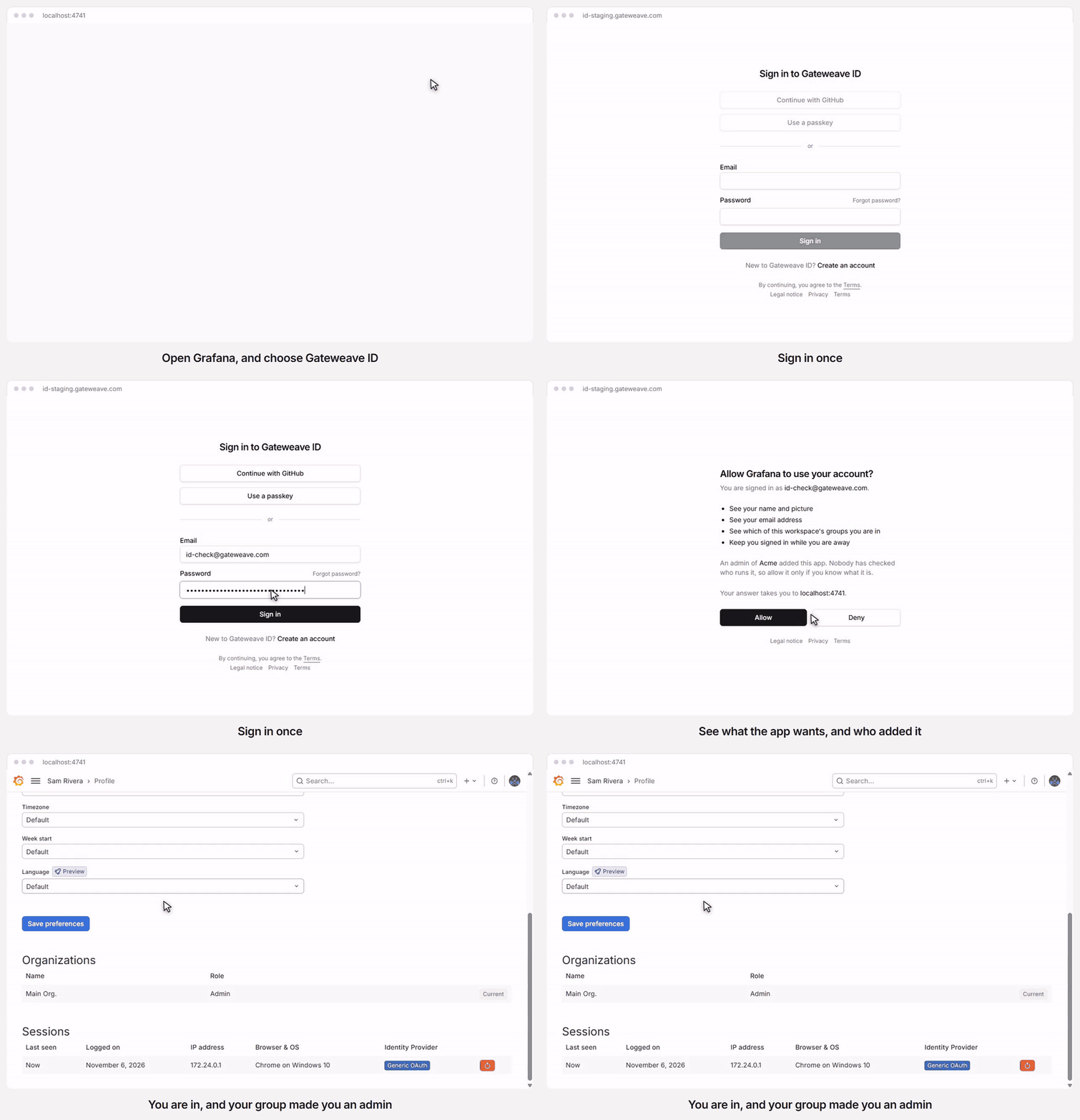
A real sign-in to Grafana against ID's staging server, with the time spent loading cut out. Which role someone gets depends on the groups they are in.
[](https://deploy.workers.cloudflare.com/?url=https://github.com/gateweavehq/id)
It runs entirely on Cloudflare: one Worker, one D1 database, a Durable Object for rate limits and a Queue for logouts an app missed. It is meant to let people hold one account and sign in to any app that supports OIDC.
Gateweave ID is part of [Gateweave](https://gateweave.com), the family of open-source business tools that run on Cloudflare, next to [Gateweave Track](https://github.com/gateweavehq/track) and [Gateweave Agents](https://github.com/gateweavehq/agents).
> **Status: early.** It is not certified. The OpenID conformance suite’s Basic OP and Config OP plans pass, and [docs/conformance.md](/id/conformance/) says what differs and why, so check that it does what you need before you rely on it. [docs/architecture.md](/id/architecture/) describes what it is being built to be, including what is decided and what is still unproven.
## What works today
[Section titled “What works today”](#what-works-today)
* **Accounts.** Sign up with a code sent to your email, sign in with a password, GitHub or a passkey, reset a password, and see an account page with its recent activity.
* **First-party apps.** Tokens for apps that a deployment registers itself. Gateweave’s own products sign in through it, next to their own sign-in. When someone signs out of ID, an app that gave a back-channel logout address is told, and a logout it missed is tried again from a queue for about 20 hours.
* **Workspaces.** People can make workspaces, invite each other and [connect their own apps](/id/connect-an-app/), which only that workspace’s members can use. Groups decide who in a workspace may sign in to which app, and an app can ask for them as a `groups` claim. These apps do not hear about a sign-out yet. One of them can be [Cloudflare Access](/id/cloudflare-access/), which puts an internal app behind ID through a tunnel, with no server of your own to run. There are guides for [Grafana](/id/recipes/grafana/), [Gitea](/id/recipes/gitea/) and [Outline](/id/recipes/outline/), each signed in to for real.
* **Your own server.** The first account owns it. Sign-up stays closed until you open it, and while it is closed only people who are invited, or on your list of addresses and domains, get in. It also runs without email, with less.
## Tech stack
[Section titled “Tech stack”](#tech-stack)
[TanStack Start](https://tanstack.com/start) · React 19 · Tailwind CSS 4 · [Better Auth](https://better-auth.com) · [Drizzle ORM](https://orm.drizzle.team) · Cloudflare Workers, Durable Objects and D1 · TypeScript 7 · Vitest · Biome
## Running it locally
[Section titled “Running it locally”](#running-it-locally)
Requirements: Node.js 24 (22+ works) and pnpm 12.
```sh
pnpm install
pnpm doctor # checks your toolchain and setup, and explains how to fix anything missing
pnpm dev:setup # creates .dev.vars with a random secret, migrates the local database
pnpm dev # http://localhost:4730
```
Sign up at `/signup`. Signing up takes a code sent by email, so `pnpm dev:setup` turns email on. Nothing is sent locally: each email is saved as a file under `apps/web/.wrangler/tmp/email`, and the terminal that runs `pnpm dev` prints its path. The code is in the `.txt` file.
To enable “Continue with GitHub”, [create an OAuth App](https://github.com/settings/applications/new) with the callback URL `http://localhost:4730/api/auth/callback/github`, then uncomment and fill in `GITHUB_CLIENT_ID` and `GITHUB_CLIENT_SECRET` in `.dev.vars`.
`pnpm verify` runs everything CI does: lint, types, tests and a build. See [CONTRIBUTING.md](https://github.com/gateweavehq/id/blob/v0.13.0/CONTRIBUTING.md) and [AGENTS.md](https://github.com/gateweavehq/id/blob/v0.13.0/AGENTS.md) for how the code is organized and what must never break.
## Running your own
[Section titled “Running your own”](#running-your-own)
[](https://deploy.workers.cloudflare.com/?url=https://github.com/gateweavehq/id)
[docs/self-hosting.md](/id/self-hosting/) has the steps and every setting, including what you give up without email. The first account owns a new server and sign-up closes behind it, so claim yours as soon as it is up.
## License
[Section titled “License”](#license)
[AGPL-3.0](https://github.com/gateweavehq/id/blob/v0.13.0/LICENSE). Contributors sign a [CLA](https://github.com/gateweavehq/id/blob/v0.13.0/CLA.md) once, which covers every Gateweave project. Third-party code is listed in [THIRD_PARTY_NOTICES.md](https://github.com/gateweavehq/id/blob/v0.13.0/THIRD_PARTY_NOTICES.md). Report security problems as [SECURITY.md](https://github.com/gateweavehq/id/blob/v0.13.0/SECURITY.md) describes.
# ID architecture
Gateweave ID is an OpenID Connect provider that runs entirely on Cloudflare, with no server to run. It is in the space of Pocket ID and authentik. People hold one account, and any app that supports OIDC signs them in with it.
Read this before changing sign-in, tokens or who may use an app. A mistake in those places signs the wrong person in to someone else’s app.
## The shape
[Section titled “The shape”](#the-shape)
One Worker, one D1 database, a Durable Object for rate limits and a cron trigger.
Identity data is relational, read at sign-in and written rarely. Nobody edits it offline or watches it change, so ID has no per-workspace Durable Object and no sync engine, unlike Track. Building on Track’s sync engine here would add moving parts and solve nothing.
| Piece | Holds |
| ----------- | ------------------------------------------------------------------------- |
| D1 | Accounts, sessions, passkeys, workspaces, groups, apps, tokens, audit log |
| RateLimiter | Durable counters for sign-in and code attempts, as in Track |
| Cron | Prunes expired rows and old audit events |
## Accounts, workspaces and apps
[Section titled “Accounts, workspaces and apps”](#accounts-workspaces-and-apps)
There is one issuer per deployment. Gateweave Cloud’s is `https://id.gateweave.com`.
* **An account** is global, with one verified email address.
* **A workspace** is a Better Auth organization, behind a gate of ID’s own (see “Workspaces”). It owns apps and groups. What its owners and admins may do is decided with `can`, never by comparing a role with `member`.
* **An app** is an OAuth client. A workspace’s are made through ID’s own endpoints, which put the workspace in the app’s `metadata` (see “Apps a workspace adds”). The provider’s own way, `clientReference`, reads the session’s active workspace, which a person cannot see and ID does not use.
* **A first-party app** has no workspace. The deployment registers it. Track and Agents are first-party in Gateweave Cloud. Anyone with an account may use one, because the product checks its own membership afterwards.
Sign-up is open in Gateweave Cloud, behind Turnstile. A strange account gains nothing, because every workspace app refuses non-members. On a self-hosted deployment, the first account owns the instance and sign-up then closes, leaving invitations as the way in, unless the owner opens it.
## Sign-up
[Section titled “Sign-up”](#sign-up)
**The address is proven before the account exists, and the password comes after that.**
The usual form takes a name, an address and a password, then emails a link. That allows pre-account hijacking: a stranger signs up with someone else’s address and their own password. When the real owner opens the link, the account is verified, and the stranger knows its password. Better Auth’s link verification does not clear that password, so this form cannot be made safe by adding to it.
So signing up has three steps, and only the last two touch the database’s accounts:
1. The person gives a name and an address, and ID emails a 6-digit code. The code is stored hashed, for 10 minutes and three tries.
2. The code comes back. Only now does the account exist, and it is verified from its first row.
3. The person chooses a password at `/welcome`. Leaving before this is fine: a password reset gives the account its first password.
Better Auth’s `email-otp` plugin does steps 1 and 2. It is also a way to sign in, which ID does not want, because signing in with only a mailbox would skip the password and two-factor. `apps/web/src/server/auth/sign-up.ts` holds it to signing up:
* **A code never opens an account that exists.** An existing address gets an email that says so, with no code. If a right code does arrive, because an account appeared while it was still good, it is refused.
* **Every other way in is closed.** `/sign-up/email`, link verification and the plugin’s other paths answer 404, and a database hook refuses any account that is not verified, which is what stops a GitHub account whose address GitHub has not verified.
* **Outside, an address with an account looks like one without.** Asking for a code and getting one wrong answer the same. “Expired” and “too many attempts” would give it away, so they use the same words too. Asking for a code, entering one and asking to reset a password all take at least a second, whatever the answer, which is more than the work behind them normally takes, so the time says nothing either.
* **Codes per address are capped** before a code is stored, because each new code resets the attempts. That holds the guesses against one address to about one chance in 33,000 a day, however many clients ask.
The first password goes through `/account/first-password`, which needs a session from the last day. Setting a password outlasts a stolen cookie, so an old session cannot do it.
Changing a password takes the current one, at five tries a minute from one client address (`auth/password-change.ts`). It ends every session whatever the request asks, since whoever knew the old password may be why it is changing and may be the one asking, and it emails the person, which may be how they first hear of it. Choosing a first password sends no such email, because it is the next step of signing up.
Removing a password takes the password, as changing one does, though no page offers it yet. Better Auth’s `/unlink-account` would take a recent session alone, and a password removed that way could be replaced through the path above. So `auth/password-removal.ts` asks for it there, with five tries a minute from one client address. Disconnecting GitHub still takes only the recent session.
A limit per address does little against a stolen cookie sent from many, so every path where a session shows a password also shares an allowance per person (`auth/password-tries.ts`): 10 at once, refilling over an hour, within 30 that refill over a day. Those are changing or removing a password, turning two-factor on or off, replacing recovery codes and deleting the account. It counts only requests with a session for that account, so nobody can lock a person out with their address alone, and signing in is not part of it. Whoever holds the cookie can use it up, but signing out everywhere asks for no password and a reset asks for no session. When it runs out the person gets an email saying so and what to do, at most once a day and only at an address they have verified, because anyone can sign up with a stranger’s. The refusal does not wait for it.
Better Auth’s `/verify-password` is closed. It would tell anyone with the cookie whether a password is right, with only the default limit and no audit row, and nothing here uses it. `/get-access-token`, `/refresh-token` and `/account-info` are closed too, since an account keeps none of a provider’s tokens for them to give.
`apps/web/src/server/auth/routes.test.ts` lists every route that answers, so a Better Auth upgrade that adds one fails until someone decides whether it stays open.
## Who owns a deployment
[Section titled “Who owns a deployment”](#who-owns-a-deployment)
**On a new server, the first account owns it and sign-up closes behind it.** Someone who deploys ID for their team should not find later that anyone could make an account there, and apps and Cloudflare Access may trust whoever has one.
One row in `deployment` says who the owner is and whether sign-up is open. `apps/web/src/server/auth/deployment.ts` asks it, and the triggers in `0014_deployment_hold.sql`, `0015_workspace_way_in.sql` and `0018_sign_up_allow_way_in.sql` hold it.
* **Closed means an address needs a way in:** a place on the owner’s list, an invitation from the owner, or a pending one from a workspace the owner runs, as its owner or an admin. Neither invitation lasts past its expiry, and an owner’s goes with the account it made.
* **The owner’s list is a way in that does not run out.** `sign_up_allow` holds addresses, lowercased, and domains written with a leading `@`. A domain covers addresses at exactly that domain: `@example.com` lets in `ada@example.com`, and not `ada@mail.example.com` or `ada@notexample.com`. Unlike an invitation, an entry is not used up by the account it let in, since the list is the owner’s to change and nothing else reads it. Taking an entry away stops the next account and leaves those already made. At most 5,000 entries, held by the trigger `sign_up_allow_is_capped` as well as the endpoint, and a note of at most 200 characters, held by a `CHECK`. It is a way in only while sign-up is closed, and only checked where an account is made, so it adds nothing to the sign-in path. **It is personal data about people who may have no account:** the page that shows it is the owner’s alone, the audit log records that an entry was added or removed and of what kind (`address` or `domain`), and never the entry, and the owner’s note is their own words.
* **The database refuses the rest, whatever makes the account.** The hook in `auth/config.ts` asks first so that the answer has words, including at the sign-in page for someone coming back from GitHub. A way of making accounts added later that forgets to ask still cannot make one. A missing row counts as closed.
* **Outside, an address with no way in looks like any other.** Asking for a code gets the same answer in the same time, and nothing is stored or sent. That comes before the cap on codes per address, so a stranger cannot use up someone’s codes ahead of their invitation, or learn from the cap who has been invited. The address is asked about as the plugin will read it, lowercased first, since the Kelvin sign is only a `k` then.
* **A code does not outlast the way in.** If the invitation goes while a code is on its way, the right code is refused, and so is the second of two people who asked while the server had no accounts.
* **On a closed server, only the owner makes workspaces, and only those the owner runs can invite.** A workspace’s invitation is a way in, so anyone who could make a workspace could let in anyone at all. Those the owner makes admins of a workspace can invite to it. One made while sign-up was open is its maker’s, so closing sign-up closes it: it can invite nobody, whoever they are, which tells its admin nothing about who has an account, and what it already sent makes no accounts. Someone with an account can still accept. Its admins cannot make the server’s owner an admin of it either, which would open it again with no word from them.
* **An upgrade changes nothing for a deployment that has accounts.** It stays open, with its oldest account as the owner, and only the owner’s name is new.
Two people cannot both be first: D1 runs writes one at a time, and the second finds an account there. Until the first account exists, though, the first to arrive is the owner, whoever they are, so a new server should be claimed as soon as it is up, as [self-hosting.md](/id/self-hosting/) says.
**The owner has a page, `/server`, linked from their account,** and its paths under `/deployment/` answer everyone else with a 404, as if they were not there. Opening sign-up and making an invitation also want a recent sign-in, because each lets others in and would outlast a stolen cookie. So does adding or removing an entry on the list, whose paths are `/deployment/allow/list`, `/deployment/allow/add` and `/deployment/allow/remove`. The list shows, for each entry, whether an account with that address or at that domain exists, which only the owner can ask, and the page searches it in the database, not in the browser.
**A closed server can say where to ask for an account.** `SIGN_UP_REQUEST_URL`, an https address, makes the sign-up and sign-in pages show “Ask for access” while sign-up is closed. Anything that is not https, or has a name and password in it, is left out, as the legal pages’ addresses are. Gateweave Cloud sets it to `https://gateweave.com/waitlist`.
**An invitation from the owner is a link, `/join#`.** The token is 32 random bytes, of which only the SHA-256 is kept. In the part after the `#` a browser sends it to nobody, and the page reads it with a POST, so no URL in a log or a Referer holds it. It works once, for 7 days, and asking again replaces it. Whoever opens it chooses a name and a password in one go, and the account exists only then. With email the link goes to the address, so opening it proves the mailbox as a code would, and that address can use a code or GitHub instead. An address that already has an account cannot be invited.
**A server that sends no email has no way to prove an address.** So there the owner’s word stands in for it: the owner gets the link to pass on, and whoever opens it has an account verified as that address. That is the owner’s to answer for, as they could write the row themselves. And the first account of a server with neither email nor GitHub is claimed at `/signup` with a name, an address and a password, a path that answers 404 once there is an account and on any server that can prove an address.
**Nor can it send anyone a reset link, so the owner can make one.** `/deployment/password-link` writes the row a reset email’s link leads to, so what the person does next goes through `/reset-password` as anyone’s reset does: the breached-password check, one use, and every session ended, which tells the apps. Two-factor sign-in and passkeys stay as they were, so where the person has them the link alone gets nobody in. It is a way into someone else’s account, so it holds to more than an invitation does:
* It answers 404 on a server that sends email, where people can do this for themselves. So Gateweave Cloud’s operator has no such thing.
* It wants the owner’s password, where they have one, as well as a recent session, and spends the same allowance per person as the other paths where a session shows a password. A stolen cookie is not enough.
* The link lasts 24 hours rather than a week. Asking again deletes the earlier one in the same batch that writes the new one, or one gone astray would stay good after the person had used the new one.
* The person’s activity names the owner, and says so again when the password changes. The row is the owner’s to write anyway, as they run the database, so what this adds is that the person can see it.
Better Auth keeps this token as it comes, rather than a hash of it as invitations have, because its route looks it up that way. Whoever can read the database for those 24 hours could use it, as they could a reset email’s for an hour. They are no one new on a server like this, since its owner runs the database.
## Signing in with GitHub
[Section titled “Signing in with GitHub”](#signing-in-with-github)
GitHub is a second way to prove an address, under the same rule: no account without a verified one.
* **ID asks for `user:email` and nothing else.** That is enough to read someone’s verified addresses, and it keeps the consent screen short. Each environment has its own OAuth App, since one has a single callback URL. An OAuth App rather than a GitHub App, because signing in with a GitHub App asks to “act on your behalf”, and ID does not.
* **ID keeps none of GitHub’s tokens.** It asks who someone is once per sign-in and never calls GitHub for them afterwards, so a token it does not store cannot leak.
* **A verified address that matches an account signs in to it.** An account’s address is always verified, so both sides have proven it, and Better Auth links them. An address GitHub has not verified neither makes an account nor reaches one. On a server that sends no email the account’s side rests on the word of whoever opened a link, so nothing links: otherwise whoever held a stray link would keep a password to the account of the person it was for, who would see nothing wrong.
* **The link is to the GitHub account, not its address.** Someone who changes their address on GitHub stays the same person in ID, with the address ID already has.
* **A refusal comes back to `/login` as a code,** because it ends in a redirect. The page turns known codes into its own words and shows nothing from the URL, or a link could put any text on the page.
## Passkeys
[Section titled “Passkeys”](#passkeys)
Passkeys need no address first: the button on the sign-in page, or the browser’s own offer under the email field. They are off on a deployment without `BETTER_AUTH_URL`, like the issuer, because each one is bound to that host for good and cannot be moved.
Better Auth’s passkey plugin does the WebAuthn. What it does by default falls short of being the way in to everything else a person uses, so ID differs in these places:
* **User verification is required,** not `preferred`, so a stolen security key with no PIN will not do. The browser is told so too, or it could skip the fingerprint reader and be refused with no way to put it right. Before 1.7.16 the plugin ignored this when checking, so `test/passkeys.test.ts` holds it to it.
* **The credentials are discoverable,** since there is no address to look someone up by first.
* **The expected origin comes from settings, and is the only one.** Without that the plugin also takes any trusted origin the browser reports.
* **A credential id is unique across all accounts,** as the specification asks. The plugin keeps a plain index and looks passkeys up by that id alone.
* **A new passkey is named from its authenticator or the device,** not by the person. The name the plugin asks for would also replace the address in the operating system’s list of passkeys, where people need to tell their accounts apart.
* **A registration cannot start a session.** The plugin offers `createSession`, but a passkey is added from an account page, by someone already signed in.
* **Removal goes through ID’s own endpoint.** The plugin’s would let someone remove their last way to sign in. ID’s is one conditional `DELETE`, so that removing two passkeys at once cannot get past the rule. Another passkey counts, a password counts, and so does GitHub on a deployment that still has it.
* **Adding and removing need a recent sign-in,** so that someone at an unlocked computer cannot make themselves a way back in or take away the owner’s.
* **Names have a limit, and each step has a rate limit of its own.** The plugin has neither.
A passkey is a way to sign in like any other: someone whose only one is a passkey is not sent to choose a password on the way to an app, and is still subject to “Who may sign in”, after which they carry on to it as they would after a password.
## Two-factor sign-in
[Section titled “Two-factor sign-in”](#two-factor-sign-in)
Someone who turns this on is asked for a code from an authenticator app every time they sign in with a password. A passkey with user verification is already two factors, and GitHub has its own sign-in, so neither asks. That is also why only someone with a password is offered it: it would protect nothing else they have. The account page says what it covers, since a person choosing it should know.
Better Auth’s two-factor plugin does the TOTP. ID differs from what it does by default in these places:
* **It runs before the provider.** Hooks run in plugin order, and the provider’s carries on to the app when it sees a session being set. The plugin’s is what takes the session away while a code is owed. In the other order a password alone would make a code for the app, which `test/two-factor.test.ts` checks by counting codes in the database, because the response alone would not show it.
* **A code works once.** The plugin takes one for as long as it is valid, a minute and a half with the step either side, so anyone who saw it could use it again, and RFC 6238 says a verifier must not. `RateLimiter` holds each person’s code for two minutes, and it is claimed before it is checked, because checking first would let two requests with one code both through. A wrong code claimed this way harms nothing: it gets the same answer as any wrong code, and a repeat of it costs no attempt.
* **No device is remembered.** The plugin offers 30 days without a code, which is a password alone for 30 days.
* **Nothing goes by email.** A mailbox already resets a password, so one mailbox would be both factors. For the same reason a reset by email leaves two-factor on, and the next sign-in asks.
* **The key is shown once.** The plugin’s `get-totp-uri` would show it again to anyone with the password and a session, and that is a second authenticator the person never hears of.
Recovery codes are encrypted, not hashed as you might expect. The plugin compares them after decrypting, and the authenticator key beside them has to be readable and guards the same thing, so hashing them would add little. Both are encrypted with `BETTER_AUTH_SECRET`, like the signing keys, so replacing that secret outright makes them unreadable, and everyone with two-factor on could then not sign in with a password until `two-factor:remove` is run for them. They have one case and nothing that looks like something else, since they may be read off paper, at some cost in length: about 50 bits each, against the limits below.
Guessing is held down at three levels: three tries per 10 seconds from one client address, through the durable limiter; five tries at one challenge before the password is wanted again; and ten wrong codes in a row, across challenges, lock out codes for that person for 15 minutes. A challenge lasts 10 minutes, and is not a session: nothing that needs one accepts it.
Turning it on or off replaces the session, which is how the plugin does it. Apps signed in from the old session get a back-channel logout, and the page says they will ask the person to sign in again. Replacing recovery codes does not.
**Someone who has lost their authenticator** has a recovery code, then a passkey or GitHub if they added one. Someone with none of those needs whoever runs the deployment, on purpose:
```sh
pnpm --filter @gateweave/id-web two-factor:remove --env cloud --email someone@example.com
```
Whoever runs it has to be sure who is asking, which ID cannot help with, and the person’s activity says it was done for them. Their sessions stay, since they lost a device and nobody said someone else has it.
**Apps cannot be told how someone signed in.** The provider strips `amr` from custom claims and always sends `acr: "0"`, so no app can require a second factor through its tokens. A rule that does has to live in ID’s own check at authorization.
## Workspaces
[Section titled “Workspaces”](#workspaces)
A workspace is a group of people who will share apps. Better Auth’s organization plugin keeps the rows, and `apps/web/src/server/auth/workspaces.ts` decides what reaches it. A workspace has a name, an address, members, invitations, apps and groups.
**Every request to the plugin goes through a gate first.** Ten paths have a rule. Anything else answers 404, including the plugin’s teams and custom roles and whatever a later version adds, so an upgrade opens nothing. Each rule has a strict body and names the workspace in it, so a field the plugin would accept and no page sends, such as `metadata` or `userId`, is refused. The session’s “active workspace” is not used: a person cannot see it, so a request that leans on it can act somewhere they did not mean.
`can`, in `lib/workspace.ts`, says who may do what, and the server and the pages both ask it. Rights are granted by name, so a role this build has not heard of has none.
| | Owner | Admin | Member |
| -------------------------------------------- | ------ | ---------------- | ------ |
| See the workspace and its members, and leave | Yes | Yes | Yes |
| Rename, invite, see and withdraw invitations | Yes | Yes | No |
| Add and change apps, make and manage groups | Yes | Yes | No |
| Change a role, remove someone | Anyone | Anyone but owner | No |
| Make someone an owner | Yes | No | No |
| Delete the workspace | Yes | No | No |
* **To someone outside, a workspace does not exist.** One that exists answers them with the same 404 and the same words as one that does not. A member who lacks a right gets a 403, since they can see it.
* **Reads are ID’s own endpoints** (`/workspaces/list`, `/workspaces/get`, `/workspaces/invitation`), which name their columns, so that a new column stays in the database. Writes stay on Better Auth’s endpoints, for its origin check. A cookie that is only `SameSite=Lax` would not stop another `*.gateweave.com` host.
* **A workspace always has an owner,** because nobody could fix one without. The gate says so in words, the plugin counts too, and triggers in the `0006` migration refuse the change in the database, which holds when two owners leave at once and for anything else that ever touches a row. Whoever loses that race gets a 500, and trying again gets the proper refusal.
* **Deleting goes workspace first.** The plugin deletes the members first, which the triggers refuse, so a hook deletes the workspace and lets the database’s cascade take the rest.
* **Deleting needs a sign-in from the last day.** It cannot be undone and takes everyone’s place with it, so like a first password it has to outlast a stolen cookie.
* **Limits are on owning, not belonging.** One person can own 10 workspaces and be invited to any number, because nobody chooses their invitations. A workspace holds 500 members.
**An invitation goes to an address, and only an account that has proven that address can see or take it.** For anyone else it answers 404, like one that does not exist. Someone with no account follows the link to the sign-in page, and from there to making an account, with the address already filled in. The sign-up above proves it, and the invitation is waiting.
* **An invitation makes an admin or a member.** An owner is made afterwards, by another owner, so that a mistyped address cannot hand a workspace to a stranger.
* **The email can reach anyone, so it can say little of what a stranger chose.** The subject is fixed. The workspace’s name cannot hold a link or characters that hide text, and the sender appears by the address they proved, never by the name they chose.
* **Sending is limited** to 30 an hour and 100 a day per person and 3 a day per address, whoever sends them. That last one sits well under what an address can be sent in all, so nobody can use up what it has left for a sign-up code or a password reset by inviting it.
* **It lasts 7 days.** Asking again replaces it, and the old link stops working. The cron deletes expired ones, since an address in one may have nothing to do with this deployment.
* **It outlives the person who sent it** leaving the workspace, until someone withdraws it or it expires. They may have gone for reasons that have nothing to do with it, and admins can see and withdraw it.
* **On a deployment that sends no email, an invitation waits to be found.** It is under Workspaces for someone once they have an account with that address, and the page tells whoever made it to say so themselves. See “Who owns a deployment” for how someone gets an account there.
## Deleting an account
[Section titled “Deleting an account”](#deleting-an-account)
**Someone deletes their own account on the account page, and it goes at once.** `auth/delete-account.ts` does it, at `/account/delete`.
* **It takes a session from the last day, and the password if the account has one.** So a stolen cookie is not enough wherever there is a password to ask for, and removing the password first takes the password too. Five tries a minute from one client address and the allowance per person hold down guessing, as on the other paths that ask for one. An account with only GitHub or a passkey has a recent session and nothing else to show.
* **Two people have to stay.** The only owner of a workspace hands it over or deletes it first, and the answer names each one. Whoever runs the server stays until someone else does, as [self-hosting.md](/id/self-hosting/) says. The answers have words because the code asks first. The triggers `member_delete_keeps_an_owner` and `deployment_keeps_its_owner` hold it whatever asks.
* **Better Auth’s `/delete-user` stays off.** Its `internalAdapter.deleteUser` removes the sessions, then the ways of signing in, and the user last, so a trigger refusing that last step would leave someone with no way back. This ends the sessions through the adapter, so that the provider’s hooks send back-channel logouts, and then deletes the user in one statement. Foreign keys take everything else with it, or a trigger refuses all of it. That can happen if someone else leaves a workspace in the moment between. The request fails with no reason given, and by then the person is signed out and the apps have been told. They still have their account, and signing in again gets them the reason. When two devices ask together, only the request that removed the row writes it down and sends the email.
* **Apps keep their own copy.** Every app’s tokens go with the account. A first-party app signed in through a session that is still alive also hears that it ended. One whose session with ID had already ended does not, and neither does a workspace app, since those have no back-channel logout yet, so someone can stay signed in there until the app’s own session runs out. What an app holds about the person is its own: on a self-hosted server it is out of ID’s reach, and Track and Agents keep their own accounts on purpose. The page and the email say so.
* **What stays:** the audit log’s rows, which have no foreign keys and last their 90 days, and an app’s `added_by`, as the app list expects of someone who has left. A workspace keeps the apps they added and the groups they were in. Each workspace they left gets a `member_left` row, for the view its admins will have.
* **What goes that others might notice:** invitations they sent that nobody has taken, since `invitation.inviter_id` cascades. Leaving a workspace is different, as above.
* **The address is free afterwards.** A new account with it starts from nothing, and on a closed server it needs a new way in.
## Who may sign in
[Section titled “Who may sign in”](#who-may-sign-in)
Three rules, in this order:
1. **The address is verified.** No account exists without that, as above, and the check stands anyway. Apps and Cloudflare Access trust the `email` claim, and rules such as “anyone at acme.com” depend on it.
2. **The person belongs.** A workspace’s app admits only that workspace’s members.
3. **The app’s rule passes.** An admin can narrow an app to some of its workspace’s groups.
**The check fails closed.** If it cannot name the app or the person, it refuses. This is not a style preference. The first version of the check, in the proof below, read the client id in the wrong form, got nothing, and let everyone through while its tests for permitted people still passed. Every test of this check must include a person who is refused.
It runs in two places:
* **At authorization,** in `postLogin.shouldRedirect`, which runs on every path to a code. The client id comes from `getOAuthProviderState()`, whose `query` is a serialized query string, not an object. A refused person goes to a page that explains why and gets no code. `prompt=none` gets `interaction_required`, and continuing past the page runs the check again.
* **At every token,** in `customTokenResponseFields`, which can throw `invalid_grant` and runs before any token is made. Authorization does not run on refresh, so without this a removed person keeps their access, and a code issued a moment before someone was refused would still work. This hook sees the client’s metadata and not its id, so every app carries its own id in `metadata.app`.
Someone out of a workspace also loses what they already hold from its apps, in the same statement: a trigger on `member` deletes their access tokens, refresh tokens and consent for them. Without that, an access token would carry on for up to an hour. A token request that passes the check at the very moment someone is removed writes its tokens after they have gone, with no consent behind them, and the trigger in “Taking an app back” deletes each one as it arrives.
**Consent.** First-party apps skip the consent screen. Workspace apps never do, because `skip_consent` on them would let any workspace’s admin receive a member’s address silently. The screen names the app, the workspace that owns it and the host it sends people back to, from the app’s own row, and says that nobody has checked who runs it. Asked about an app they cannot use, it tells a person nothing.
## Signing in to an app
[Section titled “Signing in to an app”](#signing-in-to-an-app)
An app sends someone to the authorization endpoint, and the provider decides where they go next. Each page it sends them to gets the app’s request in its query, signed, and the auth client’s `oauthProviderClient` sends that query back with every POST from the page. The provider’s answer says where to go, and the auth client goes there. So the pages have three duties, all in `lib/oauth-flow.ts` and `lib/search.ts`:
* **Keep the query as it is.** The signature covers each value. The router’s default reads values as JSON and writes one value per name, so `state=1e5` came back as `100000` and the repeated `ba_param` as a JSON array, and it rewrites the URL to match. So `router.tsx` parses queries as plain text, and these pages validate with `z.looseObject`, since `z.object` would strip the request out of the URL.
* **Take it along.** Links between `/login` and `/signup` carry it, and so does GitHub’s way back when someone is refused. A session is no reason to leave these pages either: someone signed in only reaches them when the app asked, with `prompt=login` or `max_age`.
* **Do not navigate.** The auth client is already on its way, and a second navigation would cancel it.
| Page | When the provider sends someone there |
| ------------ | ----------------------------------------------------------------------------------- |
| `/login` | Nobody is signed in, or the app asked them to sign in again. |
| `/welcome` | They have only proved an address, so have nothing to sign in with next time. Or the |
| | app sent `prompt=create`: signed out, this page passes them to `/signup`; signed in |
| | with a way to sign in, it tells the provider they are done. |
| `/consent` | The app sent `prompt=consent`. Workspace apps will always come here. |
| `/no-access` | The check above refused them. They can use another account, or go back to the app, |
| | which gets `access_denied`. |
The check does not depend on any of this. A page that sends the wrong thing gets a bad signature, and a person who skips a page runs into the same checks at the next one.
**The signature runs out after 10 minutes,** which an open page can outlive. No retry can help then, so the provider’s error becomes a “Start again” link, which asks for the app’s request afresh.
**Resetting a password leaves the flow.** The link arrives by email, often in another tab or on another device, so it ends at the account page. The way back is the tab the person left: the app asks again, and now they pass straight through. The email saying an address already has an account does the same.
**A form cannot be sent before the page’s script runs.** Sent that early, the browser would submit it itself as a GET, with the password in the URL, where history and logs keep it. Pages reached by a full navigation, which all of these are, have that moment on every load, so `LiveButton` arrives disabled. A browser will not submit a form whose default button is disabled, not even with Enter.
## Tokens
[Section titled “Tokens”](#tokens)
These values are permanent once real apps depend on them. Changing one signs everybody out of every app or breaks every integration, so each is decided here and not left to a default.
| Value | Decision | Why |
| ---------------- | ---------------------------------------------------------------------- | --------------------------------------------------------------------------------------- |
| Issuer | The bare origin, with discovery at `/.well-known/openid-configuration` | It is typed into customers’ app settings. `/api/auth` is an implementation detail. |
| Signing | RS256 (`jwks.keyPairConfig.alg`) | OpenID Connect requires it, and libraries expect it unless told otherwise. |
| Subjects | Pairwise for every app (`pairwiseSecret`) | With one shared issuer, a public `sub` would let unrelated customers match a person up. |
| `pairwiseSecret` | Generated once, never rotated | Rotating it changes every subject, so every app would see new people. |
| Token prefixes | `gwid_at_`, `gwid_rt_`, `gwid_cs_` | Better Auth’s docs call them effectively immutable. |
**A deployment is a provider only when it says so:** `BETTER_AUTH_URL` and `OIDC_PAIRWISE_SECRET` both set. The issuer is the origin of the first. It is never taken from a request, whose Host header belongs to whoever sent it. Without both, discovery and every provider path answer 404, so a deployment that has not set them up has no provider rather than a wrong one. The secret stands alone, and is not derived from `BETTER_AUTH_SECRET`, so that replacing the session secret leaves every subject where it is. A Worker’s secrets cannot be read back through Cloudflare’s API, and deleting the Worker deletes them, so keep a copy of this one somewhere else when you generate it.
Other rules:
* **A subject is derived from the host of the app’s first redirect URI** and the person’s id. Moving an app to a new host therefore gives everybody a new subject in it, so register the host it will keep. `test/oidc.test.ts` pins the derivation, so that an upgrade of Better Auth cannot change it unnoticed.
* **Signing keys rotate** every 90 days, and an old key stays published for 30 more, which is longer than any ID token lives. Private keys stay encrypted at rest with `BETTER_AUTH_SECRET`. A new key signs as soon as it exists, because Better Auth has no way to publish one first. So an app that fetched the JWKS in the seconds before a rotation can fail to verify one sign-in until it fetches again, which clients do when they meet an unknown key. Four times a year, this is accepted.
* **Changing the signing algorithm takes more than ID.** An app learns what it may accept from discovery. ID makes a key of the new algorithm when discovery, the keys or a token is first asked for, so that an app that has read the new answer never gets anything else. An app that read the old one is not so lucky: Track and Agents read discovery when an isolate starts, and keep the answer for as long as it lives. Until then they refuse every token of the new algorithm, logout tokens too, which ID does not try again. So redeploy them straight after ID, and again after rolling ID back over such a change.
* **Access tokens are opaque, and `resource` is refused.** A JWT access token’s subject is the real user id, whatever the app’s subject type. Registering no resources is not enough: the provider always accepts its own userinfo endpoint as one, so any app could ask for a JWT by naming it. So a request that names any resource gets `invalid_target`, at authorization and at the token endpoint. Lifting this for APIs later takes a way to give such a JWT the pairwise subject.
* **`/token`, the JWT plugin’s own endpoint, is closed** for the same reason.
* **The ID token carries `email`, `email_verified`, `name` and `picture`** through `customIdTokenClaims` when their scopes are granted. They are not there by default, and Cloudflare Access reads the ID token.
* **`picture` is never an address someone typed.** It comes from GitHub or is absent: `/update-user` and a sign-up code refuse an `image`. An app’s pages have other people’s browsers fetch it, so whoever chose the address would learn who is looking and from where.
* **`amr` and `auth_time` are the provider’s own.** Reserved claims are stripped from custom claims, so `amr` cannot be added that way and `acr` is always `"0"`. Do not promise an app that it can tell how someone signed in until this is solved.
* **Refresh tokens rotate,** and reusing an old one revokes the newer one too.
* **Apps need exact redirect URIs, and PKCE unless they say they cannot.** There is no open dynamic client registration: admins choose apps. A pairwise app’s redirect URIs must share one host. RFC 9700 lets an app with a secret use a nonce in place of PKCE, and not every library can do PKCE, so an app can be registered without it. The provider still wants one or the other for `offline_access`, and refuses a verifier for a code that was asked for with no challenge. Whether the app really sends and checks a nonce is for the app.
* **`sid` is the session’s own id, in the ID token and the logout token,** so two apps can match up a person for as long as one session lasts. Workspace apps (who may not trust each other) need this looked at before they get `backchannel_logout_uri`.
* **Limits on the token and userinfo endpoints are high on purpose,** at 600 a minute per address, because apps’ servers call them, and a cloud’s customers can share an address.
* **A Worker is counted by its zone, not its address.** Every Worker reaches another zone from one address, anyone’s, so counting by that let any Worker on Cloudflare stop people signing in to Track and Agents. The `cf-worker` header says which zone, and a Worker cannot change it: both were measured on 2026-11-05, as was the harm. Nothing else is told by that header, as anyone can send it. Track and Agents share a zone, and so a limit, which only their own Workers can spend. Apps on another cloud can still share an address and a limit.
* **Being limited costs an app little.** Track and Agents keep no tokens from ID, so nobody is signed out: a sign-in fails and works when tried again. A refresh that was limited was never read, so its token still works.
## Registering an app
[Section titled “Registering an app”](#registering-an-app)
First-party apps are registered by whoever runs the deployment, and only they can add one. Signed-in people get no client endpoint (`clientPrivileges` is always false), and Better Auth’s admin function can only run inside the Worker, which no route offers:
```sh
pnpm --filter @gateweave/id-web apps:add --env staging --app track --name "Gateweave Track" \
--redirect-uri https://track-staging.gateweave.com/api/auth/callback/oidc \
--backchannel-logout-uri https://track-staging.gateweave.com/api/auth/backchannel-logout/oidc
```
It writes the row with `wrangler d1 execute`, keeps only a hash of the secret, and prints the secret once. Since this writes what the provider would, `src/server/auth/app-row.ts` is the one part of ID that knows the provider’s table. `test/oidc.test.ts` signs in through a row it builds, so an upgrade that changes what the provider reads fails there.
## Apps a workspace adds
[Section titled “Apps a workspace adds”](#apps-a-workspace-adds)
An owner or admin can add an app from the workspace’s page, and [connect-an-app.md](/id/connect-an-app/) is what they read next. `workspace-apps.ts` has four endpoints, to add, change, replace a secret and delete. The provider’s own client endpoints stay closed, because they take fields from the caller. These take a name and redirect URIs, in strict bodies, and write a fixed row that `workspaceAppRow` builds. So nothing anyone sends can decide `skip_consent`, `metadata` or `reference_id`, and the row is what the check for who may sign in trusts.
They also take what the app’s library needs, because many real apps offer no choice about it: how it sends its secret, from a list that leaves out `none`, and whether it must use PKCE. Neither has any part in who may sign in. Both are about how the app proves itself, and an admin who can add an app already decides where its codes go. Turning PKCE off still asks for a recent sign-in, since a stolen cookie should not weaken what protects the members who use the app.
* **Two columns say whose an app is.** `reference_id` finds a workspace’s apps, and the triggers below use it. `metadata.workspace` is what the token hooks can see of the same fact, as they get the client’s metadata and not its row. Both are written once, together.
* **Who added an app outlasts them.** An app stays when the admin who added it leaves, and if they run its host, the members who allowed it can still reach it. So `added_by`, a column of ours on the provider’s `oauth_client` (`migrations/0012_app_added_by.sql`, read with raw SQL because the provider’s schema is generated), holds their user id, with no foreign key. The app list shows who added each app and when, and when they are no longer a member it says so and suggests replacing the secret or deleting the app. The provider never writes the column. Apps added before it have none.
* **An app stays on its host.** People agreed to that host, and it is where their `sub` comes from. If it could change, an admin could move everyone’s consent to a host they never saw, and every person would look new to the app there. Paths on the host can change. To move, add a new app.
* **A code never comes back here.** No app may send people to this server, on any port, because whatever this host serves could read the code. On a machine running everything locally, other ports are other programs, so they are allowed.
* **Nobody is sent to one of these apps until they are known to be a member.** Anyone with an account can add one, so where it goes is anyone’s to choose, and the provider redirects to it for a wrong request or `prompt=none` before it has looked at who someone is. That would make a link to this server a link to anywhere (RFC 9700, section 4.11.2). A hook checks the provider’s answer, not the request, so it holds for every way of sending someone: anyone signed out stays here, and anyone outside goes to `/no-access`. A request sent with POST, which OpenID Connect allows, is first turned into the same request sent with GET, so everything here has one place to look. That goes by the request’s own address, because the provider goes through the same endpoint itself after a sign-in, when the body is what someone typed. `prompt=none` for someone signed out asks them to sign in rather than answering `login_required`, which OpenID Connect would have it do, because that answer could be sent to anyone. A member can still be sent there by a wrong request, which is no more than an admin of their workspace could do anyway. The same goes for a member’s signed link in someone else’s hands: neither answer on the page sends them there.
* **A name is whatever an admin chooses,** so the screen always says whose the app is and where it goes, and it reaches only people who accepted an invitation to that workspace. It only takes the names people already trust off the table: no workspace or app can hold `Gateweave`, because they also go into invitations from this domain, and no app can take a first-party app’s name. Both compare after folding away what merely looks different. It is not a defence against every lookalike.
* **What people are asked about is what an app gets.** The page lists scopes, so the `claims` parameter is dropped before the provider sees it, for every app, which would add to what an app gets without the page saying so. OpenID Connect lets a provider leave out what it is asked for that way, and discovery says it is not supported.
* **The secret is shown once.** Only its hash is kept, and the app list reads named columns, so the hash stays out of it too.
* **Adding, replacing a secret and deleting want a recent sign-in,** as deleting a workspace does. A new secret gets at every member who agrees, so it should outlast a stolen cookie. Making someone an admin or owner wants one too, or that cookie could make its thief an admin with a new session. Renaming does not.
* **No `sid`, and no logout URIs.** `enable_end_session` is off, so ID tokens hold no `sid`, which two apps that do not trust each other could use to match someone up across a session. Back-channel logout for these apps is ID-20. Introspection would tell an app the same thing, whatever its ID tokens leave out, and nothing here uses it, so `/oauth2/introspect` is closed for every app and left out of discovery. `auth_time` stays, because `max_age` needs it. To the second, it is a weaker way of doing the same, and we accept that.
* **`/oauth2/public-client` and `-prelogin` are closed.** They name any app to anyone who has its id. What a person may be told about an app is on the consent page, and it depends on who they are. The same rule holds in someone’s own activity: an app a workspace added is named only to its members, so being refused by one tells nobody what it is called. Its id alone means nothing to anyone, so it is not shown in its place.
An app belongs to its workspace, so it stays when the admin who added it leaves. If they run its host, the members who agreed to it can still reach it until someone deletes it.
### Groups
[Section titled “Groups”](#groups)
A group is part of a workspace, and an admin can narrow an app to some of them. Apps can also ask which ones someone is in. These are three tables of our own (`workspace_group`, `workspace_group_member` and `workspace_app_group`), not the organization plugin’s teams: those add columns to every session and invitation for an “active team” nothing here would read, and hold a team’s member to the workspace only in code, in a transaction D1 does not give it.
* **One workspace, by foreign key.** A person’s place in a group and an app’s use of one each carry the workspace, in foreign keys over two columns, so nothing can put someone in another workspace’s group or name it on an app. Someone leaving a workspace leaves its groups by the same keys, and comes back in none.
* **Who gets in.** `maySignIn` is still one query: a member, and either the app names no groups or the member is in one it names. So it holds at authorization, at the consent page and on every refresh, and a group with nobody in it admits nobody. Being an owner or an admin lets nobody in. The page that asks and someone’s own activity go by the same check, so someone an app is kept from does not hear its name from them.
* **A group an app names stays.** No row in `workspace_app_group` means every member, so an app’s last group going would open the app to everyone with nobody having chosen that. The trigger `group_an_app_names_stays` refuses to delete a group any app names, and the endpoint says which apps. So deleting a group never changes who can use anything, and an app opens to everyone only when an admin says so. A workspace being deleted has gone by the time its groups follow, so they are free to go, as members are.
* **Losing access is immediate.** Someone taken out of a group loses what they hold for the apps it opened, unless another of their groups opens them too: the trigger `group_member_delete_ends_app_access`, on the same three tables as the one for members. Narrowing an app does the same for those it leaves out, in the batch that changes its list, because a trigger on each row would see each step, and narrowing to two groups would first strand everyone in the second. Consent goes as well, so they are asked again if they come back, and a token that was on its way as this happened goes as it arrives, for want of a consent.
* **A page left open.** Saving an app’s list says what the page was showing, and a list that has changed since is refused. Otherwise a page from before someone narrowed the app would say “Everyone”, and saved as it stands would open the app, with nobody having chosen that. Two admins at the same millisecond can still pass this.
* **A recent sign-in.** Renaming a group, putting someone in one and changing an app’s list want someone who signed in recently, as making an admin does, since each can hand out what an app gives or end everyone’s access. Making a group, deleting one and taking someone out give nobody anything, as removing a member does not.
* **The claim.** `groups` is a scope on the row of a workspace’s app and no other, since a first-party app has no workspace to speak of. The claim holds the names of the person’s groups in the workspace on the app’s row, which only the server writes, in the ID token and at userinfo. It holds names because they are what an admin sees and what apps can be set up to match, and names within a workspace cannot pass for each other (`comparable_name`). Renaming a group therefore changes what apps see, the next time they look.
* **Who sees them.** Admins see every group and who is in it. A member sees only the groups they are in, since an app can be told those, and of the people in them only themselves.
### Taking an app back
[Section titled “Taking an app back”](#taking-an-app-back)
Someone can see the apps they allowed on their account page and take one back, which ends its access without leaving the workspace. `allowed-apps.ts` has a list and a take-back, for this person’s own consents to a workspace’s apps. First-party apps do not ask, so they are not on it, and the same answer comes back for an app that does not exist, is someone else’s to take back or was never allowed, so nobody learns which.
* **All of it, at once.** The take-back deletes the person’s access tokens, refresh tokens and consent for that app in one batch, the same three tables as the trigger below. The provider’s `/oauth2/delete-consent` removes only the row, and a refresh never reads it, so that path is closed. `get-consent`, `get-consents` and `update-consent` are closed too, as nothing here uses them.
* **A code handed out earlier buys only what they agree to again.** Tokens take their scopes from the code, not from the consent, so the token hook also asks whether the consent covers those scopes, for a workspace’s app. A code the app has not exchanged yet is refused, unless they have since allowed it at least those scopes, when it gets what they have just agreed to. A code is good for ten minutes and for one try. The check for who may sign in cannot do this, as it also runs before anyone has been asked.
* **A token that crosses with it goes as it arrives.** The hook reads the consent before the provider writes the tokens, so a take-back can land in between. Migration `0008` has triggers that delete any token of a workspace’s app written with no consent behind it. The app is told of a token that does not work, as every use reads its row, and nothing is left that nobody could see on their list or end. The ID token in the same answer still arrives, and says only what the app was allowed a moment before.
* **The list says what the app holds.** The provider leaves older tokens at their old scopes when someone answers again, so an app could ask for less, look harmless on the page and keep what it had. So in the same migration, a consent whose scopes change ends the tokens from the old one, and the answer’s own code buys new ones. The same scopes in another order count as a change. A request caught at the very moment of that change can fail, or leave a token at its old scopes for up to an hour, whose refresh is refused.
* **One answer for each person and app.** Nothing in the provider stops two answers at once from making two rows, and the list would then show the app twice, one of them wrong. So the same migration adds a unique index, and the second of two answers at once fails.
* **A link cannot make it fail.** The auth client sends a signed query back with every POST from the page it is on, and an app can link to any page with one made up, which the provider would refuse until the address changed. Pages no flow comes to drop it (`carriesASignature`).
* **What it does not reach.** The app is not told, because back-channel logout for these apps is ID-20. What it has seen stays with it, and so does any session it keeps of its own. The page says so before anyone agrees to it.
**Removal is in the database, not in hooks.** Migration `0007` has a trigger on `member` that ends what someone holds, and one on `organization` that deletes its apps, whose tokens and consents follow by their foreign keys. A hook would hold only for the paths someone remembered, and cascades from deleting a user or a workspace would pass it by. Migration `0008` is there for the same reason: only the database can see both sides of a crossing.
## A patched dependency
[Section titled “A patched dependency”](#a-patched-dependency)
`patches/` changes two things in how `@better-auth/oauth-provider` sends back-channel logouts. pnpm stops an install when a patch no longer has its version, so an upgrade has to look at both again: drop what upstream has fixed, and move the rest.
* **`redirect: "error"`, which Workers refuse outright,** so every logout failed with only a warning in the log. It is `"manual"` now. The provider treats anything but 200 or 204 as a failure, so a redirect still is not followed. The same line is in 1.7.17.
* **One try, of five seconds.** Track once took longer than that on production, for a reason its logs do not show, and whoever had signed out of ID stayed signed in to it. An app now gets three tries, two seconds apart, when the answer is a failure of the app’s (5xx) or no answer at all, and all of them fit in the 30 seconds Workers give work after a response. That is the recoverable case the specification allows sending again for (section 2.5). A 4xx would only repeat. The token is the same each time, and a person already signed out counts as a success (section 2.7). An app down for longer than that is handed on (below).
* **`backchannelLogoutUndelivered`,** an option of ours, which the provider calls when all three tries of a logout failed that way, with the app’s client id, the `sub` and the session’s id.
## Logouts an app missed
[Section titled “Logouts an app missed”](#logouts-an-app-missed)
Signing out of ID promises to end the person’s session in every app, so a logout an app missed goes on a Cloudflare Queue (`LOGOUTS`, `apps/web/src/server/logouts.ts`) rather than only a warning in the log. The message holds who and which session, not the token: a logout token lives two minutes and apps refuse old ones, so each try signs a new one with the same `iss`, `aud`, `sub` and `sid` and a new `jti`. The queue tries again after a minute, then twice as long each time up to six hours, for about 20 hours. A 4xx ends it, as it would only repeat, and so does an app that was deleted or no longer takes logouts. Then the person’s session in that app is left to run out. A Queue rather than the cron: the daily cron is too slow, and a cron every minute would run all day for something that rarely happens. A deployment without the binding keeps the old behaviour, a warning in the log.
## Products as clients
[Section titled “Products as clients”](#products-as-clients)
Track and Agents use Better Auth’s `generic-oauth` plugin. Without an issuer in their configuration, nothing changes for them, and they accept any OIDC provider, not only ID. They keep their own users, sessions and workspaces. See [ecosystem.md in Track](/track/ecosystem/#identity-and-workspaces) for why this replaced a shared session.
* **Linking an existing account** happens only when ID says the address is verified and the product’s own account is verified too (`requireLocalEmailVerified`, on by default). ID must never be added to `trustedProviders`, which skips the first of those checks.
* **Signing out everywhere** is back-channel logout: ID posts a signed `logout+jwt` to the product’s `backchannel_logout_uri`. Better Auth sends it. The receiving endpoint is the product’s to build, since `generic-oauth` has none. It has to finish even when ID stops waiting for the answer, which on Workers takes `waitUntil`, or that request is cancelled along with the logout. And when it cannot fetch ID’s keys at that moment it answers 503, not 400, so that ID tries again.
## Legal pages
[Section titled “Legal pages”](#legal-pages)
A deployment’s legal notice, privacy policy and terms are its own, so ID ships none and never links to Gateweave’s. `LEGAL_NOTICE_URL`, `PRIVACY_POLICY_URL` and `TERMS_URL` are unset by default; any that is set, and is an http(s) address, is linked from every page, through the root route’s loader, which runs once per visit. Where an account can be made (sign-in and sign-up, as GitHub and a passkey can make one too), `TERMS_URL` also adds that continuing means agreeing to them, since terms bind only someone told of them. Links open in a new tab with no referrer: some of these pages carry a token or an app’s signed request in their address. Track and Agents have the same settings.
## Security baseline
[Section titled “Security baseline”](#security-baseline)
* The session cookie stays on ID’s own host. Nothing is shared on a parent domain.
* The passkey `rpID` is ID’s own host, for the same reason. Changing it invalidates every passkey, so it counts as a permanent value too.
* Every page sends a Content Security Policy with a new script nonce per response, `frame-ancestors 'none'` and `no-store`, and every response sends `nosniff`, a referrer policy and HSTS. HSTS leaves out `includeSubDomains`, because a self-hosted deployment’s other hosts are someone else’s. Styles stay at `'unsafe-inline'`: Radix sets `style` attributes, and a style cannot run code.
* Turnstile sits in front of what costs money or invites guessing: sending a code, requesting a reset, and password sign-in. It is off unless `TURNSTILE_SITE_KEY` and `TURNSTILE_SECRET_KEY` are both set. The server requires success, the expected action and the expected hostname, and refuses when Siteverify cannot answer. Entering a code needs no pass, since the code is the proof.
* Rate limits are durable and keyed by `cf-connecting-ip`, or by zone for a Worker.
* Changing a password ends every other session, since whoever knew the old one may be why it changed. The account page lists a person’s sessions, and they can end any of them.
* The cookie keeps the session token away from scripts, so the session a page carries leaves it out.
* A password known from a breach is refused wherever someone chooses one. Only the first five characters of its SHA-1 go to Have I Been Pwned. It is on in Gateweave Cloud, and self-hosters opt in with `CHECK_BREACHED_PASSWORDS`, since it means calling another company. When the service cannot answer within three seconds the password goes through: a reset is how someone takes their account back, and another company’s outage should not stand in the way.
* A person cannot remove their last way to sign in.
* Sign-ins, refusals, consents and admin changes go to an audit log from the first release. Exporting it is an `ee/` feature; recording it is not.
## Audit log
[Section titled “Audit log”](#audit-log)
An identity provider has to be able to answer who signed in to what, and who changed what. `audit_event` holds it, in D1.
* **Signing in:** `account_created` and `sign_in`, with how (`password`, `code`, `passkey`, `github`, `totp`, `recovery_code`), and `sign_in_failed`, for a wrong password, a passkey that did not hold up or a wrong code, against the account it was for. `two_factor_asked` is a right password with a code still owed, which is not someone signing in, though someone who did not enter it will want to know.
* **Apps:** `app_sign_in` when an app exchanges a code, the moment it learns who someone is, `refused` by the check at authorization or on refresh, `consent_granted`, `consent_denied`, `consent_revoked` when someone takes an app back, and `token_revoked` when an app revokes a token. That last one names no person: an app’s server is asking, and tokens are stored hashed.
* **A wrong password from a session:** `password_refused`, since the person would want to know that someone with their session is guessing. The allowance per person bounds how many of these there can be.
* **Changes to an account:** `password_changed` (`first`, `changed`, `reset` or `removed`), `passkey_added`, `passkey_removed`, `two_factor_enabled`, `two_factor_disabled` (`operator` when `two-factor:remove` did it), `recovery_codes_replaced`, `provider_linked`, `provider_unlinked`, and `sessions_revoked` for someone ending a session elsewhere.
* **Workspaces:** `workspace_created`, `workspace_renamed`, `workspace_deleted`, `member_invited`, `invitation_canceled`, `invitation_accepted`, `invitation_declined`, `member_role_changed`, `member_removed`, `member_left`, `group_created`, `group_renamed`, `group_deleted`, `group_member_added`, `group_member_removed` and `app_groups_changed`.
* **The deployment:** `app_added`, from `apps:add`. Who ran it is between them and Cloudflare. The owner’s changes to it are `deployment_sign_up_changed`, `deployment_invitation_created`, `deployment_invitation_canceled`, `deployment_allow_added` and `deployment_allow_removed`; the last two say `address` or `domain` and never which.
Each row has the time, and where it applies the account, the app’s own id, the IP address and a device name such as “Chrome on Windows”. A workspace’s rows also have its id, and its name and any role in `detail`, which is all that is left of it once it is deleted. There, `user_id` is who it happened to and `actor_id` who did it. A workspace’s admins will see their workspace’s events through an endpoint of its own.
Not recorded: signing out, a refresh that changes nothing, and a refresh token reused, which the provider answers and revokes with no hook to hear it. A refused refresh token is not rotated, so an app can send it again and again: one `refused` row an hour stands for those, for each person and app. A request stopped by the rate limit or Turnstile never gets this far, which is what bounds the rows a person’s account can collect.
**This is personal data**, so what it keeps is decided on purpose:
* **Ninety days.** The daily cron deletes older rows. That is long enough to look into something noticed late, and it is a constant, `AUDIT_RETENTION_DAYS`, because a promise about personal data should not vary by accident.
* **No addresses.** The account’s id says who. A failed sign-in for an address with no account writes nothing at all: what someone typed may be a password in the wrong field, and there is no end to addresses with no account for a stranger to send. `member_invited` does not say who was invited, for the same reason.
* **No foreign keys.** A log someone can empty by deleting what it talks about is no log. Rows outlive an account until their ninety days are up, which the page that deletes one says, and a privacy policy has to.
A person sees their last 50 events on their account page: what happened to them, and what they did to someone else. Where someone else did it, they see who, and not that person’s IP address or device. Nobody can read anyone else’s.
Every write happens after the response. A failed sign-in writes a row only for an address with an account, so a response that waited for the write would say which addresses have one, as sending email in the background already avoids. A write that fails stops nothing, and logs `audit: could not record ` with the kind of error, and nothing about whose it was.
## What has been proven
[Section titled “What has been proven”](#what-has-been-proven)
**A new server, deployed, on 2026-11-05.** A clean clone under names of its own went through [self-hosting.md](/id/self-hosting/) with no email and no GitHub: `pnpm run deploy` made the database, the queue and the secret, then a person claimed it, invited someone who joined from the link in a phone-sized browser, and moved the ownership with the guide’s statement. With the provider turned on, an app registered with `apps:add` signed someone in through a real authorization code flow, with its ID token checked against the published keys. Signing out while that app could not be reached put the logout on the real queue, which tried again a minute later and two minutes after that. The button itself was not pressed, though its form asks for what the guide says.
A throwaway Worker on workerd, driven by `oauth4webapi` and by Chromium’s WebAuthn, checked these on 2026-11-04 with Better Auth 1.7.14. All of them were local, none on a deployed Worker:
* The issuer at the origin, which `oauth4webapi`’s discovery accepts, and ES256 ID tokens with a P-256 key in JWKS. Signing has since moved to RS256, as the table above says.
* Apps owned by a workspace through `clientReference`.
* Pairwise subjects: two hosts see different values, one host always sees the same, and neither is the internal id.
* The check above: permitted, refused, `prompt=none`, continuing past the refusal page, and refresh after removal.
* Refresh rotation and reuse revoking the newer token.
* TOTP enrolment, and a passkey registering and signing in.
`apps/web/test/oidc.test.ts` now holds most of this against the built Worker, with `oauth4webapi` going through discovery and the JWKS. It found two things the throwaway Worker had not: back-channel logout never worked on Workers (see “A patched dependency”), and naming the userinfo endpoint as a `resource` got a JWT with the real user id.
`apps/web/e2e/oidc.spec.ts` drives the pages in Chromium with `oauth4webapi` as the app’s server, through real redirects: making an account on the way to an app, signing in, each `prompt`, refusal, and a page that has been open too long. It found the router breaking signed queries, and passwords reaching the URL from forms sent before the page’s script ran.
`apps/web/test/passkeys.test.ts` holds what the server takes and refuses, with a software authenticator of its own that can sign what a real one never would. `apps/web/e2e/passkeys.spec.ts` drives the pages with Chromium’s WebAuthn and a virtual authenticator, which found someone with only a passkey being asked for a password on the way to an app. That authenticator answers the browser’s offer under the email field by itself, so no test sees the list a person chooses from. It was looked at once by hand, on staging on 2026-11-04, with that authenticator in Chromium: the list names the address, choosing from it signs in, the button does too, and a key whose signature counter went backwards is refused.
On 2026-11-04 Track’s staging signed a browser in through ID’s staging, both deployed Workers on Custom Domains of one zone: discovery, the code exchange and the JWKS from Track to ID, a refused person landing on `/no-access`, and signing out of ID ending Track’s session through back-channel logout, which proves that round trip to a product’s own endpoint. The same day Agents’ staging did all of that too, and the button then signed someone in with no password while ID’s session lasted.
On 2026-11-04 the same held on production: one sign-in through Track’s button, then Agents’ with no password, each with its own session and no provider tokens kept, signing out of ID ending both, signing out of Track leaving ID alone, and a refused person reaching `/no-access` from each. One run in between found signing out of ID leaving Track’s session in place (see “A patched dependency”), and this was run again and held on ID 0.2.1, Track 0.26.2 and Agents 0.12.2, all on Better Auth 1.7.16. The first real account came the same day, through Agents’ button and GitHub: Agents and then Track each linked it to the account that person already had, by its verified address, with no new user in either.
`apps/web/test/two-factor.test.ts` holds two-factor sign-in against an authenticator written from RFC 6238 rather than with the library ID uses, so that a pass says an authenticator app can use what ID hands out, and not only that the library agrees with itself. `apps/web/e2e/two-factor.spec.ts` drives the pages, including on the way to an app. On 2026-11-04 it held on staging and on production, through Track’s button: turning it on ending Track’s session, a right password stopping at `/two-factor` with no session in Track, a code going on to Track, the same code refused a second time within its window, a recovery code in capitals working, and turning it off leaving no keys behind.
`apps/web/test/workspaces.test.ts` holds what the gate lets through and what the database refuses, for each role and for someone from outside, and `apps/web/e2e/workspaces.spec.ts` drives the pages: two people from an invitation to a removal, an invitation for someone else, a narrow screen, and signing in on the way to one.
`apps/web/test/workspace-apps.test.ts` holds who can add an app, who reaches one and what they get from it, and `apps/web/e2e/workspace-apps.spec.ts` drives the pages. An independent read of the first version, before it was released, found what all of its tests and its run on staging had not: anyone can add an app, and the provider redirected to one before it knew who someone was, so a link to ID could lead anywhere. That read is worth having before a release of anything like this.
On 2026-11-05 what came of it held on staging and then on production, on ID 0.4.0, with `oauth4webapi` outside Cloudflare as the app’s server and two people made for the run. Someone signed out or from outside stayed on ID through a wrong link, `prompt=none` and a POST. A member signed in under a subject that was not their account’s id, and named claims got the app no more than its scopes. Signing in with a password on the way put nothing typed into any address. Replacing a secret left people signed in, and removing someone stopped their access and refresh tokens at once and left no rows. Deleting a workspace took its apps along, and a first-party app still signed people in without asking.
Also on 2026-11-05, on staging, a sign-in to Track ended at `invalid_code` while a Worker with nothing to do with Gateweave sent ID’s token endpoint junk, and worked a minute later. The same run on the code that counts a Worker by its zone signed in during the junk, while that Worker was refused: of 8,848 requests it sent, 7,463 got a 429. That browser then held ID’s session and passkey cookies and Track’s session cookie, and no others.
On 2026-11-06 the OpenID Foundation’s conformance suite ran against staging, with a person and apps made for the run, and against a local build, as [The OpenID conformance suite](/id/conformance/) describes and CI repeats. Both said the same. Config OP passed. Basic OP found nothing wrong with first-party apps, and for apps a workspace adds, whose settings were chosen in the form, the one failure [that page](/id/conformance/) says is on purpose. The same day, signing with RS256, a real sign-in to Track and to Agents on staging worked, and so did the back-channel logout each of them got.
Also that day, a real Cloudflare Access signed people in to a small app behind a real tunnel, with staging as its provider and an app added through the workspace form at its defaults, as [Cloudflare Access](/id/cloudflare-access/) describes. It used HTTP Basic, PKCE and RS256. It sent no `nonce`, and in 12 sign-ins it fetched the keys each time and never called userinfo, so what it knows comes from the ID token. That was through Cloudflare’s API, not its dashboard.
Still unproven:
* A real passkey, from Windows Hello or a phone, rather than a virtual authenticator.
* An invitation email sent by a deployed Worker.
* A workspace’s app that someone runs, rather than one a script plays.
* Whether a provider made in Cloudflare’s dashboard asks for the `groups` scope.
# ID changelog
Notable changes to Gateweave ID, newest first. The format follows [Keep a Changelog](https://keepachangelog.com/en/1.1.0/), and versions follow [Semantic Versioning](https://semver.org).
Each version’s [GitHub release](https://github.com/gateweavehq/id/releases) carries the same notes. Publishing a release deploys it to Gateweave Cloud.
## \[0.13.0] - 2026-11-11
[Section titled “\[0.13.0\] - 2026-11-11”](#0130---2026-11-11)
A server that takes accounts by invitation can now also let in a list of addresses and domains its owner keeps. This release has two migrations, and the signing algorithm doesn’t change.
### New
[Section titled “New”](#new)
* **The owner’s list.** While sign-up is closed, invitations used to be the only way in. On `/server`, the owner can now keep a list of addresses (`ada@example.com`) and domains (`@example.com`). Anyone on it can make an account without an invitation. A domain covers addresses at exactly that domain, not its subdomains. Each entry can have a note, and the list shows whether an account with that address, or at that domain, exists yet. It has a search and holds up to 5,000 entries. Adding and removing entries asks for a recent sign-in, and the activity log records each change without the address. Sign-up codes, GitHub, invitations and the database all follow the same rule, and an address that isn’t allowed gets the same refusal everywhere. ([#108](https://github.com/gateweavehq/id/pull/108))
* **Ask for access.** If `SIGN_UP_REQUEST_URL` is set to an https address, the sign-in and sign-up pages link to it as “Ask for access” while sign-up is closed. Gateweave Cloud points it at its waitlist. ([#108](https://github.com/gateweavehq/id/pull/108))
### If you run your own
[Section titled “If you run your own”](#if-you-run-your-own)
* **Nothing changes unless you change it.** The list does nothing while sign-up is open, and `SIGN_UP_REQUEST_URL` is optional. Deploying applies migrations `0017` and `0018`.
* **The list holds addresses of people who may not have an account yet.** The self-hosting guide says so, for your own privacy notice. ([#108](https://github.com/gateweavehq/id/pull/108))
* **Dependencies:** Better Auth 1.7.18 and twelve other updates. ([#104](https://github.com/gateweavehq/id/pull/104), [#105](https://github.com/gateweavehq/id/pull/105), [#107](https://github.com/gateweavehq/id/pull/107)) drizzle-kit’s copy of esbuild moved off a flagged version; it never reached a deployed Worker. ([#101](https://github.com/gateweavehq/id/pull/101))
## \[0.12.0] - 2026-11-07
[Section titled “\[0.12.0\] - 2026-11-07”](#0120---2026-11-07)
The owner of a server with no email can now help someone back in. There is no migration in this release, and the signing algorithm doesn’t change.
### New
[Section titled “New”](#new-1)
* **Help someone back in.** A server with no email has no password reset, and its owner could only delete the account and invite the person again. **Help someone back in** on `/server` now makes a link for choosing a new password, which the owner passes on as they do an invitation. It works once, for 24 hours, and making another replaces it. Using it signs the person out everywhere and leaves two-factor sign-in on, and their activity shows that the owner made it. It asks for the owner’s password and a sign-in from the last day. On a server that sends email, it isn’t there, so Gateweave Cloud has no such thing. ([#99](https://github.com/gateweavehq/id/pull/99))
### If you run your own
[Section titled “If you run your own”](#if-you-run-your-own-1)
* **Nothing to do for this release.** Nothing changes on a server that sends email.
* **If you are the owner and locked out,** the self-hosting guide gives one statement that makes the same link for you, with no address to type. ([#99](https://github.com/gateweavehq/id/pull/99))
* **`CONTRIBUTING.md` now says where a newcomer can start.** ([#98](https://github.com/gateweavehq/id/pull/98))
## \[0.11.4] - 2026-11-07
[Section titled “\[0.11.4\] - 2026-11-07”](#0114---2026-11-07)
People now hear by email when the tries at their password run out. There is no migration in this release, and the signing algorithm doesn’t change.
### Security
[Section titled “Security”](#security)
* **An email when the tries at a password run out.** Whoever holds a copy of a session can use up the person’s allowance, which keeps them from changing their password or two-factor on their account page for a while. They now get an email at the first refusal, saying what happened and what to do, at most once a day and only at an address they have verified. The refusal doesn’t wait for it, and it is the same as before. ([#94](https://github.com/gateweavehq/id/pull/94))
### If you run your own
[Section titled “If you run your own”](#if-you-run-your-own-2)
* **Nothing to do for this release.** With no email set up, nothing changes.
* **The self-hosting guide now says where your database lives and how to choose.** A D1 database stays where it was made, so this is worth reading before your first deploy. ([#93](https://github.com/gateweavehq/id/pull/93))
## \[0.11.3] - 2026-11-07
[Section titled “\[0.11.3\] - 2026-11-07”](#0113---2026-11-07)
Reading a session takes one trip to the database instead of two. There is no migration in this release, and no change of signing algorithm.
### Performance
[Section titled “Performance”](#performance)
* **One query fewer each time a session is read.** Better Auth read the session, then the person, as two queries, and each is a trip to D1’s primary from wherever the Worker runs: measured at about 19 ms from Frankfurt, 109 from Virginia, 240 from Tokyo and 290 from Sydney with the primary in Eastern Europe. ([#91](https://github.com/gateweavehq/id/pull/91))
### If you run your own
[Section titled “If you run your own”](#if-you-run-your-own-3)
* **Where your database lives matters more than this does.** A D1 database stays where it was created, and every read and write of a session goes there. Nothing to do for this release, but if your people are far from it, that is where the time goes.
## \[0.11.2] - 2026-11-07
[Section titled “\[0.11.2\] - 2026-11-07”](#0112---2026-11-07)
The account page can now end every session at once, this browser’s too. There is no migration in this release, and no change of signing algorithm.
### Security
[Section titled “Security”](#security-1)
* **“Sign out everywhere” on the account page.** “Sign out everywhere else” keeps this browser’s session, so a stolen copy of this browser’s cookie goes on working, and nobody can tell which of their sessions was copied. The new button asks for no password and ends every session, then says so with the way back to sign-in. Apps you signed in to are told, as they are for any other session that ends. The activity list says “Signed out everywhere”. ([#89](https://github.com/gateweavehq/id/pull/89))
### If you run your own
[Section titled “If you run your own”](#if-you-run-your-own-4)
* **It takes the account back on a server without email.** Whoever holds the cookie can use up the tries at the password, and without email there is no reset to go to. Signing out everywhere asks for no password, and signing in is not limited by those tries.
## \[0.11.1] - 2026-11-07
[Section titled “\[0.11.1\] - 2026-11-07”](#0111---2026-11-07)
Tries at a password are now held per person where a session asks for one, and each wrong one shows on the account page. There is no migration in this release, and no change of signing algorithm.
### Security
[Section titled “Security”](#security-2)
* **A stolen cookie could guess at the password from as many addresses as it could be sent from.** Better Auth counts per client address, at five tries a minute. The six paths where a session shows a password now also share an allowance per person: 10 at once, refilling over an hour, within 30 that refill over a day. Over it, they answer 429 with the code `TOO_MANY_PASSWORD_TRIES`. It is spent before the password is checked, so the right password counts too and is refused once it has gone. ([#87](https://github.com/gateweavehq/id/pull/87))
* **The account page now shows a wrong password entered while signed in.** Each one writes a `password_refused` row to the audit log. ([#87](https://github.com/gateweavehq/id/pull/87))
* **An upgrade can no longer open a route unnoticed.** A test lists every Better Auth route that answers, and a new one fails until someone decides whether it stays open. ([#86](https://github.com/gateweavehq/id/pull/86))
### If you run your own
[Section titled “If you run your own”](#if-you-run-your-own-5)
* **Nobody can lock a person out with their address alone.** Only a request with a session for that account spends the allowance, and signing in is not part of it. Whoever holds the cookie can spend it, which keeps the person from changing their password on the account page for a while. A password reset asks for no session, and the account page can end the other sessions without one.
## \[0.11.0] - 2026-11-07
[Section titled “\[0.11.0\] - 2026-11-07”](#0110---2026-11-07)
Changing a password now tells the person and always ends every other session. No migration.
### Security
[Section titled “Security”](#security-3)
* **A password change told nobody, and the server ended other sessions only when the page asked.** It now emails the person, which may be how they first hear that someone else has the password, and ends every other session whatever the request asks. Apps signed in through those sessions hear of it by back-channel logout, as they did when the page asked, so this browser signs in to them again too. ([#84](https://github.com/gateweavehq/id/pull/84))
* **`/change-password` takes five tries a minute,** in place of Better Auth’s three in ten seconds. ([#84](https://github.com/gateweavehq/id/pull/84))
### If you run your own
[Section titled “If you run your own”](#if-you-run-your-own-6)
* **A first password and a reset send no such email.** The first is the next step of signing up, and a reset’s own email started it. On a server without email, nothing is sent and the rest still happens.
## \[0.10.6] - 2026-11-07
[Section titled “\[0.10.6\] - 2026-11-07”](#0106---2026-11-07)
Nobody can choose the address of their own picture any more. No migration.
### Security
[Section titled “Security”](#security-4)
* **`/update-user` and a sign-up code took any picture address,** which reached apps as the `picture` claim, where other people’s browsers fetched it. That told the server at that address when they were looking and from where. ID’s pages send no picture, so both now refuse one. GitHub’s stays, and pictures already stored are not changed. ([#82](https://github.com/gateweavehq/id/pull/82))
## \[0.10.5] - 2026-11-07
[Section titled “\[0.10.5\] - 2026-11-07”](#0105---2026-11-07)
Closes the password check a stolen session cookie could use. Self-hosted copies should update. No migration.
### Security
[Section titled “Security”](#security-5)
* **A stolen cookie could try passwords.** `/verify-password` took one from any session. Nothing here uses it, and it is closed. ([#80](https://github.com/gateweavehq/id/pull/80))
* **`/get-access-token`, `/refresh-token` and `/account-info` are closed too.** An account keeps none of a provider’s tokens, so they had nothing to give, and nothing uses them. ([#80](https://github.com/gateweavehq/id/pull/80))
## \[0.10.4] - 2026-11-07
[Section titled “\[0.10.4\] - 2026-11-07”](#0104---2026-11-07)
A deployment with no `BETTER_AUTH_URL` now marks its cookies `Secure`. No migration.
### Fixed
[Section titled “Fixed”](#fixed)
* **Session cookies had no `Secure` on a deployment without `BETTER_AUTH_URL`.** The setting is optional until the OpenID Connect provider is on, and without it a browser could send the cookie over plain HTTP, such as on the first request to a custom domain. Now it can’t, unless this is local dev. Cookies keep their names, so nobody is signed out. Sign-in needs HTTPS on your own domain, as it already did with the setting, and the guide now says so. ([#78](https://github.com/gateweavehq/id/pull/78))
## \[0.10.3] - 2026-11-07
[Section titled “\[0.10.3\] - 2026-11-07”](#0103---2026-11-07)
Someone signed out now hears why an app’s request was refused, and there are guides for three real apps. No migration.
### Fixed
[Section titled “Fixed”](#fixed-1)
* **A request ID refused sent someone signed out to sign in, and then to their account page, with no word to anyone.** The app got no answer either. Grafana, Gitea and Outline were tried for real, and Gitea, which sends no PKCE, showed it. Now they see a page saying the request was refused and that nothing was shared. When the only thing against the request is the app’s own Require PKCE, the page names that setting. A quiet `prompt=none` still lets them sign in and go on to the app. ([#74](https://github.com/gateweavehq/id/pull/74))
### Added
[Section titled “Added”](#added)
* **Guides for [Grafana](/id/recipes/grafana/), [Gitea](/id/recipes/gitea/) and [Outline](/id/recipes/outline/).** Each was signed in to for real against a deployed ID, with its role or admin group checked against a control, and each says what has not been tried. `docs/connect-an-app.md` lists what each needs. ([#75](https://github.com/gateweavehq/id/pull/75))
* **The README shows a real sign-in on its first screen,** in the reader’s color scheme. ([#76](https://github.com/gateweavehq/id/pull/76))
## \[0.10.2] - 2026-11-06
[Section titled “\[0.10.2\] - 2026-11-06”](#0102---2026-11-06)
Branches now build on a copy made with the Deploy button, and a deployment without its secret no longer runs. No migration.
### Fixed
[Section titled “Fixed”](#fixed-2)
* **Every push to a branch of a button’s copy failed its build.** The button turns Preview builds on, and Wrangler will not build a Preview without a `previews` block in `wrangler.jsonc`. So each branch showed a failed build, Dependabot’s included. Those builds now pass. ([#72](https://github.com/gateweavehq/id/pull/72))
* **A deployment missing the database or `BETTER_AUTH_SECRET` now answers 503,** says why, and serves nothing else. A deployed Worker needs the secret to deploy, so this reaches a Preview given a database and no secret of its own. ([#72](https://github.com/gateweavehq/id/pull/72))
* **`update-copy` no longer guesses or leaves anything behind.** A line a copy rewrote that stands twice in `wrangler.jsonc` could land on the wrong one, so it is now left to a person. A run stopped halfway left a replacement that falsified the copy’s history and stopped the next run. ([#71](https://github.com/gateweavehq/id/pull/71))
### Changed
[Section titled “Changed”](#changed)
* **The self-hosting guide says what a Preview gets:** none of the Worker’s bindings or secrets. It says how to give them what they need, and that Dependabot’s pull requests on a copy are not needed. `update-copy` keeps Dependabot’s file out once a copy has deleted it. ([#72](https://github.com/gateweavehq/id/pull/72))
### Upgrading
[Section titled “Upgrading”](#upgrading)
No migration. If you gave a Preview a database, give Previews a secret of their own, or they now answer 503: `pnpm wrangler preview base-config secret put BETTER_AUTH_SECRET`. Anyone with an account on such a Preview should treat its sessions as forgeable until then.
## \[0.10.1] - 2026-11-06
[Section titled “\[0.10.1\] - 2026-11-06”](#0101---2026-11-06)
A copy’s settings now stay through a deploy. If you set anything on a self-hosted copy as a Text variable in the dashboard, read this one: it may have been gone since your last deploy. No migration.
### Fixed
[Section titled “Fixed”](#fixed-3)
* **Settings made in the dashboard stay through a deploy.** Wrangler removes a plain-text variable it does not find in `wrangler.jsonc` unless `keep_vars` says otherwise, and ours did not. So every push and every `update-copy` took away what had been set as a Text variable, without a word. `TURNSTILE_SITE_KEY` going turns Turnstile off, and email, the issuer and the legal pages could go the same way. Secrets were not affected, and neither was Gateweave Cloud. ([#68](https://github.com/gateweavehq/id/pull/68))
### Upgrading
[Section titled “Upgrading”](#upgrading-1)
No migration. After updating, look through the Worker’s variables in the dashboard and set again what has gone. A site key missing there means Turnstile was off until now. A variable taken out of `vars` in `wrangler.jsonc` now stays on the Worker until someone removes it in the dashboard.
## \[0.10.0] - 2026-11-06
[Section titled “\[0.10.0\] - 2026-11-06”](#0100---2026-11-06)
People can now delete their own account. One migration, no new setting.
### Added
[Section titled “Added”](#added-1)
* **Deleting your account, on the account page.** It takes a session from the last day, and the password if the account has one. The account goes at once, with its sessions, its ways of signing in and every app’s tokens. The person gets an email where the server sends email, and audit rows stay for their ninety days. ([#63](https://github.com/gateweavehq/id/pull/63))
* **Two people have to stay.** The only owner of a workspace hands it over or deletes it first, and the answer names each one. Whoever runs the server stays until someone else does, as [self-hosting.md](/id/self-hosting/) says. A new trigger, `deployment_keeps_its_owner`, in migration `0016`, holds that however a request comes to try. ([#63](https://github.com/gateweavehq/id/pull/63))
### Worth knowing
[Section titled “Worth knowing”](#worth-knowing)
* **Apps keep their own copy.** Deleting an ID account does not delete what an app holds, and Track and Agents keep their own accounts on purpose. A first-party app hears only if it signed in through a session that is still alive, and a workspace app does not hear at all, so someone can stay signed in to an app for a while. The page and the email both say so.
* **Better Auth’s `/delete-user` stays off.** It would let someone with a password through without it, and could leave them with no way back in if the last step were refused.
## \[0.9.1] - 2026-11-06
[Section titled “\[0.9.1\] - 2026-11-06”](#091---2026-11-06)
A security fix for anyone running their own server, and two smaller changes. No migration and no new setting.
### Fixed
[Section titled “Fixed”](#fixed-4)
* **Removing a password takes the password.** `/unlink-account` asked only for a session from the last day, so on an account that also had GitHub, a stolen cookie could remove the password and then set its own through `/account/first-password`. It now asks for the password, with five tries a minute from one client address. Nothing changes on any page, since none offers this. ([#64](https://github.com/gateweavehq/id/pull/64))
* **`scripts/update-copy.mjs` reads `wrangler.jsonc` as data.** A comment could hide a rename, a binding’s name could pass for the Worker’s, and a release pointing `DB` at another database went through. It now compares each resource with its binding, and stops if it cannot read the file. ([#62](https://github.com/gateweavehq/id/pull/62))
### Added
[Section titled “Added”](#added-2)
* **A guide to putting Cloudflare Access in front of an internal app,** `docs/cloudflare-access.md`, written from a real run against Access. ([#61](https://github.com/gateweavehq/id/pull/61))
## \[0.9.0] - 2026-11-06
[Section titled “\[0.9.0\] - 2026-11-06”](#090---2026-11-06)
ID now signs with RS256, as OpenID Connect requires, and the OpenID Foundation’s conformance suite passes its Basic OP and Config OP plans against it, in a run anyone can repeat. ID is not certified: that is a separate step with the Foundation, and all this says is that the suite passes, with the differences written down. A standard library that sends its secret in the body or has no PKCE can now connect, and a request that stops at ID gets a page that says why.
**Read this before updating.** Moving to RS256 takes more than updating ID, as the first two items below say.
### Changed
[Section titled “Changed”](#changed-1)
* **ID tokens and logout tokens are signed with RS256, with a 2048-bit key.** OpenID Connect Core requires it of a provider, and it is what a library expects if nobody told it otherwise. The first time discovery, the keys or a token is asked for, a server makes the key itself, with no migration and nothing to set. The old ES256 key stays published until it runs out and for 30 days after, so tokens already out still verify. **An app set to accept only ES256 has to accept RS256 before you update.** v0.8.0’s docs said ES256, so one you set up from them may be. (#54, #57, #59)
* **If you run Gateweave Track or Gateweave Agents against your own ID, redeploy them straight after updating it, and again if you roll ID back past this release.** They read which algorithms to accept from discovery when an isolate starts, and keep the answer for as long as it lives. Until then a running one refuses every RS256 token, sign-ins and logouts alike, and ID does not try a refused logout again. Any other app that holds on to discovery the same way needs the same. (#59)
* **Discovery says only what works.** It no longer offers `private_key_jwt` and the algorithms for it, DPoP, `public` subjects or `select_account`, none of which an app could use here. (#54)
### Added
[Section titled “Added”](#added-3)
* **An app can say what its library needs.** It can send its secret in the body of the request instead of by HTTP Basic, and can do without PKCE. Both are under “If your app’s library needs something else” on the form for a workspace’s apps, and `--client-auth` and `--no-pkce` on `apps:add`. Nothing changes for an app that says nothing. An app without PKCE has to send a nonce and check it, which ID cannot see. The form says so, and turning PKCE off asks for a recent sign-in. [Connect an app](/id/connect-an-app/#if-your-library-needs-something-else) has the details. (#56)
* **`pnpm test:conformance` runs the OpenID conformance suite against a local build.** It needs Docker, runs in a few minutes, and fails on any difference from what is written down, a better result included. CI runs it when the app’s code or its dependencies change, and weekly. [The suite’s page](/id/conformance/) lists what does not plainly pass, and why: warnings that stay, skips the suite allows, pages it leaves for a person to look at, and one test that fails on purpose for apps a workspace adds, since a quiet redirect to an app anyone can add would make ID an open redirector. (#58)
### Fixed
[Section titled “Fixed”](#fixed-5)
* **A request ID cannot answer says so.** When a request names a redirect address its app has not registered, or an app that does not exist, there is nowhere safe to send someone back to. Someone signed in used to land on their account page with no word of what happened, and someone signed out on the sign-in page, told that signing in with GitHub had not worked. It now stops at a page that says what happened in its own words. (#55)
## \[0.8.0] - 2026-11-06
[Section titled “\[0.8.0\] - 2026-11-06”](#080---2026-11-06)
A server you run yourself now belongs to its first account and closes behind it, can invite people with or without email, and has a guide. Signing out reaches an app that was down for hours. One fix here is for a security problem in every release so far.
### Security
[Section titled “Security”](#security-6)
* **An address written with the Kelvin sign skipped the cap on sign-up codes.** U+212A lowercases to `k`, and the check in front of a code read the address as typed while the code path lowercased it first. So an address containing a `k`, written that way, could keep getting new codes past the cap on codes per address, each with new tries at guessing it. Rate limits by client and Turnstile still applied. Every release so far has this. (#47)
* **How long an answer takes no longer tells addresses apart.** Asking for a sign-up code, entering one and asking to reset a password now take at least a second, whatever the answer, which covers the differences we measured. A rare slower answer could still differ. (#47, #50)
### Added
[Section titled “Added”](#added-4)
* **A new server belongs to its first account.** It starts closed, with no owner, and whoever makes the first account owns it, so claim it as soon as it is up. A deployment that upgrades stays open, and its oldest account owns it. (#43)
* **The owner decides who can join.** A “This server” section on their account page opens or closes sign-up and invites people, by email or with a link to pass on. While it is closed, only the owner makes workspaces, only workspaces they run can invite, and an admin elsewhere cannot get around that by promoting the owner. (#43, #45, #49, #50)
* **A server can run without email.** A new deployment starts that way. The first account claims it with a form, the owner’s word stands in for proof of an address, and GitHub does not reach an account nothing proved. With GitHub set up, the first account comes from GitHub instead, and claiming goes behind Turnstile where that is set up. (#45, #48)
* **A guide to running your own ID.** [`docs/self-hosting.md`](/id/self-hosting/) covers the Deploy button, the command line, every setting, someone who is locked out, backups and updating. `scripts/update-copy.mjs` takes a release into a copy made with the button. (#46)
* **Missed sign-outs are tried again.** When an app cannot be reached, its back-channel logout goes on a Cloudflare Queue and is tried for about 20 hours, each time with a new token. (#44)
* **A workspace’s app list says who added each app,** and when that person has left. (#42)
* **ID has its own mark,** a key, on its favicon, home page and README, and the home page says what ID does today. (#51)
### Fixed
[Section titled “Fixed”](#fixed-6)
* An app repeating a refused refresh is recorded once an hour, so it cannot push the rest of someone’s activity off their page. (#41)
* Long names no longer push confirm buttons off a phone’s screen. (#40)
### Upgrading
[Section titled “Upgrading”](#upgrading-2)
* Migrations `0012` to `0015`, which a deploy applies.
* **A deployment that upgrades keeps working as it did:** sign-up stays open and its oldest account becomes the owner, who can close it.
* **There is a new queue,** which a deploy from the command line makes. A token you deploy with needs the Queues permission. Whether the Workers Builds token can make the queue has not been tried. On a copy made with the button, if the deploy stops there, run `pnpm wrangler queues create` with your queue’s name, then deploy again.
## \[0.7.0] - 2026-11-05
[Section titled “\[0.7.0\] - 2026-11-05”](#070---2026-11-05)
A deployment can now link its legal notice, privacy policy and terms from every page of ID. (#36)
### Added
[Section titled “Added”](#added-5)
* **Links to a deployment’s legal pages.** `LEGAL_NOTICE_URL`, `PRIVACY_POLICY_URL` and `TERMS_URL` are unset by default, so a copy someone else runs shows none of Gateweave’s and can show its own. Any that is set and is an http(s) address is linked from every page, in a new tab with no referrer, since some of these pages carry a token in their address. Where an account can be made, `TERMS_URL` also adds that continuing means agreeing to them. (#36)
### Upgrading
[Section titled “Upgrading”](#upgrading-3)
No migrations. Nothing changes until the settings are set. Track and Agents have the same three.
## \[0.6.0] - 2026-11-05
[Section titled “\[0.6.0\] - 2026-11-05”](#060---2026-11-05)
A workspace’s admins can now keep an app to some of its people with groups, and an app can ask which groups someone is in. (#35)
### Added
[Section titled “Added”](#added-6)
* **Groups in a workspace.** Admins make groups, put members in them, and keep an app to one or more of them under **Who can use it** on its page. An app that names no groups stays open to every member, as before. Someone in none of the groups an app names cannot sign in to it, and hears nothing of the app from the page that turns them away or from their own activity. Being an owner or an admin lets nobody in by itself, and a group with nobody in it admits nobody. (#35)
* **Losing access happens at once.** Taking someone out of a group, or changing an app’s list, ends their tokens and their consent for any app that no longer admits them, on every device. A group an app names cannot be deleted until no app names it, so an app never opens to everyone by losing its last group. (#35)
* **A `groups` scope for a workspace’s apps.** Once someone agrees, the ID token and userinfo hold the names of their groups in that workspace, and an empty list for someone in none. First-party apps cannot ask for it. [`docs/connect-an-app.md`](/id/connect-an-app/) says how to use it. (#35)
### Changed
[Section titled “Changed”](#changed-2)
* **A page left open cannot undo a choice.** Saving an app’s list says what the page was showing, and a list that has changed since is refused. (#35)
* **Some group changes want a recent sign-in:** renaming a group, putting someone in one, and changing an app’s list, as making someone an admin already does. (#35)
### Upgrading
[Section titled “Upgrading”](#upgrading-4)
A deploy applies three migrations, `0009_group_parents`, `0010_groups` and `0011_groups_hold`. Existing workspace apps stay open to every member, no token is touched, and there are no new settings.
An app a workspace added can now ask for `groups`. One that names its scopes gets nothing new. One that sends no `scope` asks for everything it may have, so its people are asked again, and their tokens end when they answer. Name the scopes you want.
## \[0.5.0] - 2026-11-05
[Section titled “\[0.5.0\] - 2026-11-05”](#050---2026-11-05)
### Added
[Section titled “Added”](#added-7)
* **Anyone can take back an app they allowed.** Their account page lists the workspace apps they have allowed, with what each may see, whose it is and where it goes. Taking one back deletes their tokens and their consent for it in one batch, and they stay in the workspace. A code the app was handed earlier buys nothing, the app cannot get them back with `prompt=none`, and their activity says what happened. First-party apps do not ask, so they are not on the list. (#33)
### Changed
[Section titled “Changed”](#changed-3)
* **A token of a workspace’s app now rests on a consent, in the database as well as in the code.** Each person has one consent for each app. A token written with no consent behind it goes as it arrives, so a sign-in that crosses a take-back leaves nothing that works. An answer with a different list of scopes ends the tokens from the old one, on every device, and replaces the list rather than adding to it. [`docs/connect-an-app.md`](/id/connect-an-app/) says what that means for an app. (#33)
### Fixed
[Section titled “Fixed”](#fixed-7)
* **The provider’s own consent routes are closed.** `/oauth2/delete-consent` removed the consent and left the tokens, so it looked done without being, and a refresh never reads the consent. `get-consent`, `get-consents` and `update-consent` went with it, as nothing here uses them. (#33)
* **A link can no longer stop the buttons on ID’s pages working.** The auth client sends a page’s signed request back with every POST, so an app could link to the account page with a made-up signature and make its forms fail. Pages no sign-in flow comes to now drop one from their address. (#33)
### Upgrading
[Section titled “Upgrading”](#upgrading-5)
A deploy applies one migration, `0008_tokens_need_consent`. Where someone has more than one consent for an app it keeps the latest, then adds a unique index and three triggers, so the running code keeps working until the new code arrives. There are no new settings, and nobody is signed out.
An app a workspace added should ask for everything it needs each time, and end its own session when a refresh fails. None of the first-party apps ask, so none of this reaches them.
## \[0.4.1] - 2026-11-05
[Section titled “\[0.4.1\] - 2026-11-05”](#041---2026-11-05)
### Fixed
[Section titled “Fixed”](#fixed-8)
* **A Worker that has nothing to do with an app can no longer stop people signing in to it.** Every Worker reaches ID from one address, so ID’s limits counted them all as one caller, and enough junk from any of them used up what Track and Agents need to sign people in. On staging, a sign-in to Track during such junk ended at `invalid_code`; on this release it works. A Worker is now counted by its zone, which Cloudflare sets and a sender cannot change. Anyone else is counted by their address as before, whatever they claim. The activity log keeps no address for a Worker’s request, as it says nothing of where a person is. (#31)
### Upgrading
[Section titled “Upgrading”](#upgrading-6)
No migration and no new secret. Nobody is signed out.
## \[0.4.0] - 2026-11-05
[Section titled “\[0.4.0\] - 2026-11-05”](#040---2026-11-05)
### Added
[Section titled “Added”](#added-8)
* **Apps a workspace adds.** A workspace’s owners and admins can add their own apps from its page, and [`docs/connect-an-app.md`](/id/connect-an-app/) says how to connect one. Only that workspace’s members can use such an app, and each person is asked first, on a page that says what it is called, whose it is and where it goes. Someone outside is turned away and told nothing of it. Removing someone ends what they hold from the workspace’s apps at once, tokens included, down to database triggers, and deleting a workspace deletes its apps. An app stays on its host. Its secret is shown once, and adding an app, replacing a secret and deleting an app want a sign-in within the last day. These apps get no back-channel logout yet, so an app that keeps its own sessions learns someone has gone when it next refreshes. (#27)
* **Nobody is sent to a workspace’s app until they are known to be a member.** Anyone with an account can add one, so a wrong request or `prompt=none` could otherwise have made a link to ID a link to anywhere. Anyone signed out stays on ID, and anyone outside goes to a page that names no app. For these apps, `prompt=none` for someone signed out asks them to sign in rather than answering `login_required`, which departs from OpenID Connect on purpose, because that answer could be sent to anyone. Apps everyone can use are as they were. (#28)
### Changed
[Section titled “Changed”](#changed-4)
* **`/oauth2/public-client` and `/oauth2/public-client-prelogin` are closed.** They named any app to anyone who had its id. ID’s own pages did not use them. (#27)
* **`/oauth2/introspect` is closed, and discovery no longer offers it.** ID has no APIs to introspect for, and it told an app the id of the session behind a token, which two apps could match someone up by. (#28)
* **The `claims` request parameter is ignored, for every app,** and discovery says so. People are asked about scopes, and naming claims one by one got an app more than the page said. No app here used it. (#28)
* **Inviting someone as an admin or owner, or making them one, wants a sign-in within the last day,** or a stolen cookie could make its thief an admin with a new session. Inviting a member does not. (#28)
* **No workspace or app can have a name holding `Gateweave`,** compared after folding away capitals, spaces, punctuation and letters of the same look. Those names go into invitations sent from this domain. Names that exist already stay as they are. (#28)
### Fixed
[Section titled “Fixed”](#fixed-9)
* An app’s address cannot end its host in a dot, which got past the check that it is not this server. (#28)
* The activity log says which app asked to give up a token by the credentials it signed in with, not by what the request’s body claimed. It also records the redirect URIs of an app added or changed. (#28)
* The page that asks and the page that refuses say what they know from the app’s row, never from the link, and neither offers a way to an app someone may not know of. (#28)
### Upgrading
[Section titled “Upgrading”](#upgrading-7)
A deploy applies one migration, `0007_workspace_apps`. It only adds an index and two triggers, so the running code keeps working until the new code arrives. There are no new settings. A deployment with no OpenID Connect provider configured shows no Apps section and has none of these endpoints.
An app that reads `/oauth2/introspect` has to stop, and one that sends `claims` gets what its scopes give. None of the first-party apps do either.
## \[0.3.0] - 2026-11-05
[Section titled “\[0.3.0\] - 2026-11-05”](#030---2026-11-05)
### Added
[Section titled “Added”](#added-9)
* **Workspaces.** Someone signed in can make a workspace, rename it, invite people by email, change their roles, remove them, leave it and delete it, under `/workspaces`. Accepting an invitation needs a session with that verified address, and someone with no account signs up first, which proves it. A workspace always keeps an owner, down to database triggers that hold however a row changes. Someone outside a workspace gets the same answer as for one that does not exist. Each change goes in the audit log, with who did it and to whom. Apps do not use workspaces yet, so this changes nobody’s sign-in. (#25)
### Upgrading
[Section titled “Upgrading”](#upgrading-8)
A deploy applies two migrations, `0005_workspaces` and `0006_workspace_keeps_an_owner`. They only add tables, nullable columns, indexes and triggers, so the running code keeps working until the new code arrives. There are no new settings. A deployment that sends no email still has workspaces, but cannot invite anyone yet.
## \[0.2.1] - 2026-11-04
[Section titled “\[0.2.1\] - 2026-11-04”](#021---2026-11-04)
### Fixed
[Section titled “Fixed”](#fixed-10)
* **Signing out of ID could leave someone signed in to an app.** An app had one try of five seconds to take a back-channel logout, and on production Track once took longer. An app now gets three tries, two seconds apart, when it answers with a server error or not at all. An app refusing the logout still gets one. (#21)
### Upgrading
[Section titled “Upgrading”](#upgrading-9)
Nothing to do. No migration and no new settings.
## \[0.2.0] - 2026-11-04
[Section titled “\[0.2.0\] - 2026-11-04”](#020---2026-11-04)
### Added
[Section titled “Added”](#added-10)
* **Two-factor sign-in.** Someone with a password can ask for a code from an authenticator app whenever they sign in with it. Passkeys and GitHub do not ask. A code works once, no device is remembered, and nothing goes by email, so a mailbox alone never gets past it. Ten recovery codes are shown once, with one case and no look-alike characters. Turning it on or off signs apps out through back-channel logout. (#19)
* **`two-factor:remove`,** for someone who has lost their authenticator, their recovery codes and every other way in. Whoever runs it has to be sure who is asking, and the person’s activity says it was done for them. (#19)
* **More in the activity list.** A right password with a code still owed, wrong codes, how someone got past the code, turning two-factor on and off, and replacing recovery codes. (#19)
### Changed
[Section titled “Changed”](#changed-5)
* Updated Wrangler, the Cloudflare Vite plugin, Biome and the TanStack devtools. (#17)
### Upgrading
[Section titled “Upgrading”](#upgrading-10)
Apply migration `0004_two_factor` before deploying. It rebuilds nothing, and the previous version runs fine on it. There are no new settings.
`BETTER_AUTH_SECRET` now also encrypts authenticator keys and recovery codes. Replacing it outright makes them unreadable, and people with two-factor on could not then sign in with a password until `two-factor:remove` is run for them.
## \[0.1.1] - 2026-11-04
[Section titled “\[0.1.1\] - 2026-11-04”](#011---2026-11-04)
### Security
[Section titled “Security”](#security-7)
* **Better Auth 1.7.16.** A sign-up or sign-in code could take more guesses than its limit under concurrent requests, and verification and email-change links worked for an account other than the one they were issued to. The passkey plugin now holds to `userVerification: "required"` and to the configured origin itself, so ID’s own guards for them are gone, and the tests still refuse both. A refused passkey now answers 400. (#16)
## \[0.1.0] - 2026-11-04
[Section titled “\[0.1.0\] - 2026-11-04”](#010---2026-11-04)
The first release. Gateweave ID is an OpenID Connect provider that runs entirely on Cloudflare: one Worker, one D1 database and a Durable Object for rate limits. It holds people’s accounts and signs them in to first-party apps that a deployment registers itself. It has no workspaces or two-factor sign-in yet, and nobody can register an app of their own, so it is not ready to stand in front of your own apps.
### Added
[Section titled “Added”](#added-11)
* **Accounts.** An address is proven with a code sent by email before an account exists, and the password comes after that. Signing in takes a password, GitHub or a passkey. Passwords known from a breach are refused when `CHECK_BREACHED_PASSWORDS` is set. (#2, #5, #7, #11)
* **An account page**, where a person manages their name, password, passkeys and sessions, and sees their recent activity. (#4, #13)
* **An OpenID Connect provider.** Discovery at the origin, ES256 ID tokens, a different subject for each app, PKCE and exact redirect URIs, rotating refresh tokens, and back-channel logout. Apps are registered with `pnpm --filter @gateweave/id-web apps:add`, and nothing else can add one. Someone the check for who may use an app refuses gets a page saying so, and the app gets no code. (#8, #9)
* **An audit log** of sign-ins, refusals, consents and changes to an account, kept for 90 days. (#13)
* **A strict Content Security Policy** with a new nonce per response, and Turnstile in front of sign-in and email when a deployment sets it. (#3)
* **A daily clean-up** of expired sessions, verifications and tokens. (#6)
# Put Cloudflare Access in front of an internal app
Cloudflare Access can keep an app behind a sign-in, and Cloudflare Tunnel can reach that app with no port open to the internet. Gateweave ID can be the sign-in, so only members of your workspace get as far as Access’s rules. You run `cloudflared` next to the app, and no server of your own.
**How far this has been checked.** On 2026-11-06 a script ran this against ID’s staging server (v0.9.0), with `cloudflared` 2026.10.7 and a small test app, in Chromium. It made the provider, the applications and the tunnel through Cloudflare’s API with the values below, so the dashboard steps here come from Cloudflare’s documentation and nobody has clicked through them. [What has not been tried](#what-has-not-been-tried) has the rest.
## Before you start
[Section titled “Before you start”](#before-you-start)
You need:
* A workspace on ID where you are an owner or admin. [Connect an app](/id/connect-an-app/) says what adding an app asks of you.
* A Zero Trust team on Cloudflare, whose name is `` below, and a domain on Cloudflare for the app’s address.
* Somewhere to run `cloudflared` that can reach the app.
**A new provider appears on your other Access applications.** An application that does not list its providers accepts all of them, so its login page gets another button as soon as you save. Members of your workspace can use that button. A rule that names addresses decides as it did before, but a rule as broad as **Everyone** now lets them in. Before you save, look for applications that accept every provider, and choose their **Identity providers** if that is not what you want.
## 1. Add Access to your workspace as an app
[Section titled “1. Add Access to your workspace as an app”](#1-add-access-to-your-workspace-as-an-app)
Follow [Add it](/id/connect-an-app/#add-it), with this as the redirect URI:
```text
https://.cloudflareaccess.com/cdn-cgi/access/callback
```
Leave everything under **If your app’s library needs something else** as it is. Access sends the secret with HTTP Basic and does PKCE, which is what the form sets. It sends no `nonce`, so keep **Require PKCE** on: nothing else would protect the code.
Save the issuer, the client ID and the client secret.
## 2. Add ID to Access as a provider
[Section titled “2. Add ID to Access as a provider”](#2-add-id-to-access-as-a-provider)
In Cloudflare, open **Zero Trust** > **Integrations** > **Identity providers**, select **Add new identity provider**, then **OpenID Connect**.
| Field | Value |
| ---------------------------- | -------------------------------------- |
| Name | What people should see on a login page |
| Client ID | From step 1 |
| Client secret | From step 1 |
| Auth URL | `/api/auth/oauth2/authorize` |
| Token URL | `/api/auth/oauth2/token` |
| Certificate URL | `/api/auth/jwks` |
| Proof of Key Exchange (PKCE) | On |
Leave **Email claim** at `email`. ID only ever gives an address it has verified.
To write rules on groups, make the provider as [Rules on groups](#rules-on-groups) shows instead of with this form, because they need more than it offers.
A change to a provider can take a while to reach sign-ins. Fifteen seconds after one, Access was still asking for what the old settings said, so give it a minute before you judge the result.
## 3. Make the Access application
[Section titled “3. Make the Access application”](#3-make-the-access-application)
Make this before the tunnel’s route, because an app with a route and no Access application is open to anyone.
Open **Zero Trust** > **Access controls** > **Applications**, select **Create new application**, then **Self-hosted and private**.
* **Add public hostname:** the address the app will have.
* **Access policies:** an Allow policy that says who may in, such as **Emails**, or a rule on a group. An application refuses everyone until someone matches.
* **Identity providers:** only the one you just made. **Apply instant authentication** then sends people straight to ID, with no Access login page first.
* **Session Duration:** as short as you can live with, for the reason in [Signing out and taking people out](#signing-out-and-taking-people-out).
## 4. Reach the app through a tunnel
[Section titled “4. Reach the app through a tunnel”](#4-reach-the-app-through-a-tunnel)
Open **Networking** > **Tunnels** and select **Create a tunnel**. Cloudflare shows a command with a token in it. To run it in a container next to your app instead, set `TUNNEL_TOKEN` to that token and run:
```sh
docker run -d --name cloudflared --network -e TUNNEL_TOKEN \
cloudflare/cloudflared:2026.10.7 tunnel --no-autoupdate run
```
Once it connects, add a route of the kind **Published application**, with the address from step 3, and as its **Service URL** the app’s address as `cloudflared` sees it, such as `http://my-app:8080`.
Open the address in a private window. You should land on ID, sign in, be asked once whether Access may have what it asked for, and arrive at your app.
## Rules on groups
[Section titled “Rules on groups”](#rules-on-groups)
An Access rule can use the groups in your workspace, as long as two things are set:
* **Access has to ask for the `groups` scope.** ID leaves `groups` out of the ID token otherwise.
* **`groups` has to be listed under OIDC Claims.** Access drops a claim it was not told about, even when the token holds it.
Cloudflare’s documentation shows no field for scopes in the dashboard, and a provider made without them holds `openid`, `email` and `profile`. The way this has been seen to work is to make the provider through the API, with a token that has **Access: Organizations, Identity Providers, and Groups Write**. This takes the place of step 2. If you have already made a provider there, this makes a second one, so choose the new one under your application’s **Identity providers** and delete the old one. A rule only sees claims from the provider it names.
Put the settings in a file, so that the client secret stays out of your shell’s history:
```json
{
"name": "Gateweave ID",
"type": "oidc",
"config": {
"client_id": "",
"client_secret": "",
"auth_url": "/api/auth/oauth2/authorize",
"token_url": "/api/auth/oauth2/token",
"certs_url": "/api/auth/jwks",
"pkce_enabled": true,
"email_claim_name": "email",
"scopes": ["openid", "email", "profile", "groups"],
"claims": ["groups"]
}
}
```
Then send it, and delete the file. The answer holds the new provider’s `id`:
```sh
curl "https://api.cloudflare.com/client/v4/accounts/$CLOUDFLARE_ACCOUNT_ID/access/identity_providers" \
--request POST \
--header "Authorization: Bearer $CLOUDFLARE_API_TOKEN" \
--header "Content-Type: application/json" \
--data @provider.json
rm provider.json
```
**Not settled:** whether a provider made in the dashboard, with `groups` only under **OIDC Claims**, asks for the scope as well. It would make this simpler, and the runs so far do not agree. To see what you have, sign in and open `https:///cdn-cgi/access/get-identity`. `custom.groups` should list your groups.
Then, in the application’s policy, choose the selector **OIDC Claim**, the claim name `groups`, and the group’s name as the value. In the API, that is:
```json
{
"oidc": {
"claim_name": "groups",
"claim_value": "engineers",
"identity_provider_id": ""
}
}
```
Someone in several groups matches on any one of them: a rule on `engineers` let in someone in both `engineers` and `ops`, and kept out a member in no group.
The value is the group’s name, so a rule follows no rename. If an admin renames the group in ID, change the rule too. Cloudflare’s table of selectors says this one is checked at login and not continuously, so joining or leaving a group counts from someone’s next Access sign-in.
You can also [narrow the app to some groups in ID](/id/connect-an-app/#keeping-your-app-to-some-of-a-workspace). That applies before Access is involved, and needs none of the above.
## What your app gets
[Section titled “What your app gets”](#what-your-app-gets)
Access adds two headers to each request that reaches your app:
| Header | What it holds |
| ------------------------------------ | ------------------------------------------- |
| `Cf-Access-Authenticated-User-Email` | The address ID gave |
| `Cf-Access-Jwt-Assertion` | A token signed by Access, about this person |
The token holds `email`, and under `custom` each claim you listed, such as `"custom": { "groups": ["engineers", "ops"] }`. For someone in no group, that is `[]`.
The tunnel keeps your app off the internet, but anything else on its network can still reach it. An app that acts on who someone is should verify this token, as [Cloudflare describes](https://developers.cloudflare.com/cloudflare-one/access-controls/applications/http-apps/authorization-cookie/validating-json/), rather than trust the header. Access signs it with keys of its own, so check it against your team’s keys and not against ID’s.
## Who gets in
[Section titled “Who gets in”](#who-gets-in)
| Who | What they see |
| ------------------------------- | ------------------------------------------------------------------------- |
| Someone outside the workspace | ID’s “You do not have access”. Access hears nothing, and no seat is taken |
| A member no Access rule matches | ID, then Access’s “That account does not have access.” |
| A member a rule matches | ID, then the app |
Each person is asked once whether Access may have what it asked for, because an app a workspace adds always asks. Cloudflare counts each person who signs in through Access as a Zero Trust seat.
## Signing out and taking people out
[Section titled “Signing out and taking people out”](#signing-out-and-taking-people-out)
**Access keeps a session of its own, and ID cannot end it.** ID does not tell Access when someone signs out or leaves.
| You do this | What happens |
| --------------------------------- | ------------------------------------------------------------------------------------------- |
| Sign out of ID | The Access session goes on |
| Open `/cdn-cgi/access/logout` | The Access session ends, and ID’s does not, so the next visit gets through with no question |
| Remove someone from the workspace | Their live Access session goes on. The next time Access sends them to ID, ID refuses them |
So when someone must lose access now, remove them from the workspace **and** revoke them in Cloudflare, under **Zero Trust** > **Team & Resources** > **Users**, then **Action** > **Revoke**. Otherwise they keep the app until their Access session runs out.
Access has two lengths to set: the application’s **Session Duration**, and a global session that decides how often people go back to ID. Cloudflare’s default for both is 24 hours, so someone removed from your workspace can keep an app for that long if nobody revokes them.
## If it does not work
[Section titled “If it does not work”](#if-it-does-not-work)
| What you see | Why |
| ------------------------------------------------------------------------------------------------------------------------- | ----------------------------------------------------------------------------------------------- |
| Access’s “Failed to fetch user/group information from the identity provider”, with `error=invalid_request` in the address | PKCE is off in Access. Turn it on |
| ID’s “You do not have access” | They are not in the workspace, or not in a group the app is narrowed to in ID |
| Access’s “That account does not have access.” | ID let them through and no Access rule matches. On a rule about groups, look at `get-identity` |
| Access’s “Unable to find your Access application!” | An application was deleted and made again with the same address moments ago. Wait a few minutes |
## What has not been tried
[Section titled “What has not been tried”](#what-has-not-been-tried)
* Clicking through Cloudflare’s dashboard, as the steps above describe, rather than using its API.
* ID’s production server or a self-hosted one, which run the same code as staging.
* A real app in place of the test one, a browser other than Chromium, or a phone.
* Access’s SCIM provisioning, service tokens, the Cloudflare One client, and Access for SaaS apps.
* Revoking someone in Cloudflare and seeing their session end, which comes from Cloudflare’s documentation.
# The OpenID conformance suite
`pnpm test:conformance` runs the [OpenID Foundation’s conformance suite](https://gitlab.com/openid/conformance-suite) against a local build of ID, plays the person in a browser, and compares what the suite says of every test with [`apps/web/conformance/expected.ts`](https://github.com/gateweavehq/id/blob/v0.13.0/apps/web/conformance/expected.ts). Any difference fails the run, a better result included, so that file and this page stay true.
ID is not certified. Certification is a separate step with the Foundation, which may carry a fee and has not been decided on. What can be said is that the suite’s plans pass, as this page describes.
## What the suite says
[Section titled “What the suite says”](#what-the-suite-says)
| Plan | Apps | Result |
| --------- | -------------------- | ----------------------------------------------------------------------------- |
| Config OP | | Passed |
| Basic OP | First-party | 23 passed, 4 warnings, 4 skipped, 4 left for a person to look at, none failed |
| Basic OP | Added by a workspace | The same, except that one test fails on purpose |
This is version `release-v5.3.4` of the suite. The tests that do not plainly pass, and why:
**Warnings, which stay.**
* `oidcc-scope-profile`: ID holds a name and a picture, not every standard profile claim.
* `oidcc-scope-email` and `oidcc-alternate-happy-flow`: the ID token holds the address as well as userinfo, because Cloudflare Access reads nothing but the ID token.
* `oidcc-claims-essential`: the `claims` parameter is dropped from every request, and discovery says so.
**Skipped, which the suite allows.**
* `oidcc-scope-address`, `oidcc-scope-phone` and `oidcc-scope-all`: ID holds no address and no phone number.
* `oidcc-unsigned-request-object-supported-correctly-or-rejected-as-unsupported`: request objects are refused with `request_not_supported`, as discovery says.
**Left for a person to look at.** The suite cannot see these pages, and asks for a picture of them. A run checks that ID really showed the page, and uploads the picture.
* `oidcc-prompt-login` and `oidcc-max-age-1`: the sign-in page, a second time.
* `oidcc-ensure-registered-redirect-uri` and `oidcc-ensure-request-object-with-redirect-uri`: the page that says the request was refused, with no redirect to the address the request named.
**The test that fails on purpose, for apps a workspace adds.** `oidcc-prompt-none-not-logged-in` expects `login_required` to be sent back to the app. An app a workspace adds gets the sign-in page instead. Anyone can add an app, so a quiet redirect to it would make ID an open redirector ([RFC 9700, section 4.11.2](https://www.rfc-editor.org/rfc/rfc9700#section-4.11.2)). First-party apps, which only a deployment can register, get what the test expects.
### What the apps in a run are set to
[Section titled “What the apps in a run are set to”](#what-the-apps-in-a-run-are-set-to)
These plans do not use PKCE, which ID asks of every app unless it says otherwise. So the apps in a run say they need not, as many real libraries have to, and one of each three sends its secret in the body of the request, which the suite has a test for. Both are settings an app can have, described in [Connect an app](/id/connect-an-app/#if-your-library-needs-something-else). So a run says nothing about an app that keeps the defaults. The Worker tests and browser tests cover those.
## Run it
[Section titled “Run it”](#run-it)
It needs Docker, and the browser the browser tests use (`pnpm --filter @gateweave/id-web exec playwright install chromium`). The ports are 8443 and 8444 for the suite, 4734 for ID over https, 4735 for the script to reach the suite, and 4732 and 4733 as for the browser tests, so do not run both at the same time.
```sh
pnpm test:conformance
```
The first run pulls about two gigabytes of images. After that it takes a few minutes. It prints what differs, and saves what it saw, with pictures, in `apps/web/conformance/results`, which git ignores.
From `apps/web`, `node conformance/run.mjs workspace` runs only one kind of app. `CONFORMANCE_TESTS=a,b` runs only those tests, `CONFORMANCE_KEEP=1` leaves the suite up for next time, and `CONFORMANCE_NO_BUILD=1` uses a build this script has already made.
## In CI
[Section titled “In CI”](#in-ci)
[`conformance.yml`](https://github.com/gateweavehq/id/blob/v0.13.0/.github/workflows/conformance.yml) runs it on pull requests and pushes to `main` that touch the app’s code, the lockfile or the suite’s own files, and once a week for anything else. An upgrade of Better Auth is what it is most likely to catch, which is why the lockfile is on that list. It is not a required check and it has no part in deploying.
## When it fails
[Section titled “When it fails”](#when-it-fails)
Read which test differs and what the suite said. A page that throws fails the run too, whatever the suite says. A new failure gets fixed, in ID or, if it is Better Auth’s, upstream too. Change `expected.ts` only when the new result is right, say why in the same line, and change this page with it. A test that starts to pass is good news, and takes the same change.
A failed run keeps three logs in `apps/web/conformance/results`, which CI saves with the pictures: `server.log` from the Worker, `proxy.log` from nginx and `suite.log` from the suite.
`Socket closed` from the suite means a request had no answer for 60 seconds, when the suite gives up and closes it. A page that stopped with a 504 is the same wait, seen from the browser. Read `proxy.log` before ID’s code. On Docker Desktop a connection from a container to this machine is now and then lost, and `while connecting to upstream` there says so. The proxy gives each try three seconds and makes three, which has been enough, since nothing has reached ID at that point. Those lines also appear when a later try worked, so they only matter next to a test that differs. Tests are never run twice: a run says what the suite said the one time.
## How it reaches ID
[Section titled “How it reaches ID”](#how-it-reaches-id)
The suite fails an issuer on plain http, and the provider turns any issuer that is not on this machine to https. So a run’s build has the address `https://id.localhost:4734` (`ID_E2E_URL` in `vite.config.ts`), and the `id` service in [`docker-compose.yml`](https://github.com/gateweavehq/id/blob/v0.13.0/apps/web/conformance/docker-compose.yml) puts https in front of the usual preview on port 4732. It uses the certificate in the suite’s own nginx image. The suite’s containers find `id.localhost` as that service, and a browser takes anything under `.localhost` for this machine, so both use the same address, as the issuer requires.
The preview listens on every address for the length of a run, because a container reaches this machine by something other than `localhost`. It holds nothing but the run’s seeded person and apps, and that person’s password is made for the run, because the one in the browser tests’ fixtures is public.
The same plans can run against a deployed ID, with a person and apps made there. Nothing in this repository does that, because Turnstile can stop a script at the sign-in page. It was done by hand on staging, as [What has been proven](/id/architecture/#what-has-been-proven) says.
To change the suite’s version, change the two image tags, and read what the new tests say.
# Connect an app
Your own app can sign people in with Gateweave ID. It works with any library that speaks OpenID Connect, and only members of the workspace that added it can use it. To put a sign-in in front of an app without changing the app, use [Cloudflare Access](/id/cloudflare-access/).
Gateweave ID is not certified. The OpenID conformance suite’s Basic OP and Config OP plans pass, and [The OpenID conformance suite](/id/conformance/) says what differs and why, so check that it does what you need before you rely on it.
## Add it
[Section titled “Add it”](#add-it)
You need to be an owner or admin of the workspace, and to have signed in within the last day. If you signed in longer ago than that, sign out and in again.
1. Open the workspace, and find **Apps**.
2. Give the app a name. People see it when they are asked about the app.
3. Enter its redirect URIs, one to a line: the exact addresses your app takes the code back at.
4. Save the three values it shows you: the issuer, the client ID and the client secret. The secret is not kept, so it cannot be shown again. If you lose it, replace it.
A redirect URI must be an exact `https` address, or plain `http` on `localhost` or `127.0.0.1` while you try things out. All of an app’s URIs must be on one host, which cannot be this server’s own, and an app keeps that host for good. To move, add a new app there and delete the old one. People are asked again, and your app sees them as new people, because their ids in an app are computed from its host.
## Configure your app
[Section titled “Configure your app”](#configure-your-app)
| Setting | Value |
| ----------------- | ---------------------------------------------------------------------- |
| Issuer | What the page showed, such as `https://id.gateweave.com` |
| Discovery | `/.well-known/openid-configuration` |
| Client ID, secret | What the page showed |
| Client auth | `client_secret_basic`: HTTP Basic at the token endpoint |
| Flow | Authorization code, with PKCE (`S256`) |
| Scopes | `openid`, and any of `profile`, `email`, `offline_access` and `groups` |
### If your library needs something else
[Section titled “If your library needs something else”](#if-your-library-needs-something-else)
Both of these are under **If your app’s library needs something else** when you add or edit the app.
* **Client auth.** Choose `client_secret_post` if your library sends the secret in the body of the request. An app is registered for one way, and the other is refused.
* **PKCE.** Turn **Require PKCE** off only if your library cannot do it. Your app then has to send a `nonce` and check it in the ID token, because nothing else stops a code that goes astray from signing someone in. ID does not check that you do. A request for `offline_access` needs PKCE or a nonce either way. An app that does send a challenge is held to it, on or off.
Turning **Require PKCE** off asks for a recent sign-in, like adding an app.
People are asked about scopes, so scopes decide what your app gets. The `claims` request parameter is ignored. There is no introspection endpoint, because your app has what it needs in the ID token and from userinfo.
Let your library read everything else from discovery. For example, with [`oauth4webapi`](https://github.com/panva/oauth4webapi):
```ts
import * as oauth from "oauth4webapi";
const issuer = new URL(process.env.GATEWEAVE_ISSUER);
const as = await oauth.processDiscoveryResponse(issuer, await oauth.discoveryRequest(issuer));
const client = { client_id: process.env.GATEWEAVE_CLIENT_ID };
const auth = oauth.ClientSecretBasic(process.env.GATEWEAVE_CLIENT_SECRET);
```
### Apps that have been tried
[Section titled “Apps that have been tried”](#apps-that-have-been-tried)
These have been signed in to for real, and each guide says how far that went.
| App | Version | What it needs |
| ------------------------------------------- | ------- | --------------------------------------------------------- |
| [Grafana](/id/recipes/grafana/) | 13.3.0 | Nothing beyond the defaults |
| [Outline](/id/recipes/outline/) | 1.12.0 | `client_secret_post` |
| [Gitea](/id/recipes/gitea/) | 28.3.0 | **Require PKCE** off, which has a cost its guide explains |
| [Cloudflare Access](/id/cloudflare-access/) | Hosted | Nothing beyond the defaults |
## What your app gets
[Section titled “What your app gets”](#what-your-app-gets)
The ID token is signed with RS256, and your library checks it against the keys in discovery.
| Claim | With scope | What it is |
| ------------------------- | ---------- | ---------------------------------------------------- |
| `sub` | `openid` | This person’s id in your app. Key your data on this. |
| `email`, `email_verified` | `email` | Their address, which ID has always verified |
| `name`, `picture` | `profile` | Their name, and a picture if they have one |
| `groups` | `groups` | The names of their groups in your workspace |
`sub` is the same for one person every time, and different on every host, so apps on two hosts cannot match people up by it. Apps on one host do share it, so every app on `localhost:3000` sees the same one. It is not their account id, and it is not an address that could change.
An ID token does not say which workspace someone is in, or their role in it. Anyone who gets as far as your app is a member of the workspace that added it, and in one of its groups if an admin narrowed it to some.
`groups` is an array, empty for someone in none, with all of their groups in the workspace that added your app, and never another workspace’s. It is at userinfo as well. Admins can rename a group, and the new name is what your app sees at userinfo and in the next ID token, so a rule in your app that matches on a name follows it. Each person is asked about this scope like any other.
Name the scopes you want. A request with no `scope` asks for every scope your app may have, `groups` included.
`offline_access` gets a refresh token, which rotates each time it is used.
## What people see
[Section titled “What people see”](#what-people-see)
The first time, each person is asked whether your app may have what it asked for. The page says what the app is called, which workspace’s admin added it, and which host it goes to. It also says that nobody has checked who runs it, because nobody has. After they say yes, they are not asked again unless your app asks for more.
Someone outside the workspace is turned away before they are asked, and is told nothing about your app. Your app hears nothing either.
**ID sends nobody to your app until it knows they are a member.** Anyone can add an app, so if a mistake in a request sent people straight back to it, a link to ID could be a link to anywhere. So only a member who is signed in sees your app get an error for a wrong request. Someone signed in from outside the workspace sees the page that names no app. Someone signed out sees a page saying the request was refused, and it names **Require PKCE** if that is why, since signing in would not change the answer.
`prompt=none` follows the same rule. A member gets the usual answer, with a code or an error. Someone signed out is asked to sign in instead of your app getting `login_required`, and then goes on to your app.
## Keeping your app to some of a workspace
[Section titled “Keeping your app to some of a workspace”](#keeping-your-app-to-some-of-a-workspace)
An admin can narrow your app to some of the workspace’s groups, under **Who can use it** on the workspace’s page. Anyone else in the workspace is then treated like anyone outside it, and sees a page that names no app. Being an owner or an admin does not change that. An app narrowed to groups with nobody in them admits nobody, and a group an app names cannot be deleted until the app stops naming it, so an app only ever opens to everyone when an admin chooses that.
## When someone leaves or takes your app back
[Section titled “When someone leaves or takes your app back”](#when-someone-leaves-or-takes-your-app-back)
When someone leaves a workspace or is removed, they lose its apps at once. The same goes for someone taken out of the last group that opens your app, and for anyone an admin leaves out when narrowing it. Anyone can also take your app back from their account page, and stay in the workspace. Either way their access tokens, refresh tokens and consent are deleted, so anything your app does with those tokens starts failing, and a code you have not exchanged yet is refused, unless they have since allowed your app at least its scopes. If they come back, they are asked again.
When someone answers your consent screen with a different list of scopes, the tokens you hold for them end, on every device. That happens when you ask for a scope they have not allowed, with or without `prompt=consent`, and with `prompt=consent` when the same scopes come in another order. Their answer replaces the old list rather than adding to it, so ask for everything you need each time: a request that leaves out `offline_access` gets no refresh token. The code from that answer buys new tokens, so sign them in with it.
Your app is not told, and its own sessions are its own to end. **If your app keeps people signed in longer than an access token lasts, use `offline_access` and refresh, and end the session when a refresh fails.** Without that, someone who has left the workspace or taken your app back stays signed in to your app until its own session ends. Back-channel logout is not available to apps a workspace adds yet.
## Changing it later
[Section titled “Changing it later”](#changing-it-later)
Under **Apps** you can:
* **Edit** its name, its redirect URIs on the same host, and what its library needs.
* **Replace the secret.** The old one stops working at once, so your app cannot refresh or sign anyone in until it has the new one. People stay signed in, and tokens already issued keep working until they expire.
* **Delete** it. Everyone is signed out of it at once, and this cannot be undone. Deleting a workspace deletes its apps.
Each of these is in the activity of whoever did it.
A workspace can have up to 20 apps, and an app up to 5 redirect URIs. A name cannot hold Gateweave, and an app cannot take the name of one that everyone on this deployment can use.
An app belongs to its workspace, not to whoever added it, so it stays when they leave. When someone who ran an app leaves, delete it or replace its secret. The app list says who added each app, and says so when they are no longer in the workspace.
# Sign in to Gitea with Gateweave ID
Gitea works once **Require PKCE** is off, and can make people admins from their groups. Read [what that setting costs](#what-turning-require-pkce-off-costs) before you decide.
**How far this has been checked.** On 2026-11-06 a script ran this against ID’s staging server, with Gitea 28.3.0 in Docker on `localhost`, in Chromium. [What has not been tried](#what-has-not-been-tried) has the rest.
## What turning Require PKCE off costs
[Section titled “What turning Require PKCE off costs”](#what-turning-require-pkce-off-costs)
Gitea 28.3.0 asks ID for a code with `state`, and with neither PKCE nor a `nonce`. ID can’t make it send them.
[Connect an app](/id/connect-an-app/#if-your-library-needs-something-else) says an app without PKCE has to send a `nonce` and check it. Gitea does not, so nothing stops a code that goes astray from signing someone in: whoever holds it can start their own sign-in at Gitea and hand it in there. `state` does not help, because it is theirs. This is authorization code injection ([RFC 9700, section 4.5](https://www.rfc-editor.org/rfc/rfc9700#section-4.5)).
So it is worth doing only if you accept that for your Gitea. If a later version of Gitea sends PKCE, turn the setting back on.
## 1. Make your own admin first
[Section titled “1. Make your own admin first”](#1-make-your-own-admin-first)
The only user on a Gitea is made an admin, whatever their groups say. With nobody else there, the first person to sign in with ID becomes one. Make your own admin before you add the sign-in:
```sh
gitea admin user create --username --email --password --admin
```
In the official Docker image, run `gitea` commands as the `git` user: `docker compose exec -u git gitea gitea …`.
## 2. Add Gitea to your workspace as an app
[Section titled “2. Add Gitea to your workspace as an app”](#2-add-gitea-to-your-workspace-as-an-app)
Follow [Add it](/id/connect-an-app/#add-it), with this as the redirect URI. The `gateweave` in it is the name you give the sign-in in the next step.
```text
https://gitea.example.com/user/oauth2/gateweave/callback
```
Then, under **If your app’s library needs something else**, turn **Require PKCE** off. That asks for a recent sign-in. Save the issuer, the client ID and the client secret.
To make some people admins, add a group to the workspace, here called `gitea-admins`, and put them in it.
## 3. Configure Gitea
[Section titled “3. Configure Gitea”](#3-configure-gitea)
Add the sign-in, replacing `https://id.gateweave.com` if you run your own server. Leave `offline_access` out: ID refuses a request for it with neither PKCE nor a `nonce`.
```sh
gitea admin auth add-oauth \
--name gateweave \
--provider openidConnect \
--key \
--secret \
--auto-discover-url https://id.gateweave.com/.well-known/openid-configuration \
--scopes openid --scopes profile --scopes email --scopes groups \
--group-claim-name groups \
--admin-group gitea-admins
```
Then restart Gitea. The run also set these, which are `app.ini` settings written as the image’s environment variables, so that people get an account the first time they sign in:
```sh
GITEA__service__DISABLE_REGISTRATION=false
GITEA__service__ALLOW_ONLY_EXTERNAL_REGISTRATION=true
GITEA__oauth2_client__ENABLE_AUTO_REGISTRATION=true
GITEA__oauth2_client__USERNAME=email
GITEA__oauth2_client__ACCOUNT_LINKING=disabled
GITEA__oauth2_client__UPDATE_AVATAR=false
```
## What you should see
[Section titled “What you should see”](#what-you-should-see)
Gitea’s sign-in page gets a button for `gateweave`. The first time, ID asks each person whether Gitea may have those scopes, and then they are on Gitea’s dashboard, with a username from the part of their address before the `@`.
With another admin already there:
| Their groups | Gitea’s admin pages |
| ----------------- | ------------------- |
| In `gitea-admins` | Open |
| Not in it | 403 |
If **Require PKCE** is still on, someone signed out sees a page at ID saying that the app left out PKCE, and nothing reaches Gitea.
## What has not been tried
[Section titled “What has not been tried”](#what-has-not-been-tried)
* A deployment on a real `https` address.
* Taking someone out of `gitea-admins` and having them sign in again.
* `--restricted-group` and `--required-claim-name`.
* Two people whose addresses start the same way, which `USERNAME=email` would give the same username.
* Signing out, in either direction. Apps a workspace adds do not hear about a sign-out from ID yet.
# Sign in to Grafana with Gateweave ID
Grafana works with ID’s default settings, and can set each person’s role from their groups.
**How far this has been checked.** On 2026-11-06 a script ran this against ID’s staging server, with Grafana 13.3.0 in Docker on `localhost`, in Chromium. [What has not been tried](#what-has-not-been-tried) has the rest.
## 1. Add Grafana to your workspace as an app
[Section titled “1. Add Grafana to your workspace as an app”](#1-add-grafana-to-your-workspace-as-an-app)
Follow [Add it](/id/connect-an-app/#add-it), with this as the redirect URI:
```text
https://grafana.example.com/login/generic_oauth
```
Leave everything under **If your app’s library needs something else** as it is. Save the issuer, the client ID and the client secret.
To give some people more than **Viewer**, add a group to the workspace, here called `grafana-admins`, and put them in it.
## 2. Configure Grafana
[Section titled “2. Configure Grafana”](#2-configure-grafana)
These are Grafana’s own settings, as environment variables, with the three addresses spelled out. Replace `https://id.gateweave.com` if you run your own server.
```sh
GF_SERVER_ROOT_URL=https://grafana.example.com
GF_AUTH_GENERIC_OAUTH_ENABLED=true
GF_AUTH_GENERIC_OAUTH_NAME="Gateweave ID"
GF_AUTH_GENERIC_OAUTH_CLIENT_ID=
GF_AUTH_GENERIC_OAUTH_CLIENT_SECRET=
GF_AUTH_GENERIC_OAUTH_SCOPES="openid profile email groups offline_access"
GF_AUTH_GENERIC_OAUTH_AUTH_URL=https://id.gateweave.com/api/auth/oauth2/authorize
GF_AUTH_GENERIC_OAUTH_TOKEN_URL=https://id.gateweave.com/api/auth/oauth2/token
GF_AUTH_GENERIC_OAUTH_API_URL=https://id.gateweave.com/api/auth/oauth2/userinfo
GF_AUTH_GENERIC_OAUTH_AUTH_STYLE=InHeader
GF_AUTH_GENERIC_OAUTH_USE_PKCE=true
GF_AUTH_GENERIC_OAUTH_USE_REFRESH_TOKEN=true
GF_AUTH_GENERIC_OAUTH_ALLOW_SIGN_UP=true
GF_AUTH_GENERIC_OAUTH_ROLE_ATTRIBUTE_PATH="contains(groups[*], 'grafana-admins') && 'Admin' || 'Viewer'"
GF_AUTH_GENERIC_OAUTH_ROLE_ATTRIBUTE_STRICT=true
```
`AUTH_STYLE=InHeader` is what makes Grafana send the secret the way ID expects, and `USE_PKCE=true` is what **Require PKCE** asks for.
## What you should see
[Section titled “What you should see”](#what-you-should-see)
Grafana’s sign-in page gets a button for Gateweave ID. The first time, ID asks each person whether Grafana may have those scopes, and then they are back in Grafana, with an account made from their address and name.
| Their groups | Role in Grafana | Grafana server admin |
| ------------------- | --------------- | -------------------- |
| In `grafana-admins` | Admin | No |
| Not in it | Viewer | No |
Only members of the workspace get as far as Grafana, as with [any app](/id/connect-an-app/#what-people-see).
## What has not been tried
[Section titled “What has not been tried”](#what-has-not-been-tried)
* A deployment on a real `https` address.
* Grafana using its refresh token. ID issued one, and the run ended before it was needed.
* Signing out, in either direction. Apps a workspace adds do not hear about a sign-out from ID yet.
* Moving someone in or out of the group while they are signed in to Grafana.
# Sign in to Outline with Gateweave ID
Outline works once its app is set to send the secret in the body of the request, which is the one setting it needs changed.
**How far this has been checked.** On 2026-11-06 a script ran this against ID’s staging server, with Outline 1.12.0 in Docker on `localhost`, in Chromium. [What has not been tried](#what-has-not-been-tried) has the rest.
## 1. Add Outline to your workspace as an app
[Section titled “1. Add Outline to your workspace as an app”](#1-add-outline-to-your-workspace-as-an-app)
Follow [Add it](/id/connect-an-app/#add-it), with this as the redirect URI:
```text
https://outline.example.com/auth/oidc.callback
```
Then, under **If your app’s library needs something else**, choose **In the body of the request (client_secret_post)**. Leave **Require PKCE** on, because Outline does PKCE. Save the issuer, the client ID and the client secret.
## 2. Configure Outline
[Section titled “2. Configure Outline”](#2-configure-outline)
Add these to the rest of Outline’s settings, replacing `https://id.gateweave.com` if you run your own server. Outline reads the addresses from discovery.
```sh
URL=https://outline.example.com
OIDC_ISSUER_URL=https://id.gateweave.com
OIDC_CLIENT_ID=
OIDC_CLIENT_SECRET=
OIDC_DISPLAY_NAME="Gateweave ID"
```
The run also had `OIDC_DISABLE_REDIRECT=true`, which keeps Outline’s own sign-in page with its button instead of going straight to ID. `OIDC_USERNAME_CLAIM` was not needed.
## What you should see
[Section titled “What you should see”](#what-you-should-see)
Outline’s sign-in page gets a button for Gateweave ID. The first time, ID asks each person whether Outline may have their name and address, and then they are in Outline. The first person became its admin.
If you left the app on ID’s default, ID’s consent page still appears, and then Outline only says **Authentication failed**. Its log has the reason:
```text
OAuth error during authentication: client registered for client_secret_basic cannot use client_secret_post
```
## What has not been tried
[Section titled “What has not been tried”](#what-has-not-been-tried)
* A deployment on a real `https` address. On `localhost` the run also needed `FORCE_HTTPS=false`.
* A second person, and what role they get.
* Groups. Outline did not ask for that scope here.
* Signing out, in either direction. Apps a workspace adds do not hear about a sign-out from ID yet.
# Self-hosting ID
Gateweave ID runs on your own Cloudflare account as one Worker, with a D1 database for accounts, a Durable Object for rate limits and a Queue for logouts an app missed.
Use the Workers Paid plan. On the Free plan a request gets [10 ms of CPU](https://developers.cloudflare.com/workers/platform/limits/), and checking a password takes about 100 ms. [Email to any address](https://developers.cloudflare.com/email-service/platform/pricing/) needs the Paid plan too. ID has not been run on the Free plan.
There are two ways to deploy: the button, which also sets up deploys on every push, or the command line. Either way, [claim your server](#claim-your-server) as soon as it is up.
## Deploy with the button
[Section titled “Deploy with the button”](#deploy-with-the-button)
[](https://deploy.workers.cloudflare.com/?url=https://github.com/gateweavehq/id)
The button copies this repository to your GitHub or GitLab account and connects the copy to Workers Builds, so every push to its main branch deploys. On the form:
* **Git account** is the first field, the account the copy goes to. If nothing is connected yet, connect GitHub or GitLab there.
* **Project name** names the Worker. It answers on `..workers.dev`.
* **D1 database** and **Queue**: choose **Create new**, unless you are moving a server you already run. Each then shows a name field that starts with this repository’s name. On a Cloudflare account that already runs ID, give both names of their own. There the form starts with the existing queue chosen, and two servers cannot share one.
* **BETTER_AUTH_SECRET** signs sessions. Use a long random string, for example from `openssl rand -base64 32`, and keep it secret. Changing it later signs everyone out.
* Leave the build and deploy commands as they are. The deploy command applies the database migrations before the new code goes live.
Escape closes the whole form rather than one list, and what you filled in goes with it.
**Preview builds.** The button turns them on: a push to any other branch builds a Preview with its own URL. A Preview gets none of the Worker’s bindings or secrets, so its address only says that it is not set up, and it cannot reach your data. To make Previews work, create another D1 database and apply the migrations to it, name it, a queue and the Durable Object under `previews` in `wrangler.jsonc` as [Cloudflare’s guide](https://developers.cloudflare.com/workers/previews/resources/) shows, and give them a secret of their own with `pnpm wrangler preview base-config secret put BETTER_AUTH_SECRET`. If you don’t need them, untick **Enable Preview builds** on the form, or turn them off later under Settings › Build › Branch control.
**Dependabot.** The copy brings this repository’s `.github/dependabot.yml`, so Dependabot opens a pull request on it within minutes, and weekly after that. You don’t need them: a release brings updates that were tested together, and what you merge can conflict with the next update. Delete the file unless you want them, and close what it opened.
## Deploy from the command line
[Section titled “Deploy from the command line”](#deploy-from-the-command-line)
Requirements: Node.js 24 (22+ works) and pnpm 12.
```sh
git clone https://github.com/gateweavehq/id.git
cd id
pnpm install
pnpm wrangler login
pnpm run deploy
```
`pnpm wrangler` runs the Wrangler version ID pins, from the repository root. The Worker, its database and its queue are named `gateweave-id`, `gateweave-id` and `gateweave-id-logouts`. To use other names, change `name`, `database_name` and both `queue` lines at the top of `wrangler.jsonc` before the first deploy.
The first deploy creates the database and the queue, generates `BETTER_AUTH_SECRET` (it is never shown), then applies the migrations. Every later `pnpm run deploy` builds, applies new migrations, and only then deploys.
## Where the database lives
[Section titled “Where the database lives”](#where-the-database-lives)
Every read and write of an account or a session goes to one place, the D1 database’s primary, and D1 puts it close to whoever asked for the database unless told otherwise. That may be far from your people and your apps. Measured from a Worker with the primary in Eastern Europe, one read takes about 20 ms from Frankfurt, 110 ms from Virginia, 240 ms from Tokyo and 290 ms from Sydney ([how](https://github.com/gateweavehq/track/issues/231#issuecomment-6708513383)).
To choose, make the database yourself before the first deploy, with a location hint (`wnam`, `enam`, `weur`, `eeur`, `apac` or `oc`):
```sh
pnpm wrangler d1 create gateweave-id --location apac
```
Then pick it instead of **Create new** on the button’s form, or put its id in `wrangler.jsonc` as `database_id`.
## Claim your server
[Section titled “Claim your server”](#claim-your-server)
**Until a server has an account, whoever reaches it first owns it.** So open it as soon as it is up, and go to `/signup`.
With neither email nor GitHub set up, which is how a new deployment starts, the page offers to claim the server: a name, an address and a password. Nothing checks the address, since the server cannot write to it, so use your real one. With [GitHub set up](#sign-in-with-github) and no email, the page offers only GitHub, and your first sign-in with it claims the server. With email on, you sign up with a code like anyone else, and the first to do so is the owner.
## Who can get in
[Section titled “Who can get in”](#who-can-get-in)
Sign-up closes behind the first account. Your account page then has a **This server** section, which opens `/server`, a page only the owner can find:
* **Who is on the list.** Addresses, or domains written with an @ such as `@example.com`, that can make an account while sign-up is closed, with no invitation. A domain covers addresses at exactly that domain, not its subdomains. Each entry can have a note, and the page shows when it was added and whether an account with that address, or at that domain, exists yet. The list holds at most 5,000 entries. It names people who may have no account here, so it is personal data, and it stays until you remove an entry. The page asks for a recent sign-in before it changes anything.
* **Invite someone to this server.** With email on, they get an email. Without it, you get a link to pass on yourself. It works once, for 7 days.
* **Open sign-up**, if the server is meant for anyone. Anyone who finds it can then make an account and a workspace. Closing it again stops new accounts, and leaves the ones already made.
* **Help someone back in**, on a server [without email](#without-email), where nobody can reset a password for themselves.
While sign-up is closed, only the owner makes workspaces, because a workspace’s invitation is a way in. Those the owner makes admins of a workspace can invite to it, and so let people in. A workspace you are not an admin of, made while sign-up was open, cannot invite anyone until it opens again. Its admins cannot make you an admin of it meanwhile, since that would let it invite. To become one, open sign-up first.
To hand the server to someone else, who needs an account already, run this from the repository root:
```sh
pnpm wrangler d1 execute DB --remote --command \
"UPDATE deployment SET owner_id = (SELECT id FROM user WHERE email = 'someone@example.com') WHERE id = 1"
```
The owner’s account cannot be deleted until someone else runs the server. The same statement gives a server an owner if it has none. Until then nobody can reach `/server`, and sign-up stays as it was.
## Without email
[Section titled “Without email”](#without-email)
ID works without email, with less. Compared with a server that sends it:
* **Nothing checks an address.** The owner’s word stands in for it: whoever opens an invitation link gets an account with that address, so send links only to the person they are for.
* **Nobody can reset a forgotten password for themselves.** You can help: **Help someone back in** on `/server` makes a link for choosing a new password for their account. It works once, for 24 hours, and making another replaces it. Whoever opens it can choose the password, so send it only to them. Using it signs them out everywhere and leaves two-factor sign-in on, and their activity shows that you made it. The page asks for your own password, and a sign-in from the last day. Nobody can make one for you, so if you are the one locked out, write the same thing yourself, from the repository root:
```sh
TOKEN=$(openssl rand -hex 32)
pnpm wrangler d1 execute DB --remote --command \
"INSERT INTO verification (id, identifier, value, expires_at) SELECT '$TOKEN', 'reset-password:$TOKEN', owner_id, (unixepoch() + 3600) * 1000 FROM deployment"
echo "https://your-server/reset-password#$TOKEN"
```
* **A workspace’s invitations are not sent.** They wait for the person under Workspaces, once they have an account here, which only the owner can give them. Tell them yourself.
* **GitHub does not reach an account that already has its address.** Nothing proved that address, so whoever opened a stray link could otherwise share the account of the person who later signs in with GitHub. The person signs in with the account’s password or a passkey instead, and the sign-in page says so.
## Settings
[Section titled “Settings”](#settings)
Everything except `BETTER_AUTH_SECRET` is optional. Set them in the Cloudflare dashboard (Workers & Pages › your Worker › Settings › Variables and Secrets) or from the repository root:
```sh
pnpm wrangler secret put BETTER_AUTH_URL
```
Text variables and secrets both stay through a deploy, because `wrangler.jsonc` sets `keep_vars`. A copy older than v0.10.1 lost its text variables on every deploy, so look through them after updating. A site key missing there means Turnstile was off.
| Name | What it does |
| -------------------------- | ------------------------------------------------------------------------ |
| `BETTER_AUTH_SECRET` | Signs sessions. Required. |
| `BETTER_AUTH_URL` | The address people use, such as `https://id.example.com`. See below. |
| `OIDC_PAIRWISE_SECRET` | With `BETTER_AUTH_URL`, turns on the OpenID Connect provider. See below. |
| `EMAIL_FROM` | Turns on email, such as `Gateweave ID `. |
| `GITHUB_CLIENT_ID` | Turns on “Continue with GitHub”, with `GITHUB_CLIENT_SECRET`. |
| `GITHUB_CLIENT_SECRET` | The client secret of the same GitHub OAuth App. |
| `TURNSTILE_SITE_KEY` | Turns on Turnstile, with `TURNSTILE_SECRET_KEY`. |
| `TURNSTILE_SECRET_KEY` | The secret key of the same widget. |
| `CHECK_BREACHED_PASSWORDS` | `1` refuses passwords known from breaches. |
| `LEGAL_NOTICE_URL` | The address of your legal notice. See below. |
| `PRIVACY_POLICY_URL` | The address of your privacy policy. |
| `TERMS_URL` | The address of your terms. |
| `SIGN_UP_REQUEST_URL` | An https address where people can ask for an account. See below. |
### Your own domain
[Section titled “Your own domain”](#your-own-domain)
Do this first. In the dashboard, open the Worker and add a custom domain under Settings › Domains & Routes. Or add `"routes": [{ "pattern": "id.example.com", "custom_domain": true }]` to `wrangler.jsonc`. Sign-in needs HTTPS: session cookies are marked `Secure`, so a browser won’t keep them over plain HTTP. Turn on [Always Use HTTPS](https://developers.cloudflare.com/ssl/edge-certificates/additional-options/always-use-https/) for the domain so that nobody lands on the plain address.
### Turning on the provider
[Section titled “Turning on the provider”](#turning-on-the-provider)
Accounts and workspaces work without this. Apps cannot sign anyone in until it is on, and passkeys are off too, because each passkey is bound to the address for good.
1. Set `BETTER_AUTH_URL` to the address. It becomes the issuer that apps compare, so it **cannot change** once any app has signed anyone in, and neither can the passkeys made on it.
2. Generate `OIDC_PAIRWISE_SECRET`, keep a copy in your password manager, then set it. It gives each app its own id for each person. Changing or losing it gives everybody a new id in every app, and secrets cannot be read back:
```sh
openssl rand -base64 48
pnpm wrangler secret put OIDC_PAIRWISE_SECRET
```
`https://id.example.com/.well-known/openid-configuration` then answers, with your address as the issuer.
### Connecting apps
[Section titled “Connecting apps”](#connecting-apps)
An owner or admin of a workspace can add an app from its page, and only that workspace’s members can use it. [connect-an-app.md](/id/connect-an-app/) has the steps.
An app for everyone on the server is registered from the repository root instead, and nobody is asked about it before they sign in. Its secret is printed once:
```sh
pnpm --filter @gateweave/id-web apps:add --app wiki --name "Team wiki" \
--redirect-uri https://wiki.example.com/oidc/callback
```
Add `--client-auth client_secret_post` if the app’s library sends its secret in the body of the request, and `--no-pkce` if it cannot do PKCE, in which case the app has to send a nonce and check it.
Add `--backchannel-logout-uri` if the app has one, and signing out of ID then ends the session there. An app that is down when that happens gets it again for about 20 hours.
If the app is a Worker too, give each a [Custom Domain](https://developers.cloudflare.com/workers/configuration/routing/custom-domains/#worker-to-worker-communication). A Worker cannot reach another on its own zone through a route, and two on `workers.dev` cannot reach each other at all. Gateweave Track’s [self-hosting guide](/track/self-hosting/#sign-in-through-an-openid-connect-provider) has what to do on its side.
### Email
[Section titled “Email”](#email)
1. Onboard a domain to [Cloudflare Email Sending](https://developers.cloudflare.com/email-service/): `pnpm wrangler email sending enable example.com`.
2. Set `EMAIL_FROM` to a sender on that domain, such as `Gateweave ID `.
ID then sends sign-up codes, password resets and invitations. The form that claims a server without a code goes away.
Nothing proved the addresses of accounts made before this, and GitHub links to an account by its address once email is on. If a link you sent may have reached the wrong person, delete that account before you turn email on.
### Sign in with GitHub
[Section titled “Sign in with GitHub”](#sign-in-with-github)
Create a [GitHub OAuth App](https://github.com/settings/developers) whose redirect URI, which GitHub has also called the callback URL, is `https://id.example.com/api/auth/callback/github` (your address), then set `GITHUB_CLIENT_ID` and `GITHUB_CLIENT_SECRET`. The form that claims a server goes away here too, since GitHub can prove an address and the form cannot.
### Turnstile
[Section titled “Turnstile”](#turnstile)
Set this on any server open to the internet. It stands in front of password sign-in, of sending email and of the form that claims a server. GitHub does not pass through it, so on a server with GitHub and no account yet, the first person to sign in with a verified address there owns it.
1. In the Cloudflare dashboard, add a [Turnstile](https://developers.cloudflare.com/turnstile/) widget for your hostname (Managed mode).
2. Set `TURNSTILE_SITE_KEY` to its site key and `TURNSTILE_SECRET_KEY` to its secret key, the second as a secret.
### Breached passwords
[Section titled “Breached passwords”](#breached-passwords)
With `CHECK_BREACHED_PASSWORDS` set to `1`, ID refuses passwords known from breaches. It sends the first five characters of a password’s SHA-1 to Have I Been Pwned, so it is yours to choose.
### Where to ask for an account
[Section titled “Where to ask for an account”](#where-to-ask-for-an-account)
While sign-up is closed, the sign-up and sign-in pages can point people at a way to ask for one. Set `SIGN_UP_REQUEST_URL` to an https address, such as the page of your waiting list, and they show “Ask for access” linking to it. It is left out while sign-up is open, and when the value is not an https address.
### Your legal pages
[Section titled “Your legal pages”](#your-legal-pages)
ID comes with no legal notice, privacy policy or terms, and never links to Gateweave’s: whoever runs a copy decides what applies to it. Set any of the three addresses, and it is linked from the sign-in pages, the page that asks to allow an app, and the account and workspace pages. With `TERMS_URL` set, the sign-in pages also say that continuing means agreeing to them.
## Someone who is locked out
[Section titled “Someone who is locked out”](#someone-who-is-locked-out)
Someone who has lost their authenticator and their recovery codes, and has no passkey or GitHub to get in with, can have two-factor sign-in turned off. Be sure who is asking first, since this is what stands between a stolen password and their account:
```sh
pnpm --filter @gateweave/id-web two-factor:remove --email someone@example.com
```
## Backups
[Section titled “Backups”](#backups)
D1 keeps [Time Travel](https://developers.cloudflare.com/d1/reference/time-travel/) for you, always on, for 30 days on the Paid plan. To go back, which overwrites the database in place:
```sh
pnpm wrangler d1 time-travel restore DB --timestamp=
```
To keep a copy elsewhere, `pnpm wrangler d1 export DB --remote --output=id.sql`. It holds password hashes and everyone’s addresses, so keep it as safe as the database.
## Updating
[Section titled “Updating”](#updating)
**Command line:** `git pull`, `pnpm install`, `pnpm run deploy`.
**Button:** your copy does not follow this repository on its own, and shares no history with it, so `git pull` refuses. This takes the latest release into your copy instead, as one commit on top of it. A copy can skip releases, however old it is:
```sh
git remote add upstream https://github.com/gateweavehq/id.git # once
git fetch upstream
git show upstream/main:scripts/update-copy.mjs | node --input-type=module
git push
```
The script pushes nothing, and `git reset --hard HEAD~1` undoes it until you do. The push is what deploys: Workers Builds builds it and applies the D1 migrations.
If GitHub refuses the push with `push declined due to email privacy restrictions`, the commit carries the address your GitHub settings keep private. Use the `noreply` address those settings show you, and make the commit again:
```sh
git config user.email ""
git commit --amend --reset-author --no-edit
git push
```
What your copy changed stays: the Worker’s, database’s and queue’s names in `wrangler.jsonc`, the name in `package.json`, and having no workflows. If something else you changed conflicts with the release, the script names the files for you to fix before committing. To take a release other than the latest, end the third line with `node --input-type=module - --to v1.2.3`.
ID is in early development. Read [CHANGELOG.md](/id/changelog/) before updating, as some releases change how things work.
# Gateweave Mail
> Mailboxes for people and agents, on one Cloudflare Worker. Open source, with no server to run. Early: it receives and keeps mail, and people and agents reply and write from their mailboxes.
[](https://deploy.workers.cloudflare.com/?url=https://github.com/gateweavehq/mail)
Gateweave Mail is part of [Gateweave](https://gateweave.com), the family of open-source business tools that run on Cloudflare, next to [Gateweave Track](https://github.com/gateweavehq/track), [Gateweave ID](https://github.com/gateweavehq/id) and [Gateweave Agents](https://github.com/gateweavehq/agents).
> **Status: early development.** Mail receives and keeps mail, and sends it, formatted and with files, from people and agents. What exists is sign-in, workspaces, a directory of domains and addresses, and mailboxes whose messages the people given them read and answer. Expect breaking changes until 1.0; see [CHANGELOG.md](/mail/changelog/).
## What works today
[Section titled “What works today”](#what-works-today)
* **Accounts.** Sign-up, sign-in, password reset (with email set up), sign-out, deleting your account and an account page, with limits on password tries and on account changes.
* **Sign-in through a provider.** “Continue with Gateweave”, or any OpenID Connect provider you configure, and optionally GitHub. Each is off until configured.
* **Workspaces.** Create one, invite people by link or email, and give them roles (owner, admin or member).
* **Domains, mailboxes and addresses.** Prove a domain with a DNS record, make mailboxes, and give them addresses, for good or for a set number of days. Owners and admins read every mailbox and choose who else reads each one: everyone in the workspace, or the people they pick.
* **Receiving mail.** The Worker’s `email()` handler looks up each message’s address and refuses one that doesn’t exist. Mail for one that does is kept in its mailbox, once even when it arrives twice, up to 1 GiB per mailbox, and encrypted in R2 when the server has a `SECRETS_KEY`.
* **Reading mail.** Whoever may read a mailbox sees its threads, newest news first, and reads their messages, with each attachment and the original to download. HTML mail shows in a sandbox that runs nothing and loads remote images only when asked, or by themselves for a sender the reader allowed by its proved domain. Replies join the thread of the message they answer, or of other replies to it, when their subject matches. A sender’s domain shows as proved only when the message passed DMARC for it, or came from a mailbox on the same deployment. Owners and admins can delete a message.
* **Search.** Find a mailbox’s threads by the words in their messages: subject, sender, text and attachment names.
* **Replying and writing.** Whoever reads a mailbox replies to its mail and writes new mail from its addresses, through Cloudflare Email Service. Bold, italic, links, lists and quotes are marked in the text, with buttons and a preview, and a message that uses them goes as HTML too; files are attached, dropped or pasted. The copy shows in its thread at once, with who wrote it and whether it went; one that wasn’t sent can be sent again or discarded, and one that may have gone is never sent twice by itself.
* **Mail between your own mailboxes stays in.** A message whose every recipient is an address on the same deployment goes straight to their mailboxes, with no send and no round trip through DNS, and its sender’s domain shows as proved there.
* **Resend for domains elsewhere.** A domain whose DNS isn’t on your Cloudflare account can send through Resend instead, with the workspace’s own key, which Mail keeps encrypted and never shows again.
* **Agents.** An admin makes an agent for an AI agent and gives it a key. It reads, over MCP or through the API, only the mailboxes it is given; opening a mailbox to everyone doesn’t open it to agents. Mail’s MCP server, at `/mcp`, has tools that wait for mail to come and hand over the code in a sign-up or sign-in message without the rest of its text. The same operations are a REST API at `/api/v1`, described by an OpenAPI document at `/api/v1/openapi.json`. A mailbox can let an agent send too, in text or HTML and with files. Mail to the addresses and domains its settings name goes on its own; the rest waits for someone who reads the mailbox to approve or reject it. Each agent has a daily limit of its own. An agent can also make addresses for itself, such as one for each sign-up, on the domains an admin gives it, as many and for as long as the admin allows. Each one ends. One button pauses an agent: its keys do nothing until it is resumed, and what it wrote that waits to be tried again waits for a person instead. Each agent has a page of its own that shows what it wrote, what of that waits for approval, and what came to the addresses it made, and a log of what it did with its keys, each message it read included, and what people changed about it, kept for 90 days. An agent can say what a message it sends is for, a link to the run, issue or pull request behind it, which people see beside the message and webhooks carry, and which never goes into the mail. The workspace’s home lists its agents first, for owners and admins: each one’s addresses, what it sent, held and read in the last day, and the last thing it did.
* **Webhooks.** Mail posts each message a mailbox receives to a URL of yours, such as an agent’s trigger, signed per [Standard Webhooks](https://www.standardwebhooks.com), with who sent it and what it is about but not what it says. It tells of mail you send too: held for approval, rejected, sent, and delivered, bounced or marked as spam at each recipient. It retries for about a day while the receiver fails. An agent can make a few webhooks of its own with its key, which hear only of the mailboxes it may read, not of what it did itself, and last as long as the key.
## Connect an agent
[Section titled “Connect an agent”](#connect-an-agent)
An admin makes an agent under Settings → Agents in a workspace, and copies its key, which is shown once. Then:
* **Claude Code:** Mail’s plugin adds its MCP server and a skill that says how to use it well: codes rather than whole messages, mail that waits for approval, addresses of its own, and mail as data, never instructions. Install it with your Mail’s MCP address:
```sh
claude plugin install gateweave-mail --marketplace gateweavehq/mail --config mcp_url=https://mail.example.com/mcp
```
Then run `/plugin configure gateweave-mail@gateweave-mail` in Claude Code and paste the key. Claude Code keeps it with its own sign-in (in the macOS Keychain, or in `.credentials.json` in its folder elsewhere), not in its settings or the project. If your Claude Code doesn’t know `--marketplace`, run `claude plugin marketplace add gateweavehq/mail` first, then `claude plugin install gateweave-mail@gateweave-mail --config mcp_url=…`. If you connected an agent with `claude mcp add` before, remove that with `claude mcp remove gateweave-mail`, as it kept the key in Claude Code’s settings. `claude plugin update gateweave-mail@gateweave-mail` brings the skill up to date.
* **A repository’s coding agents:** in [Gateweave Agents](https://github.com/gateweavehq/agents), add the ready-made Gateweave Mail setup under Setups, give it your Mail’s MCP address, and apply it to the repository. Its pull request writes the skill and the MCP settings for Claude Code, Codex, Gemini CLI, Cursor and GitHub Copilot. They read the key from the `GATEWEAVE_MAIL_KEY` environment variable, so it is never in the repository.
* **Any other agent:** point its MCP client at `https://mail.example.com/mcp` with the header `Authorization: Bearer `, and give it the skill, [`plugins/gateweave-mail/skills/mail/SKILL.md`](https://github.com/gateweavehq/mail/blob/main/plugins/gateweave-mail/skills/mail/SKILL.md), which is plain Markdown.
* **Code of your own:** [`@gateweave/mail`](https://github.com/gateweavehq/mail/blob/main/packages/mail) is a TypeScript client with a method for each route, typed from the API’s document, a check of a webhook’s signature, and a command line, `gateweave-mail`, that waits for a sign-in code or sends a message from a script or a CI job. It isn’t on npm yet: [its README](https://github.com/gateweavehq/mail/blob/main/packages/mail#readme) says how to install a release from `pkg.gateweave.com`. Or call the REST API at `https://mail.example.com/api/v1` with the same header; `/api/v1/openapi.json` describes it.
## What it is planned to become
[Section titled “What it is planned to become”](#what-it-is-planned-to-become)
None of this exists yet; it is the direction, and it may change.
* Agents that act on mail as well as read and send it, such as filing or labelling it.
* Images in the composer’s HTML, forwarding, and replying to all.
* Aliases that point at a mailbox.
* Transactional sending and templates, through Cloudflare Email Service.
How it is built, and what isn’t yet, is in [docs/architecture.md](/mail/architecture/).
## Tech stack
[Section titled “Tech stack”](#tech-stack)
[TanStack Start](https://tanstack.com/start) · React 19 · Tailwind CSS 4 · [Better Auth](https://better-auth.com) · [Drizzle ORM](https://orm.drizzle.team) · Cloudflare Workers, Durable Objects, D1 and R2 · TypeScript 7 · Vitest · Biome
## Getting started
[Section titled “Getting started”](#getting-started)
Requirements: Node.js 24 (22+ works) and pnpm 12.
```sh
pnpm install
pnpm doctor # checks your toolchain and setup, and explains how to fix anything missing
pnpm dev:setup # creates .dev.vars with a random secret, migrates the local database
pnpm dev # http://localhost:4750
```
Sign up with any email and password, then create a workspace. To enable “Sign in with GitHub” or a provider such as Gateweave ID, uncomment and fill in its keys in `.dev.vars`.
## Scripts
[Section titled “Scripts”](#scripts)
| Command | What it does |
| ---------------- | -------------------------------------------------------- |
| `pnpm dev` | Run the app locally with Workers, D1 and Durable Objects |
| `pnpm doctor` | Check the local toolchain and setup |
| `pnpm check` | Lint and format check (Biome) |
| `pnpm format` | Apply formatting and safe lint fixes |
| `pnpm typecheck` | Type-check the app |
| `pnpm test` | Run the test suites |
| `pnpm test:e2e` | Build, then run the browser tests (Playwright) |
| `pnpm build` | Production build |
| `pnpm verify` | Everything CI runs: check, typecheck, test and build |
## Self-hosting
[Section titled “Self-hosting”](#self-hosting)
[](https://deploy.workers.cloudflare.com/?url=https://github.com/gateweavehq/mail)
The button copies Mail to your GitHub or GitLab account, creates the database, and deploys it to your Cloudflare account; every push to your copy deploys again. From the command line:
```sh
pnpm wrangler login
pnpm run deploy # builds, applies D1 migrations, deploys
```
You need a Cloudflare account with the Workers Paid plan: a password sign-in takes more CPU than the Free plan gives a request, and Email Sending needs Paid as well. When mail ships it will also need a domain of its own, or that domain’s catch-all. [docs/self-hosting.md](/mail/self-hosting/) covers both ways, your own domain, sign-in providers, email and updating.
## Project structure
[Section titled “Project structure”](#project-structure)
```plaintext
apps/web The Worker: UI, auth, the email() handler, D1 schema
plugins/gateweave-mail The Claude Code plugin: Mail's MCP server and the skill for agents
.claude-plugin/ The marketplace that offers the plugin
docs/ Architecture and self-hosting
scripts/ Repository tooling
wrangler.jsonc The Worker's Cloudflare configuration, at the root for the Deploy button
```
Read [docs/architecture.md](/mail/architecture/) for how it is built, and [CHANGELOG.md](/mail/changelog/) for what each release changed.
## Contributing
[Section titled “Contributing”](#contributing)
Contributions are welcome. See [CONTRIBUTING.md](https://github.com/gateweavehq/mail/blob/main/CONTRIBUTING.md) and our [Code of Conduct](https://github.com/gateweavehq/mail/blob/main/CODE_OF_CONDUCT.md). If you work with an AI coding agent, point it at [AGENTS.md](https://github.com/gateweavehq/mail/blob/main/AGENTS.md). Report security issues privately, as described in [SECURITY.md](https://github.com/gateweavehq/mail/blob/main/SECURITY.md).
## License
[Section titled “License”](#license)
Copyright © 2026 Yiğit Tanrıverdi.
Gateweave Mail is licensed under the [GNU Affero General Public License v3.0](https://github.com/gateweavehq/mail/blob/main/LICENSE). You can self-host, use and modify Mail freely. If you run a modified version as a network service, you must make your changes available to its users under the same license.
Contributions are accepted under the [Contributor License Agreement](https://github.com/gateweavehq/mail/blob/main/CLA.md).
# Mail architecture
How Gateweave Mail is built today, and the shape it is planned to take. This file changes with the code.
## What exists
[Section titled “What exists”](#what-exists)
One Worker (`apps/web`), the same shape as Gateweave Track and Gateweave Agents:
* **TanStack Start** renders pages on the server and hydrates them in the browser. Server functions are the API: each one checks the session and, for workspace data, the caller’s membership before doing anything.
* **Better Auth** owns accounts, sessions, workspaces (its organizations), members, roles and invitations, stored in **D1**. There is one Better Auth instance per isolate, built on first use, because workerd forbids I/O in global scope. It can also sign people in through an OpenID Connect provider, and through GitHub: see “Signing in through a provider” below.
* **Rate limits** on sign-in, password reset, invitations and email are counted in a `RateLimiter` Durable Object per client address or recipient, so they hold across isolates and locations. Everything else is limited in memory per isolate. Every Worker reaches another zone from one address, `2a06:98c0:3600::103`, so a request with that address and a `cf-worker` header is counted by the zone it names, which Cloudflare sets and a sender cannot change (`workers-address.ts`). Better Auth counts a request before anything in it can step in, so the request is changed before it gets there.
* **Email** goes through Cloudflare Email Service when `EMAIL_FROM` is set: password reset, verification and invitations. Without it, invitations are links to share.
* **What is past its time** goes once a day, on a Cron Trigger every deployment inherits from `wrangler.jsonc` (`apps/web/src/server/db/prune.ts`). Better Auth removes a session or a verification only when something looks it up, so those nobody comes back for would otherwise stay, with the address and browser a session holds, and invitations with the address they were sent to. Suppressions that have ended go then too, and removed ones after 15 days, and an agent’s log after 90 days.
* **Headers** go on every answer (`apps/web/src/server/security-headers.ts`): `nosniff`, a referrer rule and, over HTTPS, `Strict-Transport-Security`. A page also gets `X-Frame-Options`, `Cache-Control: private, no-store` and a Content-Security-Policy with a nonce made for that response. Pages will show mail someone else wrote, so nothing can frame a page, a script runs only from this Worker’s own address or with the nonce, and a page connects only to this Worker. A member’s picture is the one thing a page shows from elsewhere, and only from GitHub or the sign-in provider. Vite’s dev server gets none of this, because its hot reload adds scripts without a nonce.
* **A deployment without its database or `BETTER_AUTH_SECRET`** serves a 503 that says so and nothing else. A branch’s Preview is one, since it gets none of the Worker’s bindings.
* **The directory** (`apps/web/src/server/directory/`) says which addresses exist. D1 holds domains, mailboxes and addresses, because `email()` has to answer from anywhere with one query. A workspace proves a domain with a TXT record at `_gateweave-mail.`, and each domain or subdomain is proved on its own: an address matches its domain exactly. Only one workspace holds a proved domain, and a unique index keeps it so. A claim proves nothing, so anyone may make one, and whoever runs the domain’s DNS now decides: a fresh proof moves the domain from its holder, since a record removed after it served is normal and someone who once had DNS access mustn’t keep a domain from its owner for good. While the holder’s record is there too, nothing moves. Triggers refuse an address whose domain and mailbox are in different workspaces, whatever a bug above them does. An address that ends by itself keeps its name for 30 days, refusing mail, so it doesn’t pass to someone else while what it signed up for still writes to it. Removing one by hand, after a confirmation, frees the name for people at once, since a person chose that, but not for agents (below). Pages read the directory through a server function, and changes go through `/api/directory/`; both answer a non-member as a missing workspace, and only an owner or admin can change anything.
* **The `email()` handler** (`apps/web/src/server/inbound.ts`) looks up each message’s address on the primary, never a replica, so a new address works at once. No such address gets `setReject("No such address")`, for good. Mail for a known address is stored in its mailbox. When storing fails, or the database does, the handler throws, which tells the sender to try again: accepting a message we didn’t keep would lose it. The Worker tests deliver to it through Miniflare (`test/inbound.test.ts`, `test/directory.test.ts`, `test/mailbox.test.ts`).
* **Resend’s webhook** (`apps/web/src/server/resend-inbound.ts`), for a domain whose MX is Resend’s, as a domain whose DNS isn’t on this deployment’s account can’t use Email Routing. A domain is set to receive with Resend (`mail_domain.receives_with`, `cloudflare` by default) on the Domains page, which needs the workspace’s Resend key with full access: Resend refuses a sending-only key received mail and webhooks. The first domain that receives or sends with Resend makes the workspace’s webhook in that Resend account (`POST /webhooks`, for `email.received` and the delivery events below), at `/api/inbound/resend/`, a random id per workspace, and keeps its id and signing secret, sealed as the key is, in `resend_inbound`. When the last one stops, the row notes since when (`unused_since`) and the webhook stays fourteen days (`UNUSED_WEBHOOK_DAYS`), as Resend still tells of mail sent before, a complaint days later among it; then the daily run removes it, unless a domain uses Resend again. Sending doesn’t wait for it: with a sending-only key a domain still sends, and Mail says it can’t learn what became of the mail, or, when the webhook is made, that it can’t check it. Putting in a new key, choosing Resend again, or “Check the webhook” on the Domains page makes it again when Resend no longer has it, as after the key was replaced with one from another account, turns it back on when Resend turned it off, and gives one made before Mail recorded deliveries the events it lacks. The webhook tells of everything the Resend account receives, so mail received while no domain of the workspace receives with Resend is let go without asking Resend for it. Resend’s webhook carries no content, only the email’s id. Mail checks the delivery’s Svix signature, then asks Resend for the email (`GET /emails/receiving/`) and takes its `to`. Resend keeps one email for each recipient of the envelope and names that one there, whatever the To header says; its `cc` is the Cc header and `received_for` is read from `Received` headers, which the sender writes, so neither counts, as a Bcc’s copy keeps the other addresses in its headers. Mail keeps the address when it is on this workspace’s proved domains that receive with Resend, downloads the raw mail from the signed address the answer gives, and stores it through the same path as `email()`, one copy for each mailbox. Resend took the mail already, so an address that doesn’t exist can’t be refused: it is left out. Mail answers 503 to anything that may work later (no key yet, a key Resend doesn’t take or that can only send, an email the key’s account doesn’t have, Resend failing, a failed download, a full mailbox), and Resend tries again, eight times over about a day, before it turns the webhook off, so the workspace’s last such trouble shows on the Domains page until mail is stored again. It answers 200 to what can’t change: an answer of the wrong shape, or mail too large. Resend’s answer holds the email’s text and HTML, and Mail reads at most 16 MiB of it to keep within a Worker’s memory, so a message with more text than that stays in Resend, even though raw mail up to 40 MiB streams into R2. A retry is stored once, as in `email()`. The Worker tests stand in for Resend’s API and its downloads (`test/resend-inbound.test.ts`).
* **Mailboxes** (`apps/web/src/server/mailbox/`). Each mailbox has a `Mailbox` Durable Object, named by the mailbox’s id, that holds the index of its messages in SQLite. The raw mail is in R2, one object per message under `//`. `email()` reads the header block and streams the whole message into R2 without holding it, which fits in its CPU. Nothing is parsed on arrival.
* **R2 holds nothing the mailbox doesn’t know about.** The object names each message before it is written, as pending, and an alarm removes a delivery that hasn’t finished 15 minutes later, with whatever part of it reached R2. The alarm marks such a delivery expired before it deletes anything, so one that finishes late finds it gone, deletes its own mail and is tried again. So removing a mailbox’s prefix removes all of its mail.
* **Raw mail is sealed in R2** (`sealed.ts`), when the deployment has a `SECRETS_KEY`. Each object has its own AES-256-GCM key, which HKDF derives from `SECRETS_KEY`, a random salt kept in the message’s row (`message.seal`), and the object’s name, which holds the workspace’s and mailbox’s ids: the bucket alone opens nothing, and an object put back from another message, or moved to another name, doesn’t open. The mail is sealed in 64 KiB chunks, each with its own tag, so it streams in and out and a part of it is read from only the chunks that hold it, as search reads a message’s start. A chunk’s nonce is its place and the last one is marked last in its additional data, and the object must be exactly as long as the row’s size makes it, so nothing can be reordered, cut or added. Everything reads and writes raw mail through `RawMail`, and mail with no seal, kept before sealing or without a `SECRETS_KEY`, is read as it is. A seal (`v2..`) names the key it was made with (`secrets-key.ts`: a keyed digest of the key, which says nothing of it), so mail under the key before the current one opens with `SECRETS_KEY_PREVIOUS`, and one under a key the server doesn’t have fails at once. A seal from before keys had ids (`v1.`) is opened with the current key, then the previous, reading the object again for the second. New mail is sealed only under the current key, which its seal must name.
* **Versions side by side.** The Worker picks the seal and the object keeps it (`begin`), and the mail is sealed only with the seal the object gave back, so a Worker and an object of different versions during a deploy never write mail its row can’t read. A row from an object older than sealing has no `seal` at all, which reads as none. Code older than sealing reads sealed mail as if it were plain, so it shows garbled there, and code older than key ids finds a `v2` seal of no kind it knows and marks the mail as not opening: roll back only to a version that reads the seals written since.
* **Mail that doesn’t open** (`SealError`): `unopened` when it was changed or moved, or neither `SECRETS_KEY` nor `SECRETS_KEY_PREVIOUS` is the one it was sealed with, which trying again won’t mend; `no-key` when the server has none, which setting one may. The first chunk is opened before anything is returned, so a download fails before it starts rather than part way. Its thread still shows, without it opened; the message, its HTML and its original answer 500 and say it can’t be opened; a reply to it is threaded by the id in its row; search finds it by its headers, or tries again for `no-key`; and a copy whose files are waiting is refused as `mail:copy_unread`, or left uncertain when a try may have gone, or tried again for `no-key`.
* **Mail kept as it came is sealed later** (`resealing.ts`), once the deployment has a usable `SECRETS_KEY`: from the mailbox object’s alarm, which runs this last so the deliveries, sends and indexing it also does never wait behind it. Each run takes at most 5 stored messages, the newest first, and stops short of 32 MiB of mail (by the rows’ sizes; a message over that alone is still taken, by itself): mail streams through, so memory stays flat, and a run is a few seconds of R2 and AES-GCM at most. It sets the alarm again while some remain. A mailbox seals its old mail as it wakes: the object looks when it starts, which any mail, read, alarm or the daily run asking does, so a mailbox nobody uses keeps its old mail as it came until then. A message’s sealed copy is written under its own name with `.sealed` before `.eml` (so under the mailbox’s prefix, and known to the mailbox without an entry of its own: `deletePrefix`, deleting a message and removing a mailbox all cover it), and opened at its start. Then, in one synchronous step, the row takes the copy’s name and seal and keeps the original’s name in `stale_object`, with when in `stale_at`. The original is kept for a grace window of `PENDING_MS` (15 minutes), so a page or an `.eml` download that read the row just before the switch still finds its object; the alarm then deletes it and forgets the name, setting itself for the earliest one still waiting. A stop at any point leaves a row that names an object that opens, and at worst an original a later run deletes. Deleting the message or removing the mailbox deletes a stale original at once. A message deleted, sealed or begun to be sent while its copy was written is left as it is, and the copy deleted; a message deleted while the object switches it has its copy deleted too (`remove` reads the row again after deleting). A mailbox removed meanwhile has the copy deleted by the run, or by the prefix delete the daily run repeats. A message being tried right now is left for a later run; one waiting to be sent, approved or sent again is sealed like the rest, as it may wait for good, and each try reads its copy through the row. Pending messages are not stored yet and are never touched. Mail that is missing from R2, or isn’t the size its row says, gets `seal_failed_at` and is not tried again: nothing clears it, as trying again won’t mend it, and the message reads as it did (to try it again, set the column to NULL in the object’s storage). A failure of R2 itself is counted per message (`seal_tries`) and tried again after a minute; the fifth marks it as mail that doesn’t open, with a log line that names only the kind of error. Search and the duplicate check (`body_hash`) work on the plaintext and are unaffected.
* **Mail under the previous key is sealed again** the same way, from the same run, once mail kept as it came has had its turn: with `SECRETS_KEY_PREVIOUS` set, rows whose seal names it, or names no key (`v1`), found as ranges of `message_sealed`. The copy is named with the message’s id and the current key’s (`..eml`), so each change of key writes a name of its own, which deleting the message also covers for the current and previous keys. A message whose original still waits out its window is left until it is deleted. Mail that opens with neither key, or is missing, gets `rekey_failed`, the previous key’s id, so that another `SECRETS_KEY_PREVIOUS` has it tried again (a switch clears it); R2 failing five times stops tries until the daily run next asks. Without a previous key, sealed mail is left as it is.
* **The daily run asks mailboxes** (`resealMailboxes`) while the deployment has a previous key: up to 200 a run, at random among those D1 doesn’t know are done (`mailbox.sealed_under`: the current and previous keys’ ids, `keysDone`, once a mailbox said it had none left, so another previous key has them all asked again). Asking (`resealStatus`) counts what is still under the previous key, deliveries on their way under another key included, and what opens with neither; it resets R2’s tries and sets the alarm, so a mailbox nobody uses gets its turn too. A mailbox that stores a delivery a Worker sealed under another key, as during a deploy, sets its `sealed_under` back to NULL. The run logs `raw mail:` with the counts, which, with `secrets:`, say when the previous key can go. An object’s start doesn’t look for this work, so a wake costs nothing more.
* Sealed mail stays as it was written, so another scheme would be a new seal version beside `v1` and `v2`.
* **The same message twice is kept once.** A delivery’s key is a hash of the mailbox and whichever of the message’s `Message-ID`, `From`, `Date` and `Subject` it has. When one finishes and a stored message has the same key, their bodies are compared, and the copy goes only if they match: someone who guessed a message’s headers can’t get it dropped. The copy’s mail goes before its row, so a failure leaves it pending for the alarm.
* **A mailbox holds up to 1 GiB**, or `MAILBOX_BYTES`. Its object keeps the total in a row of its own, which triggers update as messages come and go, so a delivery doesn’t add them up. Past the limit, a message gets a temporary refusal, so it arrives if room is made before the sender gives up. Owners and admins can delete a message, which frees its space.
* **Threads.** A message joins a thread when it is stored, if it names a stored message of the mailbox in `In-Reply-To` or `References`, a stored message names it, or the two name the same message, which the mailbox may never have got (mail its people sent from elsewhere), **and** their subjects are the same once `Re:`, `Fwd:`, list tags and their kin are off. A subject alone never joins a thread, as anyone can write one. A reply that arrives before the message it answers is taken in when that message comes, and a message that links threads merges them into the one that began first. The query that finds them has the same few values however many threads a message links, as SQLite takes at most a hundred. `References` is read from its end, keeping the newest 50 ids. Someone who knows a message’s id and subject can still add to its thread, as in any mail program; their message shows under its own sender, proved or not. So a thread’s line shows its newest message’s subject, which the proved domain beside it speaks for, and without `Re:`, list tags and their kin, with look-alike forms such as full-width brackets made plain: those are all that may differ between a thread’s subjects, so no sender’s own words reach the line. The query that finds a message’s threads keeps SQLite off the index on `state`, which would read every stored message. A `thread` row keeps the count and the first and newest arrival, so a page of threads is one indexed read; the object brings it up to date as messages are stored and deleted. The object’s schema has versions, kept in a table, since Durable Objects have no `PRAGMA user_version` (`schema.ts`); messages stored before threads became a thread each, and so does any message stored without one, as code from before threads would after a rollback.
* **Reading.** A mailbox’s page lists its threads, newest news first, and a thread’s page shows its messages oldest first, 50 at a time from the newest, with the newest open. The same are at `/api/mail///threads` and `…/threads/`, beside the messages, newest first, at `/api/mail//`. A message is parsed with postal-mime when someone opens it. The original downloads from `/api/mail////original`, as a file, never as a page, and so does each attachment on its own, from `…//attachments/`, its place among the message’s attachments from 0 (`server/mailbox/download.ts`). A sender chooses a file’s bytes, name and type, so it always goes as `attachment` under its name as RFC 6266 has it (in UTF-8, beside an ASCII one), with `nosniff` and a policy of its own, `default-src 'none'; sandbox`. Its stated type goes with it only when no browser runs that type (images, PDF, plain text, office files and the like), and anything else, HTML and SVG among them, as `application/octet-stream`. Its name loses what would make it a path, a hidden file or a control, and the marks that turn text around, which could make `invoice[RLO]fdp.exe` look like a PDF (`lib/file-names.ts`), and the page shows each file by that name, as it will be saved. Nothing previews on Mail’s origin. An agent’s `get_attachment` gives the same file, by the same name, in Base64, up to 5 MB: an MCP answer carries it twice. Who reads it is decided per mailbox (below). Anyone else, a non-member, or a mailbox of another workspace, gets the same “not found” as a missing one, and the mailbox is checked against the caller’s workspace in D1 before its object is asked anything.
* **Who reads a mailbox.** Owners and admins read every one. Anyone else reads one they were given (`mailbox_access`, a row per membership and mailbox), or one open to everyone (`mailbox.everyone`) when they are a person: an agent counts only with a grant of its own, and so does a role this version doesn’t know, which `toRole` reads as an agent’s. `canReadMailbox` in `lib/roles.ts` is the rule and `openMailbox` in `read.ts`, which every route to mail goes through, the one place it is applied; the directory lists only the mailboxes the caller can read. A grant belongs to the membership, not the person, so it goes when they leave and doesn’t come back if they join again. Triggers refuse one whose member and mailbox are in different workspaces (`0007_mailbox_access_rules.sql`). A new mailbox is for owners and admins until one of them opens it to everyone or gives it to people; the mailboxes there were before this rule stayed open to everyone.
* **Agents** (`server/auth/agents.ts`, ported from Track). An admin makes an agent on the workspace’s Agents page: a user with the `agent` role in that one workspace, an address under `agents.invalid` that nobody can sign up, sign in or be invited with, and no password or session. It reads with a key, `gwm_` and 256 random bits, of which only a SHA-256 hash and the first characters are kept, sent as `Authorization: Bearer`. `currentCaller` in `access.ts` takes a request with a bearer token in that shape as the agent’s alone: a key that doesn’t work, or works for another workspace, gets “not found”, and the cookies that came with it are never tried instead. Another bearer token or scheme, such as an ID token or Basic auth from a proxy in front of the app, carries no key, so the session decides. Only the role on an `agents.invalid` address makes a member an agent (`isAgentMember`): a person given the role by hand in the database is listed among the people and can be removed, and reads and sends no more than an agent may. Reading takes a caller (`openMailbox`, and listing the directory, which shows an agent the mailboxes it was given), and so does sending, where a key may only send, as below, and so do the addresses an agent makes for itself; every other change takes `currentMember`, a person signed in. Making an agent or a key, or changing its sending policy, takes a sign-in from the last day, since each outlives the session that made it. Letting it send from a mailbox is a change to the mailbox’s access, as giving it the mailbox to read is. The plugin manages only accounts it made, under `agents.invalid`: a person who was given the `agent` role by hand is never listed, keyed or deleted as one. Agents are kept off the members page and out of Better Auth’s role and removal endpoints; deleting one, from its own page, takes its keys and grants, and a deleted workspace takes its agents.
* **Pausing an agent** stops it and keeps everything it has, for when it does what it shouldn’t. An owner or admin pauses it on the Agents page, which shows who did it and when (`agent_pause`, keyed by membership). While it is paused, `findAgentByKey` answers that it is, so its keys do nothing anywhere: the MCP server and the agent API answer 403 with “This agent is paused…”, and the app’s own routes know the key no more than a revoked one. A request it began before is told the same once it next asks, and a send asks again just before the message goes, after reading and cleaning it; mail a provider already took is out of reach. What it wrote that waits to be tried again goes to a person instead: the mailbox’s alarm asks D1 which of the writers of what is due are paused, or no longer members, as an agent deleted while paused takes its pause with it, and holds their mail for approval (`message.held`). Mail a person approved is theirs and goes on. When D1 doesn’t answer, the alarm puts all of it off a minute rather than send what a paused agent wrote. Mail already held stays held, and people may still approve or reject it. Its own webhooks hear nothing while it is paused, and a retry that comes due fails (“The agent was paused.”), within the ten seconds the webhooks object trusts what D1 last said. Mail to its addresses still arrives in the mailbox for people to read. Pausing needs no recent sign-in, so it is quick; resuming, which gives its keys back, does, as making a key does.
* **An agent’s page** (`server/mailbox/agent-activity.ts`; its name on the Agents page opens it, and `/api/agents//` gives the same as JSON) shows an owner or admin what it may do and holds, and what it did, newest first: what it wrote (`message.sent_by`), what of that waits for approval, and what came to the addresses it made. The last is `message.came_for` (schema version 11), the agent’s membership when the address the mail arrived at is one it made, noted on arrival by Email Routing or Resend from `mail_address.agent_member_id`. It stays when the address ends or is removed; mail that arrived before it was noted has none, and mail to a mailbox’s own addresses isn’t the agent’s. Email Routing hands each recipient its own copy, and the mailbox keeps one: a later copy that comes within the hour, proved as the kept one was, adds its address to the kept one’s `envelope_to`, and its agent when the kept one has none, so mail to a mailbox’s address and an agent’s is the agent’s, and an agent waiting for mail to its address finds it. Mail sent again later, word for word, can’t make an old message an agent’s. One message counts for one agent. The page asks only the mailboxes the agent was ever given (`agent_mailbox`, which a trigger fills as grants are made and which keeps them after a grant goes, as what it wrote stays there), each through `ofAgent`: what it wrote and received by partial indexes on `sent_by` and `came_for`, what waits from `outgoing`’s held rows. It keeps the newest 50 of each list, and says which mailbox didn’t answer rather than failing. A request with a key, the agent’s own included, and anyone but an owner or admin get the same 404 as for an agent that doesn’t exist. While it is open and in sight, it looks again every 15 seconds.
* **An agent’s log** (`server/agent-log.ts`, D1 `agent_log`) is on its page, under Activity, and at `/api/agents///log`, for owners and admins as the page is, a page of 50 at a time, of one kind or all. It notes what the agent did with its key: each message it opened (`message.read`, by `readMessage` and the raw and HTML routes) or took only a code from (`code.read`), each file it took from one (`attachment.read`, by `openAttachment`, for the download route and `get_attachment` alike), each search (`mail.searched`, once for its first page and without its words, as the index holds what messages say), what it sent or wrote to wait (`outboxAnswer`), with what it said that was for, the addresses it made and ended, and its webhooks. Those are the routes the MCP tools and the REST API go through, so one note covers all three. It notes too what people did to it: making it, renaming it, its keys, its policies, pausing and resuming it, its mailboxes (`setMailboxAccess`, by the change for each agent), approving or rejecting what it wrote, and an admin’s pause, test or deletion of its webhook. An entry keeps who did it, the mailbox, the message’s id, thread and subject, and a few words, such as the address made or what a policy became, never what a message says or a webhook URL’s path. A subject that gives a sign-in code is kept with it blanked out (`withoutCode`). A note is written after what it tells of and can’t undo it: when D1 refuses it, the Worker’s log says so, by action. The daily run lets entries go after 90 days, and an agent’s goes with it.
* **The agents at a glance** (`server/agents-glance.ts`) head the workspace’s home for owners and admins, and `/api/agents/` gives the same as JSON: each agent, paused or not, the addresses it holds, how many messages it sent, held for approval and read (its `reads` kind) with its key in the last 24 hours, the last thing it did with it, and when a key of its was last used, refused or not (`agent_key.last_used_at`), as an agent waiting for mail or paused and trying leaves nothing in its log. They come from D1 alone, the agents and their log, in two statements whatever their number: the counts by `agent_log_agent_idx` from the time on, the last by the same index from its newest end, so the home costs no mailbox’s object a call. While the home is in sight, it asks for them again every 15 seconds, and only for them, keeping an answer only if nothing newer came while it was asked for. When they fail, the mailboxes still show. Members, keys and strangers get nothing, as for an agent’s page.
* **Addresses an agent makes** (`server/directory/agent-addresses.ts`), such as one for each sign-up or task. An owner or admin sets how many it may hold at once, how long each may last and on which proved domains (`agent_address_policy`, keyed by membership, set on the Agents page with a recent sign-in). Without a policy it makes none. With its key, the agent makes one at `/api/mail///addresses` (`make`), lists those it made there (`GET`) and ends one of its own early (`end`). The address goes to a mailbox whose grant lets the agent send, never further than its policy says, and always ends: an agent never makes a permanent one. It may make in a day as many as it may hold, so it can’t end and make addresses in a loop. Ended addresses keep their names for 30 days, so the workspace’s agents together may have made at most half of its 5,000 addresses, ended ones included, and people always have room for theirs. One `INSERT … SELECT … WHERE` checks all of it in the statement that adds the row: the policy, the grant, the proved domain and every count. Neither calls at once nor an admin’s change in the meantime can pass it, and only when it adds nothing is the reason looked for. Without a name of its own, Mail picks 12 random letters and digits. An agent can’t take the names that prove who runs a domain: a certificate authority writes to `admin`, `administrator`, `webmaster`, `hostmaster` and `postmaster` before it issues a certificate (CA/Browser Forum Baseline Requirements 3.2.2.4.4). Nor can it take RFC 2142’s role names, or `root` and `mailer-daemon` (`RESERVED_LOCAL_PARTS`). An admin can still add any of them. Nor can it take a name that was removed from an address while it still took mail, or within 30 days of its end, until 30 days have passed since it stopped taking mail (`removed_address`, written by a trigger however the row goes, and cleared by the daily run). Whatever wrote to the old address may still, password resets say, and an agent mustn’t be the one to catch it. `mail_address.agent_member_id` names the agent. Triggers stand in for a reference (`0016_agent_address_triggers.sql`), as Drizzle Kit’s `ADD COLUMN` drops `ON DELETE`:
* the agent must be an agent of the mailbox’s workspace;
* when its membership goes, however that comes about, its addresses end at once and no longer name it;
* when it may no longer send from a mailbox, its addresses there end at once, since it could neither make them now nor see or end them there.
Lowering its limits, or taking a domain from them, leaves the addresses it has until they end.
Owners and admins see on the workspace’s page which agent made each address, and can remove it.
* **The MCP server and the agent API** (`server/mcp/` at `/mcp`, `server/agent-api/` under `/api/v1`). An agent reaches with its key what the REST routes give it, as sixteen operations: `list_mailboxes`, `search_email`, `read_email`, `get_attachment`, `wait_for_email`, `get_verification_code`, `send_email`, `reply`, `list_addresses`, `create_address`, `end_address`, and for webhooks of its own `list_webhooks`, `create_webhook`, `update_webhook`, `delete_webhook` and `test_webhook`. Each is defined once, in `agent-api/operations.ts`: its input and output as zod schemas (the outputs in `outputs.ts`), its words, and its REST route. The MCP server makes a tool of each, the API a route (`GET /api/v1/mailboxes`, `GET /api/v1/verification-code` and so on), and `/api/v1/openapi.json` is written from the same schemas (`z.toJSONSchema`), so a tool, its route and the document can’t say different things. A route takes its inputs from its path, then from its query string for a GET or DELETE, reading numbers and booleans as the input has them, or from its JSON body for a POST or PATCH (1 MB at most, however it is sent, or 16 MB for `send_email` and `reply`, whose files come in it), and answers what the tool would, checked against the same schema, or `{ "error" }` with 400, 401, 403, 404, 409, 413 or 429 (with `Retry-After` when known). A failure of Mail’s own is a 500 over REST and a tool error over MCP, in the same words, and is logged by its kind alone, as what a database or a message said may hold mail. Any site may call the API (CORS without credentials), as only a key counts and a browser sends none of its own.
The document is also kept in the repository, as `packages/mail/openapi.json` for `https://mail.example.com`, a snapshot that `agent-api/openapi.test.ts` checks. The SDK in `packages/mail` (`@gateweave/mail`) is made from that file: `scripts/generate.mjs` turns each route into an input type (its path, query and body inputs in one, as its MCP tool takes them), an output type and a row of `ROUTES`, and its client makes one method of each row, so it adds nothing to the API and can’t fall behind it without a test failing. It reaches the API as any caller does, with the key as a bearer token, and checks webhook signatures with Web Crypto. The `gateweave-mail` command line is made of the same client, for scripts and CI jobs: `code` calls the bounded wait again until its own timeout, honouring a 429’s `Retry-After`, and reads the key and the webhook secret only from the environment.
Both are stateless (the MCP server is `createMcpHandler` from `@modelcontextprotocol/server`, as in Track) and take only an agent’s key: without one, or with one that doesn’t work, they answer 401, whatever cookies come with it. The key only lets the request in. Each operation calls the functions the REST routes call (`listMessages` and the rest of `read.ts`, `outboxAnswer`, `agentAddressesAnswer`), and they read the same `Authorization` through `currentCaller`, so there is no second set of rules to keep in step. A mailbox is named by its id, its name or one of its addresses, among those the agent may read; any other is “no mailbox”, whether it exists or not. The document itself is public.
A wait (`wait_for_email`, `get_verification_code`) looks at the mailbox at first every second, then less often, up to every 5 seconds, for up to 50 seconds, under the 60 that MCP clients usually wait, and gives the newest message that came in and matches: to an address (`cameTo`, the envelope’s recipient, whatever the `To` says), from an address or a domain and its subdomains, with words in its subject, proved or not. Mail from the 5 minutes before the call counts, as a confirmation may come before the agent asks. Each look asks as the key, so revoking it ends the wait. A key may start 30 waits in 10 minutes, over MCP and REST together (`allowAgentWait`), so a stuck agent can’t keep the Worker looking for it.
Mail is how a stranger reaches an agent, so whatever an operation hands over from a message comes marked as the sender’s words, never instructions, beside its proved domain and DMARC verdict. `get_verification_code` gives only the code (`lib/verification-code.ts`), the From’s domain and the proof, never the text around it or the part of the address before the @. It needs the sender (`from`), and by default takes only mail whose From’s domain is proved, so a stranger who writes first with a forged From and a code of their own is passed over. The code is the first after a word that names one (“code”, “OTP”), or one right beside a word such as “verify”, in the subject or a line of the text, or one set apart in the lines after, or else the only line in the message that is a code alone; null rather than a guess. Its patterns run in time linear in the text, as a stranger writes the text.
How an agent should use all this is a skill, `plugins/gateweave-mail/skills/mail/SKILL.md`, plain Markdown any agent can follow, which the Claude Code plugin beside it carries with the MCP server. The plugin asks for Mail’s MCP address and the key when it is installed, and Claude Code keeps the key with its own sign-in (`userConfig`, `sensitive`: the macOS Keychain, or its `.credentials.json` elsewhere), never in its settings or the project. The repository’s `.claude-plugin/marketplace.json` offers the plugin, so `claude plugin install gateweave-mail --marketplace gateweavehq/mail` installs it, whichever Mail it is for. The plugin has no `version`, so each commit is one and a change to the skill reaches whoever runs `claude plugin update`. `agent-api/skill.test.ts` holds the skill to the operations: every tool it names exists and every tool is in it, each route it gives is that tool’s, every field it names is an input or output of some tool, and the numbers it gives are the constants’. Change the skill with the operations.
* **Webhooks** (`server/webhooks/`, ported from Track). A webhook posts each message a mailbox receives, and what becomes of mail it sends, to a URL of the workspace’s, such as an agent’s trigger, so that an agent hears of mail without waiting for it. Owners and admins manage them on Settings › Webhooks: a URL, its events, and every mailbox or the ones chosen. The events are `message.received`; `message.held` (written to wait for approval), `message.rejected` and `message.sent` (taken by Email Service or Resend); and, from the providers’ delivery events, `message.delivered`, `message.bounced` (bounced, failed, or rejected by the provider) and `message.complained`, each once per recipient, and none for a delay. Changes go through `POST /api/webhooks/`, which asks where the request is from and that an owner or admin asks, and checks that a chosen mailbox is the workspace’s. A webhook points over https (plain http only where the app itself runs on it), never at Mail’s own host, and a workspace has at most ten of its own, beside those its agents make.
* **One object per workspace** (`Webhooks`) holds them, their secrets and the deliveries on their way. Nothing but the gateway and the workspace’s mailboxes reach it, and secrets never leave it but in the answer that makes one, which the page shows once.
* **From an outbox.** A mailbox’s object writes an event (`event`, schema version 8) in the transaction that makes the change it tells of, so mail that is kept is always told of and mail that isn’t, such as a second delivery of the same message, never is. One about mail the mailbox sends keeps what it tells of with it (`data`, version 9), taken then: who wrote, approved or rejected the message, by membership, whom it went to, its subject and, for a recipient’s server, that recipient’s state. A rejected message is deleted at once, and is told of all the same. A recipient’s record that only gets newer, or moves from one kind of bounce to another, tells of nothing, and as a record never moves back, a delivery reported after a complaint is not told either. A mailbox that has sent mail but neither sent nor received any since it began keeping its `place` takes its mailbox from its own name (`ctx.id.name`) and its workspace from that mail. Its alarm, a second later, hands the events to the workspace’s object and drops them once it has them, or tries again a minute later. That object queues one delivery for each webhook that listens, once per event however often it is handed over, and sends them from its own alarm: ten at a time, ten seconds each, claiming them first so that a restart retries them. A receiver that answers anything but a 2xx, a redirect too, is tried again after 5 seconds, 5 minutes, 30 minutes, 2, 5 and 10 hours. Deliveries are kept seven days, for the page to show each webhook’s latest. No Queue or other binding is needed.
* **Signed per [Standard Webhooks](https://www.standardwebhooks.com)**, as Track’s are: `webhook-id` (the delivery’s id, the same on every retry), `webhook-timestamp`, and `webhook-signature`, `v1,` and an HMAC-SHA256 of `id.timestamp.body` keyed by the `whsec_` secret. Making a new secret signs what is sent from then on, retries too.
* **Bodies are `{ type, timestamp, data }`.** `message.received` carries the workspace (id and slug, looked up when the event is queued), the mailbox (id and name) and the message as the agent API’s summaries have it: ids, when it arrived, who it is from, its subject and Date, the address it came to, the proved domain, the DMARC verdict, its size and where people open its thread. Never its text: the receiver reads that with an agent’s key, under that agent’s access. The sender’s words come marked as such (`untrusted`), as over the agent API. The events about mail the workspace sends carry the workspace, the mailbox, the message (ids, when it was written, its From, To, Cc and subject, who wrote and who approved it, what its writer said it was for, and where people open its thread), `by`, who did what the event tells of (for `message.sent`, who sent it again, or else who approved it, or else who wrote it), and `recipient`, for a recipient’s server: the address, its state, when, and what the server said. Members are named as the workspace has them when the event is queued, with whether they are an agent, and by id alone once they have left. Those bodies are marked untrusted too, since a reply keeps the subject of the mail it answers and a server’s answer is that server’s. `webhook.test`, sent when an admin asks, one at a time, carries the workspace and the webhook’s id.
* **Pausing** a webhook drops what it hadn’t delivered; deleting it drops that too. Taking a mailbox or an event off it drops what was waiting for those, and a new URL gets the rest. A deleted workspace’s object is cleared with it, and clears itself should it find the workspace gone. When D1 doesn’t answer its alarm, the alarm sets itself a minute on rather than throw, since Cloudflare stops retrying one that keeps throwing.
* **An agent’s own** (`webhook.agent_member_id` and `agent_key_id`, the object’s schema version 2). An agent makes up to three with its key, through the agent API, so that it hears of mail without an admin setting a webhook up for it. They point over https only, and an agent’s request never changes the app origin the object keeps, which only an admin’s sets once it is known. They hear of every mailbox it may read, or those it names among them, and only while it may: as each event is queued, the object asks D1 whether the key that made the webhook still works and the agent may read the mailbox (`canReadMailbox`, as its routes do), and asks again before attempts, at most ten seconds apart, so a retry about a mailbox taken from it, or after the key went, is dropped. Of mail it writes, they aren’t told what it did itself (`by` is the agent: holding mail, or sending what needed no approval), only what people and servers did, and members come by id and whether they are an agent, never by name, as the agent API gives no member’s name. Revoking the key, or deleting the agent, removes them, as does the object, or the webhooks page before it lists them, on finding the key gone. Owners and admins see them on Settings › Webhooks, named by their agent, and may pause, resume, test or delete them, but not change where they go or what they hear, nor make them a new secret, which the agent couldn’t learn. An admin’s pause holds: the agent sees `pausedByAdmin` and can’t resume it. An agent sees only its own, and their deliveries.
* **Its own zone.** The Worker runs with `global_fetch_strictly_public`, so a webhook to a host on Mail’s own zone goes in through Cloudflare, past that host’s security settings and to whatever Worker serves it, as anyone’s request would, never straight to the origin.
* **HTML.** A message’s HTML is a page of its own, at `…//html`, which the message’s page shows in a frame; its text, or the text made from its HTML, is a click away. What makes it safe is the policy it is served with (`framePolicy` in `html.ts`): `sandbox` without `allow-scripts` or `allow-same-origin`, so nothing runs and the page has an opaque origin that can’t read the app’s cookies or reach its pages, even when opened on its own; `default-src 'none'`, so it loads nothing from elsewhere; and links that may only open a tab of their own. An opaque origin gives what a second hostname would, without every deployment having to set one up. Remote images load only when the reader asks, since loading them tells the sender the message was opened: for that view, or by themselves for a sender the reader allowed (below). HTMLRewriter cleans the HTML as well: it keeps known tags and attributes, drops scripts, frames, forms’ controls, `meta`, `base` and `link` with what they hold, opens links in a new tab without a referrer, and puts the message’s own `cid:` images in as `data:` addresses (PNG, JPEG, GIF and WebP, 5 MB at most). The cleaning is a second layer: the policy holds even where it misses something. The first 1,000,000 characters of the HTML show, and the app says when there is more; nothing is added to the page after the message’s own HTML, since a tag the cut left open would take it in. Inline images count at every use, so naming one many times can’t make the page huge. A frame that runs nothing can’t say how tall it is, so the frame has a height of its own, which the reader can drag. The app’s own policy allows frames from itself only.
* **Images a reader allows** (`mailbox/image-senders.ts`, `server/images.ts`). A reader can let a sender’s remote images show by themselves, by the domain a message was proved to come from (`verifiedDomain`) and by nothing else: anyone can write a `From`. The choice is the member’s own (D1 `image_sender`), as each reader of a shared mailbox decides for themselves whether senders learn they opened something, and it goes with their membership. A message’s JSON says `imagesAllowed` when it has remote images and its proved domain is on the reader’s list; an agent’s key never has one. To allow, the page names a message, not a domain, and the server reads the domain from the message as it was judged on arrival, so a domain that proved nothing can’t be added. The page says when images showed because of the choice, with a button to take it back, and a choice reaches every message from that domain already open, a thread’s older ones too. Settings › Images lists them. At most 500 per person in each workspace, counted as the row is written.
* **Search.** A mailbox’s page, and `…/threads?q=`, list the threads with a message that has every word typed, newest news first. The last word also finds the words it starts, when it ends in two letters or digits or more (FTS5 takes the prefix from its last token, so `a.` is `a`): one starts so many that a big mailbox would read most of its index. An FTS5 table in the mailbox’s object indexes each message’s subject, sender, attachment names and text, with accents set aside. Both the index and a query make look-alike forms plain (NFKC: full-width letters and digits, half-width katakana, ligatures), so either side may be written in them. Each word is quoted, so what FTS5 would read as syntax (`OR`, `NEAR`, `column:`, `*`) is only text, and control characters part words, as FTS5 would end a quoted word at a NUL. At most 10 words of the first 200 characters count. The tokenizer (`unicode61`) takes a run of Chinese or Japanese characters as one word, so a search finds such text by the start of a run only; a trigram index would find any part, at a larger size. The object’s alarm indexes messages a second after they are stored, 20 at a time and the newest first, so a delivery never waits for its mail to be parsed and new mail is found soon even while older mail waits, as after an upgrade. It reads a message’s first 2 MiB from R2 and indexes up to 100,000 characters of its text, or of its HTML made text, 10,000 of its attachments’ names and 1,000 each of its subject and sender, counted once made plain, as NFKC can make one character eighteen. A message postal-mime can’t parse is found by its subject and sender. A message whose mail R2 fails to give is tried again later while the rest are indexed, and when none of a run’s could be read, indexing waits a minute. An entry that still can’t be written is written with the headers only, or empty. So nothing a message holds makes the alarm, which also expires deliveries, fail. The table is contentless: it holds the words’ places, not the mail, and a trigger takes a message’s entry out with the message. Messages stored before search are indexed when their object next starts. A search is in its page’s URL, so it can be shared and reloaded; Workers Logs, when on, keep URLs, and so what members searched for, as long as they keep logs.
* **Who sent it.** A message shows as from a domain only when Cloudflare’s own `Authentication-Results` says `dmarc=pass` for that domain (`header.from`), and the message has one `From` holding one address on it. Cloudflare adds its headers at the top, below its own `Received` line, each once and in one order, so only a verdict among them counts. A field out of that order, and everything below it, came with the message. Comments in the verdict are skipped, as they quote the envelope sender, and a verdict that names DMARC twice isn’t trusted. A field whose name only looks like `From`, such as `From :`, counts as a second one. Pages show the proved domain beside the mark: the name in front of the address is the sender’s to write. Mail that came through Resend has no such headers of Cloudflare’s, and any it has are the sender’s: its verdict is the DMARC result Resend’s API gives, which its MX computed, for the domain of the one address in the one `From`.
* **Sending** (`send.ts`, `compose.ts`, `delivery.ts`). A person who may read a mailbox replies to its mail and writes new mail from it, at `POST /api/mail///outbox`, signed in and from the app’s own origin. An agent sends there with its key, as below. A message goes from one of the mailbox’s addresses on a proved domain that hasn’t run out (`senders.ts`): the one chosen, or for a reply the one the answered message came to, or else the oldest. It goes through the `EMAIL` binding of Cloudflare Email Service, which sends only from a domain onboarded for Email Sending. It goes to at most 20 people, To and Cc together, with a subject that has no line break. A workspace sends at most 200 messages a day (`SEND_PER_DAY`), counted by the rate-limit object, besides Email Service’s own limits.
* **Its copy is in the mailbox before it goes.** The object takes the message as Mail wrote it, as an RFC 5322 copy for R2 named pending first as arriving mail is, with an `outgoing` row, in one transaction, and only then calls the binding. So the copy is in its thread at once, says who wrote it (`message.sent_by`, a membership), and counts toward the mailbox’s size; a full mailbox doesn’t send.
* **What it was written for** (`context`, schema version 15): its writer may give one https link, such as the CI run, issue or pull request behind it, and a label of up to 100 characters, as `context` of `send_email` and `reply` or of the outbox’s `send`. `sentContext` (`lib/outbox.ts`) takes only https, without a user name or password, writes the link as the URL parser does (a host in another script as its punycode) and takes control and format characters out of the label, so it can’t turn text around. It is kept in `message.context`, shown beside the message (“Its writer said it is for …”, with the link’s host beside its label), in the rows of the agent’s page and its log (`agent_log.context`), and carried by each webhook event about the message, always as the writer’s words, as Mail checks nothing else about it. It is never put in the mail.
* **HTML and files go in the copy, and from it** (`files.ts`). A message carries text, and HTML and files when its writer gives them.
* **The composer writes text, and HTML from it.** What a person types is the text, and bold, italic, links, lists and quotes are its marks (`formatting.ts`), the ones mail used before Markdown took them up. When the text uses any, HTML made from it goes beside it. Mail reads those marks itself, in one pass over each line, rather than with a Markdown library: no HTML, headings, code, tables or images in the text are read, links go to the web and mail only, and nothing a person types can make the reading slow. Lines are kept as typed, their spaces, backslashes and entities too: one that only looks like a heading or a rule, “9. November” or a number that doesn’t follow on, a line after a list, and a link it can’t make or whose words name another place, even a host Mail doesn’t know, all stay as they were written. A link’s words are read as a browser reads a host, with what stands against them (a fullwidth dot is a dot, an invisible character nothing, and `[bank](…)[.example](…)` shows bank.example), and its address is written as a browser reads it, never with a name before its host or mail to people its words don’t name. A quote is someone else’s words, as a reply’s is, so nothing in it is read as a mark, or its links could go under the workspace’s name to places their words don’t say; the sender’s name above it loses its brackets for the same reason. The toolbar types the marks into the text, so each change can be undone, and the preview shows the HTML that will go, its links opening in a tab of their own. Files are attached, dropped or pasted (a file only, as a copied document holds a picture of itself beside its text), and checked against the limits below as they are added.
* **What a person approves is what goes.** The HTML is kept to what the message’s page shows of mail (`sendableHtml` in `html.ts`, the rules `cleanHtml` uses): no scripts, forms, SVG, media or frames, and nothing of what they hold. Text is made from the HTML when none is written, and a message with neither isn’t sent. An agent gives text or HTML, never both, as text written beside the HTML could say what the page doesn’t show.
* **Files.** At most 20, 10 MB together, in Base64. A file’s type comes from its name when none is given. Only a PNG, JPEG, GIF or WebP image goes inline, by the content id its `cid:` names, and only beside HTML: an inline text part would be read as the message’s own text. A name has at most 200 characters and no path, control character, mark that turns its text around, or `=?`, which mail reads as encoded text. The kinds of file Resend refuses (`.exe`, `.js`, `.bat`, `.msi` and the rest of `REFUSED_KINDS`) are refused for both providers, as many mail servers refuse them too. All of this is decided when the message is written, before anything counts.
* **Each try reads the files from the copy.** The copy in R2 is the whole message in MIME (`multipart/alternative` for the HTML, `related` for the images it shows, `mixed` for files). The object keeps the text and HTML in its request, and a list of the files with their names, types, content ids and sizes (`outgoing.files`). A try takes each file’s bytes from the copy and the rest from that list, so nothing reading the copy does to a name reaches the providers, and it sends nothing when the copy doesn’t hold those files, one for one and byte for byte: the message is refused (`mail:copy_unread`), or `uncertain` after a try that may have gone. R2 failing is tried again as a busy moment is. A calendar is kept as `application/octet-stream` in the copy, as a reader would decode it as text and change its line ends, and goes as `text/calendar`. Email Service is handed each file’s bytes and Resend its Base64, as each takes them.
* **Sizes.** Base64 makes 10 MB about 13.4, so the API takes a body of 16 MB to send (`MAX_SEND_BODY`), and so does the MCP handler, for every tool, as it reads a request before it knows which tool it calls. The agents’ API hands the message to the outbox as it read it, rather than writing it out to be read again.
* **Its own id keeps the thread.** Email Service makes the `Message-ID` and refuses one from the sender, and nothing says the id it returns is the header’s. So Mail gives each message an id of its own, ``, puts it last in `References`, and keeps it as the copy’s own: a reply to the message names it, and joins the thread, whatever id the message went out with. The signature (`own-id.ts`) is an HMAC of the mailbox, the uuid and the domain, cut to 128 bits, under a key HKDF derives from `BETTER_AUTH_SECRET`, so `isOwnId` tells an id Mail gave the mailbox from one a sender made up, without looking anything up. It proves where the id came from, not who answers with it: anyone the message reached can name it, so whatever acts on a reply to the mailbox’s mail also asks who sent the reply. Threading never asks: it matches ids as they are, so ids from before they were signed, or from before the secret changed, keep their threads. A reply takes `In-Reply-To` and `References` from the answered message’s own headers: its `References`, or failing those its `In-Reply-To`, then its id. A long chain keeps the first id and the newest that fit in Email Service’s 2,048 bytes for a header.
* **An agent’s mail waits for a person** (`agent-policy.ts`). A key may only send, never approve, reject, send again or discard, and only from a mailbox whose grant to the agent says so (`mailbox_access.send`, which only an agent’s grant can have, as a person who reads a mailbox sends anyway). Its policy (`agent_policy`, set by an owner or admin on the Agents page) gives it a day’s count, 20 unless changed and 0 to stop it, counted as it writes, whether the message waits or not (`agent-send:` in the rate-limit object), and a list of addresses and domains (`@example.com`, not its subdomains) it may mail on its own. A message to anyone else, To or Cc, is kept as `held`: its copy is in its thread like any other, Email Service isn’t called, and the mailbox’s page lists what waits. Anyone who may read the mailbox can approve it, which sends it then and records who did (`outgoing.approved_by`), or reject it, which discards it; rejecting doesn’t need the right to discard others’ mail, but only for a message still held, which the object checks again as it marks it. The workspace’s day counts a message when it goes: a held one when it is approved, once the gateway has seen it still waits. A changed policy doesn’t start the agent’s day again (the limiter keeps a named rule’s use when its number changes). Only a key is an agent here: agents never sign in, so a session is a person’s, whatever its role.
* **Resend, for a domain elsewhere** (`providers/`). Email Service sends only from domains on this deployment’s account, so a domain can be set to send through Resend instead (`mail_domain.sends_with`, `cloudflare` by default), with the workspace’s own Resend key. An owner or admin adds the key on the Domains page. Adding or replacing it takes a recent sign-in, and Resend is asked first whether it takes it (`GET /domains`, which a full-access key may call and a sending-only key is refused as restricted: both are real). The key is kept in `provider_key`, sealed with AES-256-GCM under a key that HKDF derives from `SECRETS_KEY` and the workspace’s id, with its place as additional data (`secrets.ts`, as Agents seals its keys). No page gets it back, only its last four characters, and without `SECRETS_KEY` no key can be added. The sealed value names the key it was sealed with (`v2..…`; one from before ids, `v1.…`, opens with either key), and after `SECRETS_KEY` changes, the daily run seals each workspace secret in D1 again under the new one (`reseal-secrets.ts`: Resend keys and inbound webhooks’ signing secrets, up to 500 a run, read in pages so that values which don’t open never hold up the rest, each written only if it is still the value that was read), logging `secrets:` with what it resealed, what neither key opened, and what is left under another key. A domain can be set to Resend only while the workspace has a key, and a message from it is refused when it is written if the key has gone since, before anything is counted. Each message keeps the way it was written with (`outgoing.provider`), and the object reads and opens the key from D1 at each try, so one replaced or removed meanwhile is the one that counts. Resend gets the same message the binding would, with Mail’s own id in `References` as before, and the message’s id as `Idempotency-Key`, which Resend keeps for a day: a repeat gets the first answer and sends nothing. So, unlike Email Service’s, a Resend try that may have gone (its own failure, a timeout, the same key still in progress, or a try the alarm finds still `sending`) is tried again on the busy waits, and is `uncertain` only when they run out. A refusal keeps Resend’s own words (`outgoing.detail`) for the page, and spends the key, as Resend would only refuse it again: the next try, after a fix, gets a new one. Not after a try that may have gone (`outgoing.maybe_sent`), though: Resend checks the API key before it looks for what the idempotency key sent, so a refusal then doesn’t say that try didn’t go. The message keeps its key and ends `uncertain`, as it does when its tries run out or its key is gone. Resend also knows an idempotency key only in the account that sent it, so each try notes which saving of the workspace’s key it used (`outgoing.key_version`: the row’s `version`, new each time a key is put in, or a digest of the sealed value for one put in before versions were kept; `keyVersion`), which sealing it again leaves as it was. The column keeps it with the saving’s `added_at`, so a key put in by code that doesn’t know the column, as after a rollback, isn’t taken for the one before. After a try that may have gone, a different one stops it as `uncertain` (`resend:key_changed`). Someone who then sends it again takes the new key.
* **Straight to a mailbox here** (`mailbox/direct.ts`). A message whose every recipient, To and Cc, is a live address of this deployment, in any workspace, isn’t handed to a provider: the sending mailbox’s object reads its copy from R2 and stores it in each recipient’s mailbox through `storeMail`, the path `email()` takes, so it is kept once, threaded, counted against that mailbox’s space, told to webhooks (`message.received`) and indexed, and comes for the agent that made the address. Out through Email Service and back through MX it would cost a send and a place in the provider’s limits, take seconds and be scored for spam. A message that also goes elsewhere goes through its provider to everyone, as before: Email Service and Resend take one list for the headers and the envelope, so leaving our own addresses out would take them out of what the others see. Which way is decided at the first try and kept (`outgoing.direct`), so a later try never hands to a provider what a mailbox here has; one that may have gone through Resend stays with Resend. The recipients’ copies have no DMARC result: their `verified_domain` is the sender’s domain, which the directory proved, because the sender is still an address of the sending mailbox on that domain, as each try checks again (`mail:direct_sender` refuses it when it isn’t). A proof in the directory outlives its TXT record, so it says who held a domain once; DNS decides who holds it now, and mail through a provider meets DNS as it is. So the first try also asks DNS (`heldToday`, a minute’s cache): every domain involved must still show its holder’s proof record, and each recipient’s MX must take its mail the way it reaches Mail here. When it doesn’t, or DNS can’t say, the message goes through its provider. Each recipient’s record says `delivered` as soon as it is stored, and an address that is gone by then `bounced`. A mailbox that is full, or a store that failed, waits on the busy waits (`mail:direct_full`, `mail:direct_unavailable`); a mailbox keeps a message once, so trying again gives no one a second copy, and the alarm tries a stale `sending` one again too. When the waits run out, those still without it are `bounced` and the message is `sent`. A message some recipients have can’t be discarded; deleting it records it as `sent`, and the others as `failed`. A try writes its decision and its outcome only while the row is still its own (`attempted_at`), so one the alarm gave up on changes nothing when it ends. The gateway’s checks stay as they are: the suppression list, the workspace’s day and an agent’s policy and approval. A mailbox may send to its own address, and keeps the copy and the mail it got side by side in the thread. `DIRECT_DELIVERY=off` sends everything through the provider, to test the real path (`test/direct-delivery.test.ts`).
* **States** (`outgoing.state`). `held` for an agent’s message that waits for approval, as above. `sending`, then `sent`. `waiting` when Email Service is busy (its rate or daily limit): the object’s alarm tries again after 15 seconds, 1, 5 and 30 minutes and 2 hours, or 1, 3, 6 and 12 hours for the daily limit, and then takes it as refused. `refused` with Email Service’s code, which the page says in words. `uncertain` when the call failed without a code or with Email Service’s own failure, which may come after it took the message, or when the alarm finds a try still `sending` 10 minutes on, as when the isolate went away: it may have gone. A message whose first try never began, which the alarm also finds then, sent nothing and waits to be tried. Email Service has no idempotency key, so an uncertain message is never sent again by itself; a person sends a refused or uncertain one again, or discards it, which takes its copy out of the mailbox. Only who wrote it, or an owner or admin, discards it. Each change of state is made only from the state it was found in, in the same statement, so a message discarded or deleted while the alarm works through its list isn’t sent. Deleting a message that isn’t sent first makes it `discarded`, which no try starts from, before its copy’s mail is deleted from R2: neither the alarm nor a Send again in another tab can send it meanwhile. Should that delete fail, the copy stays, discarded, and can be discarded again.
* **A draft is sent once.** The page gives each draft an id when it opens, kept in `outgoing`. A send with an id the mailbox has seen answers with that message’s state and sends nothing, so a person whose answer was lost, by the network or a deploy, can press Send again. The gateway asks before counting the send against the day’s limit, so that doesn’t refuse it, and the page keeps the message as it was until then, since a change would not be sent.
* **Threading the copy.** Ids that aren’t printable ASCII, which some senders use, stay out of the headers sent, as Email Service would refuse them, but the copy is still put in the thread of every id the reply answers.
* **Delivery events** (`apps/web/src/server/delivery-events.ts`). Sending ends when Email Service takes a message, and what each recipient’s server then does comes later, as events (`cf.email.sending.message.{delivered,deferred,bounced,failed,rejected,complained}`) that a subscription per sending domain publishes to the deployment’s queue (`gateweave-mail-events`), whose consumer is the Worker’s `queue()`. An event names the message by the id `send()` gave, which the object kept as `outgoing.provider_id` (measured on staging on 2026-11-08: the same string, angle brackets included), and the mailbox by the address it was sent from: the directory gives the mailbox of that address on a proved domain, which must also be the domain whose subscription sent the event. Nothing is written when a message is sent beyond what was, and there is nothing to prune. The object keeps one `delivery` row per recipient, which an event replaces only when its state ranks higher (`DELIVERY_RANK`: delayed, then delivered, then bounced, failed or rejected, then marked as spam) or ranks the same and is newer, with the state and then the server’s words breaking a tie, so events that come twice or in any order end the same. The thread shows them under the message, and the worst trouble (a bounce, a failure, a refusal or a complaint) on its line, with how many recipients it hit when there were several. An event for an address that isn’t a mailbox’s, such as another app’s from the same domain, is dropped; one whose message isn’t found is looked for again for ten minutes from the event, then dropped, as for a message deleted since. When D1 or the object fails, the events come again later, waiting twice as long each time up to twelve hours, so they outlast an outage of up to about three days, or of the queue’s retention when that is shorter (24 hours on Workers Free). Every event that reads as Email Sending’s notes when its domain’s events last came (`mail_domain.events_at`), which the Domains page shows admins, so a missing subscription shows. The handler logs counts and what failed, never addresses. A new subscription took a few minutes to start publishing on staging.
* **Resend’s delivery events** (`apps/web/src/server/resend-events.ts`). Mail sent through Resend is told of by the workspace’s webhook, as `email.delivered`, `email.delivery_delayed`, `email.bounced`, `email.complained`, `email.failed` and `email.suppressed`, read into the same states and `delivery` rows. Measured on 2026-11-09 with Resend’s test addresses: an event for each recipient, Cc too, naming only that one in `to`; the message by `email_id`, the id Resend gave when it took it, which the object kept; a complaint followed by a `delivered`; and an address on Resend’s list left out with `email.suppressed` while the others were sent to, where Email Service refuses the whole message. Its signature is checked as for received mail, then the event is read with zod, and it counts only when its `from` is an address of a mailbox of the webhook’s own workspace, on a proved domain, as the key’s Resend account may send for others too. It notes when that domain’s events last came, for that workspace only and while the domain still sends with Resend. A domain that changes how it sends forgets the time, as those were the other provider’s events, and the other’s late events don’t set it. An event Mail can’t read, as one with an odd `email_id`, is acknowledged. Mail answers 503 to an event whose message isn’t found yet, for ten minutes from the event, and when D1 or the object fails, so Resend tries again; it answers with a success to anything else, as Resend turns off a webhook that keeps failing.
* **Suppressions** (`apps/web/src/server/suppressions/`). Each workspace keeps the addresses its mailboxes won’t send to, in D1 (`mail_suppression`, one row per address), for the workspace of the mailbox that sent. What goes on follows Email Service’s rules (`suppressionOf`):
* a complaint stays until someone removes it;
* a hard bounce stays for good when the server’s enhanced code says the mailbox or domain doesn’t exist (`5.1.1`, `5.1.2`, `5.1.3` or `5.1.10`, from the event’s own code or the start of the reply), otherwise seven days (`SUPPRESSION_DAYS`);
* a refusal because Email Service’s list has the address stays seven days.
Resend’s events follow the same rules: a complaint; a bounce whose `type` is `Permanent`, for good by the code its first reply starts with, after Resend’s `smtp; `; and `email.suppressed`, or a bounce of the subtype `Suppressed`, as the provider’s list for seven days. Resend sends to the other recipients of such a message, so the entry is what stops the next one. Resend gives the message its id before it leaves an address out, so each of these counts only for a message the mailbox has.
A soft bounce, a delay or another failure adds nothing. A bounce or a complaint counts only for a message the mailbox has, so one about mail from before a domain changed workspaces can’t stop the new one’s. So one about a sent message deleted before it came adds nothing; Email Service’s own list still refuses the next send, and that refusal puts the address on. A refusal counts either way, as Email Service gives a message it refuses no id; measured on staging (2026-11-09), it publishes one event for a refused message of two recipients. Email Service keeps its entries per sending domain; Mail’s apply to every domain of the workspace, as a person who complained about one of its mailboxes wants none of them. A second event keeps the stronger reason (`SUPPRESSION_RANK`), the later end and, for the same reason, the newer words, or starts afresh once the entry has ended, in one upsert, so events in any order end the same. An event whose entry would already have ended adds nothing. The mailboxes record a batch first, then the lists are written; when they can’t be, those events come again, and recording them twice changes nothing.
The outbox checks the list before it stores anything: on a send, after the draft’s id is looked up, so a send already made still answers; on an approval; and on Send again. A person’s send is checked before anything is counted; an agent’s after its own day counts it, so a key can’t learn who is on the list for free. It refuses with 409, naming the addresses, with the reasons only for owners and admins, and the page keeps the draft as it was. A message that waits to be tried again (`waiting`) is checked again by its object, which stops it as `refused` with `mail:suppressed`. Only owners and admins see the list, in Settings › Suppressions, as it names people the workspace wrote to, and they can remove an entry there. A removed entry is kept, hidden, for 15 days (`REMOVED_KEPT_DAYS`, longer than a queue keeps a message), so that an event from before the removal, which a queue may hand over again, doesn’t put it back. Search uses `instr`, as D1 refuses a `LIKE` pattern over 50 bytes.
Removing also asks the providers’ own lists, which would still refuse the address (`suppressions/providers.ts`), and the page says what each did. Resend’s, with the workspace’s key, while one of its domains sends with Resend, as that list holds for the key’s whole account: `DELETE /suppressions/{address}`, measured on 2026-11-09 to answer 200 when it was listed, 404 `not_found` when it wasn’t, and 401 `restricted_api_key` for a sending-only key either way. Email Service’s, while one sends with it, and only with the deployment’s optional `EMAIL_SENDING_ACCOUNT_ID` and `EMAIL_SENDING_API_TOKEN` (`providers/email-sending.ts`). That list is the account’s, which every workspace’s domains share, so Mail deletes only an entry for one of this workspace’s proved domains (scope `sending_domain`, which matches that exact domain only) that Cloudflare made from delivery (`complaint`, `hard_bounce` or `soft_bounce`) and doesn’t mark `read_only`. An entry for the whole account, one added by hand (`manual`), Cloudflare’s own (`policy`), read-only ones, and any Mail can’t read or whose scope it doesn’t know stay, counted for the page; other domains’ entries aren’t mentioned. Measured on 2026-11-09: the `email` filter matches the whole address, ignoring case, and refuses anything else with 400; a DELETE answers 200, then 404. The account also had entries for the whole account made by hard bounces, which Mail keeps, as they stop every sender on the account. The domains are read before the entry comes off, and both providers are asked at once. What a provider answers never undoes Mail’s removal, and the log names what failed, never the address.
Resend’s `suppression.removed`, which the webhook asks for, says someone took the address off Resend’s list, as in its dashboard. Every webhook of the account hears of its list, which the account’s other senders share, so it counts only when the email that put the address there (`source_id`) was sent from this workspace’s mailbox, as Resend’s API says with the workspace’s key; one put there by hand names no email, and one whose sender Mail can’t learn changes nothing. Mail then notes it as a removal of an entry Resend’s events made, at the event’s time, or now when Resend’s clock runs ahead: the entry comes off unless an event said it since, and one from before, which may still come, counts as older than the removal, as after an admin’s. With no entry yet, a hidden removed one is kept for the event still to come. A later removal noted already stays. Mail’s own removal comes back as one too, which only moves its time on to Resend’s. An entry’s provider is the last event’s, so a removal at Resend can take off an entry Email Service’s events also said; Email Service’s list still refuses the address then, which puts it back. `suppression.added` isn’t mirrored, as Resend’s delivery events already put those addresses on.
* **Removing.** Removing a mailbox, or deleting its workspace, removes its mail and its object’s data, after the directory has forgotten its addresses, so nothing new arrives. A trigger in D1 records each mailbox as its row goes, a workspace’s by cascade too (`mailbox_removal`). The daily run removes the mail again an hour or more after, then forgets the record: that finishes a removal that stopped part way, and catches a delivery that found the mailbox just before it went. Only removed mailboxes’ prefixes are touched, so the bucket can hold other things.
### Workspaces
[Section titled “Workspaces”](#workspaces)
Workspaces are Better Auth organizations. Members have a role: `owner`, `admin` or `member`. What only owners and admins may do is decided with `isAdminRole` (`apps/web/src/lib/roles.ts`), never by comparing a role with `member`. Every server function that touches a workspace starts at `currentMember`, and a non-member gets the same “not found” as a missing workspace.
Two triggers on `member` (`apps/web/migrations/0001_owner_triggers.sql`) make sure a workspace keeps an owner however a row comes to change, because the plugin and the account deletion endpoint both count owners and then act, and two owners leaving at once could each see the other still there. They let go of a workspace that is being deleted, which is why `beforeDeleteOrganization` deletes the organization row first and its members follow by cascade.
### Signing in through a provider
[Section titled “Signing in through a provider”](#signing-in-through-a-provider)
With `OIDC_ISSUER`, `OIDC_CLIENT_ID` and `OIDC_CLIENT_SECRET` set, Mail is a client of an OpenID Connect provider, through Better Auth’s `generic-oauth` plugin (`apps/web/src/server/auth/oidc-sign-in.ts`). What comes out of it is an account row and an ordinary session, so nothing past the sign-in page knows the difference. Gateweave Track and Gateweave Agents have the same code, and the same reasons.
* **Discovery waits until someone needs it.** The plugin’s `init` waits for the provider’s discovery document with no time limit, and every request to a new isolate waits for `init`, so a slow provider would stop password sign-in and every session check. Mail replaces `init` so that each isolate starts as the plugin does after a failed discovery, which it retries, within 10 seconds, for a request that names the provider. That sets a field of the plugin’s that is not public, so an upgrade that moves it fails the tests rather than the deployment.
* **Linking is never assumed.** The provider is not in `trustedProviders`, so an existing account links only when the provider says the address is verified and Mail’s account has verified it too. Anything but a JSON `true` in `email_verified` counts as unverified, since some providers send text.
* **Mail keeps no tokens.** It signs people in and never acts for them at the provider, so the account hook clears them all, and the ID token too, as soon as it has served its purpose. The same goes for signing in with GitHub. The client authenticates with `client_secret_basic`, which every provider has to take.
* **The provider can end sessions.** `POST /api/auth/backchannel-logout/oidc` takes a logout token, checked against the provider’s keys: issuer, audience, at most 5 minutes old, the logout event and no nonce. A session row keeps the `sid` of the ID token it came from (`session.oidc_sid`, never sent to the browser), and a token naming a `sid` ends just those sessions, and only if they belong to the `sub` it may also name. A token naming only a `sub` ends everything of that person’s. Once a token has arrived it is seen through with `waitUntil`, even if the provider stops waiting. Keys that cannot be fetched at that moment get a 503 and end nothing.
* **Signing out of Mail stays in Mail.** The provider’s session is left alone, and `disableProviderLogout` keeps the plugin from sending anyone there.
### Deleting an account
[Section titled “Deleting an account”](#deleting-an-account)
People delete their own account on `/settings/account`, through `POST /api/auth/account/delete` (`apps/web/src/server/auth/delete-account.ts`). Better Auth’s `/delete-user` stays off: it lets someone with a password through without it.
* **What it asks for.** A session from the last day, and the password if the account has one. An account without one types its address in the page, which only guards against a slip. Better Auth’s `/unlink-account` is disabled, because it removes a password on a recent session alone, which would let a stolen cookie get past that question. So are the other routes it offers any session and the app has no use for, such as `/verify-password`, which takes guesses at a password. The list is `disabledPaths` in `apps/web/src/server/auth/config.ts`, and `apps/web/src/server/auth/routes.test.ts` fails when an upgrade adds a route to what answers, so someone decides about it.
* **A workspace keeps an owner.** The only owner of a workspace is refused and told which.
* **D1 goes in one batch:** the user is deleted and the invitations addressed to them are taken. Foreign keys take the sessions, sign-ins, memberships and the invitations they sent. A trigger’s refusal leaves everything in place.
When mailboxes exist, they will need their own rule here for what happens to a deleted person’s mail. That is not decided yet.
### Changing a name or password
[Section titled “Changing a name or password”](#changing-a-name-or-password)
People change both on `/settings/account`, through Better Auth’s `/update-user` and `/change-password`, and what stands behind either may be a stolen cookie. The rules are in `apps/web/src/server/auth/account-changes.ts` and the hooks of `config.ts`.
* **A rename takes a name and nothing else:** 1 to 100 characters once trimmed, which sign-up keeps to as well. The route would otherwise set a picture too, whose address everyone in someone’s workspaces fetches. It allows ten a minute.
* **A new password needs the current one,** at five tries a minute from one client address, and sends the person an email, which may be how they first hear that someone else has it.
* **Tries at a password are also held per person,** since a stolen cookie can be sent from many addresses (`apps/web/src/server/auth/password-tries.ts`). This and deleting an account share an allowance of 10 at once, refilling over an hour, within 30 that refill over a day. Only a request with a session for that account spends it, so nobody can lock a person out with their address alone, and signing in is not part of it. When it runs out the person gets an email saying so, at most once a day and only at an address they have verified.
* **It ends every session,** whatever the request asks, since whoever knew the old password may be why it is changing and may be the one asking.
## Not built yet
[Section titled “Not built yet”](#not-built-yet)
This is where it is going, and it may change. What is above stays as it is: one Worker for the UI, the API, auth and `email()`, with D1 for accounts and the address directory, a Durable Object per mailbox and R2 for raw mail.
* **Aliases that point at a mailbox.**
* **Images in the composer’s HTML**, as agents send them already, forwarding, and replying to all.
* **Transactional sending and templates**, through Cloudflare Email Service.
## What Cloudflare does with mail
[Section titled “What Cloudflare does with mail”](#what-cloudflare-does-with-mail)
Measured on 2026-11-07. These shape the design above, and Cloudflare may change them.
* **A zone has one catch-all rule,** and it also catches mail for subdomains that have Email Routing enabled.
* **A zone can have 200 literal routing rules,** across the whole zone, not per Worker.
* **A new literal rule takes from about half a minute to over a minute to work.** An address cannot be handed out and used in the same moment through rules, which is why the catch-all and our own directory decide, not a rule per address.
* **Every SMTP answer comes after the whole message is sent.** A refusal does not save the sender’s upload, and a message over 25 MiB is answered `552`.
* **The `email()` handler has about 2 seconds of CPU,** and `limits.cpu_ms` does not change that.
* **Delivery is at least once.** A handler that runs for about 5 minutes is cancelled and run again, and a sender retries after a temporary refusal.
* **A thrown error is a `421`,** which tells the sender to try again. `setReject` is a `555`, permanent.
* **`dmarc=pass` is the only proof of a sender.** A forged message can arrive with `Authentication-Results` saying `dmarc=none`.
* **Cloudflare adds its headers at the top,** in this order: `Received` (`by cloudflare-email.net`), `ARC-Seal`, `ARC-Message-Signature`, `ARC-Authentication-Results`, `Received-SPF`, `Authentication-Results` (`mx.cloudflare.net`), then `X-CF-SpamH-Score`. The sender’s own headers follow, and they can include an `Authentication-Results` of their own.
* **`message.headers.get()` joins a repeated header with “, “**, so it can’t tell Cloudflare’s `Authentication-Results` from a sender’s. Mail reads the header block from the raw message instead.
Sending through Email Service’s Workers binding, measured on 2026-11-09:
* **A file’s `content` given as a string goes as those characters,** not as the Base64 they spell, although the binding’s type says “Base64 string or binary content”. The recipient gets the Base64 text as the file. Mail hands it bytes, and the stand-in binding in `test/mail-worker.ts` does the same as the real one, so a string there fails the tests.
* **It writes the message again:** parts arrive quoted-printable or 7bit, whatever they were given as, and an inline image arrives without its filename.
* **It took every kind of file tried,** among them `.html`, `.zip`, `.svg`, `.json`, `.docx` and `.eml`. Mail refuses Resend’s refused kinds for both providers all the same.
# Mail changelog
Notable changes to Gateweave Mail, newest first. The format follows [Keep a Changelog](https://keepachangelog.com/en/1.1.0/), and versions follow [Semantic Versioning](https://semver.org). Until 1.0, any release may change how things work: read its entry before updating a self-hosted copy.
Each version’s [GitHub release](https://github.com/gateweavehq/mail/releases) carries the same notes. Publishing a release deploys it.
# Self-hosting Mail
Gateweave Mail runs on your own Cloudflare account as one Worker. It is early: today it has accounts, workspaces, a directory of addresses, and mailboxes that keep the mail sent to them and reply and write, formatted and with files, from people and agents. It uses:
* a D1 database for accounts, the list of workspaces, and their domains, mailboxes and addresses;
* an R2 bucket for mail as it arrived, one object per message;
* a Durable Object per mailbox, which holds the index of its messages;
* a Durable Object that counts rate limits, one per client address or recipient;
* a Durable Object per workspace for its webhooks, which holds their secrets and what they are still to deliver;
* a queue, `gateweave-mail-events`, for Email Service’s delivery events;
* optionally, Cloudflare Email Service, to send password resets, verification and invitations, and the mail people write from mailboxes.
You need a Cloudflare account with the **Workers Paid** plan. Sign-in takes more CPU than the Free plan gives a request, and Email Sending is a Paid feature. Turn on R2 in the account before the first deploy, by opening R2 in the dashboard once and following its steps: until then, the bucket can’t be created, and the deploy fails.
**Getting a domain’s mail to the Worker.** Prove the domain under a workspace’s Settings, then turn on Email Routing for that same domain in the Cloudflare account that runs the Worker. Each domain or subdomain is proved on its own: proving `example.com` gives no addresses on `mail.example.com`. Then choose:
* **Send its catch-all to the Worker.** The Worker decides which addresses exist, and a new one works at once. A zone has one catch-all, and it also catches every subdomain with Email Routing on, so use this where nothing else needs it.
* **Add a routing rule per address.** Use this when something else holds the catch-all. A zone gets 200 rules in all, and a new one can take over a minute to work, with mail going to the catch-all until it does.
A domain whose DNS isn’t on that Cloudflare account can receive through [Resend](https://resend.com) instead: see [Email](#email).
Mail is early, so think before doing this for a domain people rely on: what arrives is kept and shown, and a message to an address that doesn’t exist is refused. You can deploy without Email Routing. Proof stays after the TXT record is removed, but whoever runs the domain’s DNS decides who holds it: if another workspace on the same server proves it later, it moves to them, unless your record is still there too.
There are two ways to deploy: the button, which also sets up deploys on every push, or the command line.
## Deploy with the button
[Section titled “Deploy with the button”](#deploy-with-the-button)
[](https://deploy.workers.cloudflare.com/?url=https://github.com/gateweavehq/mail)
The button copies this repository to your GitHub or GitLab account and connects the copy to Workers Builds, so every push to its main branch deploys. On the form:
* **Git account** is the first field, the account the copy goes to. If nothing is connected yet, connect GitHub or GitLab there.
* **Project name** names the Worker. It answers on `..workers.dev`.
* **D1 database**: choose **+ Create new** and give it a name. The form picks an existing database when one in your account has the name in `wrangler.jsonc` (`gateweave-mail`), so check it before you deploy.
* **R2 bucket** holds the mail. Make a new one in the same way, and check that the form hasn’t picked an existing bucket named `gateweave-mail`.
* **Queue**: the form creates `gateweave-mail-events`, which brings Email Service’s delivery events (see [Email](#email)). Let it make a new one.
* **BETTER_AUTH_SECRET** signs sessions. Use a long random string, for example from `openssl rand -base64 32`, and keep it secret. Changing it later signs everyone out, and Mail no longer knows the ids of mail sent before as its own, though their threads stay whole.
* Leave the build and deploy commands as they are. The deploy command applies the database migrations before the new code goes live.
When the build finishes, set `SECRETS_KEY`, which encrypts mail (see [Where mail is kept](#where-mail-is-kept)). Then open the Worker’s address, create an account and then a workspace. Anyone who can reach the address can sign up and create workspaces of their own; a workspace is only visible to its members.
**Preview builds.** The button turns them on: a push to any other branch builds a Preview with its own URL. A Preview gets none of the Worker’s bindings or secrets, so its address only says that it is not set up, and it cannot reach your data. To make Previews work, create another D1 database and apply the migrations to it, name it and the Durable Objects under `previews` in `wrangler.jsonc` as [Cloudflare’s guide](https://developers.cloudflare.com/workers/previews/resources/) shows, and give them a secret of their own with `pnpm wrangler preview base-config secret put BETTER_AUTH_SECRET`. If you don’t need them, untick **Enable Preview builds** on the form, or turn them off later under Settings › Build › Branch control.
**Dependabot.** The copy brings this repository’s `.github/dependabot.yml`, so Dependabot opens a pull request on it within minutes, and weekly after that. You don’t need them: a release brings updates that were tested together, and what you merge can conflict with the next update. Delete the file unless you want them, and close what it opened.
## Deploy from the command line
[Section titled “Deploy from the command line”](#deploy-from-the-command-line)
Requirements: Node.js 24 (22+ works) and pnpm 12.
```sh
git clone https://github.com/gateweavehq/mail.git
cd mail
pnpm install
pnpm wrangler login
pnpm run deploy
```
`pnpm wrangler` runs the Wrangler version Mail pins, from the repository root. The Worker, its database and its bucket are named `gateweave-mail`. To use other names, change `name`, `database_name` and `bucket_name` in `wrangler.jsonc` before the first deploy.
The first deploy does three things:
1. It creates the D1 database, the R2 bucket, the queue and the Durable Object namespaces.
2. It generates `BETTER_AUTH_SECRET`, which is never shown.
3. It applies the migrations.
Every later `pnpm run deploy` builds, applies new migrations, and only then deploys.
Then set `SECRETS_KEY`, which encrypts mail (see [Where mail is kept](#where-mail-is-kept)), open the Worker’s address, create an account and then a workspace. Anyone who can reach the address can sign up and create workspaces of their own. A workspace is only visible to its members.
## Where the database lives
[Section titled “Where the database lives”](#where-the-database-lives)
Every read and write of an account or a session goes to one place, the D1 database’s primary, and D1 puts it close to whoever asked for the database unless told otherwise. That may be far from your people. To choose, make the database yourself before the first deploy, with a location hint (`wnam`, `enam`, `weur`, `eeur`, `apac` or `oc`):
```sh
pnpm wrangler d1 create gateweave-mail --location apac
```
Then pick it instead of **+ Create new** on the button’s form, or put its id in `wrangler.jsonc` as `database_id`.
## Where mail is kept
[Section titled “Where mail is kept”](#where-mail-is-kept)
Each message goes into the R2 bucket as it arrived, one object per message, and each mailbox’s Durable Object holds the index of its messages. A mailbox holds up to 1 GiB, which `MAILBOX_BYTES` changes; past that, a sender is told to try again later, and an owner or admin can delete messages to make room. Removing a mailbox, or deleting its workspace, removes its mail at once. The database keeps a record of each removal, and a daily run removes the mail again an hour or more later, for a removal that stopped part way, then forgets the record. Mail only touches its own mailboxes’ objects, so the bucket can hold other things too. Deleting an account leaves mail alone, since it belongs to the workspace.
**Encryption.** With `SECRETS_KEY` set, each message is encrypted (AES-256-GCM) before it reaches R2, under a key of its own that comes from `SECRETS_KEY`, so the bucket, or a copy of it, gives nobody the mail itself; R2 still shows each object’s name and size. Mail kept without it, or before encryption, is read as it is until a key is set, and then each mailbox encrypts it in the background, a few messages at a time, with no action from you. A mailbox starts when it next gets mail, is read, or has its alarm, so one nobody uses keeps its old mail as it came until then. The unencrypted original is deleted 15 minutes after its encrypted copy takes its place. Make 32 random bytes, keep them somewhere safe, such as a password manager, and give them to the Worker:
```sh
openssl rand -base64 32
pnpm wrangler secret put SECRETS_KEY
```
Wrangler never shows a secret again. **Mail encrypted under one `SECRETS_KEY` can’t be read under another**, so losing it loses that mail, and the workspaces’ Resend keys (see [Email](#email)) with it. A key shorter than 32 bytes, or not base64, encrypts nothing, and the Worker’s log says so. Once mail is encrypted, update Mail forward only: a version from before encryption can’t read it, and one from before key changes can’t read what a later version encrypted.
**Changing the key.** To replace `SECRETS_KEY`, as when it may have leaked, keep the old one as `SECRETS_KEY_PREVIOUS` first, then set the new one:
```sh
pnpm wrangler secret put SECRETS_KEY_PREVIOUS # the key you have now
openssl rand -base64 32
pnpm wrangler secret put SECRETS_KEY # the new one
```
From then on, everything new is encrypted under the new key, and what is under the old one still opens. Each day the Cron Trigger encrypts again under the new key what is under the old one, and the Worker’s log says how far it got:
* `secrets:` for the workspaces’ Resend keys and webhook secrets, as `{"resealed":3,"unopened":0,"left":0}`, up to 500 a run, which is usually all of them.
* `raw mail:` for mail in R2, as `{"asked":12,"messages":340,"unopened":0,"left":3}`. The run asks up to 200 mailboxes a day what they hold under the old key, which wakes each to encrypt it again in the background, a few messages at a time; `left` is how many mailboxes haven’t said they are done. A mailbox that is read or gets mail starts on it too.
Once both say `"left":0`, nothing needs the old key, and it can go:
```sh
pnpm wrangler secret delete SECRETS_KEY_PREVIOUS
```
Until then, **keep `SECRETS_KEY_PREVIOUS` set**: removing it loses what is still under the old key, and so does changing the key a second time, as there is room for one previous key only. An `unopened` count is a secret or a message that neither key opens, which removing the old key doesn’t change: a secret is mended only by adding that workspace’s key again. If `unopened` is most of your mail, `SECRETS_KEY_PREVIOUS` is likely not the key you had: put the right one, and every mailbox is asked again. Setting a new key without `SECRETS_KEY_PREVIOUS` loses everything under the old one, as losing it does, and mail that arrives before `SECRETS_KEY_PREVIOUS` is set can be searched by its headers only.
R2 storage and Durable Object storage are billed past what the plan includes: see [R2 pricing](https://developers.cloudflare.com/r2/pricing/) and [Durable Objects pricing](https://developers.cloudflare.com/durable-objects/platform/pricing/). R2 has no point-in-time recovery, so restoring D1 doesn’t bring back removed mail.
## Settings
[Section titled “Settings”](#settings)
Everything except `BETTER_AUTH_SECRET` is optional. Set them in the Cloudflare dashboard (Workers & Pages › your Worker › Settings › Variables and Secrets), or from the repository root:
```sh
pnpm wrangler secret put BETTER_AUTH_URL
```
Keep tokens, keys and email addresses as secrets. Plain variables stay through a deploy too, because `wrangler.jsonc` sets `keep_vars`.
| Name | What it does |
| -------------------------- | ------------------------------------------------------------------------------------------------------------------ |
| `BETTER_AUTH_SECRET` | Signs sessions and the ids of the mail Mail sends. Required. |
| `BETTER_AUTH_URL` | The address people use, such as `https://mail.example.com`. Inferred from each request when unset. |
| `GITHUB_CLIENT_ID` | Turns on “Sign in with GitHub”, with `GITHUB_CLIENT_SECRET`. |
| `GITHUB_CLIENT_SECRET` | The client secret of the same GitHub OAuth app. |
| `OIDC_ISSUER` | Turns on an OpenID Connect provider, with the two below. See [below](#sign-in-through-an-openid-connect-provider). |
| `OIDC_CLIENT_ID` | This deployment’s client ID at the provider. |
| `OIDC_CLIENT_SECRET` | Its client secret there. |
| `OIDC_PROVIDER_NAME` | What the sign-in button calls it. Unset: “single sign-on”. |
| `EMAIL_FROM` | Turns on email (invitations, password reset), such as `Gateweave Mail `. |
| `MAILBOX_BYTES` | How many bytes one mailbox may hold, as a whole number. Unset: 1 GiB. |
| `SEND_PER_DAY` | How many messages one workspace may send from its mailboxes a day, as a whole number. Unset: 200. |
| `DIRECT_DELIVERY` | `off` sends mail to this deployment’s own addresses through Email Service or Resend too. Unset: straight there. |
| `SECRETS_KEY` | Encrypts mail in R2 and workspaces’ keys: 32 random bytes, base64. See [Where mail is kept](#where-mail-is-kept). |
| `SECRETS_KEY_PREVIOUS` | The previous `SECRETS_KEY`, which only opens what it encrypted. See [Where mail is kept](#where-mail-is-kept). |
| `EMAIL_SENDING_ACCOUNT_ID` | Your account ID, with the token below, so that removing a suppression also clears Email Service’s own list. |
| `EMAIL_SENDING_API_TOKEN` | An API token for that account with Email Sending: Edit. See [Email](#email), under Suppressions. |
| `LEGAL_NOTICE_URL` | The address of your legal notice. See [below](#your-legal-pages). |
| `PRIVACY_POLICY_URL` | The address of your privacy policy. |
| `TERMS_URL` | The address of your terms. |
### Your own domain
[Section titled “Your own domain”](#your-own-domain)
In the dashboard, open the Worker and add a custom domain under Settings › Domains & Routes. Or add `"routes": [{ "pattern": "mail.example.com", "custom_domain": true }]` to `wrangler.jsonc`. Then set `BETTER_AUTH_URL` to that address, and use it in the OAuth apps’ URLs. Sign-in needs HTTPS: session cookies are marked `Secure`, so a browser won’t keep them over plain HTTP. Turn on [Always Use HTTPS](https://developers.cloudflare.com/ssl/edge-certificates/additional-options/always-use-https/) for the domain so that nobody lands on the plain address.
Mail’s pages refuse scripts they did not name, so a zone setting that adds scripts to a page does nothing here or gets in the way. [Web Analytics’ automatic setup and Rocket Loader](https://developers.cloudflare.com/fundamentals/reference/policies-compliances/content-security-policies/) are two of them: leave those off for this hostname.
### Your legal pages
[Section titled “Your legal pages”](#your-legal-pages)
Mail comes with no legal notice, privacy policy or terms, and never links to Gateweave’s: whoever runs a copy decides what applies to it. Set any of the three addresses above, and it is linked from the sign-in pages and the workspace menu. With `TERMS_URL` set, the sign-in page also says that continuing means agreeing to them.
### Email
[Section titled “Email”](#email)
Mail sends email through [Cloudflare Email Service](https://developers.cloudflare.com/email-service/). Onboard the sender’s domain once with `pnpm wrangler email sending enable example.com`, then set `EMAIL_FROM` to an address on it. Without email, Mail works, but invitations have to be accepted from a link that an admin copies, and nobody can reset a forgotten password for themselves.
Mailboxes send through the same binding, from their own addresses, whether `EMAIL_FROM` is set or not. Onboard each domain whose addresses should send the same way. Until it is, a message from it is refused, and its copy in the thread says why. A workspace sends up to 200 messages a day, which `SEND_PER_DAY` changes; Email Service has limits of its own for the account, and won’t send to an address that bounced or complained before. An agent also has a day’s count of its own, which an owner or admin sets on the Agents page, and mail it writes that waits for approval counts against the workspace’s day only once it is approved.
A message whose every recipient is an address on this deployment, in any workspace, doesn’t leave it: it goes straight to their mailboxes, with no send and no spam score, and its copy shows each as delivered at once. Its sender’s domain counts as proved there. That needs DNS to agree today: every domain involved keeps its `_gateweave-mail` TXT record (the Domains page shows it under “Its TXT record”), and each recipient’s MX points where its mail reaches Mail. Without them, the message goes through the provider, as mail to anyone else does. A message that also goes elsewhere goes through Email Service or Resend to everyone, as the headers and the envelope are one list there. It still counts against the workspace’s day, and an agent’s still waits for approval as its policy says. Set `DIRECT_DELIVERY` to `off` to send it all through the provider, as when you test the real path.
**Delivery events.** Email Service says what each recipient’s mail server did with a message: delivered, delayed, bounced, failed, not sent, or marked as spam. Mail shows it under the message in its thread. The events reach the Worker through the `gateweave-mail-events` queue, which needs a subscription for each domain that sends through Email Service, with the domain’s zone id from its Overview page in the dashboard:
```sh
pnpm wrangler queues subscription create gateweave-mail-events --source email.sending \
--events message.delivered,message.deferred,message.bounced,message.failed,message.rejected,message.complained \
--zone-id --domain example.com --name mail-events-example-com
```
Give each domain’s subscription a name of its own. A subscription takes a few minutes to start. Settings › Domains says when events last came for each domain that sends this way, so a missing one shows. Events for mail that other apps send from the same domain reach the queue too, and Mail drops them. Queue operations past what the plan includes are billed: see [Queues pricing](https://developers.cloudflare.com/queues/platform/pricing/).
**Suppressions.** When mail to an address bounces for good, or its person marks it as spam, the events also put the address on the workspace’s suppression list, and its mailboxes stop sending to it: a send to it is refused, naming it. A complaint stays until someone removes it; a bounce, or a send Email Service refused for its own list, ends after a week, except a bounce for a mailbox or domain that doesn’t exist. Owners and admins see the list in Settings › Suppressions and can remove an address there. Email Service keeps a list of its own for the account, which can still refuse the address: see it in the dashboard under **Compute** > **Email Service** > **Email Sending** > **Suppressions**. With `EMAIL_SENDING_ACCOUNT_ID` and `EMAIL_SENDING_API_TOKEN` set, removing an address in Mail also deletes what Email Service listed after a bounce or a complaint for that workspace’s own domains, and the page says what stays there: an entry for the whole account, one added by hand, and one marked read-only, which only you can change. Every workspace’s domains share that list, so Mail never touches another domain’s entries. Make the token under **My Profile** > **API Tokens**, as a custom token with the account permission **Email Sending: Edit** for this account only. Leave both unset to keep that list yours alone: the page then tells admins that it may still have the address. Without the subscription, Mail’s list stays empty and only Email Service’s applies.
A domain whose DNS isn’t on the Cloudflare account that runs Mail can’t be onboarded there, so it can send through [Resend](https://resend.com) instead, with each workspace’s own key, which `SECRETS_KEY` encrypts (see [Where mail is kept](#where-mail-is-kept)): none can be added without it. Then, in the workspace, an owner or admin verifies the domain at Resend, adds a Resend key under Settings › Domains, and sets the domain to send with Resend. With a key that has full access, Mail makes a webhook in that Resend account, which tells it what became of each message and keeps the workspace’s suppression list (see below for the address it needs). Removing an address in Mail then takes it off that Resend account’s own list too, which holds for all its domains, and removing it in Resend’s dashboard takes it off Mail’s when the workspace’s mail put it there, unless Resend said it again since. A key that may only send still sends, but Mail then learns nothing of bounces or complaints, and can’t take an address off Resend’s list: the page says to do that in Resend. Change `SECRETS_KEY` only as [Where mail is kept](#where-mail-is-kept) says, keeping the old one as `SECRETS_KEY_PREVIOUS`: the keys sealed with it can’t be opened with another, and would have to be added again. Resend’s own limits and quotas apply to that account.
Such a domain can receive through Resend too. In Resend, turn on receiving for the domain and add the MX record it shows; as a domain’s mail goes to one place, use a subdomain when the domain already gets mail elsewhere. The workspace’s key then needs full access, since a sending-only key can’t read received mail. Set the domain to receive with Resend under Settings › Domains: Mail makes the webhook in that Resend account, pointing at `/api/inbound/resend/…` on the server’s address (`BETTER_AUTH_URL`), which has to be reachable from the internet. Once no domain sends or receives with Resend, the webhook stays two weeks for what Resend still tells of mail sent before, then the daily Cron Trigger removes it. Resend turns off a webhook whose deliveries keep failing, as while the server is down for long; “Check the webhook” on the same page turns it back on. A key put in later, as one from another Resend account, gets the webhook made in its account. Resend takes mail for every address on the domain, so mail to an address that doesn’t exist in Mail is left out rather than refused, and stays in Resend.
As you hold the database, you can do it for them, from the repository root. Find their `id` in this list. Don’t paste an address someone sent you into a command, as it could run as part of it:
```sh
pnpm wrangler d1 execute DB --remote --command "SELECT id, email FROM user ORDER BY email"
```
Then make a link for that `id`. It works once, for an hour, and using it signs them out everywhere. Whoever opens it can choose the password, so send it only to them:
```sh
PERSON=the-id-from-that-list
TOKEN=$(openssl rand -hex 32)
pnpm wrangler d1 execute DB --remote --command \
"INSERT INTO verification (id, identifier, value, expires_at) VALUES ('$TOKEN', 'reset-password:$TOKEN', '$PERSON', (unixepoch() + 3600) * 1000)"
echo "https://your-server/reset-password?token=$TOKEN"
```
### Sign in through an OpenID Connect provider
[Section titled “Sign in through an OpenID Connect provider”](#sign-in-through-an-openid-connect-provider)
Any OpenID Connect provider can sign people in: Gateweave ID, Pocket ID, authentik, Keycloak, Okta and others. It adds a button to the sign-in page, and passwords keep working.
1. Register Mail with the provider as a confidential client that uses the authorization code flow and `client_secret_basic`, with the scopes `openid`, `profile` and `email`:
* Redirect URI: `https://mail.example.com/api/auth/callback/oidc` (your address)
* Back-channel logout URI, if the provider has them: `https://mail.example.com/api/auth/backchannel-logout/oidc`
2. Set `OIDC_ISSUER` to the provider’s issuer, the address its `/.well-known/openid-configuration` is under, then `OIDC_CLIENT_ID` and `OIDC_CLIENT_SECRET`. `OIDC_PROVIDER_NAME` names the button, as in “Continue with Acme”.
Someone new gets an account, named as the provider names them, and can change that name in Mail without the provider changing it back. Someone whose address already has one links to it only when the provider says the address is verified and they have verified it in Mail too, so anyone who could sign up at the provider with that address cannot take over the account. Without [email](#email) nobody can verify an address in Mail, so existing accounts stay with their passwords.
If the provider is down, its button says so, and everything else keeps working. People already signed in stay signed in, because Mail asks the provider nothing except when someone uses that button or the provider signs someone out. With the back-channel logout URI registered, signing out at the provider ends the Mail sessions it started. Signing out of Mail leaves the provider’s session alone.
A member’s picture shows when it comes from the provider’s own host or from GitHub. From anywhere else, the page’s policy stops it and their initials show instead.
If Mail and the provider are both Workers, give each a [Custom Domain](https://developers.cloudflare.com/workers/configuration/routing/custom-domains/#worker-to-worker-communication). A Worker cannot reach another on its own zone through a route, and two on `workers.dev` cannot reach each other at all: Cloudflare answers with error 1042, and the button says it could not reach the provider. If they have to stay on `workers.dev`, add `global_fetch_strictly_public` to `compatibility_flags` in each one’s `wrangler.jsonc`.
## When someone deletes their account
[Section titled “When someone deletes their account”](#when-someone-deletes-their-account)
People delete their own account on `/settings/account`, with no setting to turn on. The account, its sessions and sign-ins, its memberships, the invitations it sent and the invitations addressed to it are deleted from D1 at once. An account that is the only owner of a workspace is refused until someone else owns it or it is deleted. Workspaces they belonged to stay with the people still in them. Cloudflare keeps point-in-time recovery for D1 (30 days on Workers Paid, 7 on Free), and restoring D1 to a time before a deletion brings the person back.
## Updating
[Section titled “Updating”](#updating)
**Command line:**
```sh
git pull
pnpm install
pnpm run deploy
```
The deploy applies new D1 migrations before the new code goes live.
**Button:** your copy does not follow this repository on its own, and shares no history with it, so `git pull` refuses. This takes the latest release into your copy instead, as one commit on top of it. A copy can skip releases, however old it is:
```sh
git remote add upstream https://github.com/gateweavehq/mail.git # once
git fetch upstream
git show upstream/main:scripts/update-copy.mjs | node --input-type=module
git push
```
The script pushes nothing, and `git reset --hard HEAD~1` undoes it until you do. The push is what deploys: Workers Builds builds it and applies the D1 migrations.
Since delivery events came in, Mail also deploys a queue. If the build of an update stops, saying its API token can’t reach Queues, add the permission Account › Queues › Edit to that token (the Worker’s Settings › Build shows which one it is, under My Profile › API Tokens), then retry the build. The deploy stops before it changes anything.
If GitHub refuses the push with `push declined due to email privacy restrictions`, the commit carries the address your GitHub settings keep private. Use the `noreply` address those settings show you, and make the commit again:
```sh
git config user.email ""
git commit --amend --reset-author --no-edit
git push
```
What your copy changed stays: the Worker’s and database’s names in `wrangler.jsonc`, the name in `package.json`, and having no workflows. If something else you changed conflicts with the release, the script names the files for you to fix before committing. To take a release other than the latest, end the third line with `node --input-type=module - --to v1.2.3`.
Mail is in early development. Read [CHANGELOG.md](/mail/changelog/) before updating, as some releases change how things work.
# Gateweave Track
> An open-source, realtime issue tracker that runs on one Cloudflare Worker. No server to patch, no Postgres to back up. It opens at once and keeps working offline.
[**Try the demo**](https://track-demo.gateweave.com) · [**Deploy your own**](#deploying) · [What it measures and costs](https://gateweave.com/blog/one-cloudflare-worker)
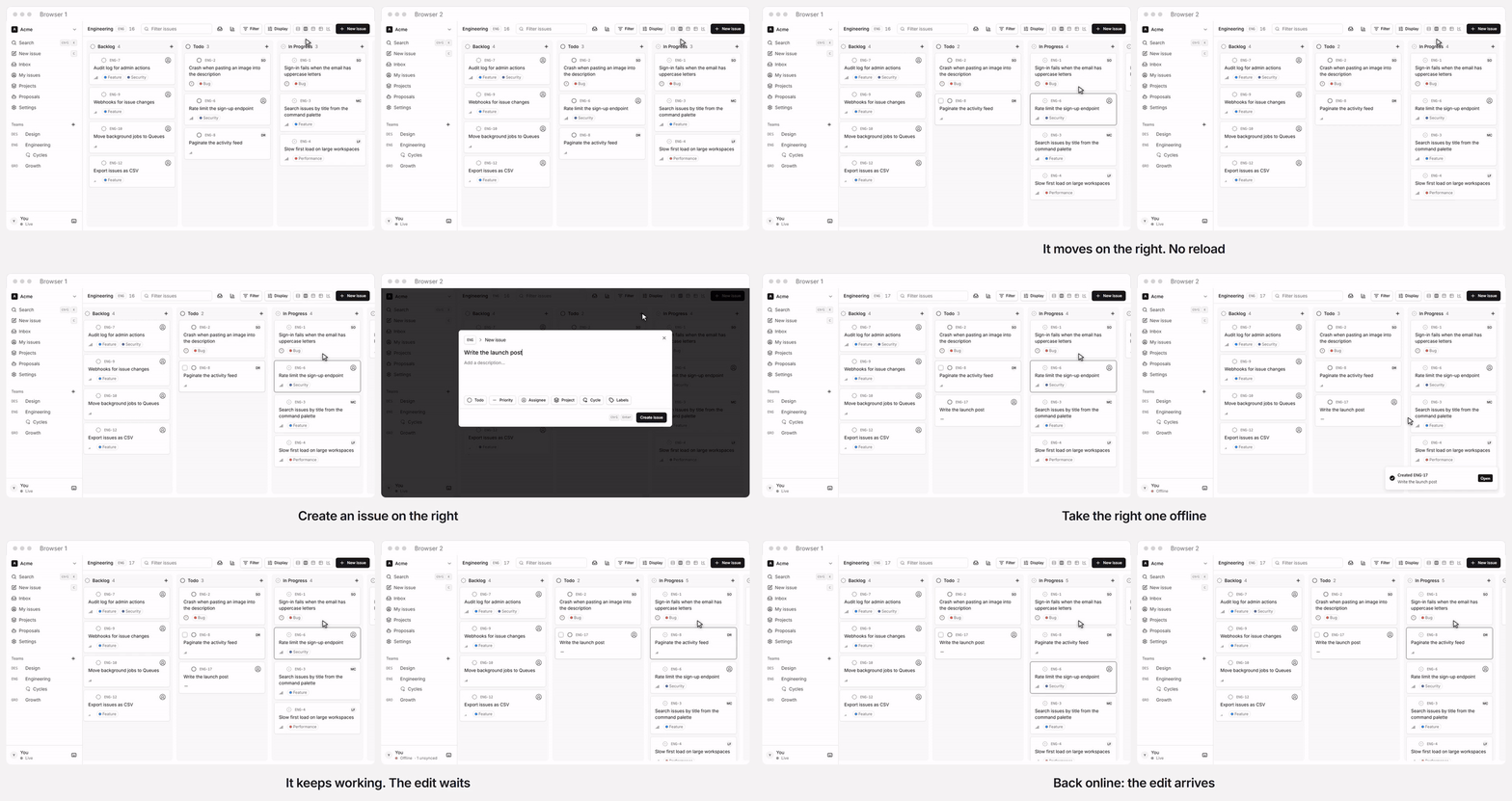
Two browsers on [the public demo](https://track-demo.gateweave.com), in real time. One click opens a private workspace full of sample issues, deleted a day later.
[](https://deploy.workers.cloudflare.com/?url=https://github.com/gateweavehq/track)
Track keeps every workspace in its own Durable Object, so edits reach everyone instantly, the app stays fast at any size, and the whole thing deploys as a single Worker you can run on your own Cloudflare account.
Track is the first product of [Gateweave](https://gateweave.com), a family of open-source, Cloudflare-native business tools. See [docs/ecosystem.md](/track/ecosystem/).
> **Status: early development.** Sync (server and client), auth, workspaces, invitations, issue lists, boards, labels, projects, cycles, comments and activity history, the issue page, email, starting offline and the MCP server for AI agents work end to end. Expect breaking changes until 1.0; see [CHANGELOG.md](/track/changelog/).
## Highlights
[Section titled “Highlights”](#highlights)
* **Realtime by default.** Changes stream over WebSockets to every open client.
* **Local-first and offline-ready.** The app opens from a local IndexedDB copy, even with no connection, and shows edits before the server confirms them. Edits made offline are kept and sent on reconnect. Concurrent edits merge per field instead of overwriting each other.
* **Cloudflare-native.** Workers, Durable Objects with SQLite, and D1. No servers, containers or external databases.
* **One deploy.** UI, API, auth and sync ship together as one Worker.
* **Works with AI agents.** A built-in MCP server lets Claude, ChatGPT and other agents find, file and update issues as you, once you approve them in the browser. Agents that work on their own join as members of their own, with a key.
* **An inbox of your own.** Assignments, @-mentions, comments, status changes and due dates on the issues you follow arrive live, to read, snooze or archive, and only you see them. What you leave unread can follow you by email, as you choose.
* **Webhooks.** Each change can be posted to a URL of yours as it happens, signed per [Standard Webhooks](https://www.standardwebhooks.com) and retried while the receiver is down.
* **GitHub.** Pull requests and commits that name an issue link to it. A pull request whose branch or title names it, or that says “Fixes” it, moves it along: In Progress for a draft, In Review when opened, Done when merged.
* **Your data is yours.** Export a workspace or one team as CSV or JSON from Settings, Export. It is built in the browser from its local copy, so it works offline. Settings, Import reads either file back, into the same workspace or another, and brings issues in from GitHub, Linear and Jira (its CSV export, with comments).
| | |
| ------------------------------------------------------------------------------------------------------------------- | ---------------------------------------------------------------------------------------------------------------------------------------------------- |
|  | 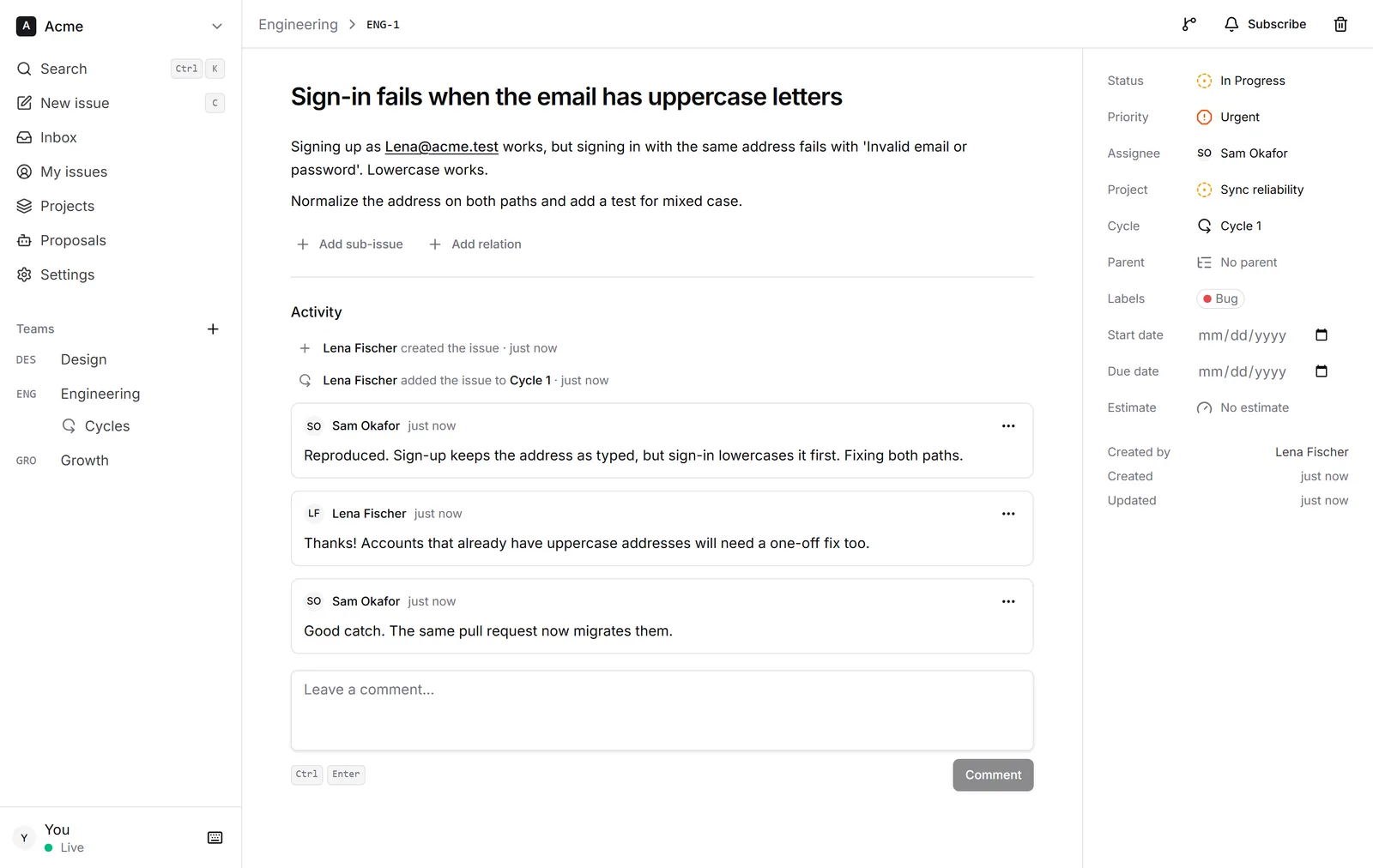 |
## Tech stack
[Section titled “Tech stack”](#tech-stack)
[TanStack Start](https://tanstack.com/start) · React 19 · Tailwind CSS 4 · [Better Auth](https://better-auth.com) · [Drizzle ORM](https://orm.drizzle.team) · Cloudflare Workers, Durable Objects and D1 · TypeScript 7 · Vitest · Biome
## Getting started
[Section titled “Getting started”](#getting-started)
Requirements: Node.js 24 (22+ works) and pnpm 12.
```sh
pnpm install
pnpm doctor # checks your toolchain and setup, and explains how to fix anything missing
pnpm dev:setup # creates .dev.vars with a random secret, migrates the local database
pnpm dev # http://localhost:4710
pnpm dev:seed # in a second terminal: a sample workspace with people, teams and issues
```
The seed prints the sample accounts to sign in with. You can also sign up with any email and password and create a workspace from scratch. To enable “Sign in with GitHub”, uncomment and fill in `GITHUB_CLIENT_ID` and `GITHUB_CLIENT_SECRET` in `.dev.vars`.
## Connect an AI agent
[Section titled “Connect an AI agent”](#connect-an-ai-agent)
Track is an [MCP](https://modelcontextprotocol.io) server. An agent connects to `/mcp`, sends you to Track to sign in and approve it, and then works with your permissions: it lists your workspaces, searches and reads issues, creates and updates them, and creates teams if you are an admin. Everyone sees its edits live, as they would anyone else’s.
With Claude Code and Gateweave Cloud:
```sh
claude mcp add --transport http gateweave-track https://track.gateweave.com/mcp
```
Then run `/mcp` in Claude Code to sign in. Other MCP clients take the same URL. The endpoint is on wherever `BETTER_AUTH_URL` is set (see [self-hosting](/track/self-hosting/#ai-agents-mcp)). Locally, set it to `http://localhost:4710` in `.dev.vars` and connect to `http://localhost:4710/mcp`.
An agent that works on its own, such as a triage bot, should not act as you. An admin creates an agent member for it under Settings, Agents: it joins the workspace under its own name, can do what members do, and connects with a key instead of signing in:
```sh
claude mcp add --transport http track https://track.gateweave.com/mcp \
--header "Authorization: Bearer gwt_..."
```
To have it react to new issues, add a webhook under Settings, Webhooks that points at its trigger and names it as the agent, so its own changes are not sent back to it.
## Scripts
[Section titled “Scripts”](#scripts)
| Command | What it does |
| ---------------- | -------------------------------------------------------- |
| `pnpm dev` | Run the app locally with Workers, D1 and Durable Objects |
| `pnpm dev:seed` | Fill the running app with a sample workspace |
| `pnpm doctor` | Check the local toolchain and setup |
| `pnpm check` | Lint and format check (Biome) |
| `pnpm format` | Apply formatting and safe lint fixes |
| `pnpm typecheck` | Type-check every package |
| `pnpm test` | Run the test suites |
| `pnpm build` | Production build |
| `pnpm verify` | Everything CI runs: check, typecheck, test and build |
## Deploying
[Section titled “Deploying”](#deploying)
[](https://deploy.workers.cloudflare.com/?url=https://github.com/gateweavehq/track)
The button copies Track to your GitHub or GitLab account, creates the database, and deploys it to your Cloudflare account; every push to your copy deploys again. From the command line:
```sh
pnpm wrangler login
pnpm run deploy # builds, applies D1 migrations, deploys
```
Use the Workers Paid plan, because a password sign-in takes more CPU than the Free plan gives a request. [docs/self-hosting.md](/track/self-hosting/) covers both ways, your own domain, AI agents, GitHub sign-in, email and updating.
Gateweave Cloud deploys itself from GitHub Actions (`.github/workflows/deploy.yml`): every green build of `main` goes to staging (`pnpm deploy:staging`, the `staging` environment in `wrangler.jsonc`), and publishing a release deploys that tag to production. Forks skip those jobs.
## Project structure
[Section titled “Project structure”](#project-structure)
```plaintext
apps/web The Worker: UI, auth, sync and MCP gateways, D1 schema
packages/protocol Wire contract shared by client and server
packages/sync-server WorkspaceDO: storage, mutations, realtime fan-out
packages/sync-client Browser replica: local cache, optimistic edits, one connection per browser
docs/ Architecture, roadmap, self-hosting and ecosystem notes
scripts/ Repository tooling
wrangler.jsonc The Worker's Cloudflare configuration, at the root for the Deploy button
```
Read [docs/architecture.md](/track/architecture/) for how sync, auth and storage fit together, [docs/roadmap.md](/track/roadmap/) for what comes next, and [CHANGELOG.md](/track/changelog/) for what each release changed.
## Contributing
[Section titled “Contributing”](#contributing)
Contributions are welcome. See [CONTRIBUTING.md](https://github.com/gateweavehq/track/blob/v0.34.0/CONTRIBUTING.md) and our [Code of Conduct](https://github.com/gateweavehq/track/blob/v0.34.0/CODE_OF_CONDUCT.md). If you work with an AI coding agent, point it at [AGENTS.md](https://github.com/gateweavehq/track/blob/v0.34.0/AGENTS.md). Report security issues privately, as described in [SECURITY.md](https://github.com/gateweavehq/track/blob/v0.34.0/SECURITY.md).
## License
[Section titled “License”](#license)
Copyright © 2026 Yiğit Tanrıverdi.
Gateweave Track is licensed under the [GNU Affero General Public License v3.0](https://github.com/gateweavehq/track/blob/v0.34.0/LICENSE). You can self-host, use and modify Track freely. If you run a modified version as a network service, you must make your changes available to its users under the same license.
Contributions are accepted under the [Contributor License Agreement](https://github.com/gateweavehq/track/blob/v0.34.0/CLA.md).
# Track architecture
Gateweave Track is a realtime issue tracker that runs entirely on Cloudflare’s developer platform. This document explains how the pieces fit together and why they are built the way they are.
## Overview
[Section titled “Overview”](#overview)
```
flowchart LR
Browser -- "HTTPS (pages, auth, snapshot)" --> Worker
Browser -- "WebSocket (live sync)" --> Worker
Agent["AI agent"] -- "MCP over HTTPS (OAuth token or agent key)" --> Worker
subgraph Worker["gateweave-track worker (apps/web)"]
Start["TanStack Start
pages + server functions"]
Auth["Better Auth
/api/auth/*"]
Gateway["Sync gateway
/api/sync/:slug/*"]
Mcp["MCP gateway
/mcp"]
Files["File gateway
/api/files/*"]
end
Auth --> D1[("D1
users, sessions,
workspaces, members,
OAuth clients, agent keys")]
Gateway -- "checks session + membership" --> D1
Gateway -- "RPC / WebSocket" --> DO
Mcp -- "checks token + membership" --> D1
Mcp -- "RPC" --> DO
Files -- "checks session + membership" --> D1
Files --> R2[("R2
attached files")]
Auth -- "membership hooks (RPC)" --> DO
subgraph DO["WorkspaceDO (one per workspace)"]
SQLite[("SQLite
teams, issues, labels,
projects, comments, activity,
views, members, inboxes, oplog")]
end
```
Everything ships as **one Worker**:
* **TanStack Start** renders the app and serves server functions.
* **Better Auth** handles accounts, sessions and workspaces. A workspace is a Better Auth organization, so members, roles and invitations come from its organization plugin.
* **D1** stores identity and the workspace directory.
* **One Durable Object per workspace** (`WorkspaceDO`, in `packages/sync-server`) stores that workspace’s content in its own SQLite database and fans changes out to connected clients.
* **R2** keeps the files attached to descriptions and comments.
A single deployable means one `wrangler deploy`, and the client and the sync server can never run different protocol versions in production. It also gives self-hosters one thing to set up.
## Repository layout
[Section titled “Repository layout”](#repository-layout)
| Path | Purpose |
| ---------------------- | ------------------------------------------------------------------------ |
| `apps/web` | The Worker: UI, auth, the sync and MCP gateways, and the D1 schema |
| `packages/protocol` | Wire contract shared by client and server: entities, mutations, messages |
| `packages/sync-server` | `WorkspaceDO`: storage, mutation logic, realtime fan-out |
| `packages/sync-client` | Browser replica: IndexedDB cache, optimistic mutations, tab coordination |
`protocol` has no server dependencies, so the browser bundle never pulls in database code.
## Data ownership
[Section titled “Data ownership”](#data-ownership)
| Data | Lives in | Owner |
| ------------------------------------ | ------------ | ---------------------------------- |
| Users, sessions, OAuth accounts | D1 | Better Auth |
| Workspaces, members, invitations | D1 | Better Auth organization plugin |
| OAuth clients, grants, signing keys | D1 | Better Auth MCP plugin |
| Agent members’ keys (hashed) | D1 | Track’s agent members plugin |
| Who runs the server, sign-up setting | D1 | Track’s deployment plugin |
| Sign-up list (addresses, notes) | D1 | Track’s deployment plugin |
| Teams, issues, labels, projects | Workspace DO | `sync-server` |
| Saved views | Workspace DO | `sync-server` |
| Comments on issues | Workspace DO | `sync-server` |
| Issue activity (history) | Workspace DO | `sync-server`, from issue writes |
| Subscriptions and inbox items | Workspace DO | `sync-server`, from issue writes |
| Notification settings | Workspace DO | `sync-server`, each person’s own |
| Due-date reminders sent | Workspace DO | `sync-server`, from the alarm |
| Team automations’ runs | Workspace DO | `sync-server`, from the alarm |
| Webhooks, their secrets, deliveries | Workspace DO | `sync-server`, managed by admins |
| GitHub connections and secrets | Workspace DO | `sync-server`, managed by admins |
| Pull requests that mention issues | Workspace DO | `sync-server`, from GitHub |
| Member replica (name, avatar, role) | Workspace DO | Pushed from D1 by membership hooks |
| Attached files | R2 | The file gateway |
A backup Worker reads the workspace objects through the `Backup` entrypoint ([Backups](#backups)).
Some rows in D1 have a time limit that nothing would otherwise enforce, because Better Auth removes a session or a verification only when something looks it up. So the Worker’s daily Cron Trigger deletes sessions, verifications, OAuth tokens and client assertions past their time, and invitations (`apps/web/src/server/db/prune.ts`). Every deployment inherits the schedule from `wrangler.jsonc`, and the demo runs it after its own cleanup, every ten minutes. Gateweave Cloud’s privacy policy states these periods, so a change here is a change to it.
The DO keeps a replica of membership for two reasons: it authorizes writes (for example, only admins manage teams) and clients need member names to render assignees. Better Auth hooks push every join, role change and removal to the DO. Two removals pass no organization hook, so they have hooks of their own: leaving (`/organization/leave`, an after-hook on the path) and deleting a user, whose memberships go by cascade (a database hook notes their workspaces before the delete and tells each one after). A removal closes the person’s sockets. The replica also heals itself, because each time a member connects their current profile is upserted. Someone who deletes their own account takes another path, which does more ([below](#deleting-an-account)).
Sessions end the same way. The gateway checks the session only when a socket opens, so it hands the object the session’s id and expiry with the member, and the socket keeps them. When a session ends early (signing out, revoking sessions, a password reset, deleting the user), Better Auth’s session delete hook, which every one of those paths runs for each session, notes it (`apps/web/src/server/auth/ended-sessions.ts`). When the request is over, its after hook sends what it noted in the background (`waitUntil`): one D1 lookup of each user’s workspaces, and one `endSessions` call per workspace with all of that user’s ended sessions, which closes the sockets opened with them. A password reset that ends ten sessions costs the same as one. A socket whose session has run out is closed the next time it sends or would be sent anything, which also covers a report that failed. Both close with `4401`.
### Roles and invitations
[Section titled “Roles and invitations”](#roles-and-invitations)
Roles are Better Auth’s defaults: `owner`, `admin` and `member`. Admins invite people, change roles, remove members and manage teams. Only owners can make or manage owners, and a workspace always keeps at least one.
The fourth role, `agent`, is for [agent members](#agent-members). Better Auth does not define it, so it refuses to invite anyone as an agent or to give the role to anyone; only the agent members plugin does. Code that decides what a role may do asks `isAdminRole` (in `packages/protocol`) rather than comparing with `member`, so an agent can never be taken for an admin.
An invitation is for one email address and lasts seven days. Its link is `/invite/:id`. When email is on and the admin has verified their own address, Track emails the link (see [Email](#email)). Otherwise, the admin copies the link and sends it themselves. Accepting requires being signed in with the invited address; Better Auth checks that.
Where sign-up is open, which is the default, anyone can sign up with any address, so being signed in with the invited address proves nothing by itself. Where email is on, accepting also requires a verified address (`requireEmailVerificationOnInvitation`). An invitation then admits only whoever controls that inbox, and its id is no longer a secret worth stealing. The invite page offers to email a verification link that returns there. Sign-up sends one too, with the same return address.
A server without email cannot verify anyone, so there the invitation id is what protects a workspace: whoever holds the link can join. Only admins see invitation ids. Better Auth hands them to any member through two endpoints, which would let a member pick up an admin invitation:
* `list-invitations` is limited to admins by a `before` hook in `apps/web/src/server/auth/config.ts`.
* `get-full-organization`, which the app does not use, is disabled.
The public invite page only describes pending invitations that have not expired.
### Audit log
[Section titled “Audit log”](#audit-log)
Admins read who changed the workspace, and when, in Settings → Audit log. It lives in the workspace’s Durable Object, in `audit_events` (`packages/sync-server/src/audit.ts`), and the actions it knows are listed in `packages/protocol/src/audit.ts`. Rows are only added.
* **Changes the object makes** are recorded in the same transaction: `applyMutation` reads what a followed mutation will change before it runs and records what changed after, so a refused or idle mutation records nothing. That covers teams (name, key, cycles, automations, request form and intake email), statuses, deleted labels, projects and issues, someone else’s comment deleted, and what an agent must propose. The RPCs for webhooks and GitHub connections record theirs.
* **Changes made in D1**, to people, invitations, agents and the workspace itself, are reported by the app through the object’s `audit` RPC, which takes only those actions. Better Auth’s organization hooks are told whom a change was done to but not who did it, so the global after hook in `apps/web/src/server/auth/config.ts` makes the event from the session and what the path answered (`apps/web/src/server/auth/audit.ts`); a before hook reads the role or name being replaced. The agent members plugin reports its own. The report goes after the response; one that fails is logged and lost, since the change it describes is already made.
* **What it keeps.** Ids for members, named from the member rows when the log is read, so someone who deleted their account reads as “Deleted member”. A label taken at the time for things that can go: a team’s or status’s name, an issue’s key but never its title, a webhook’s host but never the rest of its URL, which can be its secret, and the address an invitation went to. `forgetPerson` clears the addresses of invitations to someone who deleted their account.
* **Who reads it.** Admins only: `auditLog` checks `isAdminRole` itself, a page of 50 at a time, the newest first. It is not synced, so it needs no protocol version.
* **How long.** A year, pruned with the oplog’s [compaction](#compaction). It goes with the workspace when it is deleted, and is in its backups.
### Who runs this server
[Section titled “Who runs this server”](#who-runs-this-server)
Sign-up is open on a new server, as it always was. The one who runs a server, its owner, can close it, so that only people they let in may make an account. Gateweave Cloud runs closed, with a link to a waitlist, while Gateweave ID, which every Gateweave product signs in through, keeps its own list.
One row in `deployment` (`apps/web/src/server/auth/deployment.ts`) says who the owner is, whether sign-up is open, and whether the owner trusts the OpenID Connect provider. The row comes from the migration `0011_sign_up_holds.sql`, and the triggers there hold what it says.
* **The owner is the first account.** On a server that has accounts when it upgrades, it is the oldest of them, and sign-up stays open, so nobody finds anything changed. On a server with none, the first account to be made becomes the owner, and D1 runs writes one at a time, so there is only ever one. Agents are not people, and never own a server. Until the first account exists, whoever arrives first is the owner, so a new server should be claimed as soon as it is up.
* **Closed means an address needs a way in.** It is the first account of a server with none, an entry on the owner’s list, a pending invitation to any workspace (an admin’s invitation lets the invited address in, as it did before), or, if the owner turned on “Trust” for it, an account made through the OpenID Connect provider, which keeps a list of its own. GitHub is never trusted this way. Nothing else lets anyone in, whichever way they come: password, GitHub or the provider.
* **The database refuses the rest, whatever makes the account.** The hook in `auth/config.ts` asks first so that the answer has words, including at the sign-in page for someone coming back from GitHub or the provider. The trigger `user_needs_a_way_in` holds the same rule, so a way of making accounts added later that forgets to ask still cannot make one. A missing row counts as closed. The trigger cannot see which sign-in made an account, so while the owner trusts the provider the hook writes a pass for the one address into `sign_up_pass`, good for 60 seconds, just before an account is made through the provider, and the trigger lets an insert through on trust only for an address with an unexpired pass. The hook removes the pass once the account exists, and expired ones go whenever a new one is written. GitHub and passwords get no pass, so both refuse them.
* **Outside, every refused address looks like any other.** The words are the same, and an address that has an account is asked about before Better Auth looks it up, so the refusal says nothing about who has one. The sign-in page says the server takes accounts by invitation, and links to `SIGN_UP_REQUEST_URL`, if it is an https address, as “Ask for access”. An empty server is not closed to its first account, so the page does not say so there.
* **The list holds entries of two kinds,** an address in lowercase (`ada@example.com`) or a domain with a leading `@` (`@example.com`), which covers addresses at exactly that domain and not at its subdomains. A note of at most 200 characters is the owner’s own. There are at most 5,000 entries, which the endpoint and a trigger both hold. The list holds addresses of people who may have no account, so it is personal data that does not go with any account: deleting someone’s account leaves their entry, and an owner who is asked to erase someone has to remove it too. An account made through an entry stays when the entry goes.
* **The owner has a section, “This server”, on their account page,** and its paths under `/deployment/` answer everyone else with a 404, as if they were not there. Every change wants a sign-in from the last day, because each lets others in or out and would outlast a stolen cookie. The page shows each entry’s note, when it was added and whether an account with that address, or at that domain, exists yet, and finds entries by searching, since it shows 200 at a time. The public demo refuses these paths over HTTP like the rest.
* **A closed server keeps its owner.** Their account cannot be deleted while sign-up is closed, which would leave nobody to open it again, and the trigger `deployment_keeps_its_owner` holds it however a request comes to try. Open, it can go, and the earliest account left that is a person takes over (`created_at`, then `id`; the trigger `deployment_passes_to_next_owner`). If none is left, there is no owner, and the next account to be made becomes it, as on an empty server. So a server is never left without someone who can run it. To hand a server over on purpose, set `deployment.owner_id` in D1.
### Deleting an account
[Section titled “Deleting an account”](#deleting-an-account)
People delete their own account on `/settings/account`, through `POST /api/auth/account/delete` (`apps/web/src/server/auth/delete-account.ts`). Better Auth’s `/delete-user` stays off: it lets someone with a password through without it, and its hooks can only remove a member from a workspace, which leaves their name there. The demo refuses the path, since its visitors go after a day anyway.
* **What it asks for.** A session from the last day, and the password if the account has one. An account without one types its address in the page, which only guards against a slip. Better Auth’s `/unlink-account` is disabled, because it removes a password on a recent session alone, which would let a stolen cookie get past that question. So are the other routes it offers any session and the app has no use for, such as `/verify-password`, which takes guesses at a password. The list is `disabledPaths` in `apps/web/src/server/auth/config.ts`. A test beside it lists every route that answers, so a Better Auth upgrade that adds one fails until someone decides whether it stays open.
* **A workspace keeps an owner.** The only owner of a workspace is refused and told which, because a workspace with no owner has nobody who can fix it. The plugin and this endpoint both count and then act, so two owners leaving at once could each see the other still there. Two triggers on `member` hold it in the database, however a row comes to change, and they let go of a workspace that is being deleted. That needs the organization row to go first, so `beforeDeleteOrganization` deletes it and its members follow by cascade.
* **D1 goes in one batch.** It notes every workspace that has to forget the person in `pending_erasure` (ids only), deletes the user, and takes invitations addressed to them. Foreign keys take the sessions, sign-ins, memberships, OAuth clients and tokens, and the invitations they sent. It is one transaction, so no account goes without that note, and a trigger’s refusal leaves everything in place.
* **Each workspace then forgets them.** A gateway-only `forgetPerson` RPC (`packages/sync-server/src/forget.ts`), in one transaction. It is not a mutation, because no client asks for it and nothing is predicted.
* The member row stays, because the ids on what they did resolve to it, as “Deleted member” with no address or picture, marked removed. `upsertMember` leaves such a row alone, so a push that was already on its way cannot bring the name back.
* Their subscriptions, inbox, notification settings and intake following go, and the [audit log](#audit-log) forgets the address they were invited at.
* Mentions of them are renamed in descriptions, comments, project descriptions and updates, templates, proposals, the copies of proposals in other people’s inboxes, and replies waiting to reach a requester. The Markdown holds the name as written, so showing the current name would not be enough. Each changed row goes out as an op, with its dates unchanged, because nobody edited it.
* The log is rewritten in place, since it would otherwise hand the old rows to anyone catching up: their `member` ops take the new row, ops holding a mention of them are renamed, and ops private to them go. Other members never saw those, so they open no gap anyone can notice. The newest op always stays, because the next version counts from it.
* Webhook deliveries, kept 7 days for settings to show, are rewritten too. A delivery still waiting goes out renamed, and its signature is right, because it is made when sending. Each is read again just before it goes, since a batch can wait behind slow receivers. One already on its way goes as it was, like one that reached its receiver a moment earlier.
* The search index is merged, because FTS5 leaves deleted words readable in its pages until then.
* Their sockets close.
* **It is asked until it has answered.** A `pending_erasure` row goes only once its workspace has answered. The daily cron asks again for 20 of them, a number a Worker on the Free plan can reach, those never tried again and the ones tried longest ago first, so a run of them that keep failing does not keep the rest waiting. Asking twice writes nothing and sends no ops.
* **Workspaces they left count too.** Each keeps their name on what they did there. A trigger notes whoever leaves in `former_member` (ids only, agents left out), however they came to leave, and the note goes with the account or the workspace. Workspaces someone left before v0.29 are not noted, so their name stays in those until someone asks whoever runs the server.
What stays, and the page says so before anyone confirms:
* What they wrote, as the team’s record, under “Deleted member”, and their id on what they did.
* Their name wherever someone typed it as plain text, which nothing can find.
* Files they attached, which belong to the workspace, and issues assigned to them, as with anyone removed.
* Requests they filed through a public form or by email, which were never tied to an account.
* Copies on other people’s devices until those next sync. A device kept offline holds the old name until it reconnects.
* Point-in-time recovery, which Cloudflare provides and Track does not control: 30 days back for a Durable Object, and for D1 30 days on Workers Paid or 7 on Workers Free. Restoring a state from before the deletion brings the person back with it.
### Changing a name or password
[Section titled “Changing a name or password”](#changing-a-name-or-password)
People change both on `/settings/account`, through Better Auth’s `/update-user` and `/change-password`, and what stands behind either may be a stolen cookie. The rules are in `apps/web/src/server/auth/account-changes.ts` and the hooks of `config.ts`. The demo refuses both.
* **A rename takes a name and nothing else:** 1 to 100 characters once trimmed, which sign-up keeps to as well. The route would otherwise set a picture too, whose address everyone in someone’s workspaces fetches. It allows ten a minute, because each rename is a write to every workspace they are in, and every client there shows the new name at once, in mentions already written too.
* **A provider’s name is taken once.** GitHub’s or an OpenID Connect provider’s name fills in a new account and is not read again, so a name changed here stays.
* **A new password needs the current one,** at five tries a minute from one client address, and sends the person an email, which may be how they first hear that someone else has it.
* **Tries at a password are also held per person,** since a stolen cookie can be sent from many addresses (`apps/web/src/server/auth/password-tries.ts`). This and deleting an account share an allowance of 10 at once, refilling over an hour, within 30 that refill over a day. Only a request with a session for that account spends it, so nobody can lock a person out with their address alone, and signing in is not part of it. Whoever holds the cookie can spend it, but a password reset asks for no session, and the account page can end every session with no password, including the one a stolen cookie may be a copy of. When it runs out the person gets an email saying so and what to do, at most once a day and only at an address they have verified, because anyone can sign up with a stranger’s. The refusal does not wait for it.
* **It ends every session,** whatever the request asks, since whoever knew the old password may be why it is changing and may be the one asking. Better Auth makes a new session for the browser that asked. That browser’s other tabs lose their sockets with the rest and reconnect with the new cookie, after the probe in “Connecting”. The new session keeps the `oidcSid` of the one it replaced, because it came from the same sign-in at the provider, and a logout token still has to reach it.
### Email
[Section titled “Email”](#email)
Email goes out through Cloudflare Email Service, from the `EMAIL` binding. It is optional. Track sends nothing until `EMAIL_FROM` names a sender on a domain onboarded to Email Sending, and self-hosters can run without email. `apps/web/src/server/email/` holds the sender and the templates. Each message has both a plain-text and an HTML body. Every name in it is HTML-escaped and squeezed onto one short line.
| Email | Sent when | Off without email |
| -------------- | ---------------------------------------------------------------------------------------------------------------- | --------------------- |
| Password reset | Someone asks on `/forgot-password`. The link works once, for an hour, and resetting ends every session | No password reset |
| Invitation | An admin with a verified address invites someone or presses Resend | Admins share the link |
| Verification | Someone signs up, or asks on an invitation or the members page. The link works for 24 hours | Nobody is verified |
| Inbox digest | News a person wants by email stays unread for 10 minutes; at most once an hour per workspace | The inbox alone |
| Request answer | A person accepts or declines a request filed through a form or by email with an address; replies become comments | Nobody is told |
Better Auth sends email after the response, through `waitUntil`. Reset requests therefore take the same time whether or not the account exists. Invitations put text chosen by a stranger, such as their name and their workspace name, in front of any address, sent from our domain. So only inviters who verified their own address trigger an email. Each person can send at most 100 invitation emails a day, and invite-member requests are rate limited to 20 a minute. Whatever the kind, one address gets at most 5 emails at once and 10 a day; past that, email to it is dropped without telling the requester.
Inbox digests go only to a verified address of someone who is still a member, checked in D1 when the digest is sent, and never from the public demo. Each carries `List-Unsubscribe` and `List-Unsubscribe-Post: List-Unsubscribe=One-Click` (RFC 8058) when the app is served over HTTPS, which Email Service requires. The link (`/api/unsubscribe/:token`, in `apps/web/src/server/unsubscribe.ts`) needs no session: its token names the workspace and the member and is an HMAC of both under `BETTER_AUTH_SECRET`. A POST, as mail clients send, turns that person’s email off in that workspace; opening the link shows a page with a button, so link scanners change nothing.
### Rate limits
[Section titled “Rate limits”](#rate-limits)
Better Auth limits each client address per path: 3 sign-in attempts per 10 seconds, 3 password reset requests a minute, and so on (`apps/web/src/server/rate-limit/`). Paths with a rule of their own are counted in a `RateLimiter` Durable Object, one per client address and path, so a limit holds across every isolate and location. Each such rule also gets an hourly allowance of 20 times its burst, so a client that paces itself is held to 60 sign-in attempts an hour. Everything else, mostly session checks, keeps Better Auth’s default of 100 per 10 seconds in the isolate’s memory, so it never waits on a Durable Object. The email cap uses the same Durable Object, keyed by recipient. Keys are hashed before they become Durable Object names.
Every Worker reaches another zone from one address, `2a06:98c0:3600::103`, whoever runs it, so counted by address they would all spend one allowance, and junk from any of them could stop a provider’s logout from arriving. Better Auth therefore counts a request with that address and a `cf-worker` header by the zone it names, which Cloudflare sets and a sender cannot change. Anyone else who sends that header is counted by their own address as before. It is done before the handler sees the request (`countedByWhoSentIt`), because the handler counts first of all. So a session made from a Worker holds a made-up address, which nothing here shows anyone.
Limits use the generic cell rate algorithm: a burst of `max`, then one every `window / max` seconds, with one timestamp of state per rule. If a `RateLimiter` cannot be reached, the isolate counts on its own rather than refuse or allow everyone.
### The public demo
[Section titled “The public demo”](#the-public-demo)
Gateweave runs a public demo at , as its own deployment: the `demo` environment in `wrangler.jsonc` (`pnpm --filter @gateweave/track-web deploy:demo`, with `db:migrate:demo` for its database). Publishing a release deploys it, after production. It is a separate Worker with its own D1 database and Durable Objects, and it shares nothing with production. Self-hosters do not need it, and the code stays inert on any deployment where the `TRACK_DEMO` variable is not `"1"`: the server function, the cleanup and the sign-in changes all check it first. To try it locally, add `TRACK_DEMO=1` to `.dev.vars` and restart `pnpm dev`.
A shared demo account would be vandalized within minutes, so each visitor gets a sandbox:
* The login page offers one button. Pressing it calls the `startDemo` server function (`src/server/demo/start.ts`), which limits each client network to 20 sandboxes an hour and 100 a day (an IPv4 address, or an IPv6 /64 as Better Auth counts it; generous because of carrier-grade NAT), creates a visitor account with Better Auth’s server API (a random address under `visitors.example.com`, a password nobody sees), and signs the visitor in.
* It then creates a workspace named “Acme” through the server API, so the organization hooks sync membership as usual. The visitor owns it. Four sample people (Maya, Sam, Lena, Diego) are members; they are users with no credentials, shared by every sandbox. The sample teams, labels, issues and comments are written through the Durable Object’s `mutate` RPC, each as the right person, from the same steps `pnpm dev:seed` uses (`src/server/demo/sample.ts`).
* In the demo, HTTP requests to sign up, sign in, reset or change a password or email, delete an account, or change who may sign up are refused. Only the server creates accounts. Server-side `auth.api` calls carry no `Request`, which is how the hook tells them apart. Email is off.
* A Cron Trigger runs every 10 minutes (`src/server/demo/cleanup.ts`). It deletes visitors more than a day old: for each of their workspaces it calls `destroy()` on the Durable Object, then deletes the organization row, then the user (sessions, accounts and memberships cascade). The sample people are never selected. Visitors are found by their address, so a failed run leaves what it did not delete for the next one.
Seeding a sandbox makes about 70 Durable Object calls in one request, so the demo needs a Workers Paid plan (1,000 subrequests per request).
## Request flow and security
[Section titled “Request flow and security”](#request-flow-and-security)
The Durable Object has **no public route**. Only the Worker can reach it, through its binding.
1. A request to `/api/sync/:slug/snapshot` or `/api/sync/:slug/socket` reaches the gateway (`apps/web/src/server/sync.ts`) before TanStack Start sees it.
2. The gateway checks the `Origin` header. WebSocket handshakes carry cookies cross-site, so the origin must match.
3. It loads the Better Auth session and resolves the slug to a membership in D1. Non-members get the same `404` as a missing workspace, so slugs cannot be probed.
4. It forwards the request to `WORKSPACE.getByName(workspaceId)`. A snapshot request becomes an RPC call. A socket request is forwarded with the verified member’s id and the session’s id and expiry in internal headers that the client cannot set, after an RPC call with the member’s profile, because Workers Logs records those headers and not RPC arguments. So the socket closes when the session ends.
The DO is keyed by workspace id, not slug, so renaming a workspace does not move its data.
GitHub’s webhook deliveries are the one way in without a session: `POST /api/github/:workspaceId/:connectionId` (`apps/web/src/server/github.ts`). That gateway checks only that the workspace exists in D1, so made-up ids never create an object, and passes the raw body on. The Durable Object checks the `X-Hub-Signature-256` signature against the connection’s secret, which never leaves it, before it reads the body. See [GitHub](#github).
`HEAD /api/sync/:slug/snapshot` runs the same checks without touching the DO. A browser cannot see the HTTP status of a refused WebSocket handshake, so the client uses this probe to tell “offline” apart from “signed out” or “no longer a member”.
Two more reads go through the same gateway and the same checks, for what replicas leave out of archived issues (see [Archive](#archive)): `GET /api/sync/:slug/issues/:id` (one issue whole) and `GET /api/sync/:slug/archive` (`?team=` for one team’s; `?page=1`, then `?after=`, a page at a time). Each becomes an RPC call with the verified member. The DO checks again that the member is an active one, without writing, and refuses anyone else; a refusal is the gateway’s `404` for a missing workspace. It answers only for its own live issues, so an id from another workspace is `404 Issue not found`. Like every answer of the sync gateway, refusals and errors carry `Cache-Control: no-store`, so a browser never answers a later try from one.
Better Auth limits how often each client calls `/api/auth/*`. For example, it allows 3 sign-in attempts per 10 seconds and 3 password-reset requests per minute. It identifies the client by `CF-Connecting-IP`. Cloudflare sets that header and clients cannot. Counts are kept in memory, per isolate, so the limit slows guessing but is not a hard cap.
Every answer gets `X-Content-Type-Options`, `Referrer-Policy` and, over HTTPS, `Strict-Transport-Security` (`apps/web/src/server/security-headers.ts`). A page also gets a Content-Security-Policy with a nonce made for that response, `X-Frame-Options` and `Cache-Control: private, no-store`:
* Nothing can frame a page. A script runs only from Track’s own address or with the nonce. A page connects only to Track, and to the APIs of GitHub and Linear, which [an import](#imports) reads from the browser.
* A member’s picture is the one thing a page shows from elsewhere, and only from GitHub or the deployment’s sign-in provider. Allowing every host would let a script that got in carry a workspace out in an image’s address. A picture from anywhere else shows the member’s initials.
* The request form and attached files keep stricter policies of their own.
* The service worker keeps one page, the shell, with its headers and its nonce together, so a reload without a connection still runs. That one nonce lasts until the next build’s service worker, and the shell holds nothing of anyone’s.
* Vite’s dev server gets none of this, because its hot reload adds scripts without a nonce.
Every browser test fails when a page’s policy refuses anything (`apps/web/e2e/fixtures.ts`), since a blocked script can leave a page that looks right and does nothing.
### Signing in through a provider
[Section titled “Signing in through a provider”](#signing-in-through-a-provider)
With `OIDC_ISSUER`, `OIDC_CLIENT_ID` and `OIDC_CLIENT_SECRET` set, Track is a client of an OpenID Connect provider, through Better Auth’s `generic-oauth` plugin (`apps/web/src/server/auth/oidc-sign-in.ts`). What comes out of it is an account row and an ordinary session, so nothing past the sign-in page knows the difference. It is how Gateweave Cloud signs people in with [Gateweave ID](/track/ecosystem/#identity-and-workspaces), and how a self-hoster uses their own provider: one path, differing only by configuration.
* **Discovery waits until someone needs it.** The plugin’s `init` waits for the provider’s discovery document with no time limit, and every request to a new isolate waits for `init`, so a slow provider would stop password sign-in and every session check. Track replaces `init` so that each isolate starts as the plugin does after a failed discovery, which it retries, within 10 seconds, for a request that names the provider. That sets a field of the plugin’s that is not public, so an upgrade that moves it fails the tests rather than the deployment. The cost is one wait for the first person to use the button in each isolate.
* **Linking is never assumed.** The provider is not in `trustedProviders`, so an existing account links only when the provider says the address is verified and Track’s account has verified it too. Anything but a JSON `true` in `email_verified` counts as unverified, since some providers send text.
* **Track keeps no tokens.** It signs people in and never acts for them at the provider, so the account hook clears them all, and the ID token too, as soon as it has served its purpose. The same goes for signing in with GitHub: the GitHub integration makes an exchange of its own. The client authenticates with `client_secret_basic`, which every provider has to take.
* **The provider can end sessions.** `POST /api/auth/backchannel-logout/oidc` takes a logout token, checked against the provider’s keys: issuer, audience, at most 5 minutes old, the logout event and no nonce, which together keep an ID token from passing as one. A session row keeps the `sid` of the ID token it came from (`session.oidc_sid`, never sent to the browser), and a token naming a `sid` ends just those sessions, and only if they belong to the `sub` it may also name. A token naming only a `sub` ends everything of that person’s, which is the safe side of a provider that cannot say which. The sessions end through Better Auth, so their sync sockets close as with any other ended session. Once a token has arrived it is seen through with `waitUntil`, even if the provider stops waiting. Keys that cannot be fetched at that moment get a 503 and end nothing: it says nothing about the token, and a provider tries a 503 again where it takes a 400 as final.
* **Signing out of Track stays in Track.** The provider’s session is left alone, as other apps signed in through it would expect, and `disableProviderLogout` keeps the plugin from sending anyone there.
### AI agents (MCP)
[Section titled “AI agents (MCP)”](#ai-agents-mcp)
`/mcp` is a [Model Context Protocol](https://modelcontextprotocol.io) server, so AI agents can work in Track as the person who connected them. Track is also the OAuth authorization server that agents sign in to, through Better Auth’s MCP plugin:
1. An agent calls `/mcp` without a token and gets a `401` pointing to the protected resource metadata (`/.well-known/oauth-protected-resource/mcp`), which names Track’s authorization server.
2. The agent registers itself (dynamic client registration) and sends the person to authorize, with PKCE. They sign in if needed and approve it on `/oauth/consent`. Anyone can register a client under any name, so the consent page also says where the grant will go, and consent is never skipped.
3. The agent gets an access token, a JWT bound to the `/mcp` URL with the `track` scope, and a refresh token. The gateway (`apps/web/src/server/mcp/index.ts`) verifies the signature, the audience and the scope (`protect.ts`). It reads Track’s signing keys in-process rather than from the JWKS URL, because a Worker cannot reliably fetch its own hostname. Session cookies are never accepted there, so a web page cannot make a signed-in browser call it, and no Origin check is needed.
Each tool call resolves the workspace slug to the caller’s membership in D1, as the sync gateway does, and then reads or mutates through the Durable Object’s RPC (see [Server-side clients](#server-side-clients)). A workspace the caller does not belong to is reported as not found. The tools themselves live in `apps/web/src/server/mcp/tools.ts`. Agents read an issue’s comments with `get_issue` and write one with `add_comment`, as the person. They mention people as the app does, with `[@Name](mention:)`, which the tools’ descriptions spell out. An agent sets up a fresh workspace’s teams with `create_team`, which only admins may use. It makes and changes projects with `create_project` and `update_project`, which go through the same mutations as the app, so the server’s rules apply: an agent member cannot, and a lead must be a person. Statuses are named by key or by name, ignoring case; `get_workspace` lists each team’s in order, and issues come back with `status` (the key) and `statusName`.
Tokens must name one canonical URL, so the endpoint, and the authorization server, exist only when `BETTER_AUTH_URL` pins the base URL. Without it `/mcp` answers `404`.
### Agent members
[Section titled “Agent members”](#agent-members)
An agent member is a member an admin creates for an AI agent that works on its own, such as one that triages new issues, rather than for a person. It is a Better Auth user with the `agent` role in one workspace, made by the agent members plugin (`apps/web/src/server/auth/agents.ts`), which also lists, renames and deletes agents and makes and revokes their keys, for admins only. Settings has an Agents page for it.
* **It never signs in.** It has no password or account, and its address is `@agents.invalid`, a domain that can never resolve. The plugin refuses that domain wherever Better Auth takes an address (sign-up, sign-in, password reset, verification, email change and invitations), and refuses changing an agent’s role or removing it through the members endpoints: deleting it from its own settings also revokes its keys.
* **It works through MCP with a key.** A key is `gwt_` and 43 random characters (256 bits). D1 keeps its SHA-256 hash and its first 12 characters, to tell keys apart in settings, and the time it was last used, written at most every five minutes. An agent can have five keys, so one can be replaced without a gap. The MCP gateway takes a `Bearer` key before trying OAuth, finds the agent while it is still an agent member of the workspace the key was made for, and lets it reach that workspace only, even should it come to belong to another.
* **It acts as itself.** Its tool calls go through `mutate` with its own profile, so the same validation applies, the oplog and activity name it, and people see its changes live. It can do what members do and nothing only admins can. The app shows it with a robot for an avatar. `get_workspace` names the caller as `you`, so an agent knows its member id: the assignee of the issues assigned to it, which is how Gateweave Agents tells that an issue is its to work on.
* **It proposes what an admin chooses.** An admin picks the kinds of change it only proposes (see [Proposals](#proposals)); everything else it makes directly.
* **It goes with its workspace.** Deleting an agent deletes its user, membership and keys; the workspace keeps its profile, marked removed, for what it did. Deleting a workspace deletes its agents too, as does the demo’s cleanup.
### Backups
[Section titled “Backups”](#backups)
D1 can be backed up from outside the Worker, but a workspace’s Durable Object can’t: only its own code reads its SQLite. So the Worker exports a named entrypoint, `Backup` (`apps/web/src/server/backup.ts`), for a backup Worker such as Gateweave Backup’s.
* **No route.** A named entrypoint can’t be reached from the internet. Only a Worker in the same Cloudflare account with a service binding to it can call it, so that binding is the access, the way the gateways’ checks are for people and agents.
* **`objects(cursor)`** lists the workspaces’ ids from D1, 100 at a time. Deleted workspaces aren’t listed.
* **`read(id, statements)`** runs the SELECTs of a SQLite dump in the workspace’s object, after checking in D1 that the workspace exists, so a backup never makes an empty object. For one that doesn’t, such as a workspace deleted since it was listed, it answers null. The object’s `backupRead` (`packages/sync-server/src/backup.ts`) takes only `SELECT` and `PRAGMA table_list` or `table_info`, one statement each, and runs them together in one transaction that it always rolls back. They see one moment, and nothing they run can change the workspace.
* **Restoring** a workspace from a backup isn’t built in. The backup’s SQL restores into a SQLite database, to read or to load by hand.
## Sync protocol
[Section titled “Sync protocol”](#sync-protocol)
Defined in `packages/protocol`. The server is authoritative. Clients apply changes optimistically and reconcile against what the server broadcasts.
### Versions and the oplog
[Section titled “Versions and the oplog”](#versions-and-the-oplog)
Every write appends one or more ops to the workspace’s **oplog**. Each op gets the next workspace version, so versions are gapless and totally ordered. An op is either a full-row `put` or a `delete` of an entity: a `team`, `issue`, `label`, `project`, `comment`, `activity`, `proposal`, `member`, and so on (`ENTITY_NAMES`). A client’s entire sync state is the highest version it has applied.
Most entities are the whole workspace’s. A member’s `subscription` and `inbox` rows are theirs alone (`PRIVATE_ENTITIES`): their ops carry an **audience**, the member’s id in the oplog’s `audience` column, and reach no one else, whether in a snapshot, a catch-up or live. Every client’s version still moves past them, so each `delta` names the range of versions it covers, `{ from, to, ops }`, which can be wider than the ops it carries. A client sets its version to `to`, and a delta whose `from` is beyond its version plus one means it missed something.
### Connecting
[Section titled “Connecting”](#connecting)
1. `GET /api/sync/:slug/snapshot` returns `{ version, teams, issues, labels, projects, comments, activities, proposals, relations, views, members, subscriptions, inbox }`, leaving out the comments, activity and proposals of deleted issues, deleted projects, and everyone else’s subscriptions and inbox. Archived issues are slim, without their comments, activity, proposals and pull requests (see [Archive](#archive)). It is served over HTTP so it can be compressed and fetched in parallel with the socket.
2. The client opens the socket and sends `hello { protocol, clientId, since: snapshot.version }`.
3. The server streams any ops after `since` as `delta` messages, then `ready { version }`. From then on the socket receives every new op live.
If `since` is older than the compaction floor, or newer than the server (for example, after a local database wipe), the server replies `reset` and the client fetches a new snapshot. A protocol version mismatch closes the socket with code `4001` so the client can prompt a reload. An ended session closes it with `4401`: the client asks the gateway whether the browser’s cookie still works (the `HEAD` probe), reconnects if it does, and asks for a sign-in if not.
Beside the snapshot, a connected browser may ask over HTTP for what its replica leaves out of archived issues: `IssueDetails` (one issue, with its comments, history, open proposals and pull requests) and `ArchivedIssuesPage` (a page of archived issues with their comments and history), whose inputs are the zod schemas `issueDetailsRequest` and `archivedIssuesPageRequest` in `packages/protocol`; the client checks each page against `archivedIssuesPage` before it reads it. These are plain request and response, not sync: nothing in them reaches the replica or IndexedDB, and they need a connection. They are HTTP rather than socket messages because only the leader tab holds the socket, while any tab may open an archived issue or export, and because an export’s answer can be large. The client asks for the archive in pages (`?page=1`, then `?after=`), by issue id: each holds up to `ARCHIVE_PAGE_SIZE` (200) issues with their comments and history, and ends early once it comes to `ARCHIVE_PAGE_BUDGET` (4 MiB) of JSON, but always holds one issue. Its `next` is the `?after=` of the page after, and null on the last; an answer without one is not a page, and the export fails rather than reading on. That keeps one answer well under the Durable Object’s RPC limit and the Worker’s memory, whatever the archive’s size.
v0.21.0 asks for the archive without paging and reads `ArchivedIssues`, every archived issue in one answer, without validating it. Its tabs can stay open on that build after a deploy, because `PROTOCOL_VERSION` stays at 25, so a request without `?page` or `?after` still gets exactly that answer (`archivedIssuesRequest`, `findArchivedIssues`), all of it and nothing more: a page would make that build save a short export without a word. When the archive is too large for one answer (about 8 MiB of text, measured in SQL before it is read), that request is a `413` instead, which that build shows as its error. This path stays for compatibility until a later protocol bump retires it. The issue read and paging are additions older clients never ask for.
Clients keep the socket alive by sending the plain-text frame `ping`. The runtime answers `pong` without waking a hibernated Durable Object.
### Mutations
[Section titled “Mutations”](#mutations)
```jsonc
{
"type": "mutate",
"id": "",
"mutation": {
"name": "issue.update",
"args": {
/* … */
}
}
}
```
* The server applies each mutation in its own SQLite transaction. A rejection rolls back every write the mutation made.
* The resulting ops go to **every** live socket, including the sender, as a `delta`; private ops go only to their member’s sockets. The sender then gets `ack { id, version }`. A client therefore learns the canonical result of its own mutation the same way it learns about everyone else’s.
* A rejection is `reject { id, reason, message }` with reason `invalid`, `forbidden`, `not_found` or `conflict`. The client drops the mutation and its optimistic effect.
* Mutation ids are recorded, so resending a mutation after a reconnect is safe. A repeat returns the original version without writing again.
* A message that is not valid protocol closes the socket with `4400`. A mutation that is valid protocol but has an invalid body is rejected by id, and the connection stays open.
* **Many at once.** `SyncClient.mutateAll` queues a batch, as bulk edit sends it: the replica, IndexedDB (one transaction) take it in one go, and the other tabs and the socket still get one `mutation` or `mutate` message per mutation, so the server applies or refuses each on its own. The replica rebuilds its visible state when it is read, not on every change, and the client tells its subscribers once per animation frame. A burst of a thousand answers replays the pending mutations and re-renders a few times, not a thousand.
### Server-side clients
[Section titled “Server-side clients”](#server-side-clients)
Code that acts for a member on the server, such as an AI agent’s tool call, does not keep a replica. It reads slices of the workspace over RPC (`directory`, `issues`, `issue`, `issueByKey`) and writes with `mutate(member, clientId, mutationId, mutation)`. That runs the same path as a socket mutation: the same validation, idempotency by mutation id, field-level conflict detection and broadcast to every live socket. It returns the equivalent of an `ack` or a `reject`. As with sockets, only a gateway calls it, after verifying the member. Today that is the MCP gateway, which gives each OAuth client, and each agent member, one stable `clientId` and every call a fresh mutation id.
### Concurrent edits
[Section titled “Concurrent edits”](#concurrent-edits)
Issue updates use **field-level optimistic concurrency**. An update carries the `baseVersion` of the issue the client edited. Each field in the patch is applied unless *another client* wrote that same field after `baseVersion`.
* Two people editing different fields of the same issue both succeed.
* A client coming back online with a stale edit to a field someone else has since changed is rejected for that field instead of silently overwriting newer work.
* A client’s own rapid successive edits never conflict with each other, even when they are all based on the same version because earlier acks have not arrived yet.
If only some fields conflict, the rest are applied. The client sees the outcome in the broadcast row.
Labels are kept out of the patch. An issue’s `labelIds` change only through `issue.addLabel` and `issue.removeLabel`, which are set operations: adding a label that is already there, or removing one that is not, writes nothing. They never conflict, so two people labeling the same issue at the same time both get their label. Deleting a label (admins only) removes it from every issue that has it, one issue op each, before the label’s own delete op.
### Workflow statuses
[Section titled “Workflow statuses”](#workflow-statuses)
Each team has its own statuses (`WorkflowStatus` in `packages/protocol/src/statuses.ts`, the `statuses` table of the Durable Object), in an order its admins choose. Every status is in one of five fixed categories: backlog, unstarted, started, completed and canceled. What Track does with an issue’s status follows the category, never the status itself, so a team’s own statuses work everywhere. Completed and canceled close an issue: it is not overdue, blocks nothing and moves on with no cycle. Completed counts as done in the progress of cycles, projects and sub-issues, and canceled issues are left out of it.
* **Keys never change.** An issue’s `status` is the key of one of its team’s statuses, made from the name when the status is created (`statusKeyFor`: “Ready for QA” becomes `ready_for_qa`). Renaming a status keeps its key, so issues, history, filters, saved views and webhooks that refer to it stay right. A status’s id is `${teamId}/${key}`, and mutations name it by team and key.
* **Every team starts with the same six**, the statuses Track had before teams had their own (`DEFAULT_STATUSES`): Backlog, Todo, In Progress, In Review, Done and Canceled, under their old keys. A migration gave them to every existing team, so older issues and integrations keep their meaning. When a page shows issues of several teams, statuses that share a key share a column or group, named as the first of those teams by key names it. Teams that add a status of the same name get the same key, so they line up too.
* **Admins change the workflow.** `status.create`, `status.update` (name, color, category and order) and `status.delete` are for owners and admins (`isAdminRole`), under Settings, Teams; the replica predicts them by the same rules. Names are unique in a team ignoring case, a team has at most 30 statuses, and it keeps at least one completed status, for Track and GitHub to close issues with. Statuses sort by category, then by a fractional `sortOrder` within it.
* **Removing a status moves its issues.** `status.delete` names the status to move the team’s live issues to, with a history entry and a webhook for each, as the admin’s change; nobody’s inbox hears of it. The status keeps its row with `removedAt`, so history and the inbox still name it, and its key is never used again in the team. Nothing can be moved into it.
* **A new issue without a status gets its team’s first**, Backlog unless the team changed it. `issue.create` and `issue.update` refuse a key that is not one of the team’s live statuses.
* **Names travel with the key.** MCP takes a status by key or name and lists each team’s statuses in `get_workspace`; webhooks carry `statusName` and `statusCategory`; inbox emails name the status as its team does; an import matches a status by name in the team, then takes the first of its category. An import of a Track export that keeps the file’s teams first adds each team’s live statuses that the team here lacks by name and by key (`status.create`).
Changing statuses is a breaking change to the protocol (version 16), so clients that predate it start from a fresh snapshot.
### Archive
[Section titled “Archive”](#archive)
A closed issue can be archived (`issue.archive`, `Issue.archivedAt`): it leaves the lists and boards of its team, project, cycle and saved views, and My issues. Search finds it by key and title, links and relations still name it, and it still counts in the progress of its project, cycle and parent, since it was done or canceled. The server keeps all of it; browsers keep only a slim row (below). Each team has an archive page (`/$workspace/team/$teamKey/archive`), linked from the team page once something is in it, with a way to restore each issue.
* **Only a closed issue is archived.** `issue.archive` refuses an issue whose status is not of the completed or canceled category, and asking for what the issue already is changes nothing. Any member or agent may archive or restore, as any of them may close or reopen.
* **Reopening restores it.** An `issue.update` that moves an archived issue to a status that does not close it clears `archivedAt` in the same write, with a history entry of its own. So does removing a status into an open one, or changing a closed status’s category to an open one, for every archived issue in it; like the change to the workflow, those reach nobody’s inbox.
* **History says it**, as `{ type: "archived", archived }`. Archiving and restoring within the merge window leaves no trace, as for labels.
* **Replicas keep an archived issue slim.** In snapshots and ops an archived issue is an `ArchivedIssue`: its id, team, number, title, status, project, cycle, parent, estimate and `archivedAt` (`ARCHIVED_ISSUE_FIELDS`, `toSyncedIssue`), and nothing else. Its description, labels, comments, history, open proposals and the pull requests that link no other issue the replica holds whole stay on the server. That keeps a large archive from weighing on every browser’s snapshot, IndexedDB and memory.
* The server decides it in one place: `ChangeSet.put` sends an archived issue slim, and turns a put of a comment, history entry, proposal or pull request that belongs only to archived issues into a `delete`, so a write to an archived issue never brings its details back by accident. The snapshot leaves them out the same way.
* Archiving deletes what replicas hold of the issue, as ordinary ops (`syncArchive` in `packages/sync-server/src/archive.ts`, called wherever `archivedAt` changes: archiving, reopening, the workflow changes that restore, and automations). Restoring sends the whole issue back, then its comments, history, open proposals and pull requests, as puts. A client that catches up from before either ends where a snapshot would.
* From the slim rows, offline included: lists and boards (which leave archived issues out anyway), the archive page (key, title, status, when archived), links and relations by key, the progress of projects, cycles and parents (in issues and points, hence the estimate), and search by key and title. Burn-ups draw an archived issue as it is now on every day, since its history is not there; a completed cycle is judged by its last day, which is still right. Insights and label counts leave archived issues out.
* **An archived issue’s page asks for the rest on demand.** While the browser is connected, `ArchivedIssueDetail` fetches the issue whole (`GET /api/sync/:slug/issues/:id`, `useIssueDetails` in `apps/web/src/lib/archived.ts`) and shows its description, labels, priority, assignee, dates, pull requests, proposals, comments and history, read-only, with Restore as the way to edit. The answer lives in the component’s state only: it is never put in the replica or IndexedDB, and it is asked for again when the slim row changes or the connection comes back. Offline the page shows the slim row and says the rest is on the server.
* **Exports fetch archived issues whole.** When the slice being exported has archived issues, the app asks the server for them (`GET /api/sync/:slug/archive`) and exports them whole: the CSV fills in their cells, and the JSON lists them apart in `archivedIssues`, with their comments and history among the others. It asks for the archive’s pages until the last (`fetchArchivedIssues`), keeping the team, and keeps each issue once. It stops on an answer that is not a page, on a `next` that repeats the cursor it asked with (it does not compare ids, which JavaScript and SQLite order apart), and after 10,000 pages. The server’s list decides which issues are archived, so each issue is in the file once. An issue the replica still holds archived that the list leaves out was restored (or archived again) on the server between pages or before the replica heard: the export asks for it alone (`fetchMissingArchived`) and exports it whole, with the active issues if it was restored. One deleted since (`404 Issue not found`) is left out, as it is gone; `404 Workspace not found` fails the export. More than 50 such issues means the archive is changing fast, and the export stops and says to try again in a moment rather than make that many requests. When the archive cannot be fetched, the export stops and says why: no connection, signed out, workspace not found (or no longer a member), or an error on the server to try again after. It offers to export without them; a JSON export made that way says in `notes` how many it left out. It never passes a slim row off as an issue.
* **The JSON import brings archived issues along**, archived: after their comments and relations are in, each is archived (`issue.archive`) if the status it gets here closes it. Exports made by version 0.20 hold archived issues slim; the import leaves those behind and says so.
* The replica predicts archiving as the server will send it, slim and without the rows above. It does not predict restoring, or any edit to an archived issue: it has no version or details to work from, and the server sends the whole issue back.
* Lists, boards, calendars and saved views read `activeIssues`, the whole issues that are not archived, kept as the same map while those rows do not change: a large archive costs them nothing to filter, and an edit to an archived issue runs none of their selectors again. Links, search and progress read `issues`, archived ones included, as `SyncedIssue`.
* **Elsewhere.** Webhooks send an archive or restore as `issue.updated`, with `archivedAt` in `updatedFrom`. Over MCP, `search_issues` takes `archived` (only archived issues, or none) and every issue says whether it is archived; `update_issue` takes `archived` to archive or restore, after the other changes, so one call can close an issue and archive it. Exports carry `archivedAt`; the JSON import archives what was archived, and other imports bring issues in unarchived.
Archiving is a breaking change to the protocol (version 17), so clients that predate it start from a fresh snapshot. Slim archived issues are another (version 25): every client drops its cache and starts from a snapshot that holds them slim.
### Team automations
[Section titled “Team automations”](#team-automations)
A team can have Track archive its closed issues, and cancel the ones nobody started, once no one has touched them for a number of months (`Team.archiveAfterMonths`, `Team.closeAfterMonths`: 1 to 24, or null for off; a month is 30 days). Admins set them in the team settings, which say how many issues each rule would change on its first run, from the local copy (`apps/web/src/lib/automations.ts`). The workspace’s alarm applies them (`packages/sync-server/src/automations.ts`).
* **Untouched means `updatedAt`.** Any change to an issue starts its wait again, so closing an issue makes it wait the archive months from then.
* **Closing** takes issues in statuses of the backlog and unstarted categories into the team’s first canceled status. Started work is left alone, and a team without a canceled status closes nothing. The status is stamped like any change to it, so an offline edit made before conflicts.
* **Archiving** takes issues in completed and canceled statuses, as `issue.archive` would.
* **They act as Track** (`SYSTEM_ACTOR_ID`), with a history entry for each change and an `issue.updated` webhook, but nothing in anyone’s inbox: no one asked for the change.
* **About once a day.** The next run is kept in the `meta` table. A run changes at most 200 issues and, when it used them all, has the next run a minute later. Turning a rule on or changing it has the next alarm run them. A workspace where no team has one never wakes for them.
* **Elsewhere.** `get_workspace` over MCP gives each team’s `archiveAfterMonths` and `closeAfterMonths`.
Automations are a breaking change to the protocol (version 18), as the team entity gained them.
### Intake
[Section titled “Intake”](#intake)
Each team has an intake: requests that wait for a person to accept them into the team’s workflow or decline them (`Issue.intake`). A request is an issue like any other, with the team’s number, statuses, labels and history; only where it shows differs. It leaves the lists and boards of its team, project, cycle and saved views, and My issues, as an archived issue does, and waits on the team’s intake page (`/$workspace/team/$teamKey/intake`), oldest first. Search finds it.
* **Filing.** `issue.create` takes `intake: true`. The intake page files requests, and so does the C shortcut while it is on screen; agents file them over MCP. Anyone who may create an issue may file one, agent members included. People without an account use the team’s request form or email address (below).
* **Accepting** (`issue.accept`) takes the request out of intake in its status, or in an open one it names: a closed status is refused, since declining is how a request closes.
* **Declining** (`issue.decline`) moves it to the team’s first canceled status, after posting an optional reply as a comment by the person declining, which the people following the request hear of. A team with no canceled status cannot decline.
* **People decide.** An agent member’s `issue.accept` or `issue.decline` is never made: it becomes a proposal (`{ type: "intake", accepted, status, reply }`), whatever an admin chose for the agent, with the status it would accept into or the reply it drafted (see [Proposals](#proposals)). An agent triages by working on requests through the ordinary mutations and by proposing decisions; a person accepts or declines. Accepting the proposal makes the decision as that person, through the same handlers, with the agent in the history’s `proposedBy`; a drafted reply is posted as the person, who made it theirs. Once a request leaves intake, however it does, the decisions agents proposed on it are dismissed by whoever took it out. Deciding on what is no longer a request is a `conflict` (“Someone already decided on this request”), so whoever decides second hears it, and a reply they wrote is not lost unseen. A retried mutation id is answered as applied before that.
* **A request is never closed.** Declining is how it closes, so `issue.create` refuses a request in a closed status, and `issue.update` refuses to move one into a closed status (`invalid`), whoever sends it, an accepted proposal included. GitHub leaves requests where they are. A change to the workflow that makes a request’s status closing, by changing its category or removing it into a closed one, takes the request out of intake as declined, with a history entry and no inbox news, as it restores archived issues. A team whose first status closes takes no requests from its form or address.
* **Decisions are stamped.** Accepting into another status and declining stamp the status like any change to it, so an offline edit made before them conflicts.
* **History says it**, as `{ type: "intake", accepted }`, with the status change as an entry of its own. Both send `issue.updated` webhooks, with `intake` in `updatedFrom`.
* **The people who follow it hear of it**, as an `intake` event in their inbox (a kind of its own in notification settings, inbox only by default), in place of the status change it made. A decline that a change to the workflow makes tells nobody, as the change itself does not.
* **People can follow a team’s intake** (`team.followIntake`, `Team.intakeFollowers`), each for themselves, from its page. A new request, however it was filed, reaches them as a `request` event (a kind of its own, inbox and email by default) and subscribes them to it, so they hear of comments, replies and the decision. Nobody follows until they choose to, except that whoever turns on a team’s form or address starts out following, since a way in that tells nobody is one nobody answers. A new link leaves alone someone who stopped. Someone who leaves the workspace stops following. A follower whose settings turn this kind off is neither told nor subscribed.
* **Whoever filed it through a form or by email is emailed the decision**, with the reply to a decline, when they left an address (`packages/sync-server/src/requesters.ts`). The Durable Object keeps the address and the workspace’s id, which the gateway checked in D1, in a `requesters` table that never reaches clients. A decision marks the row, and the alarm takes every marked row in one transaction, unmarking it, and hands each to `sendRequesterNotice`, which the app’s Worker overrides (`apps/web/src/server/requester-email.ts`), as it does inbox digests: each is emailed at most once, and a failure loses it rather than sending it twice. The email names the team, the workspace and the request, links nowhere, and goes only where email is on, never from the public demo, within the cap on emails to one address. Deleting the request forgets the address. An email’s sender can be forged, so a stranger could have a decision sent to someone else’s address; what it says is the team’s, and it is one email per request.
* **The requester can reply.** Where teams take email (`INTAKE_EMAIL_DOMAIN`), the decision is sent with a `Reply-To` of the request’s own address: the workspace’s id and a 26-letter key the object makes when it first emails the decision, longer than a team’s 16 so the two never read as one another. A reply there becomes a comment on the request by Email, as the request was, without the text it quotes and with its attachments kept as a request’s are. Only the address the decision went to may reply, and each request takes only so many replies. Before it reads the message, the gateway checks the key’s form and asks the object (`replyTarget`, which writes nothing) whether a request has the key; once it has read it, it compares the sender with the address the decision went to, all before it counts the reply or stores its attachments. Anything else gets the refusal a missing address does, and costs no parsing or allowance. The people who follow the request hear of it in their inbox; a stranger’s text subscribes and mentions nobody.
* **Out of the way of automations.** A request is not archived, by hand or by a team’s automations, and automations do not close it: it waits for a person.
* **Elsewhere.** Over MCP, `create_issue` and `search_issues` take `intake`, every issue says whether it is a request, and `triage_request` accepts or declines one; from an agent member it comes back under `proposed`, as `accept` (with the status) or `decline` (with the reply). Exports carry `intake`; imports bring issues in out of intake.
#### Request forms
[Section titled “Request forms”](#request-forms)
An admin can turn on a team’s public request form (`team.update` with `intakeForm`), whose link, `/request/:workspaceId/:formKey`, anyone can fill in without an account. The key is 128 random bits the Durable Object makes each time the form is turned on (`Team.intakeFormKey`), so turning it off, or asking for a new link, retires the old one. It is in every member’s replica, so any member can share the link. The gateway (`apps/web/src/server/intake-form.ts`) runs before TanStack Start and serves the form as a small page of its own:
* **Turnstile keeps bots out.** The page embeds Cloudflare Turnstile, and a submission files nothing until `siteverify` passes its token. Without `TURNSTILE_SITE_KEY` and `TURNSTILE_SECRET_KEY`, and on the public demo, every form answers 404, and the form’s dialog in the app says why.
* **Each client network files at most 10 requests an hour and 30 a day**, across all forms, counted in the `RateLimiter` Durable Object (per IPv6 /64), before Turnstile is asked.
* **The workspace must exist in D1** before its Durable Object is reached, and a key no team has gets the same 404 as a missing workspace.
* **The form is the creator.** A request is filed as `INTAKE_FORM_ACTOR_ID` (`form`), shown as “Request form”, in the team’s first status, with the title and description typed in, and the address the person left, if any, at the end of the description. It mentions nobody, so a stranger’s text cannot bring people to it. Those who follow the team’s intake hear of it, whose title they see in their inbox and email, kept short and on one line. Webhooks hear of it, with a `system` actor named “Request form”.
* **Nothing runs on the page but Turnstile.** It is served `no-store`, with a Content-Security-Policy that allows only Turnstile’s script and frame and posts only to itself, cannot be framed, and escapes everything it shows. The service worker leaves `/request/` alone.
#### Intake email
[Section titled “Intake email”](#intake-email)
An admin can also give a team an intake email address (`team.update` with `intakeEmail`): `.@`, where the key is 80 random bits as 16 lowercase base32 characters (`Team.intakeEmailKey`), new each time the address is turned on. The address is lowercase, since mail systems may change its case, and the gateway finds the workspace by its id ignoring case. Teams usually forward their support address to it. Cloudflare Email Routing sends every address at the domain to the Worker’s `email` handler, from one catch-all rule (`apps/web/src/server/intake-email.ts`):
* **Mail to an address that leads nowhere is refused** (`setReject`), so its sender hears it went nowhere: another domain or form, a workspace that does not exist, or a key no team has.
* **Mail a machine sent on its own is dropped without a bounce**: `Auto-Submitted` other than `no`, `Precedence` of bulk, junk, list or auto_reply, auto-reply headers and mailing lists. An out-of-office reply to everyone who wrote would otherwise fill the intake.
* **Limits.** Each sender files at most 10 requests an hour and 30 a day, and each team’s address takes at most 60 an hour and 300 a day, whoever sends them, in the `RateLimiter` Durable Object. Mail over 10 MiB is refused, or over 1 MiB where there is no bucket for attached files.
* **What is kept.** postal-mime parses the message. The subject is the title (or “Email from” the sender), and the plain text, or the text of an HTML-only message, the description, cut at 20,000 characters and signed with the sender’s address. Up to 10 attachments, each within the file gateway’s 25 MB, go into the bucket of attached files as members’ uploads do, under the workspace’s prefix with a name cleaned by `attachmentName`, and the description links them, as images where they are. They are served as any attachment: only to members, images inline, everything else as a download. The description counts the attachments left out, and all of them where there is no bucket. If the request cannot be filed after all, as when the address was turned off a moment before, the files are deleted.
* **The address is the creator** (`INTAKE_EMAIL_ACTOR_ID`, `email`, shown as “Email”), with the same rules as the form: the team’s first status, only its followers’ inboxes, webhooks with a `system` actor named “Email”.
Without `INTAKE_EMAIL_DOMAIN`, and on the public demo, every address is refused, and the dialog in the app says why. The address that mail came from hears of the decision (above).
Intake is a breaking change to the protocol (version 20), as the issue and team entities gained it, and so are its inbox event (version 22) and agents’ proposed decisions (version 23).
### Issue templates
[Section titled “Issue templates”](#issue-templates)
A team keeps templates for the issues it files often (`IssueTemplate`, at most 50 a team): a name, unique in the team ignoring case, and the title, description, priority, assignee and labels a new issue starts with. Any member keeps them, under Settings, Templates, with `template.create`, `template.update` and `template.delete` (`packages/sync-server/src/templates.ts`).
* **Using one is the client’s business.** The create dialog’s Template menu and the command palette’s “Create issue from …” fill in the draft (`apps/web/src/lib/templates.ts`), and the person changes what they like before `issue.create` checks it like any other. A template with an empty title or description leaves what was typed. The title is not trimmed, so “Bug: “ keeps its space for the rest of the title.
* **What an issue cannot have is left out.** Deleting a label takes it off templates, as it does issues. An assignee who has since left the workspace stays in the template but is not assigned.
* **Elsewhere.** `get_workspace` over MCP lists each team’s templates, and `create_issue` takes a `template` by name: it fills in the description, priority, assignee and labels the call leaves out.
Templates are a breaking change to the protocol (version 19), as the snapshot gained them.
### Recurring issues
[Section titled “Recurring issues”](#recurring-issues)
A template can also make its issue on its own, on a schedule (`IssueTemplate.repeat`): every 1 to 99 days, weeks or months from a first day, at midnight in a time zone the schedule names. The template dialog sets it, starting from the team’s cycle time zone or the browser’s. The workspace’s alarm makes the issues (`packages/sync-server/src/recurring.ts`).
* **Days count from the first.** Day and week steps add up from `startsOn`; a month step keeps its day of the month, or takes the last day of a shorter month and goes back to the day after it (`nextRepeatDay` in `packages/protocol/src/repeat.ts`, which the replica predicts with).
* **The server keeps the next day** in `nextOn`, which the snapshot carries for the app to show, and the day it last made an issue, which it keeps to itself. Saving a schedule plans the next day from today, after that last day, so changing a schedule never makes a second issue on a day that has one. Changing the rest of the template leaves the plan alone.
* **One issue for days missed.** If the alarm is held up past several days, the template makes one issue and plans the next day from today.
* **The issue is the template’s, as `issue.create` would make it**: its title, description, priority, labels and assignee, without labels deleted since or an assignee who has left, in the team’s first not-started status, so it is ready to pick up, after every other issue.
* **Track creates it** (`SYSTEM_ACTOR_ID`). The assignee hears of it as of any issue assigned to them, webhooks get `issue.created`, and the issue shows Track as its creator.
* **A schedule needs a title**, which the server checks on create and update, so its issues never come without one.
* **The alarm** plans the next scheduled issue with the rest of its work. A run makes at most 50 issues and looks again a minute later when there are more. Saving a schedule wakes it, so a schedule that starts today makes its first issue at once.
* **Elsewhere.** `get_workspace` over MCP gives each template’s `repeat` and `nextOn`.
Schedules are a breaking change to the protocol (version 24), as the template entity gained them.
### Insights
[Section titled “Insights”](#insights)
Each team has an insights page (`/$workspace/team/$teamKey/insights`, `?weeks=4|12|26`), linked from the team page and the palette, worked out in the browser from the replica (`apps/web/src/lib/insights.ts`). Nothing is stored or computed on the server, so it costs the Durable Object nothing and works offline.
* **Created and closed by week**, weeks starting on Monday, in the time zone of the team’s cycles; a team without cycles has none, so its weeks are in the viewer’s own time zone, and two people in different zones can see an issue in different weeks. Closing is read from history: a status change from an open category into a closed one, so reopening and closing again counts twice. An issue filed straight into a closed status (an import, a note of done work) counts as closed when it was created. Archived issues count: archiving takes an issue out of lists, not out of what the team did.
* **Cycle time** is the median, over issues done in the range and still done, from the first move into a started status to the completion that stands. An issue filed straight into a started status started when it was created; one never marked started has none. History merges one person’s changes to a status within five minutes, so work started and finished that quickly reads as one move and has no cycle time. Under an hour reads as “under an hour”.
* **Open issues by status, assignee and label**, as they are now.
* **Filters.** A page can count only the issues with a label, or assigned to someone or to no one (`?label=&assignee=|none`), all of the numbers above alike. The address keeps them with the range, so a link shares the same view.
* **Requests still in intake are left out** of every count: nobody has taken them on yet. Once accepted, a request counts from when it was filed.
Each project has one too (`/$workspace/project/$projectId/insights`), linked from the project page, with the same numbers over the issues in it now, from any team, each issue’s history read with its own team’s statuses. An issue moved out of the project takes its history with it. Open issues are counted by team instead of by status, since each team has its own. A project has no time zone, so its weeks are the viewer’s.
Over MCP, `get_insights` gives an agent the same numbers for a team or a project, to write a status summary or a project update from. It runs the same code on the server’s reading of the Durable Object (`insightSource`: the scope’s live issues and only their status changes), with keys, names and emails instead of ids. A team with cycles counts its weeks in their time zone; anything else in UTC, since an agent has no time zone of its own.
### Projects
[Section titled “Projects”](#projects)
A project groups issues from any team toward a goal. It has a name, a description, a status (planned, started, paused, completed or canceled), a lead and a target date (`YYYY-MM-DD`, checked to be a real day). An issue belongs to at most one project through its `projectId`.
* `project.create` and `project.update` are open to any person; an agent member is refused. `leadId` must be a person who is an active member, as an assignee must be a member, and not an agent. Projects have no version: two people editing one concurrently, the last edit wins.
* `project.delete` is for owners and admins, decided with `isAdminRole`. Like a label, the project keeps its row on the server and leaves clients, and it takes itself off every issue that has it: one issue op each, before the project’s own delete op, so replicas update. Deleting writes no history, as deleting a label does.
* `issue.create` and `issue.update` refuse a `projectId` that is missing or deleted (`not_found`). `projectId` is an ordinary field of the issue patch, with the same per-field conflict detection as the status or the assignee.
* Progress is not stored. The UI counts the issues in the project in a completed status, out of all that are not canceled, from the local copy.
* Changing an issue’s project is recorded in its history, and is one of the kinds of change an admin can have an agent propose (`project`).
The Projects page (`/$workspace/projects`) lists them with their lead, target date and progress, and a project’s page (`/$workspace/project/$projectId`) edits its fields above the project’s issues, shown with the same list and board as a team’s.
### Project updates
[Section titled “Project updates”](#project-updates)
A project update (`ProjectUpdate`) says how a project is going: a health (`on_track`, `at_risk` or `off_track`) and a Markdown body, by its author. A project’s updates are the history of how it went; the latest gives the project its health, which is not stored on the project.
* `projectUpdate.create` is open to every member, agents included: an update changes nothing but the record, as a comment does, so an agent can report on a project it cannot edit. Only the author changes one (`projectUpdate.update`, a patch of `health` and `body`; the last edit wins); the author or an admin deletes one (`projectUpdate.delete`).
* Deleting a project deletes its updates, one delete op each, before the project’s own.
* The project’s page shows the latest update under its details, with the earlier ones a click away and a form to post one; the Projects page shows each project’s latest health. A health always comes with its icon and its words. Mentions in an update tell no one: the inbox is about issues.
* Webhooks send `project_update.created`, `project_update.updated` and `project_update.deleted`, with the project (and its URL) and the update. A project belongs to no team, so only a webhook for every team hears them. Deleting a project sends none for its updates; see the webhook notes.
* Over MCP, `post_project_update` posts one and `list_project_updates` reads them, the latest first; `get_workspace` gives each project’s `health`.
* JSON exports carry every project’s updates, and an import brings in those of the projects its issues are in, as the importer’s with the author named in the text. The sample workspace (`pnpm dev:seed`, the demo) has a few.
Project updates came with protocol version 21 and the Durable Object migration `0024_project_updates`.
### Cycles
[Section titled “Cycles”](#cycles)
A team can work in cycles: fixed runs of one to four weeks, back to back, in a time zone an admin picks (`Team.cycles`, `{ weeks, timeZone }`, or null). A `Cycle` belongs to one team and has a number (counted per team), an optional name, `startsOn` and `endsOn` (its first and last day, both included, as `YYYY-MM-DD` in the team’s time zone) and `completedAt`. An issue is planned into at most one cycle of its own team through `cycleId`. The date helpers every side uses live in `packages/protocol/src/cycles.ts`; the schedule itself in `packages/sync-server/src/cycles.ts`.
* The Durable Object owns the calendar; clients never create cycles. An admin turns cycles on with `team.update` and `cycles: { weeks, timeZone, startsOn }` (`startsOn` is not stored). The same mutation makes the first cycle and enough after it to keep `UPCOMING_CYCLES` (two) that have not started.
* Changing the settings never touches a cycle that has started. Cycles still to come are dated anew from `startsOn`, keeping their ids, numbers and issues. While a cycle runs, `startsOn` must come after its last day; with none running it may be in the past, but not so far that the cycle would be over. At most a year ahead.
* Turning cycles off (`cycles: null`) completes the running cycle today, takes its unfinished issues out, and deletes the cycles still to come, taking their issues out too. Completed cycles stay. These moves are the admin’s, in history and in webhooks.
* The alarm moves cycles on. At each midnight in a team’s time zone on which one of its cycles ends or starts, it completes every cycle whose last day is over, moves its unfinished issues (in no completed or canceled status) to the next cycle, and makes cycles to keep two ahead. A workspace that slept through whole cycles skips them, keeping the rhythm, rather than making cycles that would complete at once. Track itself is the actor of these moves: `SYSTEM_ACTOR_ID` in history, an actor of `type: "system"` in webhooks. A team update that changes cycles sets the alarm at once.
* `issue.create` and `issue.update` accept only a cycle of the issue’s team that has not completed (`not_found` otherwise, `invalid` for another team’s). An issue may keep the completed cycle it is in. The cycle is never an agent’s to propose, and changing it is recorded in history like the project.
* `cycle.update` names a cycle, or clears the name; any member may.
* Progress and the burn-up are not stored. The UI counts the cycle’s issues in a completed status, out of all that are not canceled, and works the burn-up out day by day from issue history: when each issue joined or left the cycle and how its status changed. A completed cycle is shown as it stood just before it completed, since completing moves its unfinished issues out.
A team’s cycles are at `/$workspace/team/$teamKey/cycles` (current, upcoming, completed), and a cycle’s page (`/$workspace/cycle/$cycleId`) shows its dates, progress and burn-up above its issues. Admins change the settings there or under Settings, Teams. Over MCP, `get_workspace` lists the open cycles, and `search_issues`, `create_issue` and `update_issue` take a cycle as `"current"`, `"next"` or its number.
### Sub-issues
[Section titled “Sub-issues”](#sub-issues)
An issue can be part of another, its parent (`parentId`), in any team of the workspace, so large work breaks down into pieces that different teams own. The parent is an ordinary field of the issue patch, with per-field conflict detection, and each change is recorded in the issue’s history.
* **No loops.** `issue.create` and `issue.update` refuse a parent that is the issue itself, or is under it at any depth (`invalid`), and one that is missing or deleted (`not_found`). The check walks up from the new parent inside the mutation’s transaction, so two people making issues each other’s parents at the same moment cannot both succeed.
* **Deleting a parent keeps its sub-issues**, as top-level issues: one issue op each, before the parent’s own delete op, and no history, as deleting a project does. So every issue’s ancestors are live.
* **Never proposed.** Like dates and estimates, an agent member sets a parent directly.
* **Progress is not stored.** The UI counts the sub-issues in a completed status, out of all that are not canceled, from the local copy, as it does for projects.
The issue page shows the parent above the title and lists sub-issues under the description, with a field that adds one in the parent’s team. Lists and boards show a parent’s progress. Agents set `parent` with `create_issue` and `update_issue`, read an issue’s sub-issues with `get_issue`, and find them with `search_issues`.
### Relations
[Section titled “Relations”](#relations)
Issues in any teams can be related: one blocks another, is a duplicate of it, or is related to it. A relation is an entity of its own (`IssueRelation`), not a field of either issue, made with `relation.create` and removed with `relation.delete`. `blocks` and `duplicate` read from `issueId` to `relatedIssueId`; `related` has no direction. `relationFrom` and `relationOf` in `packages/protocol` turn a relation into what it is from one issue’s side (`blocked_by`, `duplicated_by`, …) and back.
* **One relation per pair of issues.** A new relation between two issues replaces the one they have, so marking a related issue as a duplicate needs no removal first, and making the relation they already have does nothing. The server finds the pair’s relation inside the mutation’s transaction, and the client predicts the same.
* **Both issues must be live**, and distinct. Deleting an issue removes its relations: one delete op each, before the issue’s own, and no history on the other issues. Relations leave no row behind, unlike most entities: the history keeps the record.
* **History on both sides.** Each issue gets an entry from its own side (`blocks` on one, `blocked_by` on the other). A relation added and removed by the same person within the merge window leaves nothing, as a label toggled back does.
* **Open to every member, agents included, and never proposed.** No webhook events yet.
* **“Blocked” is not stored.** Lists and boards mark an open issue that an open issue blocks, computed from the local copy. An open issue marked as a duplicate offers “Close as duplicate”, which cancels it; marking it does not close it by itself.
The issue page lists relations by kind under the sub-issues, with a menu that adds one (the kind, then the issue) and a button on each that removes it. Agents read relations with `get_issue`, and add and remove them with `link_issues` and `unlink_issues`.
### Dates and estimates
[Section titled “Dates and estimates”](#dates-and-estimates)
An issue can have a start date and a due date (`startDate`, `dueDate`: `YYYY-MM-DD`, checked to be a real day, like a project’s target date) and an estimate (`estimate`: whole points from 0 to 1000). They are ordinary fields of the issue patch, with per-field conflict detection, and each change is recorded in the issue’s history.
* A day is a day on the calendar, the same in every time zone, not an instant. “Overdue” is decided in the viewer’s time zone: an issue in no completed or canceled status, whose due date is before today.
* The server does not require the start to come before the due date. The issue page only keeps them in order in the date pickers.
* Teams pick their own scale. The UI offers 1, 2, 3, 5, 8, 13 and 21 points, and shows any other value an agent set.
* Dates and estimates are never proposed: an agent member sets them directly, as it can create issues. They are planning, which people correct by editing, not a decision about the work.
* Lists and boards show the due date (red once overdue) and the estimate, and a page of issues filters to overdue issues, issues due within a week, or issues without a due date (`due` in the URL). Agents set all three over MCP with `create_issue` and `update_issue`.
### Comments and activity
[Section titled “Comments and activity”](#comments-and-activity)
Comments are ordinary synced rows. Any member can comment. Only the author edits a comment, so there is a single writer and the last edit wins without any conflict check. The author or an admin can delete it.
Activity, an issue’s history, is written by the server as a side effect of issue mutations and never by clients. It cannot be forged, needs no prediction, and arrives in the same delta as the change it describes. Each entry is one person changing one field: status, priority, assignee, title, description, project, parent, start date, due date, estimate, or a label added or removed. To keep the history readable:
* Changes by the same person to the same field within five minutes merge into their latest entry, keeping the first `from` and the newest `to`. Putting a field back where it started removes the entry.
* The creator writing the title and description in the first five minutes, before there is any other history, is part of creating the issue and is not recorded.
* The creation itself is not stored. The UI shows it from the issue’s `creatorId` and `createdAt`, so issues older than activity still start their history correctly.
Deleting an issue sends delete ops for its comments, activity and proposals ahead of the issue’s own, so clients drop them together. Deleting a label records nothing, and entries about it read as “a deleted label”.
### Markdown and attached files
[Section titled “Markdown and attached files”](#markdown-and-attached-files)
Descriptions and comments are Markdown, GitHub’s flavor (tables, task lists, strikethrough), rendered by react-markdown with remark-gfm in a chunk of its own that issue pages load. HTML in the text shows as text and links keep only safe protocols. Links to other sites open in a new tab with `noreferrer`. Only files attached in the workspace show as images: an image from anywhere else is a link, because loading it would tell its host who read the issue and when. Task lists show as written; ticking one is editing the text.
Files live in R2, not in the Durable Object, under `//`, and the text links them by the app’s path to them, `/api/files///`. There is no table of files: the link is the reference, so a file’s name and type travel with it, and a workspace’s files are one prefix in the bucket.
* **The browser makes the link first.** It picks the file’s id (a random UUID), puts the link in the text at the caret, and uploads behind it with `PUT`, so typing goes on while a large file uploads. A refused upload says so and leaves the link to remove.
* **Files wait for the connection, as mutations do.** Each file is kept in the browser’s upload outbox (`apps/web/src/lib/upload-outbox.ts`, an IndexedDB database of its own) before it is sent, and leaves it once the gateway has it. Attached offline, or when the upload cannot get through (no network, a 5xx, a 429, a session that ran out), the link goes in all the same and the file uploads later: when the workspace opens, when the connection returns, and every 30 seconds while something waits. Tabs take turns through a Web Lock, and a file the gateway already has from the same person (409, from a retry or another tab) counts as uploaded. A refusal for good (too large, not a member, or a link that holds someone else’s file) drops the file and says so; for someone else’s file, the message stays until dismissed and offers to save the person’s copy, since the outbox’s may be the only one. Until then the text shows it as waiting to upload, an image from the device’s copy. Leaving a workspace drops its waiting files, and signing out deletes the outbox. Each file remembers who attached it and uploads only under their session, so someone else signing in on the same browser after a session ran out never sends it.
* **The file gateway** (`apps/web/src/server/files.ts`) runs before TanStack Start, as the sync gateway does, so uploads stream to R2 unread. It takes the session, checks membership in D1 by the workspace id in the path, and answers non-members with the same 404 as a missing file. Uploads must come from the app’s origin, name a length up to 25 MB, and use a name the browser cleaned (`attachmentName` in `apps/web/src/lib/attachments.ts`), so the key has no path tricks. An id in use is refused, so a file never changes under its link.
* **An upload belongs to whoever stored it.** Members see a link before its file is up, so the gateway stores a file with R2’s conditional put (`If-None-Match: *`): of uploads to one id, only the first is kept, however close together they come. The object records `uploadedBy`, and an upload to an id in use gets 409 only from the person who stored it, and 412 from anyone else, whose browser then reports the attachment as failed rather than attached.
* **A file never runs as a page of the app.** Images (not SVG), audio, video and plain text are served inline; everything else as `application/octet-stream` to download. Every response is `nosniff`, sandboxed by its Content-Security-Policy and same-origin only. Files cache in the browser for a year, privately: a link always means the same bytes.
* **Deleting a workspace deletes its files**, after the response, a page of keys at a time. A file stays when the text that linked it changes. The demo has no bucket and refuses uploads.
* **A deployment may set a quota** per workspace, `ATTACHMENT_QUOTA_MB` (`apps/web/src/server/file-quota.ts`). The workspace’s Durable Object counts its files’ bytes (`packages/sync-server/src/storage.ts`): the gateway reserves a file’s length there before storing it, so uploads that arrive together cannot both take the last of the space, and gives it back if storing fails. The count starts from a listing of the bucket the first time it is needed. Without a quota nothing is counted, so each isolate drops a workspace’s count the first time it stores a file there, and a quota turned on again starts from the bucket. Past the quota an upload gets 413, and an emailed request comes in without the files that do not fit.
### Proposals
[Section titled “Proposals”](#proposals)
People stay in control of agents: for each agent member, an admin chooses which kinds of change to an issue it only proposes (`agent.update`, kept in the member’s `proposes` in the Durable Object). The kinds are the title, the description, the status, closing (a completed or canceled status, which `status` includes), the priority, the assignee, the project and labels. Creating issues, setting parents, dates and estimates, relating issues, commenting, and managing labels and projects are never proposed. An agent proposes nothing until an admin says so, except decisions on requests in intake, which it always proposes (see [Intake](#intake)).
* **The server splits the agent’s mutation.** `applyMutation` makes the fields its `proposes` does not cover and turns the rest into proposals (`proposals.ts`), in the same transaction. A new issue is made without the proposed status, priority, assignee, project or labels, and then gets them as proposals. The agent cannot get around this: the split happens where the mutation is applied, whatever sent it.
* **One open proposal per agent and field.** Proposing a field again replaces the agent’s open proposal for it (each label is a field of its own). Proposing what the issue already has withdraws it, since the agent’s latest word is that nothing needs to change.
* **People decide.** `proposal.accept` makes the change as the person accepting it, through the same handlers as their own edit and against the issue as it is now, and the activity entry notes the agent in `proposedBy` (it never merges with other entries). `proposal.dismiss` leaves the issue alone. No agent decides on a proposal, its own included. A decided proposal leaves clients but keeps its row, with who decided and when.
* **The agent is told.** `mutate` answers with what it proposed, and the MCP tools return it under `proposed`, so the model knows the change is waiting rather than made. `get_issue` lists an issue’s open proposals.
The Proposals page (`/$workspace/proposals`) lists the workspace’s open proposals grouped by issue, the most recently touched issue first, and the sidebar badges their count. Every open proposal is already in the replica, so it reads that and works offline; accepting and dismissing use the same mutations as the issue page. The agent filter lives in the URL (`?agent=`).
Only open proposals of live issues are in a snapshot. Webhooks report proposals (see [Webhooks](#webhooks)); an accepted one also sends the `issue.updated` of the person who accepted it.
### Inbox and subscriptions
[Section titled “Inbox and subscriptions”](#inbox-and-subscriptions)
Each person has an inbox: one item per issue with news for them. The rules live in `packages/sync-server/src/inbox.ts`. `notify` runs inside each mutation’s transaction, after the handler, and reads the ops the mutation wrote, so the app, MCP and imports all follow the same rules and no client can skip them.
* **Who is subscribed.** Filing an issue, commenting on it, being assigned it or being mentioned in it subscribes a person. `issue.subscribe` subscribes or unsubscribes by hand, and an assignment subscribes the assignee again even after they unsubscribed.
* **Who hears what.** Subscribers hear of comments, status changes, agents’ proposals and decisions on requests ([Intake](#intake)). The new assignee hears that they were assigned, and a subscribed former assignee that they were unassigned. People mentioned hear of it (see [Mentions](#mentions)), and assignees hear on the morning an issue is due (see [Due-date reminders](#due-date-reminders)). Nobody hears of their own changes, and imported issues and comments (those with a `createdAt`) tell no one.
* **One item per person and issue** (`privateId(issueId, memberId)`). It shows the latest event and counts the events not yet read (`unread`). News takes an item out of the snoozed and archived tabs, back into the inbox.
* **`inbox.update`** marks up to 500 items (`MAX_INBOX_BATCH`) read or unread, archives them (which also reads them) or snoozes them. Each names the `updatedAt` the person saw, and an item with news since then is left alone, so nothing unseen is read or archived away.
* **Agents have no inbox.** They hear of their work through [webhooks](#webhooks); they are never subscribed and both mutations refuse them.
* **Clean-up.** Deleting an issue deletes its subscriptions and items, and removing a member deletes theirs.
Subscriptions and items are [private](#versions-and-the-oplog) to their member. Migration `0013` subscribed the creators, assignees and commenters of existing issues when the inbox shipped.
#### Mentions
[Section titled “Mentions”](#mentions)
A mention is a Markdown link to a member: `[@Maya Chen](mention:)` (`packages/protocol/src/mentions.ts`). The text is the name when it was written, for whoever reads the Markdown as it is, such as an agent over MCP; the app shows the member’s current name, so renaming someone breaks nothing. Typing `@` in a description or comment box offers the workspace’s members (`apps/web/src/components/mention-menu.tsx`) and inserts the link. The renderer keeps the `mention:` scheme, which react-markdown would otherwise drop, and shows the link as a name rather than as a link.
The server reads mentions from the text, so the app, MCP and imports follow the same rules:
* `issue.create` and `comment.create` mention everyone in the description or body; an edit of either mentions only those it adds. Mentions inside code are text.
* Each person mentioned is subscribed (unless they unsubscribed before) and hears a `mention` event, which names the comment or, for a description, none. They hear of a comment once, as a mention. Someone the same write assigned hears that instead.
* Mentions of agents, of people who are not members, and of oneself tell nobody. Someone who turned mentions off is neither subscribed nor told by one; if they follow the issue, they hear of a comment as any subscriber does.
#### Due-date reminders
[Section titled “Due-date reminders”](#due-date-reminders)
On the day an open, assigned issue is due, from 09:00 (`REMINDER_HOUR`) in its team’s time zone, which is the one its cycles follow or UTC, Track tells the assignee with a `due` event and the `system` actor (`packages/sync-server/src/reminders.ts`). The alarm sends them and plans the next one as it plans cycle boundaries; a write that sets a due date, or assigns, reopens or moves an issue that has one, has it plan again. `due_reminders` keeps, per issue, the date it last reminded of, so an issue reminds once per due date and again when the date moves. A day that passes without its reminder, as when the date is set after it, reminds nobody.
The Inbox page (`/$workspace/inbox`) has Inbox, Snoozed and Archived tabs (`?tab=`). It reads the replica, so it works offline. An open issue reads its item while it is on screen. The sidebar shows the unread count, and so does the installed app’s icon (the Badging API).
#### Notification settings and email
[Section titled “Notification settings and email”](#notification-settings-and-email)
Each person chooses, per workspace, where each kind of news goes (`NOTIFICATION_KINDS` in `packages/protocol/src/notifications.ts`): nowhere, to the inbox, or to the inbox and email. By default being assigned, mentions, comments and due dates go to email too, and the rest to the inbox. Settings rows merge with the defaults, so a kind added later starts from its default for everyone. The choices are rows of `notification_settings` in the workspace’s database, read by `notify` in the same transaction, so news a person turned off never reaches their inbox (they stay subscribed). They are not in the replica: Settings, Notifications reads and changes them over RPC, through the `notificationSettings` and `updateNotificationSettings` methods, for the signed-in member.
Email is for news left unread (`packages/sync-server/src/notifications.ts`):
* News of a kind the person wants by email gives its inbox item an `email_at`, ten minutes (`EMAIL_DELAY_MS`) after the first such news since they last read it. Reading, archiving or snoozing the item clears it. The column is never sent to clients.
* The alarm takes each person’s due items into one digest, at most once an hour per person and workspace (`EMAIL_INTERVAL_MS`). Items are unmarked in the same transaction as they are taken and the email is sent after it, so a failure loses that email rather than sending it twice.
* `sync-server` sends no email itself. `WorkspaceDO` hands each digest to its `sendInboxDigest`, which does nothing; the app’s Worker exports a subclass (`apps/web/src/server/workspace-do.ts`) that sends it as described under [Email](#email).
* The digest links to the workspace through the link the sync gateway records on each socket connection (`LINK_HEADER`), as the alarm has no request to take an origin from. Without one, due items are dropped.
#### Push notifications
[Section titled “Push notifications”](#push-notifications)
The same news reaches a person’s devices as it happens, where they turned push on (TRK-126). It needs `PUSH_VAPID_KEY`, and is never on the public demo.
* **Devices.** Settings, Notifications turns push on in the browser at hand (`apps/web/src/lib/push-device.ts`): the browser subscribes with the server’s public key, and the app saves the subscription in D1’s `push_subscription`, tied to the session it was saved in. Signing out there, the session running out or the account going deletes the row (foreign keys that cascade), and signing out also ends the browser’s subscription, as a browser may be shared. Each time Track starts, it saves the subscription again for the person who turned it on, which ties it to their current session. Endpoints must be https addresses at a browser’s push service (`apps/web/src/lib/push-services.ts`), so a subscription can’t make the server post anywhere else. A person keeps at most 20 devices.
* **What and when.** News a person wants by email also gives its inbox item a `push_at` of now, which reading, archiving or snoozing it clears. The write wakes the alarm, which takes the marked items in a transaction, a member at a time, and hands them to `WorkspaceDO`’s `sendPush` after it, so news is pushed at most once. Email still follows after ten minutes if the news is still unread.
* **Sending** (`apps/web/src/server/push/`). The app’s subclass checks D1 that the person is still a member and which of their devices have a live session, then sends one message per item, the newest five at most, with WebCrypto alone: encrypted for the browser (RFC 8291, aes128gcm), signed with the server’s key (VAPID, RFC 8292), kept a day by the push service for a device that is off, with a `Topic` per issue so newer news replaces older. The message holds the issue’s key and title, one line on what happened as the email says it, and its path; the push service sees only its size. A 404 or 410 deletes the device.
* **On the device.** The service worker shows the notification, one per issue (`tag`), and a click brings a Track window to the issue or opens one.
### Search
[Section titled “Search”](#search)
Each workspace’s database has a full-text index of its live issues: an FTS5 table (`packages/sync-server/src/search.ts`, migrations `0003` and `0029`) with one row per issue, holding its key, title, description and the bodies of its comments. A write that changes any of them rebuilds that issue’s row from the source tables in the same transaction, so the index cannot drift from the data; renaming a team’s key rebuilds its issues’ rows. Rows are addressed through `issue_search_docs`, whose `INTEGER PRIMARY KEY` stays stable where a text-keyed table’s implicit rowid would not. The migration indexes what a workspace already holds when it first wakes after the deploy.
An issue’s row holds its comments only while they come to 1 MiB or less (`INLINE_COMMENT_BYTES`, counted in UTF-8 with a separator for each). A row is one value per column, and SQLite refuses a value past its length limit (`SQLITE_TOOBIG`, about 10 MB), so a long-lived issue with that much discussion could otherwise take no more comments. Past the limit, the issue’s row keeps its key, title and description, and each live comment gets a row of its own in a second FTS5 table, `issue_comment_search`, addressed through `issue_comment_search_docs` (comment, issue) as above (migration `0029`). A comment’s create, edit or delete rebuilds that comment’s row and its issue’s, so a comment on a busy issue costs about the same as one on a quiet issue; the issue moves between the two layouts, all its comments at once, as it crosses the limit either way, and a write that leaves the count of comment rows behind the live comments rebuilds them all. Migration `0029` moves the issues already past the limit and leaves every other row as it is.
* **Matching is unchanged.** Every word must start a word in the issue’s row or in any of its comments, as if they were one row, so a query can take one word from the title and another from a comment written years later.
* **Ranking is unchanged for issues under the limit**, nearly all of them: their rows, and the statistics bm25 draws on, are what they were. An issue past the limit that its own row matches ranks among them as usual. One that matches only with its comments’ help (`commentMatches`) comes after the others, ranked among its kind by adding each word’s best score, since bm25 adds up each word’s contribution. Its comments’ scores come from their own table, whose word frequencies differ, so they are not mixed in with the others’.
Matching follows one set of rules, so that server-side clients and the browser find the same issues. Text is folded to lowercase without diacritics (NFKD, combining marks removed) and split into runs of letters and digits. An issue matches when every word of the query starts a word in one of its fields, so “auth” finds “authentication” and “resume” finds “Résumé”. The server quotes each word as an FTS5 prefix query, so query syntax has no effect, and ranks matches with bm25: the key and title count most, then the description, then comments. MCP’s `search_issues` uses it.
The command palette searches the local replica instead (`apps/web/src/lib/search.ts`), so it works offline and answers as you type. It applies the same rules over the issues, teams and comments in memory, caching each row’s words for as long as the row object lives, and ranks by fixed field weights in place of bm25. A query that spells out an issue’s key, such as `ENG-12`, puts that issue first. The replica holds archived issues slim, so it finds them by key and title only; the server’s index still holds them whole.
### Filters and layouts
[Section titled “Filters and layouts”](#filters-and-layouts)
A page of issues (a team, a project, My issues) filters and lays out the local replica in the browser, so both are instant and work offline; the server is not asked.
* Filters are `IssueFilters` (`packages/protocol/src/filters.ts`): status, priority, assignee, project, cycle, labels, team and due date. A cycle is an id or `"current"` or `"next"`, which stand for each team’s cycle in its own time zone, so a saved view of the current cycle moves on with it. Values of one property are alternatives and properties add up, so “Todo or In Progress, and Urgent” is `statuses: ["todo", "in_progress"], priorities: [1]`. A status is a key, so it matches that status in every team that has it. `null` among assignees or projects means none. A page offers only the filters that narrow it (a team’s page has no team filter).
* They live in the URL (`status`, `priority`, `assignee`, `project`, `cycle`, `labels`, `team`, `due`), so a filtered page can be shared and survives a reload. Each key is parsed with the protocol’s schema, and a malformed one is dropped instead of failing the page. Ids that no longer resolve, such as a deleted label, are dropped too, so an old link still shows issues.
* An issue created on a filtered page takes each filter that has a single value (a status, priority, assignee, project, cycle or team) and the labels filtered by, so it appears on the page it was made from. A status its team does not have gives way to the team’s first. The page registers these defaults with the workspace’s actions, so the page’s button, the C shortcut and the command palette agree.
* Display options are `IssueDisplay` (`packages/protocol/src/display.ts`), the other half of how a page looks: what a list or board groups by (status, priority, assignee, project or nothing) and orders by (manual, priority, due date, updated, created), which properties show on rows and cards, and the table’s columns and sort. They live in the URL like filters (`group`, `order`, `props`, `columns`, `sort`, such as `dueDate.desc`), malformed values dropped, and anything left out is the default: grouped by status, manual order, every property and column, an unsorted table. Grouping and ordering are one memoized pass over the local replica (`apps/web/src/lib/grouping.ts`). Dragging an issue into another group sets the grouped field (status, priority, assignee or project); where it lands in the group counts only in manual order, and without grouping a drag only reorders (manual order) or does nothing.
* The layouts are a list, a board (one column per group, status by default), a calendar by due date, a table and a timeline from start to due date. A page remembers its last layout in the browser, and `view` in the URL overrides it. The table renders only the rows near the screen, as a team can hold thousands.
### Saved views
[Section titled “Saved views”](#saved-views)
A saved view (`SavedView` in `packages/protocol/src/domain.ts`) is filters, a layout and display options under a name, listed in the sidebar and opened at `/$workspace/view/$viewId`. Views are entities of the workspace, synced like the rest (`view.create`, `view.update`, `view.delete`), so they work offline and show up in other browsers at once.
* A view shows issues from the whole workspace, so saving one from a team’s page, a project’s or My issues keeps that scope as a filter.
* On a view’s page, changes to its filters, layout or display options stay in the page, not in the URL, until they are saved into the view or as a new one; the view’s link always opens the view as saved.
* `display` is null when every option is a default; the server and the client’s prediction both store only what differs, with lists in a fixed order (`displayToStore`), so equal options are stored alike and “Unsaved changes” is a plain comparison. Views saved before it have none, and look as they did.
* A shared view (`ownerId` null) is the workspace’s: its creator and admins may change or delete it. A personal view is its owner’s alone, and only they see it in the app. Personal views are a way to keep the sidebar tidy, not a secret: like every entity, they are in each member’s replica.
* The Durable Object caps a workspace at `MAX_VIEWS` views.
### Webhooks
[Section titled “Webhooks”](#webhooks)
A webhook posts each change to a URL, such as an agent’s trigger, so that a service hears about new issues without holding a socket open. Admins manage them on Settings › Webhooks: a URL, the events it wants (`issue.created`, `issue.updated`, `issue.deleted`, `comment.created`, `comment.updated`, `comment.deleted`, `proposal.created`, `proposal.updated`, `proposal.accepted`, `proposal.dismissed`, `relation.created`, `relation.deleted`, `project_update.created`, `project_update.updated`, `project_update.deleted`), an optional team, and optionally the agent member it sets off. The payload types and input schemas are in `packages/protocol/src/webhooks.ts`; the rest is `packages/sync-server/src/webhooks.ts`.
* **The workspace’s Durable Object delivers them, from an outbox.** Mutation handlers add what they did to the change set (an issue created, an issue’s fields before and after, a comment), and `applyMutation` turns those into one delivery row per matching webhook, in the same transaction as the change. A delivery is therefore never lost and never sent for a write that rolled back, and a retried mutation id queues nothing again. The write then sets the alarm, which sends what is due outside any transaction: ten at a time, ten seconds each, claiming rows first so that a restart mid-send retries them. Self-hosting needs no Queue or other binding, and secrets never leave the object.
* **Signed per [Standard Webhooks](https://www.standardwebhooks.com).** Each request carries `webhook-id` (the delivery’s id, the same on every retry), `webhook-timestamp` and `webhook-signature` (`v1,` and an HMAC-SHA256 of `id.timestamp.body`, keyed by the `whsec_` secret), so any Standard Webhooks library verifies it. The secret is shown once, when the webhook is made or its secret replaced.
* **Bodies are `{ type, timestamp, data }`.** `data` has the workspace’s id and slug, the workspace version after the change, the actor (a person or an agent), and the issue with its key, URL and labels (`{ id, name }`, in the order of `labelIds`, with the names as of the event), its assignee (`{ id, name }` or null, named as of the event, so a receiver can show who `assigneeId` is), and its status’s name and category (`statusName`, `statusCategory`), since teams name their statuses. `issue.updated` adds `updatedFrom`, the changed fields’ earlier values, so a receiver can tell which labels an update added from `updatedFrom.labelIds`; an update that only reorders the list is not sent. Comment events add the comment.
* **Proposal events** add the proposal (`id`, `issueId`, `issueKey`, `agentId`, `change`, `createdAt`, `updatedAt`) and belong to their issue’s team. `proposal.created` is a new open proposal and `proposal.updated` the agent proposing the same field again with another value; their actor is the agent. `proposal.accepted` and `proposal.dismissed` also carry `decidedBy` and `decidedAt`; the actor is the person who decided, or the agent when it withdrew a proposal by proposing what the issue already has. So a webhook made for an agent hears when people accept or dismiss its proposals, and skips the rest, which it caused. An accepted proposal still sends the `issue.updated` of its change. Deleting an issue discards its open proposals without a decision and sends no proposal event: `issue.deleted` covers it. New webhooks do not subscribe to proposal events by default.
* **Relation events** (`relation.created`, `relation.deleted`) carry `issue` and `relatedIssue`, both with key, URL and labels, and the `relation` (`id`, `type`, `issueId`, `relatedIssueId`, `creatorId`, `createdAt`). `issue` is the relation’s `issueId` side: the blocker of a `blocks` relation, the duplicate of a `duplicate` one. A webhook limited to a team hears of a relation when either issue is in that team. Making another relation between the same two issues sends `relation.deleted` for the old one, then `relation.created`; making the one they already have sends nothing. Deleting an issue sends `relation.deleted` for each of its relations, with the person who deleted it as the actor, before its own `issue.deleted`, so an issue that it blocked is heard to be unblocked. New webhooks do not subscribe to relation events by default.
* **Project update events** (`project_update.created`, `.updated`, `.deleted`) carry the `project`, with its URL, and the `update` instead of an issue, and only a webhook for every team hears them, since a project belongs to no team. Deleting a project deletes its updates without a `project_update.deleted` for each: there is no event for the project itself, and a receiver that keeps updates can drop a project’s when it finds the project gone.
* **Retries.** A delivery that gets no 2xx answer (a redirect counts as a failure) is retried after 5 seconds, 5 minutes, 30 minutes, 2, 5 and 10 hours, then marked failed. Settings show each webhook’s latest deliveries, and finished ones are kept for seven days.
* **No loops, and no self-calls.** A webhook made for an agent is not sent that agent’s own changes. URLs must be `https` (plain `http` only where the app itself runs on it, which is local development) and cannot point at the app’s own host, which a Worker cannot fetch. A workspace has at most ten.
* **Changing a webhook changes what it still had to send.** Pausing it drops what it had not delivered. Changing its team, events or agent drops what it would no longer have been sent, read from each delivery’s payload (`json_extract`), and settings say why. A test goes whatever it listens to. The rest goes to its URL and with its secret as they are when sent, so a new URL takes even a delivery that was already waiting for a turn.
* **Its own zone.** The Worker runs with `global_fetch_strictly_public`, so a webhook to another host on Track’s own zone goes in through Cloudflare, past that host’s security settings and to whatever Worker serves it, as anyone’s request would, never straight to the origin.
* **Links follow the slug.** Only the gateway knows the slug and the app’s origin, so it passes them with every webhook change, and the organization plugin’s update hook passes a new slug. Management is admin-only twice over: the gateway checks membership in D1, and the object refuses a verified member who is not an admin. The public demo sends no webhooks.
### GitHub
[Section titled “GitHub”](#github)
A GitHub connection is a webhook on GitHub, on one repository or a whole organization, that tells a workspace of pull requests and pushes. Pull requests and commits that name an issue’s key, such as `ENG-12`, are linked to it and move it along. An admin adds a connection on Settings › GitHub and pastes its payload URL and secret into GitHub, or installs the deployment’s GitHub App, when it has one. The code is `packages/sync-server/src/github.ts`, with the gateways in `apps/web/src/server/github.ts` and `apps/web/src/server/github-app.ts`.
* **A connection is an id and a secret in the workspace’s Durable Object.** The secret is shown once, when the connection is made or its secret replaced, and is never sent anywhere. A workspace has at most `MAX_GITHUB_CONNECTIONS`. Settings show the event and repository of each connection’s latest delivery, so an admin can tell the webhook works.
* **Deliveries are authenticated by their signature, inside the object.** The gateway passes the headers and the raw body (at most 1 MiB, JSON only); the object answers 404 for an unknown connection and 401 for a signature that does not match, before reading the body, and writes nothing for either. Each delivery is applied once: its `X-GitHub-Delivery` id is recorded as the applied mutation `github:`, so GitHub redelivering it changes nothing.
* **Linking.** Keys in a pull request’s branch name, title and description link it to those issues, matched case-insensitively against team keys and live issues. A key in the branch name, or after a closing word (close, closes, closed, fix, fixes, fixed, resolve, resolves, resolved), makes the link a closing one. A pull request that names no issue of the workspace is not kept. Pull requests are an entity of their own (`pullRequest`), in every member’s replica, with the ids of the issues they link and close; the snapshot leaves out those that only name deleted issues. The issue page lists them, and MCP’s `get_issue` returns them.
* **A plain mention moves nothing.** A key in a description can be there for any reason, even to say an issue is left out, so it only links. A pull request moves the issues its branch or title names, and those a closing word names wherever it is.
* **Automation only moves forward.** A draft pull request moves its issues to In Progress, an open one to In Review, and a merged one moves the issues it closes to Done. A push to the default branch moves the issues its commits close to Done (commits GitHub marks as not `distinct`, already seen on another branch, are skipped). A team that has changed its statuses gets the status of that key if it is still of the same category, and otherwise the first status of the category in its order. An issue is never moved back to an earlier status in its team’s order, nor out of a completed or canceled status. Only a change of the pull request’s state moves issues (opened, reopened, ready for review, converted to draft, merged), or an edit that links an issue anew or adds a closing word; new commits or other edits leave linked issues where people put them.
* **GitHub is the actor.** Changes are made as `GITHUB_ACTOR_ID` (`github`), shown as “GitHub”. History entries carry their `source`, the pull request (`acme/app#7`) or commit (`acme/app@abc1234`) with its URL. The status’s field stamp names the client `github`, so an offline edit to the status made before GitHub’s change conflicts instead of undoing it. Subscribers’ inboxes and webhooks hear of the change like any other, with a `system` actor named GitHub in webhook payloads.
* **The GitHub App** (TRK-58), when the deployment registers one (`GITHUB_APP_*`, see `docs/self-hosting.md`). An admin sets out from settings with a state that names the workspace and them, signed with `BETTER_AUTH_SECRET` and good for an hour, and GitHub sends them back to `/api/github/app/setup` with the installation’s id. Anyone can call that address with any id, so nothing is connected there: the admin is sent on to authorize the app, with a second state that also names the installation, and comes back to `/api/github/app/callback` with an OAuth code. The installation is connected only when the same admin is signed in at both steps, is still an admin, and the user token the code buys lists the installation, on an account the person controls on GitHub. Being listed is not enough, since GitHub lists an organization’s installation for anyone who can read one of its repositories: for an organization, `GET /user/memberships/orgs/{org}` must say they are an `active` `admin` (an organization owner); for a user account, the account must be the person’s own (`GET /user`). The account is the one `/user/installations` gives for the installation. The token is not kept. It then becomes a connection of the workspace, with no secret of its own (`installation_id` in `github_connections`), and D1’s `github_installation` says which workspace and connection have it: one workspace at a time.
* **Claiming.** The workspace claims the installation in one statement after the object connects it: an insert that, on conflict, takes over the row only where this workspace has it already. When no row changes, another workspace has the installation: the page says so (409) and the object’s new connection is removed, so two workspaces connecting at once leave one whole row and one connection.
* **Deliveries.** All installations’ deliveries come to `/api/github/app`. The gateway reads the installation’s id from the body only to find the workspace; the Durable Object checks the signature with the app’s secret, which every installation shares, and then that the delivery is about the connection’s own installation. They are then applied like a webhook’s.
* **Uninstalling.** GitHub’s `installation` delivery with `deleted` removes the connection, and the gateway forgets the installation. Deleting the connection in settings stops its deliveries and forgets the installation at once, so another workspace can connect it; the app stays installed on GitHub until someone uninstalls it there.
* Self-hosters without an app keep the webhook, since an app has to be registered per deployment.
* **Copy branch name.** The issue page copies a branch name such as `eng-12-fix-the-login-form`, so a pull request from it links to the issue, and closes it when merged.
* The public demo takes no deliveries, as it sends no webhooks.
### Imports
[Section titled “Imports”](#imports)
Issues come in from another tracker through the browser, as the same mutations people make. An importer only reads its source into a common shape in `apps/web/src/lib/import/`: a CSV file (Jira’s export among them, with its repeated label and comment columns, its dates and its parents by issue id), Track’s own JSON export, a GitHub repository (REST) or a Linear team (GraphQL). Both APIs allow requests from browsers, so the person’s token or API key goes from their browser to GitHub or Linear and never reaches the Worker, and nothing stores it. Then `planImport` matches labels and projects by name, creating the missing ones, and people by email, then name. A status is matched by name among the team’s statuses, and otherwise becomes the team’s first status of the same category, which each importer reads from its source (Linear’s state types, GitHub’s open and closed, a CSV’s words). It writes parents before their sub-issues and the oldest issues first, so numbers follow the source’s order. Nothing on the server knows about imports, so validation, permissions and fan-out are the ordinary ones.
* **A JSON export moves a workspace or a team** to another workspace, such as from a self-hosted copy to Gateweave Cloud: issues with their comments, parents and relations, labels and projects with their colors and details, and the updates of the projects its issues are in. The import can keep the file’s teams, matched by key or created, instead of putting everything in one team; it then also adds each team’s live statuses that the team here lacks. Otherwise statuses are matched as above: the file names each issue’s status and its category. History stays behind, since activity belongs to the people who made it. Relations are sent last, once both issues exist, and then the archived issues are archived (see [Archive](#archive)).
* **Repeating an import is safe.** An imported issue’s or comment’s id is made from its id in the source (`import-` and a SHA-256 prefix), and the plan skips ids the workspace already has. Relations and project updates from a JSON export or a Linear team are made the same way.
* **A Linear team brings its relations and projects.** Blocks, duplicate and related relations between the team’s issues come along (“similar” is Linear’s guess and stays behind), as do the team’s projects with their description and document, status, lead, target date and updates.
* **Jira’s text becomes Markdown.** A Jira export keeps descriptions and comments in Jira’s wiki markup; `jira-markup.ts` turns headings, lists, code, tables, links and inline styles into Markdown, and embedded attachments, which stay in Jira, into a note naming the file. A run that stopped part way is finished by running it again.
* **Original dates are an admin’s to keep.** `issue.create`, `comment.create` and `projectUpdate.create` take an optional `createdAt`, which only owners and admins may send, and the server never lets it be later than the mutation. Everyone else’s items are created now, as before.
* **Where the item came from stays in its text.** Imported issues and comments belong to the importer, so a link to the source, an assignee with no matching member and a comment’s or project update’s original author are noted in the Markdown.
* **The importer keeps a window of mutations in flight**, about forty, because every pending mutation is replayed on each change from the server. Closing the page stops the import; what was sent still lands.
### Compaction
[Section titled “Compaction”](#compaction)
The alarm compacts the oplog every six hours. Ops are dropped only when they are both older than 30 days **and** more than 10,000 versions behind the head. The highest dropped version becomes the floor, and clients behind it get `reset`. Recorded mutation ids are pruned on the same schedule, as are finished webhook deliveries and audit events older than a year. The same alarm sends webhooks, moves cycles on and runs teams’ automations, so it also runs whenever a delivery is due, a team’s cycle starts or ends, or automations are; when compaction is next due is kept in the `meta` table.
## Client sync engine
[Section titled “Client sync engine”](#client-sync-engine)
`packages/sync-client` keeps a replica of one workspace in the browser. Reads are synchronous and come from memory, so the UI never waits on the network.
### Replica and rebasing
[Section titled “Replica and rebasing”](#replica-and-rebasing)
The replica holds two things: the **confirmed** state, exactly as the server last reported it, and the **pending** mutations this browser has made that the server has not confirmed yet. What the UI sees is derived: the pending mutations replayed, in order, on top of the confirmed state.
Every server delta updates the confirmed state, and every ack or reject removes a pending mutation. Either way the visible state is rebuilt. Server results therefore always win, a rejected mutation simply stops being replayed, and no undo logic is needed. Optimistic predictions mirror the server’s rules closely enough to look right (a new issue gets the next number in its team); the server’s row replaces the prediction as soon as it arrives.
Tables are copy-on-write. A change to issues leaves the teams and members maps untouched, and unchanged rows keep their identity, so memoized selectors stay valid.
### Storage
[Section titled “Storage”](#storage)
The replica is stored in IndexedDB, one database per user and workspace (keyed by ids, so a renamed workspace keeps its cache). It holds the confirmed rows, the confirmed version and the pending mutations. A reload renders straight from storage and then catches up from the oplog, without downloading a snapshot. Pending mutations are written with strict durability, because until the server has them they exist nowhere else. The database version includes the protocol version, so a protocol change discards the old cache instead of misreading it. Signing out deletes every replica, and losing access deletes that workspace’s: when the server reports that the user is no longer a member, or they leave, the app deletes the database, so a removed member’s browser does not keep a copy.
### One connection per browser
[Section titled “One connection per browser”](#one-connection-per-browser)
When storage is shared, the tabs of a browser elect a **leader** with the Web Locks API. Only the leader opens a socket. It writes what the server sends to IndexedDB and then announces it to the other tabs over a `BroadcastChannel`. Followers apply the announcements to their own memory and send their mutations to the leader the same way. Every tab shows every tab’s pending mutations, so an edit appears everywhere at once.
Announcing only after the write commits keeps tabs consistent: a follower that misses an announcement, or sees a gap in versions, reloads from storage and is guaranteed to find at least what it was told about. When the leader closes, the lock passes to the next tab, which connects and resends any unacknowledged mutations. Mutation ids make that resend safe.
The lock and the channel are named for the replica and the protocol version (`tabsName`). After an update, a tab still open on the old version leads only the tabs of its own version, which can show nothing but “Update available”. It never holds up a tab on the new version, which would otherwise wait for a leader that writes the wrong storage and speaks the old messages.
A leader keeps the lock for as long as its tab stays open, even once its session has ended, so two things keep it from standing in the way of the next sign-in. When a new tab asks a leader that was told it is signed out, the leader tries to connect again and tells every tab what it finds: a tab of this replica only exists for its own user, so the session it finds is theirs. It does this only when asked, because retrying on its own, on focus for instance, could connect one person’s replica with another’s session. And when another tab deletes the replica, as on signing out, the tab reloads. It could not go on leading from memory, because tabs opened after that read an empty database and would wait for it forever. It first asks the server, because the one case that needs no reload is someone still signed in who is no longer a member: their connection tells them, and a tab they are leaving from may be on its way out with something still to say.
Where IndexedDB or Web Locks are unavailable, each tab keeps its replica in memory and connects on its own.
### Connection lifecycle
[Section titled “Connection lifecycle”](#connection-lifecycle)
1. Without local data, the leader fetches a snapshot first. Otherwise it connects straight away.
2. It sends `hello` with its confirmed version and applies the catch-up deltas. On `ready` it sends every pending mutation in order.
3. On `reset` it fetches a fresh snapshot and says `hello` again. Pending mutations survive.
4. A lost connection is retried with exponential backoff and jitter. Coming back online or returning to the tab retries immediately.
5. A ping every 30 seconds detects connections that died silently.
6. A protocol mismatch, an ended session and removal from the workspace are final: the client stops and reports why, so the UI can ask for a reload or a sign-in, or explain.
`mutate()` validates its input, applies it optimistically and returns a promise for the server result. The UI does not wait for it. Rejections also reach an `onReject` callback, so the app can report them in one place.
The protocol refuses user text with a NUL character or a lone surrogate (`userText` in `packages/protocol/src/text.ts`): SQLite’s `length` and `glob` stop at a NUL, and a lone surrogate is stored as three bytes that read back as U+FFFD, so the text would change silently. Text pasted into the app can carry either unseen, so `mutate()` cleans every string first (`cleanText`: NULs dropped, lone surrogates made U+FFFD). The request form and intake email clean what strangers send the same way before filing it, and the object still refuses whatever reaches it uncleaned, as it does for agents over MCP. Text stored before the check stays as it is.
### Starting offline
[Section titled “Starting offline”](#starting-offline)
A service worker (`apps/web/service-worker/sw.ts`, built into `/sw.js`) lets the app start with no connection. When it installs, it caches the build’s files and an app shell: what the server renders for `/_shell`. That is a workspace URL, whose route renders only in the browser, so the shell is the root layout and the build’s scripts, with no data; `_shell` can never be a slug. Pages are always fetched from the network first. Only when that fails does the worker serve the shell, and the router then loads the route for the actual URL in the browser. The API, `/mcp` and `/.well-known` are left alone. Each build gets its own cache, and files named by their content are copied over from the previous one instead of downloaded again.
The workspace route asks the server for the session and the membership before it renders. When the server cannot be reached, as opposed to refusing, it falls back to what the browser remembers: for each workspace opened while signed in, its id, name and the user’s role, kept in `localStorage` (`apps/web/src/lib/offline.ts`). That reveals nothing the replica does not already hold, and the server checks the session and membership again as soon as the sync client reconnects. An installed app starts at `/`, which offline opens the workspace used last. Pages that need the server, such as member settings, say so. Signing out forgets all of it along with the replicas, and a refusal from the server forgets that workspace, so a shared device does not open someone else’s workspace offline.
### React
[Section titled “React”](#react)
`@gateweave/track-sync-client/react` provides `SyncProvider`, `useQuery(selector, isEqual)` and `useSyncStatus()`, built on `useSyncExternalStore`. A component re-renders only when its selection changes.
## Testing
[Section titled “Testing”](#testing)
`packages/sync-server` tests run inside `workerd` with `@cloudflare/vitest-plugin`. They exercise the real Durable Object and SQLite storage over real WebSockets.
`packages/sync-client` tests run in Node against the same Durable Object, hosted by Wrangler’s local runtime behind a stand-in for the gateway. The client reaches it through its real `fetch` and `WebSocket` transport. IndexedDB comes from `fake-indexeddb`, and Node’s own `BroadcastChannel` and Web Locks run the multi-tab code unchanged.
# Track changelog
Notable changes to Gateweave Track, newest first. The format follows [Keep a Changelog](https://keepachangelog.com/en/1.1.0/), and versions follow [Semantic Versioning](https://semver.org). Until 1.0, any release may change how things work: read its entry before updating a self-hosted copy.
Each version’s [GitHub release](https://github.com/gateweavehq/track/releases) carries the same notes. Publishing a release deploys it to Gateweave Cloud.
## [0.34.0](https://github.com/gateweavehq/track/releases/tag/v0.34.0) - 2026-11-13
[Section titled “0.34.0 - 2026-11-13”](#0340---2026-11-13)
Admins can now see who changed their workspace, and when. Each workspace adds the table for it itself when it next wakes; there is no D1 migration in this release.
### New
[Section titled “New”](#new)
* **Audit log.** Settings has a new Audit log page for admins. It lists who invited, removed or promoted whom, who joined or left, who added, renamed or deleted an agent or made or revoked its keys, who changed a team’s name, key, cycles, automations, request form or intake email, who changed statuses, webhooks or GitHub connections, and who deleted labels, projects, issues or someone else’s comment. The newest come first. The log keeps a deleted issue’s key but not its title, and a webhook’s host but not the rest of its address. It names people as the workspace knows them now, so someone who deleted their account appears as “Deleted member”. Entries are kept for a year. Only admins can read it. ([#277](https://github.com/gateweavehq/track/pull/277))
### If you run your own
[Section titled “If you run your own”](#if-you-run-your-own)
* The log holds the addresses invitations went to, for a year. If your privacy policy lists what Track keeps, add it; see Audit log in `docs/architecture.md`.
* Deploys can now check themselves. `pnpm test:smoke` with `TRACK_SMOKE_URL` set opens a deployment from outside and checks that sign-in, the service worker, sync and `/mcp` answer as they should. Gateweave Cloud’s deploys run it after each environment goes live; see Checking a deployment in `docs/self-hosting.md`. ([#276](https://github.com/gateweavehq/track/pull/276))
## [0.33.0](https://github.com/gateweavehq/track/releases/tag/v0.33.0) - 2026-11-12
[Section titled “0.33.0 - 2026-11-12”](#0330---2026-11-12)
Track can now send notifications to people’s phones and computers. This release has two migrations, one in D1 and one in each workspace, and push stays off until the server has a key for it.
### New
[Section titled “New”](#new-1)
* **Push notifications.** Anyone can turn on push in Settings, Notifications, on each phone or computer they use Track on. News from their inbox that they get by email then also reaches those devices as it happens, one notification per issue, and a click opens the issue. News read in Track first is not pushed, and the email still follows ten minutes later if it stays unread. Each message is encrypted so that only that browser can read it, and passes through the browser’s own push service: Google’s for Chrome, Mozilla’s for Firefox, Apple’s for Safari, Microsoft’s for Edge. Signing out on a device turns push off there. On iPhone and iPad, push works once Track is added to the Home Screen. ([#274](https://github.com/gateweavehq/track/pull/274))
### If you run your own
[Section titled “If you run your own”](#if-you-run-your-own-1)
* **To turn push on,** make the key your server signs pushes with and set it in one go, so it is never shown: `node apps/web/scripts/push-key.mjs | pnpm wrangler secret put PUSH_VAPID_KEY`. Keep the key: a new one makes everyone turn push on again on each device. Name the browsers’ push services in your privacy policy; see Push notifications in `docs/self-hosting.md`.
* `pnpm run deploy` applies the D1 migration (`0014_push_subscription`). Each workspace adds its own column when it next wakes.
## [0.32.0](https://github.com/gateweavehq/track/releases/tag/v0.32.0) - 2026-11-12
[Section titled “0.32.0 - 2026-11-12”](#0320---2026-11-12)
A backup Worker in the same Cloudflare account can now back up every workspace. There is no migration in this release, and nothing changes until such a Worker binds to it.
### New
[Section titled “New”](#new-2)
* **A way in for backups.** D1 can be backed up from outside the Worker, but a workspace’s Durable Object can’t: only Track’s own code reads its SQLite. The Worker now exports a named entrypoint, `Backup`, for a backup Worker such as Gateweave Backup’s. It lists the workspaces and runs a SQLite dump’s reads in one, inside a transaction it always rolls back, so a backup sees one moment and can change nothing. It has no route: only a Worker in the same account with a service binding to it can call it. A name that isn’t a workspace answers null, so a backup never makes an empty one. ([#272](https://github.com/gateweavehq/track/pull/272))
### If you run your own
[Section titled “If you run your own”](#if-you-run-your-own-2)
* **To back up your workspaces,** bind a backup Worker to the entrypoint (`"services": [{ "binding": "TRACK", "service": "", "entrypoint": "Backup" }]`); see Backups in `docs/self-hosting.md`. The copies it makes hold your workspaces’ issues and comments: keep them as you keep the database.
## [0.31.0](https://github.com/gateweavehq/track/releases/tag/v0.31.0) - 2026-11-11
[Section titled “0.31.0 - 2026-11-11”](#0310---2026-11-11)
The person who runs a server can now close sign-up and keep a list of who may make an account. This release has four migrations, and nothing changes until the owner closes sign-up.
### New
[Section titled “New”](#new-3)
* **Who runs this server.** Track now knows its server’s owner: the oldest account that is a person, or on a new server the first account made. The owner gets a **This server** section on the account page. Changing anything there asks for a recent sign-in. If the owner deletes their account while sign-up is open, the next oldest person becomes the owner. ([#269](https://github.com/gateweavehq/track/pull/269))
* **Closed sign-up and the owner’s list.** The owner can close sign-up. Then an account can be made only by:
* an address on the owner’s list, or at a domain on it (`@example.com` covers that domain, not its subdomains); the list has notes, a search and room for 5,000 entries, and shows whether each entry has an account yet;
* an address with a pending invitation to a workspace, as before;
* if the owner turns on **Trust** for it, the OpenID Connect provider Track is set up with, such as Gateweave ID, which keeps its own list. GitHub is never trusted this way.
Every way of making an account (password, GitHub, OpenID Connect, invitations) gives the same refusal, and says nothing about which addresses have accounts. The database holds any other path to the same rule. ([#269](https://github.com/gateweavehq/track/pull/269))
* **Ask for access.** If `SIGN_UP_REQUEST_URL` is set to an https address, the sign-in page links to it while sign-up is closed. ([#269](https://github.com/gateweavehq/track/pull/269))
### If you run your own
[Section titled “If you run your own”](#if-you-run-your-own-3)
* **Nothing changes unless you close sign-up.** Deploying applies migrations `0010` to `0013` and makes your oldest account the owner. Check that it’s yours before you close sign-up. To hand the server to someone else, change `owner_id` in the `deployment` table.
* **The list holds addresses of people who may not have an account yet.** It is personal data in your D1 database (`sign_up_allow`). Mention it in your own privacy notice. ([#269](https://github.com/gateweavehq/track/pull/269))
* **`pnpm dev:seed` needs sign-up open**, since it signs its sample people up through the API.
## [0.30.7](https://github.com/gateweavehq/track/releases/tag/v0.30.7) - 2026-11-11
[Section titled “0.30.7 - 2026-11-11”](#0307---2026-11-11)
A changed webhook stops retrying what it no longer wants. There is no migration in this release.
### Fixed
[Section titled “Fixed”](#fixed)
* **Changing a webhook drops what it no longer wants.** Pausing a webhook already failed what it had yet to deliver, but changing its teams, events or agent dropped nothing: deliveries about a team taken off it, or of an event it stopped listening to, kept being retried to the receiver for up to about 17 hours. Each waiting delivery is now checked against the webhook as it is, and those it would no longer send fail with a reason its settings show. A delivery waiting its turn goes out with the webhook’s URL and secret as they are when it is sent. ([#265](https://github.com/gateweavehq/track/pull/265))
### Changed
[Section titled “Changed”](#changed)
* **Dependencies are up to date**, among them Better Auth 1.7.18, Vite 8.3.6 and Wrangler 4.158. ([#266](https://github.com/gateweavehq/track/pull/266))
## [0.30.6](https://github.com/gateweavehq/track/releases/tag/v0.30.6) - 2026-11-09
[Section titled “0.30.6 - 2026-11-09”](#0306---2026-11-09)
Webhooks to a host on your own zone now come in through Cloudflare. There is no migration in this release.
### Security
[Section titled “Security”](#security)
* **Webhooks reach your own zone as anyone’s requests do.** A request from the Worker to another host on its own zone went straight to that host’s origin, past the security settings in front of it, such as Access or the WAF. A webhook’s URL is the choice of whoever owns a workspace, so the Worker now runs with the `global_fetch_strictly_public` compatibility flag, and such a request comes in through Cloudflare like anyone’s. A URL naming Track’s own host with a trailing dot is refused, as the host itself is. ([#263](https://github.com/gateweavehq/track/pull/263))
### If you run your own
[Section titled “If you run your own”](#if-you-run-your-own-4)
* **Deploy, and keep the flag.** It is in `wrangler.jsonc`. If you keep compatibility flags of your own elsewhere, add `global_fetch_strictly_public` to them. Requests to GitHub and to sign-in providers elsewhere are unaffected, and a provider on your own zone served by a Worker on a Custom Domain is reached as before. One on your own zone behind Access or a WAF rule now meets those rules, as a request from anywhere else would.
* **`pnpm install` no longer pulls in a flagged version of esbuild** through drizzle-kit, which only makes migrations. ([#258](https://github.com/gateweavehq/track/pull/258))
## [0.30.5](https://github.com/gateweavehq/track/releases/tag/v0.30.5) - 2026-11-07
[Section titled “0.30.5 - 2026-11-07”](#0305---2026-11-07)
Whoever runs a server with no email can now help someone back in. There is no migration in this release.
### Fixed
[Section titled “Fixed”](#fixed-1)
* **A way back in without email.** Without email nobody could reset a forgotten password, and `/forgot-password` told them to ask whoever runs the server, who had nothing to do about it. The self-hosting guide now says how: find the person’s `id` in a list, run one statement, and pass on the link it prints. The link works once, for an hour. Using it signs the person out everywhere, as a reset does with email. ([#256](https://github.com/gateweavehq/track/pull/256))
### If you run your own
[Section titled “If you run your own”](#if-you-run-your-own-5)
* **Nothing to do for this release.** Nothing changes on a server that sends email.
* **`CONTRIBUTING.md` now says where a newcomer can start.** ([#255](https://github.com/gateweavehq/track/pull/255))
## [0.30.4](https://github.com/gateweavehq/track/releases/tag/v0.30.4) - 2026-11-07
[Section titled “0.30.4 - 2026-11-07”](#0304---2026-11-07)
People now hear by email when the tries at their password run out. There is no migration in this release.
### Security
[Section titled “Security”](#security-1)
* **An email when the tries at a password run out.** Whoever holds a copy of a session can use up the person’s allowance, which keeps them from changing their password in settings for a while. They now get an email at the first refusal, saying what happened and what to do, at most once a day and only at an address they have verified. The refusal doesn’t wait for it, and it is the same as before. ([#250](https://github.com/gateweavehq/track/pull/250))
### If you run your own
[Section titled “If you run your own”](#if-you-run-your-own-6)
* **Nothing to do for this release.** With no email set up, nothing changes.
* **The self-hosting guide now says where your database lives and how to choose.** A D1 database stays where it was made, so this is worth reading before your first deploy. ([#249](https://github.com/gateweavehq/track/pull/249))
## [0.30.3](https://github.com/gateweavehq/track/releases/tag/v0.30.3) - 2026-11-07
[Section titled “0.30.3 - 2026-11-07”](#0303---2026-11-07)
Reading a session takes one trip to the database instead of two. There is no migration in this release.
### Performance
[Section titled “Performance”](#performance)
* **One query fewer each time a session is read.** Better Auth read the session, then the person, as two queries, and each is a trip to D1’s primary from wherever the Worker runs: measured at about 19 ms from Frankfurt, 109 from Virginia, 240 from Tokyo and 290 from Sydney with the primary in Eastern Europe. Opening a socket and fetching a snapshot now make two reads instead of three. ([#247](https://github.com/gateweavehq/track/pull/247))
### If you run your own
[Section titled “If you run your own”](#if-you-run-your-own-7)
* **Where your database lives matters more than this does.** A D1 database stays where it was created, and every read and write of a session goes there. Nothing to do for this release, but if your people are far from it, that is where the time goes.
## [0.30.2](https://github.com/gateweavehq/track/releases/tag/v0.30.2) - 2026-11-07
[Section titled “0.30.2 - 2026-11-07”](#0302---2026-11-07)
Tries at a password are now held per person where a session asks for one, and the account settings can end every session at once. There is no migration in this release.
### Security
[Section titled “Security”](#security-2)
* **A stolen cookie could guess at the password from as many addresses as it could be sent from.** Better Auth counts per client address, at five tries a minute. Changing a password and deleting an account now also share an allowance per person: 10 at once, refilling over an hour, within 30 that refill over a day. Over it, they answer 429 with the code `TOO_MANY_PASSWORD_TRIES`, and the page says so in words. It is spent before the password is checked, so the right password counts too and is refused once it has gone. ([#244](https://github.com/gateweavehq/track/pull/244))
* **“Sign out everywhere” in the account settings.** It asks for no password and ends every session of the account, this browser’s too, because a stolen cookie may be a copy of this browser’s and nobody can tell. This browser’s copy of your workspaces is deleted with it, and open sockets close. The public demo hides it along with the other account forms. ([#245](https://github.com/gateweavehq/track/pull/245))
### If you run your own
[Section titled “If you run your own”](#if-you-run-your-own-8)
* **Nobody can lock a person out with their address alone.** Only a request with a session for that account spends the allowance, and signing in is not part of it. Whoever holds the cookie can spend it, which keeps the person from changing their password in settings for a while. A password reset asks for no session, and signing out everywhere asks for no password.
## [0.30.1](https://github.com/gateweavehq/track/releases/tag/v0.30.1) - 2026-11-07
[Section titled “0.30.1 - 2026-11-07”](#0301---2026-11-07)
Twelve auth routes that no page uses are closed, and a test now notices when a Better Auth upgrade adds a route. There is no migration in this release.
### Security
[Section titled “Security”](#security-3)
* **Twelve routes that no page uses now answer 404.** `/link-social` added another way into an account on a session alone. The other eleven manage OAuth clients and consents: `/oauth2/create-client`, `get-client`, `get-clients`, `update-client`, `delete-client`, `client/rotate-keys`, `client/rotate-secret`, `get-consent`, `get-consents`, `update-consent` and `delete-consent`. MCP clients go on registering themselves and signing in as before. ([#242](https://github.com/gateweavehq/track/pull/242))
* **An upgrade can no longer open a route unnoticed.** A test lists every route that answers, and a new one fails until someone decides whether it stays open. ([#242](https://github.com/gateweavehq/track/pull/242))
### If you run your own
[Section titled “If you run your own”](#if-you-run-your-own-9)
* **If you call a closed route by hand, it stops working,** for example making an OAuth client with `/oauth2/create-client`. Nothing in the app uses them, and agents registering themselves don’t.
## [0.30.0](https://github.com/gateweavehq/track/releases/tag/v0.30.0) - 2026-11-07
[Section titled “0.30.0 - 2026-11-07”](#0300---2026-11-07)
People can change their name and password on their account page. There is no migration in this release.
### Added
[Section titled “Added”](#added)
* **Your name and password on the account page.** A new name reaches everyone in your workspaces at once, in mentions already written too. Someone who signs in through GitHub or a sign-in provider has no password here, and the page says so. A name they change stays theirs: the provider’s is read only when the account is made. ([#240](https://github.com/gateweavehq/track/pull/240))
### Security
[Section titled “Security”](#security-4)
* **A new password needs the current one, at five tries a minute.** The change emails the person and ends every other session, whatever the request asks, since whoever knew the old password may be the one asking. A tab left open in the browser that made the change carries on with the new session. ([#240](https://github.com/gateweavehq/track/pull/240))
* **A name is 1 to 100 characters, at sign-up too, and a rename changes nothing else.** Ten a minute. ([#240](https://github.com/gateweavehq/track/pull/240))
### If you run your own
[Section titled “If you run your own”](#if-you-run-your-own-10)
* **Anyone holding a session can now rename that account,** within the rules above. There is no setting for it.
* **On a server without email, the password email is not sent.** Everything else about the change still happens.
## [0.29.5](https://github.com/gateweavehq/track/releases/tag/v0.29.5) - 2026-11-07
[Section titled “0.29.5 - 2026-11-07”](#0295---2026-11-07)
Track’s pages now say what a browser may do with them. There is no migration in this release.
### Security
[Section titled “Security”](#security-5)
* **Pages sent no security headers,** so any site could put Track in a frame under its own buttons, and a script that got into a page could load and send anything. Every answer now gets `X-Content-Type-Options`, `Referrer-Policy` and, over HTTPS, `Strict-Transport-Security`. A page also gets `X-Frame-Options`, `Cache-Control: private, no-store` and a Content-Security-Policy with a nonce made for that response. The request form and attached files keep their stricter policies. ([#238](https://github.com/gateweavehq/track/pull/238))
### If you run your own
[Section titled “If you run your own”](#if-you-run-your-own-11)
* **A member’s picture shows only from GitHub or your sign-in provider’s own host.** From anywhere else, their initials show instead.
* **Leave Web Analytics’ automatic setup and Rocket Loader off for this hostname.** A zone setting that adds scripts to a page does nothing here or gets in the way. See “Your own domain” in `docs/self-hosting.md`.
* **A browser that has seen `Strict-Transport-Security` keeps to HTTPS on that host for a year,** which sign-in already needed.
## [0.29.4](https://github.com/gateweavehq/track/releases/tag/v0.29.4) - 2026-11-07
[Section titled “0.29.4 - 2026-11-07”](#0294---2026-11-07)
Someone signing up can no longer choose the address of their picture. There is no migration in this release.
### Security
[Section titled “Security”](#security-6)
* **An email sign-up could set any picture address,** and other members’ browsers then fetched it, which told that server when they were looking and from where. The sign-up form sends no picture, so it is now dropped. GitHub’s and a provider’s stay. Pictures already stored are not changed. ([#236](https://github.com/gateweavehq/track/pull/236))
## [0.29.3](https://github.com/gateweavehq/track/releases/tag/v0.29.3) - 2026-11-07
[Section titled “0.29.3 - 2026-11-07”](#0293---2026-11-07)
Closes the account routes a stolen session cookie could use and the app does not. Self-hosted copies should update. There is no migration in this release.
### Security
[Section titled “Security”](#security-7)
* **A stolen cookie could delete an account without its password.** Deleting an account asks for the password only where there is one, and Better Auth’s `/unlink-account` removed a password on a recent session alone. On an account that also signs in with GitHub or a provider, a cookie under a day old could do both. The route is now closed. ([#234](https://github.com/gateweavehq/track/pull/234))
* **A stolen cookie could try passwords.** `/verify-password` and `/change-password` took one from any session. The app has no use for either, and both are closed. ([#234](https://github.com/gateweavehq/track/pull/234))
* **Other routes that any session could call and the app has no use for are closed:** `/update-user`, `/list-sessions`, `/list-accounts`, `/get-access-token`, `/refresh-token` and `/account-info`. An account keeps none of a provider’s tokens, so the token routes had nothing to give. ([#234](https://github.com/gateweavehq/track/pull/234))
### Changed
[Section titled “Changed”](#changed-1)
* **These routes now answer 404,** for anyone who called them by hand. The app has no page for any of them, and changing a password still goes through a reset. ([#234](https://github.com/gateweavehq/track/pull/234))
## [0.29.2](https://github.com/gateweavehq/track/releases/tag/v0.29.2) - 2026-11-07
[Section titled “0.29.2 - 2026-11-07”](#0292---2026-11-07)
The members page no longer says an invitation was emailed before that is known. There is no migration in this release.
### Changed
[Section titled “Changed”](#changed-2)
* **A mail that fails to send now says why in Workers Logs,** with Cloudflare’s error code and without the address. It used to log only a stack, with no reason. ([#229](https://github.com/gateweavehq/track/pull/229))
### Fixed
[Section titled “Fixed”](#fixed-2)
* **The members page said an invitation had been emailed, though it couldn’t know.** The mail goes in the background, so an invitation to an address that had bounced before looked sent when it wasn’t. The page now says the mail is on its way and offers the link in case it doesn’t arrive. ([#229](https://github.com/gateweavehq/track/pull/229))
## [0.29.1](https://github.com/gateweavehq/track/releases/tag/v0.29.1) - 2026-11-07
[Section titled “0.29.1 - 2026-11-07”](#0291---2026-11-07)
This release fixes how account deletion counts owners and retries, and how an HTML email is read. It has two D1 migrations, which `pnpm run deploy` applies before the new code goes live. One adds a column and an index, and the other replaces two triggers.
### Fixed
[Section titled “Fixed”](#fixed-3)
* **An owner who also had another role, such as `owner,admin`, was not counted as an owner when deleting an account.** Someone owning a workspace beside them was told they were its only owner, and such a co-owner could be missed as an owner to keep. ([#227](https://github.com/gateweavehq/track/pull/227))
* **Account erasures that keep failing no longer hold up the rest.** The daily cron asked for the 20 oldest, so twenty that kept failing left later people’s names in their workspaces. It now asks those tried longest ago first. ([#227](https://github.com/gateweavehq/track/pull/227))
* **An HTML-only email to a team’s intake address is now read in one pass.** Anyone who knows that address could send one that took quadratic time to turn into text. ([#226](https://github.com/gateweavehq/track/pull/226))
## [0.29.0](https://github.com/gateweavehq/track/releases/tag/v0.29.0) - 2026-11-07
[Section titled “0.29.0 - 2026-11-07”](#0290---2026-11-07)
People can delete their own account. This release has two D1 migrations, which `pnpm run deploy` applies before the new code goes live; neither touches existing rows.
### Added
[Section titled “Added”](#added-1)
* **Delete your own account, on `/settings/account`.** Your name, address and picture go from every workspace you are in or left from this version on. That includes mentions, the history replicas catch up from, webhook deliveries and the search index. What you wrote stays with the team, under “Deleted member”. The only owner of a workspace is told which one stands in the way. If you run Track yourself, [say what stays in your privacy notice](/track/self-hosting/#when-someone-deletes-their-account). ([#224](https://github.com/gateweavehq/track/pull/224))
### Changed
[Section titled “Changed”](#changed-3)
* **A workspace now keeps an owner in the database,** so two owners leaving at once can’t leave it with none. ([#224](https://github.com/gateweavehq/track/pull/224))
* **New workspaces can’t be called `mcp`, `oauth` or `request`,** because those addresses were already taken by the app. A workspace with one of those names keeps it, and the address stays as it was. ([#224](https://github.com/gateweavehq/track/pull/224))
### Fixed
[Section titled “Fixed”](#fixed-4)
* **A comment or description made of many brackets or backticks could stall a workspace for over ten seconds,** measured in Node at the 100,000-character limit, because of how mentions were found. They are now found in one pass over the text. ([#224](https://github.com/gateweavehq/track/pull/224))
* **Webhook deliveries waiting for their turn still went out after their webhook was paused or deleted.** ([#224](https://github.com/gateweavehq/track/pull/224))
## [0.28.3](https://github.com/gateweavehq/track/releases/tag/v0.28.3) - 2026-11-07
[Section titled “0.28.3 - 2026-11-07”](#0283---2026-11-07)
A deployment with no `BETTER_AUTH_URL` now marks its cookies `Secure`. No migration.
### Fixed
[Section titled “Fixed”](#fixed-5)
* **Session cookies had no `Secure` on a deployment without `BETTER_AUTH_URL`.** The setting is optional, and without it a browser could send the cookie over plain HTTP, such as on the first request to a custom domain. Now it can’t, unless this is local dev. Cookies keep their names, so nobody is signed out. Sign-in needs HTTPS on your own domain, as it already did with the setting, and the guide now says so. ([#222](https://github.com/gateweavehq/track/pull/222))
### Changed
[Section titled “Changed”](#changed-4)
* **The README shows the product on its first screen,** with a recording, the demo and the Deploy button. ([#221](https://github.com/gateweavehq/track/pull/221))
## [0.28.2](https://github.com/gateweavehq/track/releases/tag/v0.28.2) - 2026-11-06
[Section titled “0.28.2 - 2026-11-06”](#0282---2026-11-06)
Branches now build on a copy made with the Deploy button, and a deployment without its secret no longer runs. No migration.
### Fixed
[Section titled “Fixed”](#fixed-6)
* **Every push to a branch of a button’s copy failed its build.** The button turns Preview builds on, and Wrangler will not build a Preview without a `previews` block in `wrangler.jsonc`. So each branch showed a failed build, Dependabot’s included. Those builds now pass. ([#219](https://github.com/gateweavehq/track/pull/219))
* **A deployment missing the database or `BETTER_AUTH_SECRET` now answers 503,** says why, serves nothing else, and refuses mail for intake addresses, dropping what a machine sent. A deployed Worker needs the secret to deploy, so this reaches a Preview given a database and no secret of its own. ([#219](https://github.com/gateweavehq/track/pull/219))
* **`update-copy` no longer guesses or leaves anything behind.** A line a copy rewrote that stands twice in `wrangler.jsonc` could land on the wrong one, so it is now left to a person. A run stopped halfway left a replacement that falsified the copy’s history and stopped the next run. ([#218](https://github.com/gateweavehq/track/pull/218))
### Changed
[Section titled “Changed”](#changed-5)
* **The self-hosting guide says what a Preview gets:** none of the Worker’s bindings or secrets, where it used to say Previews share the database. It says how to give them what they need, and that Dependabot’s pull requests on a copy are not needed. `update-copy` keeps Dependabot’s file out once a copy has deleted it. ([#219](https://github.com/gateweavehq/track/pull/219))
### Upgrading
[Section titled “Upgrading”](#upgrading)
No migration. If you gave a Preview a database, give Previews a secret of their own, or they now answer 503: `pnpm wrangler preview base-config secret put BETTER_AUTH_SECRET`. Anyone with an account on such a Preview should treat its sessions as forgeable until then.
## [0.28.1](https://github.com/gateweavehq/track/releases/tag/v0.28.1) - 2026-11-06
[Section titled “0.28.1 - 2026-11-06”](#0281---2026-11-06)
A copy’s settings now stay through a deploy. If you set anything on a self-hosted copy as a Text variable in the dashboard, read this one: it may have been gone since your last deploy. No migration, and the protocol stays at version 26.
### Fixed
[Section titled “Fixed”](#fixed-7)
* **Settings made in the dashboard stay through a deploy.** Wrangler removes a plain-text variable it does not find in `wrangler.jsonc` unless `keep_vars` says otherwise, and ours did not. So every push and every `update-copy` took away what had been set as a Text variable, without a word. `TURNSTILE_SITE_KEY` going stops the request forms, and email and the legal pages could go the same way. Secrets were not affected, and neither was Gateweave Cloud. ([#215](https://github.com/gateweavehq/track/pull/215))
* **`update-copy` reads `wrangler.jsonc` as data.** It searched the file’s text for a Worker’s name and database, so a release that renamed `database_name` could get through on a copy with default names, and one that changed its own staging database could stop an update for no reason. ([#213](https://github.com/gateweavehq/track/pull/213))
### Changed
[Section titled “Changed”](#changed-6)
* **The self-hosting guide says to use the Workers Paid plan.** It used to say a free account is enough. It also says where the Git account is on the Deploy form, and what to do when GitHub refuses an update’s push because a commit carries a private address. ([#214](https://github.com/gateweavehq/track/pull/214), [#215](https://github.com/gateweavehq/track/pull/215))
### Upgrading
[Section titled “Upgrading”](#upgrading-1)
No migration. After updating, look through the Worker’s variables in the dashboard and set again what has gone. A site key missing there means the request forms were not open. A variable taken out of `vars` in `wrangler.jsonc` now stays on the Worker until someone removes it in the dashboard.
## [0.28.0](https://github.com/gateweavehq/track/releases/tag/v0.28.0) - 2026-11-05
[Section titled “0.28.0 - 2026-11-05”](#0280---2026-11-05)
A deployment can now link its legal notice, privacy policy and terms. Updating a self-hosted copy needs no migration, and nothing changes until you set them. The protocol stays at version 26. ([#209](https://github.com/gateweavehq/track/pull/209))
### Added
[Section titled “Added”](#added-2)
* **Links to your legal pages.** Three optional settings, `LEGAL_NOTICE_URL`, `PRIVACY_POLICY_URL` and `TERMS_URL`, are linked from the pages around signing in, the workspace list, the workspace menu, where they also work offline, and a team’s public request form. With `TERMS_URL` set, the sign-in page also says that continuing means agreeing to them. Track comes with no legal pages of its own and never links to Gateweave’s. ([#209](https://github.com/gateweavehq/track/pull/209))
### Upgrading
[Section titled “Upgrading”](#upgrading-2)
No migration. To show links, set any of the three addresses; see `docs/self-hosting.md`.
## [0.27.0](https://github.com/gateweavehq/track/releases/tag/v0.27.0) - 2026-11-05
[Section titled “0.27.0 - 2026-11-05”](#0270---2026-11-05)
People can now follow a team’s intake, and hear of each request that comes through its form or email address. Updating a self-hosted copy needs no new setting. The protocol moves to version 26, so clients reload and re-sync. ([#207](https://github.com/gateweavehq/track/pull/207))
### Added
[Section titled “Added”](#added-3)
* **Following a team’s intake.** A request filed through a public form or an intake email told nobody, so someone had to open the intake page to find it. Anyone can now follow a team’s intake from that page. Each new request reaches them as a new kind of notification, “New requests”, in the inbox and by email unless they change it, and subscribes them to the request, so they hear of comments, replies and the decision. Whoever turns on a form or address starts out following, and leaving the workspace ends it. A stranger’s text still mentions nobody. ([#207](https://github.com/gateweavehq/track/pull/207))
### Upgrading
[Section titled “Upgrading”](#upgrading-3)
Durable Object migration `0030_intake_followers` adds one column with an empty default, and runs by itself when each workspace wakes. A form or address that is already on stays silent until someone follows its team’s intake: open the intake page and press Follow.
## [0.26.6](https://github.com/gateweavehq/track/releases/tag/v0.26.6) - 2026-11-05
[Section titled “0.26.6 - 2026-11-05”](#0266---2026-11-05)
Sessions and invitations past their time now go by themselves. Updating a self-hosted copy needs no migration and no new setting, and the protocol stays at version 25. ([#205](https://github.com/gateweavehq/track/pull/205))
### Fixed
[Section titled “Fixed”](#fixed-8)
* **What was past its time stayed.** Better Auth removes a session or a verification only when something looks it up, so one nobody came back for stayed for good, with the address and browser it came from, and an invitation kept the address it was sent to. A daily Cron Trigger now deletes sessions, verifications, OAuth tokens, client assertions and invitations past their time, in batches. Nothing anyone can see changes. ([#205](https://github.com/gateweavehq/track/pull/205))
### Upgrading
[Section titled “Upgrading”](#upgrading-4)
Deploying creates the Cron Trigger, at 03:23 UTC, from `wrangler.jsonc`. If you keep your own copy of that file, add `"triggers": { "crons": ["23 3 * * *"] }`, or the rows stay. It counts toward your account’s limit of Cron Triggers. The first run deletes everything already past its time.
## [0.26.5](https://github.com/gateweavehq/track/releases/tag/v0.26.5) - 2026-11-05
[Section titled “0.26.5 - 2026-11-05”](#0265---2026-11-05)
Opening a workspace wrote the member’s name and email address into Workers Logs. Updating a self-hosted copy needs no migration and no new setting, and the protocol stays at version 25. ([#203](https://github.com/gateweavehq/track/pull/203))
### Fixed
[Section titled “Fixed”](#fixed-9)
* **People’s names and addresses reached the logs.** The request that opens a workspace’s socket carried the member’s whole profile in a header, and Workers Logs records that request’s headers for seven days, so anyone who can read a deployment’s logs could read them. It now carries only the person’s id, and the gateway hands over the profile first by RPC, whose arguments are not logged. What is already in the logs ages out by itself. ([#203](https://github.com/gateweavehq/track/pull/203))
### Upgrading
[Section titled “Upgrading”](#upgrading-5)
During the deploy, a tab can reach an old gateway with a new object or the other way round. Its socket is refused and it reconnects, as with any deploy. A gateway you changed yourself must call `syncMember` before opening a socket, and send the member’s id rather than their profile.
## [0.26.4](https://github.com/gateweavehq/track/releases/tag/v0.26.4) - 2026-11-05
[Section titled “0.26.4 - 2026-11-05”](#0264---2026-11-05)
A Worker with nothing to do with Track could use up the sign-in limits of every other Worker. Updating a self-hosted copy needs no migration and no new setting, and the protocol stays at version 25. ([#201](https://github.com/gateweavehq/track/pull/201))
### Fixed
[Section titled “Fixed”](#fixed-10)
* **One Worker could use up what another needs.** Every Worker on Cloudflare reaches Track from one address, so Track’s sign-in limits counted them all as one caller, and enough junk from any of them could stop a provider’s logout reaching Track. A Worker is now counted by its zone, which Cloudflare sets and a sender cannot change. Anyone else is counted by their address as before, whatever they claim. ([#201](https://github.com/gateweavehq/track/pull/201))
## [0.26.3](https://github.com/gateweavehq/track/releases/tag/v0.26.3) - 2026-11-05
[Section titled “0.26.3 - 2026-11-05”](#0263---2026-11-05)
A tab left open could keep someone out of their workspace after signing in again. Updating a self-hosted copy needs no migration and no new setting, and the protocol stays at version 25. ([#198](https://github.com/gateweavehq/track/pull/198))
### Fixed
[Section titled “Fixed”](#fixed-11)
* **A tab left open could stand in the way of the next sign-in.** A new tab said “Your session has ended” though the person had just signed in, or stayed on “Loading…”, until the old tab was reloaded or closed. A tab told that its session had ended now connects again when a new tab asks, and tells every tab what it finds. A tab whose local copy is deleted by signing out in another tab now reloads, unless the person is still signed in and has only left the workspace. ([#198](https://github.com/gateweavehq/track/pull/198))
## [0.26.2](https://github.com/gateweavehq/track/releases/tag/v0.26.2) - 2026-11-04
[Section titled “0.26.2 - 2026-11-04”](#0262---2026-11-04)
Signing out at a provider could leave someone signed in to Track. Updating a self-hosted copy needs no migration and no new setting, and the protocol stays at version 25. ([#196](https://github.com/gateweavehq/track/pull/196))
### Fixed
[Section titled “Fixed”](#fixed-12)
* **A provider’s logout could be lost.** If the provider stopped waiting for the answer, Workers cancelled the request and the session stayed, which happened on Gateweave Cloud. A logout that has arrived is now seen through. When Track cannot fetch the provider’s keys at that moment it answers 503 rather than 400, so that a provider can try again, and nothing ends until the token has been checked. ([#196](https://github.com/gateweavehq/track/pull/196))
## [0.26.1](https://github.com/gateweavehq/track/releases/tag/v0.26.1) - 2026-11-04
[Section titled “0.26.1 - 2026-11-04”](#0261---2026-11-04)
Better Auth 1.7.16, a security release, so anyone running a copy should update. Updating a self-hosted copy needs no migration and no new setting, and the protocol stays at version 25. ([#194](https://github.com/gateweavehq/track/pull/194))
### Security
[Section titled “Security”](#security-8)
* **Better Auth 1.7.16.** Email verification and email-change links worked for an account other than the one they were issued to. Generic OAuth profiles are now bound to the ID token’s subject, which signing in through an OpenID Connect provider rests on. ([#194](https://github.com/gateweavehq/track/pull/194))
## [0.26.0](https://github.com/gateweavehq/track/releases/tag/v0.26.0) - 2026-11-04
[Section titled “0.26.0 - 2026-11-04”](#0260---2026-11-04)
Every signed-in page carried the session’s token in its HTML, and signing in with GitHub stored GitHub’s token where nothing used it, so anyone running a copy should update. GitHub’s automation also now moves an issue only when a pull request is about it. Updating a self-hosted copy applies one D1 migration, which deletes those stored GitHub tokens, and needs no new setting; the protocol stays at version 25. ([#190](https://github.com/gateweavehq/track/pull/190), [#191](https://github.com/gateweavehq/track/pull/191), [#192](https://github.com/gateweavehq/track/pull/192))
### Security
[Section titled “Security”](#security-9)
* Every signed-in page carried the session’s token in its HTML, where a saved page or anything that keeps a copy of the document would have it too. The cookie is `HttpOnly` to keep it from there, and no page reads it, so pages no longer get it. Better Auth’s `/get-session` still answers a script with it, so this keeps the token out of documents, not out of reach of a script already running in the page. ([#190](https://github.com/gateweavehq/track/pull/190))
* Signing in with GitHub stored GitHub’s access token, unencrypted, in `account`. Nothing read it: Track never acts for someone there, and its GitHub integration makes an exchange of its own. Track now keeps none of them, and a migration deletes the ones already stored. ([#192](https://github.com/gateweavehq/track/pull/192))
### Changed
[Section titled “Changed”](#changed-7)
* **A pull request that only mentions an issue in its description links it and no longer moves it.** An issue named to say it was out of scope used to go to In Review with no work done on it. The branch name, the title and a closing word such as “Fixes ENG-12” still move an issue, and a closing word added by a later edit moves it when the edit arrives. ([#191](https://github.com/gateweavehq/track/pull/191))
## [0.25.0](https://github.com/gateweavehq/track/releases/tag/v0.25.0) - 2026-11-04
[Section titled “0.25.0 - 2026-11-04”](#0250---2026-11-04)
Track can sign people in through an OpenID Connect provider, and a password can no longer reach a page’s URL, so anyone running a copy should update. Updating a self-hosted copy applies one D1 migration, which only adds a column, and needs no new setting; the protocol stays at version 25. ([#183](https://github.com/gateweavehq/track/pull/183), [#184](https://github.com/gateweavehq/track/pull/184), [#187](https://github.com/gateweavehq/track/pull/187), [#188](https://github.com/gateweavehq/track/pull/188))
### Security
[Section titled “Security”](#security-10)
* Pressed before the page’s script had run, on a slow connection for example, the submit button on the sign-in and password reset pages made the browser send the form itself, with the password in the URL: in the address bar, the history and any log of requests. These buttons now stay disabled until there is a script. ([#188](https://github.com/gateweavehq/track/pull/188))
### Added
[Section titled “Added”](#added-4)
* Sign in through any OpenID Connect provider, such as Gateweave ID, Pocket ID or Keycloak, with `OIDC_ISSUER`, `OIDC_CLIENT_ID` and `OIDC_CLIENT_SECRET`, and `OIDC_PROVIDER_NAME` for the button. Signing out at the provider ends the sessions it started. Without them nothing changes. See docs/self-hosting.md. ([#187](https://github.com/gateweavehq/track/pull/187))
* `scripts/update-copy.mjs` updates a copy made with the Deploy button, which `git pull` cannot: that copy shares no history with this repository. See docs/self-hosting.md. ([#183](https://github.com/gateweavehq/track/pull/183), [#184](https://github.com/gateweavehq/track/pull/184))
### Changed
[Section titled “Changed”](#changed-8)
* A refused sign-in through GitHub comes back to the sign-in page with an explanation, not to Better Auth’s error page. ([#187](https://github.com/gateweavehq/track/pull/187))
## [0.24.0](https://github.com/gateweavehq/track/releases/tag/v0.24.0) - 2026-11-04
[Section titled “0.24.0 - 2026-11-04”](#0240---2026-11-04)
A new workspace now learns how to move in from another tracker, and dependencies are up to date. Updating a self-hosted copy needs no migration and no new setting; the protocol stays at version 25. ([#179](https://github.com/gateweavehq/track/pull/179), [#180](https://github.com/gateweavehq/track/pull/180))
### Added
[Section titled “Added”](#added-5)
* The guided start has two more issues: bringing issues from another tracker (Settings, Import, from Jira’s CSV export, a Linear team, a GitHub repository, CSV or another workspace’s JSON export), and linking pull requests from GitHub (Settings, GitHub). ([#179](https://github.com/gateweavehq/track/pull/179))
### Changed
[Section titled “Changed”](#changed-9)
* Dependencies are updated. postal-mime, which reads intake email, goes to 4.2.0, with fixes for how it reads malformed messages, and wrangler to 4.156.0. ([#180](https://github.com/gateweavehq/track/pull/180))
## [0.23.0](https://github.com/gateweavehq/track/releases/tag/v0.23.0) - 2026-11-02
[Section titled “0.23.0 - 2026-11-02”](#0230---2026-11-02)
Teams can move from Jira, and moving from Linear keeps more. Updating a self-hosted copy needs no migration and no new setting; the protocol stays at version 25. ([#174](https://github.com/gateweavehq/track/pull/174), [#175](https://github.com/gateweavehq/track/pull/175), [#176](https://github.com/gateweavehq/track/pull/176), [#177](https://github.com/gateweavehq/track/pull/177))
### Added
[Section titled “Added”](#added-6)
* Settings, Import reads Jira’s CSV export (Filters, Export, Export Excel CSV (all fields)): every label, comments with who wrote them, Jira’s dates, parents named by issue id, story points, issue types other than Task as labels, and the status category of a team’s own status names. Descriptions and comments in Jira’s wiki markup become Markdown: headings, lists, code with its language, tables, links, quotes and inline styles. Attachments stay in Jira, and each one shown in the text becomes a note naming its file. ([#176](https://github.com/gateweavehq/track/pull/176), [#177](https://github.com/gateweavehq/track/pull/177))
* A Linear import brings the relations between the team’s issues (blocks, duplicate, related) and the team’s projects with their description and document, status, lead, target date and updates. ([#177](https://github.com/gateweavehq/track/pull/177))
### Fixed
[Section titled “Fixed”](#fixed-13)
* In local development (`pnpm dev`), the optional settings that `.dev.vars.example` says to uncomment, such as the Turnstile keys, `INTAKE_EMAIL_DOMAIN` and the GitHub App’s, now take effect. Before, the list of settings it loaded stopped at `EMAIL_FROM`. ([#174](https://github.com/gateweavehq/track/pull/174))
## [0.22.0](https://github.com/gateweavehq/track/releases/tag/v0.22.0) - 2026-11-02
[Section titled “0.22.0 - 2026-11-02”](#0220---2026-11-02)
Long lists and tables are much faster, issues with very long comment threads keep working, text with invisible broken characters is cleaned or refused, and intake email is safe from a slow header. Updating a self-hosted copy applies a migration in each workspace’s database, which runs on its own; there is no D1 migration and no new setting. The protocol stays at version 25. ([#168](https://github.com/gateweavehq/track/pull/168), [#169](https://github.com/gateweavehq/track/pull/169), [#171](https://github.com/gateweavehq/track/pull/171), [#172](https://github.com/gateweavehq/track/pull/172), [#173](https://github.com/gateweavehq/track/pull/173))
### Security
[Section titled “Security”](#security-11)
* A crafted header in a message to a team’s intake email address could make the Worker spend CPU time that grew with the square of its length. postal-mime, which reads those messages, is updated to 4.0.8 (GHSA-f2hq-32vh-53cc). ([#173](https://github.com/gateweavehq/track/pull/173))
### Fixed
[Section titled “Fixed”](#fixed-14)
* An issue whose comments added up past about 10 MB could take no more comments, and its newest ones were not found by search. Such an issue’s comments are now indexed apart, so it takes new comments and all of them stay searchable. The migration moves only issues past 1 MiB of comments. ([#169](https://github.com/gateweavehq/track/pull/169))
* A picker that had just closed could take the next click or Escape meant for what lay under it, such as the next row’s priority picker in a table. Menus and pickers now leave the page as soon as they close. ([#172](https://github.com/gateweavehq/track/pull/172))
### Changed
[Section titled “Changed”](#changed-10)
* Issue lists draw only the rows near the screen. Changing 2,000 issues at once now shows in about 135 ms instead of 1,160, and opening a workspace from the device’s copy in about 340 ms instead of 1,100. Rows are measured, so the list holds at any font size, and screen readers hear each row’s place in the list. When a change is refused because its issue is gone, the message says so apart from other refusals. ([#171](https://github.com/gateweavehq/track/pull/171))
* The issue table also draws only the rows near the screen, measured so they hold at any font size. J/K and the arrow keys move between its rows as in a list, and its header row stays at the top as it scrolls. ([#172](https://github.com/gateweavehq/track/pull/172))
* Text with NUL characters or lone halves of an emoji’s character pair is refused by the server, since it confused search or came back silently changed. The app, request forms, intake email, the guided start, the importer and GitHub titles clean such text instead, so people do not run into errors. Text already stored stays as it is. ([#168](https://github.com/gateweavehq/track/pull/168))
## [0.21.1](https://github.com/gateweavehq/track/releases/tag/v0.21.1) - 2026-11-02
[Section titled “0.21.1 - 2026-11-02”](#0211---2026-11-02)
Open tabs lose their connection when their session ends, exports handle large archives, and bulk edit follow-ups. Updating a self-hosted copy needs no migration and no new setting; the protocol stays at version 25. ([#161](https://github.com/gateweavehq/track/pull/161), [#163](https://github.com/gateweavehq/track/pull/163), [#164](https://github.com/gateweavehq/track/pull/164), [#166](https://github.com/gateweavehq/track/pull/166))
### Security
[Section titled “Security”](#security-12)
* A tab’s live connection now closes when its session ends: signing out, revoking sessions, resetting the password or deleting the account. A connection whose session has expired closes too. Before, an open tab kept syncing until the workspace restarted. The tab then reconnects if the person is still signed in, or asks them to sign in again. ([#164](https://github.com/gateweavehq/track/pull/164))
### Fixed
[Section titled “Fixed”](#fixed-15)
* Exports page through large archives instead of fetching them in one answer, and when an export fails it says why: offline, signed out, no access, or a server error. Issues restored while an export runs are no longer left out. Tabs still on v0.21.0 keep getting the answer they expect, or an error rather than a short file; that answer is sized by its bytes, so archives of many small rows still fit and only ones that are really too big are refused. ([#163](https://github.com/gateweavehq/track/pull/163), [#166](https://github.com/gateweavehq/track/pull/166))
* Bulk edit: changes made offline and refused after a reload are summed up in one message instead of one per issue, collapsing a group no longer unpicks its issues, refusals are grouped by reason, and a tab that has stopped syncing says so instead of calling the change not valid. ([#161](https://github.com/gateweavehq/track/pull/161))
## [0.21.0](https://github.com/gateweavehq/track/releases/tag/v0.21.0) - 2026-11-02
[Section titled “0.21.0 - 2026-11-02”](#0210---2026-11-02)
Archived issues are whole again whenever there is a connection: their page, exports and imports. Updating a self-hosted copy needs no migration and no new setting; the protocol stays at version 25. ([#159](https://github.com/gateweavehq/track/pull/159))
### Added
[Section titled “Added”](#added-7)
* An archived issue’s page loads the whole issue from the server while online: its description, labels, people, dates, comments, history, proposals and pull requests, read-only, with Restore as before. Offline it keeps the short view and says the rest needs a connection. ([#159](https://github.com/gateweavehq/track/pull/159))
* Two read-only routes beside the sync snapshot, behind the same membership checks: one issue with everything that belongs to it, and a workspace’s or a team’s archived issues. ([#159](https://github.com/gateweavehq/track/pull/159))
### Changed
[Section titled “Changed”](#changed-11)
* Exports fetch archived issues from the server, so the CSV fills in their cells and the JSON lists them whole, with their comments and history. Offline, an export that includes archived issues stops and offers to leave them out, and a JSON made that way says how many it left out. ([#159](https://github.com/gateweavehq/track/pull/159))
* The JSON import brings archived issues along, with their comments and relations, and archives each one once it is in. Slim rows from v0.20 exports still stay behind, with a note. ([#159](https://github.com/gateweavehq/track/pull/159))
## [0.20.1](https://github.com/gateweavehq/track/releases/tag/v0.20.1) - 2026-11-02
[Section titled “0.20.1 - 2026-11-02”](#0201---2026-11-02)
Bulk edit stays quick on large selections, and two follow-ups to v0.20.0’s security fixes. Updating a self-hosted copy needs no migration and no new setting; the protocol stays at version 25. ([#156](https://github.com/gateweavehq/track/pull/156), [#157](https://github.com/gateweavehq/track/pull/157))
### Fixed
[Section titled “Fixed”](#fixed-16)
* Changing several hundred issues at once froze the tab for many seconds. The changes now go out as one batch and the page redraws once per frame: about 680 issues show their change in under half a second. A failed batch says in one message how many issues were left as they were, instead of one message per issue. The bar’s menus and Ctrl/Cmd+A no longer open where they do not apply, and issues hidden by a filter leave the selection. ([#157](https://github.com/gateweavehq/track/pull/157))
* Mail to a request’s reply address is now parsed only after its address is found, so mail to made-up reply addresses costs nothing. When attaching files, every refused file is reported, including first tries made offline, and each one can be saved again from the device’s copy. ([#156](https://github.com/gateweavehq/track/pull/156))
## [0.20.0](https://github.com/gateweavehq/track/releases/tag/v0.20.0) - 2026-11-02
[Section titled “0.20.0 - 2026-11-02”](#0200---2026-11-02)
Pick several issues and change them at once, in lists, tables and on the board; archived issues weigh much less on each device; and two security fixes. Updating a self-hosted copy needs no migration and no new setting. The protocol goes to version 25, so open tabs reload and every browser starts again from a fresh copy of its workspaces. ([#148](https://github.com/gateweavehq/track/pull/148), [#149](https://github.com/gateweavehq/track/pull/149), [#150](https://github.com/gateweavehq/track/pull/150), [#151](https://github.com/gateweavehq/track/pull/151), [#153](https://github.com/gateweavehq/track/pull/153), [#154](https://github.com/gateweavehq/track/pull/154))
### Security
[Section titled “Security”](#security-13)
* An attached file’s upload belongs to whoever attached it. The browser links a file before its upload finishes, so another member could see its id; the first upload to an id now wins atomically, and anyone else’s upload to it is refused instead of being taken as done. ([#150](https://github.com/gateweavehq/track/pull/150))
* Leaving a workspace, and deleting a user, now tell the workspace at once, so the person’s open tabs lose access as they do when an admin removes them. Mail to a request’s reply address is checked against the request and its sender before it counts against any limit or stores any attachment. ([#153](https://github.com/gateweavehq/track/pull/153))
### Added
[Section titled “Added”](#added-8)
* Bulk edit: pick issues by a checkbox, X, Shift or Ctrl/Cmd+A in lists, tables and on the board, then set their status, priority, assignee, labels, project or cycle, archive the closed ones, or delete them, from a bar at the bottom. Each change is the same one a single issue’s menu makes, so history, the inbox and webhooks see it as usual. ([#148](https://github.com/gateweavehq/track/pull/148), [#151](https://github.com/gateweavehq/track/pull/151), [#154](https://github.com/gateweavehq/track/pull/154))
* Track has its own icon: an issue in progress, on the dark tile of the new Gateweave mark. ([#152](https://github.com/gateweavehq/track/pull/152))
### Changed
[Section titled “Changed”](#changed-12)
* Archived issues stay in each browser’s copy only as a slim row: key, title, status, team, project, cycle, parent and estimate. Lists, boards, the archive page, links, progress and search by key or title work from it, offline too; an archived issue’s description, comments and history need a connection. JSON exports list archived issues apart, with what is known of them. ([#149](https://github.com/gateweavehq/track/pull/149))
## [0.19.0](https://github.com/gateweavehq/track/releases/tag/v0.19.0) - 2026-11-01
[Section titled “0.19.0 - 2026-11-01”](#0190---2026-11-01)
Admins can connect GitHub by installing a GitHub App, files can be attached while offline, and a deployment can cap each workspace’s attached files. Updating a self-hosted copy applies a D1 migration (`pnpm run deploy` applies it before the new code goes live) and a migration in each workspace’s database, which runs on its own. The protocol stays at version 24. The new settings are optional: `GITHUB_APP_SLUG`, `GITHUB_APP_CLIENT_ID`, `GITHUB_APP_CLIENT_SECRET` and `GITHUB_APP_WEBHOOK_SECRET` turn on the GitHub App, and `ATTACHMENT_QUOTA_MB` caps attached files per workspace (see `docs/self-hosting.md`). ([#131](https://github.com/gateweavehq/track/pull/131), [#138](https://github.com/gateweavehq/track/pull/138), [#141](https://github.com/gateweavehq/track/pull/141))
### Added
[Section titled “Added”](#added-9)
* A GitHub App that admins install from Settings, GitHub, on the repositories they choose, next to adding a webhook by hand. An installation connects to a workspace only once GitHub vouches for it and the person controls the account it is on: an active admin of the organization, or the owner of the personal account. The app needs the Organization › Members: Read permission for that check. Webhooks keep working, for self-hosters without an app. ([#141](https://github.com/gateweavehq/track/pull/141))
* Files attached while offline, or whose upload fails on the network, wait in the browser and upload when the connection returns. Until then the text marks them as waiting, and images show from the device’s copy. A file waits for the person who attached it, even across an expired session. ([#131](https://github.com/gateweavehq/track/pull/131))
* `ATTACHMENT_QUOTA_MB` caps what each workspace keeps in attached files. Uploads past it get a clear refusal, and emailed requests still come in, without the attachments that do not fit. Unset, storage is unlimited, as before. ([#138](https://github.com/gateweavehq/track/pull/138), [#145](https://github.com/gateweavehq/track/pull/145))
## [0.18.0](https://github.com/gateweavehq/track/releases/tag/v0.18.0) - 2026-11-01
[Section titled “0.18.0 - 2026-11-01”](#0180---2026-11-01)
Teams can take requests into an intake, from a public form and by email; projects have updates, a health and insights; templates can make issues on a schedule. Updating a self-hosted copy applies five migrations in each workspace’s database, which run on their own; there is no D1 migration. The new settings are optional: `TURNSTILE_SITE_KEY` and `TURNSTILE_SECRET_KEY` open teams’ request forms, and `INTAKE_EMAIL_DOMAIN`, with Email Routing, turns on their intake email addresses (see `docs/self-hosting.md`). The protocol goes to version 24, so open tabs reload and sync again. ([#109](https://github.com/gateweavehq/track/pull/109), [#114](https://github.com/gateweavehq/track/pull/114), [#118](https://github.com/gateweavehq/track/pull/118), [#125](https://github.com/gateweavehq/track/pull/125), [#128](https://github.com/gateweavehq/track/pull/128), [#133](https://github.com/gateweavehq/track/pull/133))
### Added
[Section titled “Added”](#added-10)
* Team intake: requests wait on a team’s intake page until a person accepts them into the workflow or declines them with a reply. Members file them in the app and agents over MCP (`triage_request`). ([#109](https://github.com/gateweavehq/track/pull/109))
* A public request form per team, behind Turnstile, that admins turn on and share, and an intake email address per team, through Email Routing. Attachments of emailed requests are kept with the request. Both are rate limited. ([#109](https://github.com/gateweavehq/track/pull/109), [#126](https://github.com/gateweavehq/track/pull/126))
* Whoever filed a request through the form or by email is emailed the decision, and members who follow it hear of it in their inbox. A reply to the decision email becomes a comment on the request, without the text it quotes. ([#118](https://github.com/gateweavehq/track/pull/118), [#133](https://github.com/gateweavehq/track/pull/133))
* An agent’s decision on a request becomes a proposal, whatever it is set to propose: only people decide on requests. Accepting it makes the decision as the person, with the agent’s drafted reply. ([#125](https://github.com/gateweavehq/track/pull/125))
* Project updates: a health (on track, at risk, off track) and a note, kept as the project’s history, shown on the projects page, sent to webhooks and available over MCP (`post_project_update`, `list_project_updates`). ([#114](https://github.com/gateweavehq/track/pull/114))
* Insights per project, across its teams, and filters by label and assignee on team and project insights. Over MCP, `get_insights` gives an agent a team’s or a project’s numbers. ([#116](https://github.com/gateweavehq/track/pull/116), [#117](https://github.com/gateweavehq/track/pull/117), [#119](https://github.com/gateweavehq/track/pull/119))
* Recurring issues: a template can make its issue every 1 to 99 days, weeks or months, at midnight in the time zone its schedule names. ([#128](https://github.com/gateweavehq/track/pull/128))
* Over MCP, `get_issue` names what filed a request or wrote a reply on its own: Request form, Email, GitHub or Track. ([#134](https://github.com/gateweavehq/track/pull/134))
### Changed
[Section titled “Changed”](#changed-13)
* Lists, boards and views no longer go through archived issues on every change, so a workspace with many of them stays as quick to edit. ([#124](https://github.com/gateweavehq/track/pull/124))
* Settings tabs fit in one row on a desktop, and menus keep clear of the window’s edges and are at least as wide as what opened them. ([#129](https://github.com/gateweavehq/track/pull/129), [#130](https://github.com/gateweavehq/track/pull/130))
### Fixed
[Section titled “Fixed”](#fixed-17)
* In Node 22, a client whose reconnect was refused stayed “connecting” instead of finding out why. ([#123](https://github.com/gateweavehq/track/pull/123))
## [0.17.0](https://github.com/gateweavehq/track/releases/tag/v0.17.0) - 2026-11-01
[Section titled “0.17.0 - 2026-11-01”](#0170---2026-11-01)
Teams can keep issue templates, and each team has an insights page. Updating a self-hosted copy applies a migration in each workspace’s database, which runs on its own; there is no D1 migration and no new setting. The protocol goes to version 19, so open tabs reload and sync again. ([#112](https://github.com/gateweavehq/track/pull/112))
### Added
[Section titled “Added”](#added-11)
* Issue templates per team, kept by any member under Settings, Templates: a name and the title, description, priority, assignee and labels a new issue starts with, up to 50 per team. Start an issue from one in the create dialog’s Template menu or with “Create issue from …” in the command palette. ([#112](https://github.com/gateweavehq/track/pull/112))
* Over MCP, `get_workspace` lists each team’s templates, and `create_issue` takes one by name. Fields given in the call win over the template’s. ([#112](https://github.com/gateweavehq/track/pull/112))
* Team insights, from a button in the team header: open, created and closed counts and the median cycle time over the last 4, 12 or 26 weeks, issues created and closed by week in the team’s time zone, and open issues by status, assignee and label. ([#111](https://github.com/gateweavehq/track/pull/111))
* A JSON import that keeps the file’s teams brings along their own statuses, such as “Ready for QA”, instead of moving those issues to the first status of the same category. ([#110](https://github.com/gateweavehq/track/pull/110))
### Fixed
[Section titled “Fixed”](#fixed-18)
* An issue’s Labels menu offers “Create label” when no label matches what was typed, including in a workspace with no labels yet. ([#112](https://github.com/gateweavehq/track/pull/112))
## [0.16.0](https://github.com/gateweavehq/track/releases/tag/v0.16.0) - 2026-11-01
[Section titled “0.16.0 - 2026-11-01”](#0160---2026-11-01)
Teams can have Track archive closed issues and close stale ones on its own. Updating a self-hosted copy applies a migration in each workspace’s database, which runs on its own; there is no D1 migration and no new setting. The protocol goes to version 18, so open tabs reload and sync again. ([#107](https://github.com/gateweavehq/track/pull/107))
### Added
[Section titled “Added”](#added-12)
* Team automations, set by admins in the team settings: archive completed and canceled issues, and cancel backlog and unstarted ones, once no one has touched them for 1 to 24 months. Each is off until turned on, and the settings say how many issues the first run would change. ([#107](https://github.com/gateweavehq/track/pull/107))
* Track applies them about once a day, with an entry in each issue’s history and an `issue.updated` webhook, but nothing in anyone’s inbox. A team’s archive page says when issues arrive on their own. ([#107](https://github.com/gateweavehq/track/pull/107))
* Over MCP, `get_workspace` gives each team’s `archiveAfterMonths` and `closeAfterMonths`. ([#107](https://github.com/gateweavehq/track/pull/107))
### Changed
[Section titled “Changed”](#changed-14)
* The teams settings wrap a team’s actions below its name on narrow screens. ([#107](https://github.com/gateweavehq/track/pull/107))
## [0.15.0](https://github.com/gateweavehq/track/releases/tag/v0.15.0) - 2026-11-01
[Section titled “0.15.0 - 2026-11-01”](#0150---2026-11-01)
Closed issues can be archived out of lists and boards. Updating a self-hosted copy applies a migration in each workspace’s database, which runs on its own; there is no D1 migration and no new setting. The protocol goes to version 17, so open tabs reload and sync again. ([#105](https://github.com/gateweavehq/track/pull/105))
### Added
[Section titled “Added”](#added-13)
* Archive a completed or canceled issue from its page, and it leaves the lists and boards of its team, project, cycle and saved views, and My issues. Search, its page, its history and the progress of its project, cycle and parent keep it. ([#105](https://github.com/gateweavehq/track/pull/105))
* Each team has an archive page, linked from the team page once something is in it and from the command palette, where archived issues can be restored. Reopening an archived issue restores it too. ([#105](https://github.com/gateweavehq/track/pull/105))
* Over MCP, `search_issues` takes `archived`, every issue says whether it is archived, and `update_issue` archives or restores an issue. Webhooks send it as `issue.updated`, with `archivedAt`. ([#105](https://github.com/gateweavehq/track/pull/105))
## [0.14.1](https://github.com/gateweavehq/track/releases/tag/v0.14.1) - 2026-11-01
[Section titled “0.14.1 - 2026-11-01”](#0141---2026-11-01)
Webhook payloads name the issue’s assignee. Updating a self-hosted copy needs no migration and no new setting. ([#103](https://github.com/gateweavehq/track/pull/103))
### Added
[Section titled “Added”](#added-14)
* Issues in webhook payloads carry `assignee`: the member’s id and their name as of the event, or null when no one is assigned, so a receiver can show who `assigneeId` is. ([#103](https://github.com/gateweavehq/track/pull/103))
## [0.14.0](https://github.com/gateweavehq/track/releases/tag/v0.14.0) - 2026-11-01
[Section titled “0.14.0 - 2026-11-01”](#0140---2026-11-01)
Each team has its own workflow statuses. Updating a self-hosted copy applies two migrations in each workspace’s database, which run on their own and give every existing team the six statuses it had; there is no D1 migration and no new setting. The protocol goes to version 16, so open tabs reload and sync again. ([#100](https://github.com/gateweavehq/track/pull/100))
### Added
[Section titled “Added”](#added-15)
* Workflow statuses per team. Under Settings, Teams, Statuses, an admin adds statuses, renames, recolors and reorders them, and removes one by moving its issues to another. Every status is in one of five categories (backlog, unstarted, started, completed and canceled), and the category decides what it means: completed and canceled statuses close an issue, and completed ones count as done in cycles, projects and sub-issues. A team keeps at least one completed status. ([#100](https://github.com/gateweavehq/track/pull/100))
* Pages that show several teams’ issues, such as My issues, give statuses that share a key one column or group, so every team’s built-in statuses line up. ([#100](https://github.com/gateweavehq/track/pull/100))
* Webhook payloads name the issue’s status as its team does (`statusName`) and say its category (`statusCategory`). ([#100](https://github.com/gateweavehq/track/pull/100))
* Over MCP, a status is named by its key or its name. `get_workspace` lists each team’s statuses in order, and issues come back with `statusName`. ([#100](https://github.com/gateweavehq/track/pull/100))
### Changed
[Section titled “Changed”](#changed-15)
* GitHub moves an issue to the status of the old key while the team has it in the same category, and otherwise to the team’s first status of that category. ([#100](https://github.com/gateweavehq/track/pull/100))
* Imports match a status by name in the team, then take the team’s first status of the same category. JSON exports carry the teams’ statuses. ([#100](https://github.com/gateweavehq/track/pull/100))
* A new issue without a status gets its team’s first status, Backlog unless the team changed it. ([#100](https://github.com/gateweavehq/track/pull/100))
### Fixed
[Section titled “Fixed”](#fixed-19)
* A picker opened just as another one closes, such as a row’s priority right after its status, stays open instead of closing again. ([#102](https://github.com/gateweavehq/track/pull/102))
## [0.13.1](https://github.com/gateweavehq/track/releases/tag/v0.13.1) - 2026-10-31
[Section titled “0.13.1 - 2026-10-31”](#0131---2026-10-31)
Dialogs stay within a short window. Updating a self-hosted copy needs nothing: no migration, no new setting and no protocol change.
### Fixed
[Section titled “Fixed”](#fixed-20)
* A dialog taller than the window, such as a new issue with a long description or a webhook with many events, scrolls inside itself, so its title and its buttons stay in reach. ([#97](https://github.com/gateweavehq/track/pull/97), [#98](https://github.com/gateweavehq/track/pull/98))
## [0.13.0](https://github.com/gateweavehq/track/releases/tag/v0.13.0) - 2026-10-31
[Section titled “0.13.0 - 2026-10-31”](#0130---2026-10-31)
The MCP server’s `get_workspace` says who is calling, so an agent can find the issues assigned to it. Updating a self-hosted copy needs nothing: no migration, no new setting and no protocol change. ([#95](https://github.com/gateweavehq/track/pull/95))
### Added
[Section titled “Added”](#added-16)
* `get_workspace` names the caller as `you`: their member id, name and role in the workspace. Issues assigned to them carry that id as their assignee. Gateweave Agents’ ready-made “Work on Track issues” reads it with an agent member’s key, to start a run for each issue assigned to that agent. ([#95](https://github.com/gateweavehq/track/pull/95))
## [0.12.0](https://github.com/gateweavehq/track/releases/tag/v0.12.0) - 2026-10-31
[Section titled “0.12.0 - 2026-10-31”](#0120---2026-10-31)
Mention people in descriptions and comments, and hear when an issue you are assigned is due. Updating a self-hosted copy applies a migration in each workspace’s database, which runs on its own; there is no D1 migration and no new setting. The protocol goes to version 15, so open tabs reload and sync again. ([#93](https://github.com/gateweavehq/track/pull/93))
### Added
[Section titled “Added”](#added-17)
* @-mentions. Typing `@` in a description, a comment or the new-issue dialog offers the workspace’s members, people first, and picking one mentions them. Someone mentioned is subscribed to the issue, unless they unsubscribed before, and hears of it in their inbox, once per comment; editing a text tells only the people it adds. Mentions of agents and of oneself tell nobody, and a mention inside code is text. Agents over MCP mention people with the same Markdown, `[@Name](mention:)`, which the app shows with the member’s current name. ([#93](https://github.com/gateweavehq/track/pull/93))
* Due-date reminders. On the day an open issue is due, from 09:00 in its team’s time zone (the one its cycles follow, or UTC), Track tells its assignee in their inbox, once per due date. ([#93](https://github.com/gateweavehq/track/pull/93))
* Mentions and due dates in Settings, Notifications. Both are emailed until you choose otherwise, and someone who turns mentions off is neither subscribed nor told by one. ([#93](https://github.com/gateweavehq/track/pull/93))
## [0.11.0](https://github.com/gateweavehq/track/releases/tag/v0.11.0) - 2026-10-31
[Section titled “0.11.0 - 2026-10-31”](#0110---2026-10-31)
Inbox news you leave unread can follow you by email, and you choose what reaches your inbox and your email. Updating a self-hosted copy applies a migration in each workspace’s database, which runs on its own; there is no D1 migration, no new setting and no protocol change. Email follows `EMAIL_FROM` as before. ([#91](https://github.com/gateweavehq/track/pull/91))
### Added
[Section titled “Added”](#added-18)
* Notification settings. Settings, Notifications lets each person choose, per workspace, where each kind of news goes: being assigned or unassigned, comments, status changes and agents’ proposals reach the inbox and email, the inbox alone, or nowhere. Being assigned and comments are emailed until you choose otherwise. News turned off stays out of the inbox, and you stay subscribed to the issue. ([#91](https://github.com/gateweavehq/track/pull/91))
* Inbox email. News you want by email that stays unread for ten minutes is emailed, with that of other issues, at most once an hour per workspace. Reading, archiving or snoozing it in Track first keeps it out of your email. Email goes only to verified addresses, and each one has a link that turns it off without signing in, which mail clients offer as one-click unsubscribe when Track is served over HTTPS. ([#91](https://github.com/gateweavehq/track/pull/91))
## [0.10.0](https://github.com/gateweavehq/track/releases/tag/v0.10.0) - 2026-10-31
[Section titled “0.10.0 - 2026-10-31”](#0100---2026-10-31)
GitHub: pull requests and commits that name an issue link to it and move it along. Also display options in saved views. Updating a self-hosted copy applies two migrations in each workspace’s database, which run on their own; there is no D1 migration and no new setting. The protocol goes to version 14, so open tabs reload and sync again. ([#88](https://github.com/gateweavehq/track/pull/88), [#89](https://github.com/gateweavehq/track/pull/89))
### Added
[Section titled “Added”](#added-19)
* GitHub connections. An admin adds one in Settings, GitHub, and sets it as a webhook on a repository or an organization. Pull requests link the issues their branch, title or description names, and the issue page lists them with their state. A draft moves its issues to In Progress and an open pull request to In Review. A merge moves the issues it fixes, named by its branch or after “Fixes”, “Closes” or “Resolves”, to Done, as does a commit to the default branch that says so. Track never moves an issue back, nor out of Done or Canceled, and each move’s activity links the pull request or commit. The issue page copies a branch name for the issue, the inbox and webhooks name GitHub as the actor, and MCP’s `get_issue` lists an issue’s pull requests. The public demo takes no deliveries. ([#89](https://github.com/gateweavehq/track/pull/89))
* Display options. A Display menu groups the list and the board by status, priority, assignee, project or nothing, orders them by hand, priority, due date, last update or creation, and picks the properties rows and cards show. The options live in the page’s URL and in saved views, so everyone opening a view sees the same page. Dragging an issue into another group sets that field. ([#88](https://github.com/gateweavehq/track/pull/88))
### Changed
[Section titled “Changed”](#changed-16)
* The table’s columns and sort follow the page’s URL and saved views instead of one browser’s storage, so columns hidden before this version show again. ([#88](https://github.com/gateweavehq/track/pull/88))
## [0.9.0](https://github.com/gateweavehq/track/releases/tag/v0.9.0) - 2026-10-31
[Section titled “0.9.0 - 2026-10-31”](#090---2026-10-31)
An inbox of your own: people hear of assignments, comments, status changes and agents’ proposals on the issues they follow. Updating a self-hosted copy applies two migrations in each workspace’s database, which run on their own; there is no D1 migration. The protocol goes to version 12, so open tabs reload and sync again. ([#86](https://github.com/gateweavehq/track/pull/86))
### Added
[Section titled “Added”](#added-20)
* Subscriptions and an inbox. Filing, commenting on or being assigned an issue subscribes a person, and anyone can subscribe or unsubscribe from the issue page; existing workspaces subscribe the creators, assignees and commenters of their issues when they update. Subscribers hear of comments, status changes and agents’ proposals, and the assignee hears of being assigned. The Inbox page keeps one row per issue with its latest news and unread count, to read, snooze or archive, and news brings a snoozed or archived item back. Opening an issue reads it. The sidebar and the installed app’s icon show the unread count. Nobody hears of their own changes, imports tell no one, and agents have no inbox: webhooks tell them. Each person’s subscriptions and inbox reach only their own browsers. ([#86](https://github.com/gateweavehq/track/pull/86))
### Changed
[Section titled “Changed”](#changed-17)
* The public demo and `pnpm dev:seed` plan a few Engineering issues into its current cycle. ([#85](https://github.com/gateweavehq/track/pull/85))
## [0.8.0](https://github.com/gateweavehq/track/releases/tag/v0.8.0) - 2026-10-31
[Section titled “0.8.0 - 2026-10-31”](#080---2026-10-31)
Cycles: a team can work in fixed runs of one to four weeks, and Track moves them on by itself. Also webhook events for relations, and importing Track’s own JSON export. Updating a self-hosted copy applies a migration in each workspace’s database, which runs on its own; there is no D1 migration. The protocol goes to version 11, so open tabs reload and sync again. ([#82](https://github.com/gateweavehq/track/pull/82))
### Added
[Section titled “Added”](#added-21)
* Cycles. An admin turns them on for a team, with a length of one to four weeks, the day the next one starts and the time zone its days follow. The workspace keeps two cycles ahead, completes each at midnight after its last day and moves its unfinished issues to the next one, as Track. Issues are planned into a cycle from their page, the new-issue dialog or the table. A team’s cycles page lists the current, upcoming and completed ones with their progress, and each cycle has a page with its dates, progress in issues and points, a burn-up and its issues. Filters and saved views can follow the current or next cycle. MCP’s `get_workspace` lists open cycles, and `search_issues`, `create_issue` and `update_issue` take `cycle` as `"current"`, `"next"` or a number. Webhook events for the moves Track makes carry an actor of type `system`. ([#82](https://github.com/gateweavehq/track/pull/82))
* Webhook events for relations: `relation.created` and `relation.deleted`, with both issues and the relation. New webhooks leave them off until chosen. ([#78](https://github.com/gateweavehq/track/pull/78))
* Settings, Import reads Track’s own JSON export as well as CSV, so a workspace or a team can move to another workspace, such as from a self-hosted copy to Gateweave Cloud. Issues keep their comments, parents, labels, projects and relations, and the file’s teams can be kept. Repeating an import skips what is already there. ([#81](https://github.com/gateweavehq/track/pull/81))
### Changed
[Section titled “Changed”](#changed-18)
* The JSON export includes cycles. ([#82](https://github.com/gateweavehq/track/pull/82))
## [0.7.1](https://github.com/gateweavehq/track/releases/tag/v0.7.1) - 2026-10-30
[Section titled “0.7.1 - 2026-10-30”](#071---2026-10-30)
Gets v0.7.0 to production. Updating a self-hosted copy needs nothing beyond what v0.7.0 asks.
### Fixed
[Section titled “Fixed”](#fixed-21)
* `pnpm run deploy` no longer stops when the Cloudflare API token may not manage R2. If the bucket for attached files already exists, as when it was made by hand, the deploy goes on with a warning; if it is missing, Cloudflare refuses the deploy and says so. ([#79](https://github.com/gateweavehq/track/pull/79))
## [0.7.0](https://github.com/gateweavehq/track/releases/tag/v0.7.0) - 2026-10-30
[Section titled “0.7.0 - 2026-10-30”](#070---2026-10-30)
Everything a team moving from another tracker needs on its first day: dates and estimates, sub-issues and relations, Markdown with attached files, filters and saved views, calendar, table and timeline layouts, and imports from CSV, GitHub and Linear. Updating a self-hosted copy applies migrations in each workspace’s database, which run on their own; there is no D1 migration this time. Attached files need R2: turn it on in the Cloudflare dashboard before updating, and `pnpm run deploy` creates the bucket, or delete the `r2_buckets` lines from `wrangler.jsonc` to run without attachments. ([#68](https://github.com/gateweavehq/track/pull/68), [#69](https://github.com/gateweavehq/track/pull/69))
### Added
[Section titled “Added”](#added-22)
* Start dates, due dates and estimates in points on issues. Lists and boards show the due date, in red once an open issue is overdue, and the issue page sets them (D and E). MCP’s `create_issue` and `update_issue` take `start_date`, `due_date` and `estimate`. ([#63](https://github.com/gateweavehq/track/pull/63))
* Sub-issues: an issue can have a parent in any team, shown above its title, and lists its sub-issues with their progress under the description. Deleting a parent keeps its sub-issues as top-level issues. MCP takes and returns `parent`, and `get_issue` returns `subIssues`. ([#64](https://github.com/gateweavehq/track/pull/64))
* Relations between issues in any teams: blocks, duplicate of and related. The issue page lists them by kind, lists and boards mark a blocked issue, and an open duplicate offers “Close as duplicate”. MCP has `link_issues` and `unlink_issues`. Relations send no webhook events yet. ([#66](https://github.com/gateweavehq/track/pull/66))
* Descriptions and comments are GitHub-flavored Markdown, and files of up to 25 MB can be pasted, dropped or picked into them. Files are kept in R2 and served only to members of the workspace. Images from other sites show as links, so opening an issue tells no one who read it. ([#68](https://github.com/gateweavehq/track/pull/68))
* Three more layouts for pages of issues: a calendar by due date, where dragging an issue to a day sets its due date ([#67](https://github.com/gateweavehq/track/pull/67)); a table with a column per property, editing in place, sorting and a choice of columns ([#73](https://github.com/gateweavehq/track/pull/73)); and a timeline from start to due date, where dragging a bar moves its dates ([#74](https://github.com/gateweavehq/track/pull/74)).
* One Filter menu for status, priority, assignee, project, labels, team and due date. The filters in force show as chips and live in the URL, and an issue created on a filtered page takes them, so it shows up there. ([#75](https://github.com/gateweavehq/track/pull/75))
* Saved views: filters and a layout under a name in the sidebar, shared with the workspace or personal. Changes on a view’s page are saved into it or as a new view. Personal views are hidden from others in the app but, like everything in a workspace, are in each member’s local copy. ([#76](https://github.com/gateweavehq/track/pull/76))
* Import issues in Settings > Import from a CSV file (Track’s own export, or another tracker’s by common column names), from GitHub Issues or from Linear, with their original creation dates. A GitHub token or Linear key goes from the browser to GitHub or Linear only. Running an import again skips what it already brought in. ([#70](https://github.com/gateweavehq/track/pull/70), [#71](https://github.com/gateweavehq/track/pull/71))
* Export a workspace or one team as CSV or JSON, in Settings > Export or from the command palette. ([#65](https://github.com/gateweavehq/track/pull/65))
* A new workspace starts with a team and a few issues that show you around, unless that box is unticked, and an empty workspace offers the same. ([#61](https://github.com/gateweavehq/track/pull/61))
* MCP: `create_project` and `update_project`. ([#62](https://github.com/gateweavehq/track/pull/62))
### Changed
[Section titled “Changed”](#changed-19)
* The sync protocol is at version 10, for the new fields and entities. Open tabs fetch their workspace again after the update. ([#63](https://github.com/gateweavehq/track/pull/63), [#64](https://github.com/gateweavehq/track/pull/64), [#66](https://github.com/gateweavehq/track/pull/66), [#76](https://github.com/gateweavehq/track/pull/76))
* `issue.create` and `comment.create` take an optional `createdAt`, which only admins may send and the server clamps to now. ([#70](https://github.com/gateweavehq/track/pull/70))
## [0.6.0](https://github.com/gateweavehq/track/releases/tag/v0.6.0) - 2026-10-30
[Section titled “0.6.0 - 2026-10-30”](#060---2026-10-30)
Webhooks name each issue’s labels. Updating a self-hosted copy needs no migration and no new setting.
### Added
[Section titled “Added”](#added-23)
* Webhooks: each issue in an issue, comment or proposal event carries `labels`, a list of `{ id, name }` in the order of `labelIds`, with the names as of the event. A receiver can act on a label by its name instead of looking up its id. `labelIds` is unchanged. ([#56](https://github.com/gateweavehq/track/pull/56))
## [0.5.0](https://github.com/gateweavehq/track/releases/tag/v0.5.0) - 2026-10-29
[Section titled “0.5.0 - 2026-10-29”](#050---2026-10-29)
Projects group issues from any team toward a goal, and what agents propose has a page of its own. Updating a self-hosted copy applies a migration in each workspace’s database, which runs on its own; there is no D1 migration this time.
### Added
[Section titled “Added”](#added-24)
* Projects. A project groups issues from any team toward a goal, with a description, a status (planned, started, paused, completed or canceled), a lead, a target date and its progress: the issues done out of all that are not canceled. Projects have a list and a page with their issues as a list or a board, every issue has a Project property, and the command palette goes to them, creates them and sets them. People create and edit projects, admins delete them, and an admin can have an agent member only propose project changes. ([#53](https://github.com/gateweavehq/track/pull/53))
* MCP: `create_issue`, `update_issue` and `search_issues` take a `project`, by name or id, and `get_workspace` lists the projects. ([#53](https://github.com/gateweavehq/track/pull/53))
* A Proposals page lists the workspace’s open proposals by issue, with a count in the sidebar, a filter by agent kept in the URL, and keys to move between them (J and K), accept (A) and dismiss (D). ([#52](https://github.com/gateweavehq/track/pull/52))
* Webhook events for proposals: `proposal.created`, `proposal.updated`, `proposal.accepted` and `proposal.dismissed`. An agent’s own webhook is sent a person’s decision on what it proposed, and not its own proposals. A new webhook leaves them off until they are chosen. ([#51](https://github.com/gateweavehq/track/pull/51))
### Changed
[Section titled “Changed”](#changed-20)
* The sync protocol is at version 6, for projects. Open tabs fetch their workspace again after the update. ([#53](https://github.com/gateweavehq/track/pull/53))
### Fixed
[Section titled “Fixed”](#fixed-22)
* A tab left open on an older version no longer keeps a tab opened after an update on “Loading…”. Tabs now pick the one that holds the connection among tabs of the same version. ([#54](https://github.com/gateweavehq/track/pull/54))
## [0.4.0](https://github.com/gateweavehq/track/releases/tag/v0.4.0) - 2026-10-29
[Section titled “0.4.0 - 2026-10-29”](#040---2026-10-29)
People stay in control of what agents do: an admin chooses which kinds of change each agent member only proposes, and people accept or dismiss them. Updating a self-hosted copy applies a migration in each workspace’s database, which runs on its own; there is no D1 migration this time.
### Added
[Section titled “Added”](#added-25)
* Proposals. Under Settings, Agents, an admin picks for each agent the kinds of change it only proposes: title, description, status, closing (as Done or Canceled), priority, assignee and labels. The server holds those back, even on a new issue the agent creates, and shows them on the issue under “Proposed by agents” with Accept and Dismiss. Accepting makes the change as the person who accepted it, and the history notes which agent proposed it. An agent has one open proposal per field and issue, and agents never decide on proposals, their own included. An agent proposes nothing until an admin sets it up, so existing agents work as before. ([#49](https://github.com/gateweavehq/track/pull/49))
* MCP: `create_issue` and `update_issue` return what they proposed under `proposed`, so an agent knows the change waits for a person, and `get_issue` lists an issue’s open proposals. ([#49](https://github.com/gateweavehq/track/pull/49))
### Changed
[Section titled “Changed”](#changed-21)
* The sync protocol is at version 5, for proposals. Open tabs fetch their workspace again after the update. ([#49](https://github.com/gateweavehq/track/pull/49))
## [0.3.0](https://github.com/gateweavehq/track/releases/tag/v0.3.0) - 2026-10-28
[Section titled “0.3.0 - 2026-10-28”](#030---2026-10-28)
Agents that work on their own: they join a workspace under their own name, and webhooks tell them about changes as they happen. Updating a self-hosted copy applies a new D1 migration (`pnpm run deploy` does it) and a migration in each workspace’s database, which runs on its own.
### Added
[Section titled “Added”](#added-26)
* Agent members. An admin creates one under Settings, Agents for an AI agent that works on its own, such as one that triages new issues. It joins the workspace with the new `agent` role, connects to MCP with a key instead of signing in, and reaches that one workspace only. It can do what members do and nothing only admins can, and everyone sees its changes as its own. ([#45](https://github.com/gateweavehq/track/pull/45))
* Webhooks. Admins add them under Settings, Webhooks: each change (an issue created, changed or deleted, a comment added, edited or deleted) is posted to a URL, signed per [Standard Webhooks](https://www.standardwebhooks.com), and retried for about 17 hours while the receiver fails. A webhook can be limited to one team, and one made for an agent is not sent the agent’s own changes. Each workspace’s Durable Object sends them, so there is no new binding to set up. ([#46](https://github.com/gateweavehq/track/pull/46))
### Changed
[Section titled “Changed”](#changed-22)
* The sync protocol is at version 4, for the new role. Open tabs fetch their workspace again after the update. ([#45](https://github.com/gateweavehq/track/pull/45))
## [0.2.0](https://github.com/gateweavehq/track/releases/tag/v0.2.0) - 2026-10-28
[Section titled “0.2.0 - 2026-10-28”](#020---2026-10-28)
### Added
[Section titled “Added”](#added-27)
* Full-text search. The command palette (Ctrl+K) finds issues by words in their key, title, description or comments, offline and as you type, and shows where a description or comment matched. Typing an issue’s key, such as `ENG-12`, puts that issue first. ([#42](https://github.com/gateweavehq/track/pull/42))
* Each workspace’s database keeps a full-text index of its issues, which MCP’s `search_issues` uses. A self-hosted copy builds the index for each workspace the first time it opens after the update, so there is nothing to run. ([#43](https://github.com/gateweavehq/track/pull/43))
### Changed
[Section titled “Changed”](#changed-23)
* `search_issues` matches the start of words in any field and returns the best matches first, where it used to match any part of the title. “auth” still finds “authentication”, but “thentication” no longer does. ([#43](https://github.com/gateweavehq/track/pull/43))
### Fixed
[Section titled “Fixed”](#fixed-23)
* On the public demo, a returning visitor goes straight back to their workspace. ([#41](https://github.com/gateweavehq/track/pull/41))
* The demo counts new workspaces per network, so one IPv6 address can’t get around the limit, and allows more of them. ([#39](https://github.com/gateweavehq/track/pull/39))
## [0.1.0](https://github.com/gateweavehq/track/releases/tag/v0.1.0) - 2026-10-28
[Section titled “0.1.0 - 2026-10-28”](#010---2026-10-28)
The first release. It brings together everything from the alphas below: realtime sync with a copy of each workspace on the device, offline use, issues with boards, labels, comments and history, invitations and roles, email, an MCP server for AI agents, and self-hosting with one deploy. Try it at [track-demo.gateweave.com](https://track-demo.gateweave.com).
Changes since 0.1.0-alpha.13:
### Added
[Section titled “Added”](#added-28)
* This changelog. Each release’s GitHub notes match its entry here. ([#35](https://github.com/gateweavehq/track/pull/35))
* The README links the public demo. ([#37](https://github.com/gateweavehq/track/pull/37))
### Fixed
[Section titled “Fixed”](#fixed-24)
* `pnpm deploy:demo` built the top-level Worker instead of the demo’s, because `apps/web/.env.demo` was ignored by Git. A test now checks every environment build. ([#36](https://github.com/gateweavehq/track/pull/36))
## [0.1.0-alpha.13](https://github.com/gateweavehq/track/releases/tag/v0.1.0-alpha.13) - 2026-10-28
[Section titled “0.1.0-alpha.13 - 2026-10-28”](#010-alpha13---2026-10-28)
### Added
[Section titled “Added”](#added-29)
* Track can run as a public demo, where each visitor gets a private sample workspace that is deleted a day later. It is a separate deployment, the `demo` environment in `wrangler.jsonc`, and the code does nothing where `TRACK_DEMO` is not `"1"`. Set `TRACK_DEMO=1` in `.dev.vars` to try it locally. ([#34](https://github.com/gateweavehq/track/pull/34))
* Performance budgets in CI: opening a 2,000-issue workspace from the local copy (1.5 s) and an edit reaching another person (100 ms). Run them with `pnpm test:perf`. ([#33](https://github.com/gateweavehq/track/pull/33))
### Changed
[Section titled “Changed”](#changed-24)
* Creating workspaces is limited to 10 a minute per client, since each one is a Durable Object. ([#34](https://github.com/gateweavehq/track/pull/34))
* `pnpm dev:seed` and the demo build the sample workspace from the same module. ([#34](https://github.com/gateweavehq/track/pull/34))
## [0.1.0-alpha.12](https://github.com/gateweavehq/track/releases/tag/v0.1.0-alpha.12) - 2026-10-28
[Section titled “0.1.0-alpha.12 - 2026-10-28”](#010-alpha12---2026-10-28)
### Security
[Section titled “Security”](#security-14)
* Sign-in, sign-up, password reset, invitation and OAuth limits are counted in a Durable Object per client address, so they hold across every isolate and location. Each also has an hourly allowance: sign-in attempts are held to 60 an hour per address. ([#32](https://github.com/gateweavehq/track/pull/32))
* Any one address gets at most 5 emails at once and 10 a day, whoever asks for them. ([#32](https://github.com/gateweavehq/track/pull/32))
Self-hosters: the deploy creates the new `RateLimiter` Durable Object on its own.
## [0.1.0-alpha.11](https://github.com/gateweavehq/track/releases/tag/v0.1.0-alpha.11) - 2026-10-28
[Section titled “0.1.0-alpha.11 - 2026-10-28”](#010-alpha11---2026-10-28)
### Added
[Section titled “Added”](#added-30)
* Self-hosting in one step: the “Deploy to Cloudflare” button works, and `pnpm run deploy` builds, applies D1 migrations and deploys, creating the database and session secret on a first run. A new guide, [docs/self-hosting.md](/track/self-hosting/). ([#30](https://github.com/gateweavehq/track/pull/30))
* `pnpm wrangler …` runs the pinned Wrangler from the right directory. ([#30](https://github.com/gateweavehq/track/pull/30))
* End-to-end tests with Playwright: sign-up, realtime across tabs and people, working offline and signing out. Run them with `pnpm test:e2e`. ([#29](https://github.com/gateweavehq/track/pull/29))
### Changed
[Section titled “Changed”](#changed-25)
* `wrangler.jsonc` and `.dev.vars` live at the repository root. Contributors run `pnpm dev:setup` once to move their `.dev.vars`. ([#30](https://github.com/gateweavehq/track/pull/30))
## [0.1.0-alpha.10](https://github.com/gateweavehq/track/releases/tag/v0.1.0-alpha.10) - 2026-10-28
[Section titled “0.1.0-alpha.10 - 2026-10-28”](#010-alpha10---2026-10-28)
### Added
[Section titled “Added”](#added-31)
* Track starts with no connection. A service worker keeps the app’s files, the workspace opens from the copy on your device, and edits made offline are sent once the server is reachable. An installed app starts on the workspace you used last. ([#28](https://github.com/gateweavehq/track/pull/28))
### Changed
[Section titled “Changed”](#changed-26)
* Signing out forgets the device’s copies of your workspaces. ([#28](https://github.com/gateweavehq/track/pull/28))
### Fixed
[Section titled “Fixed”](#fixed-25)
* The Worker no longer logs an error on every cold start. ([#27](https://github.com/gateweavehq/track/pull/27))
## [0.1.0-alpha.9](https://github.com/gateweavehq/track/releases/tag/v0.1.0-alpha.9) - 2026-10-28
[Section titled “0.1.0-alpha.9 - 2026-10-28”](#010-alpha9---2026-10-28)
### Added
[Section titled “Added”](#added-32)
* Verified email addresses. When email is on, new accounts get a verification link, and joining a workspace takes a verified address. ([#26](https://github.com/gateweavehq/track/pull/26))
* The MCP `create_team` tool, for workspace admins. Reconnect your MCP client to see it. ([#25](https://github.com/gateweavehq/track/pull/25))
## [0.1.0-alpha.8](https://github.com/gateweavehq/track/releases/tag/v0.1.0-alpha.8) - 2026-10-28
[Section titled “0.1.0-alpha.8 - 2026-10-28”](#010-alpha8---2026-10-28)
### Added
[Section titled “Added”](#added-33)
* Email through Cloudflare Email Service, on once `EMAIL_FROM` is set: password reset, and invitations by email from admins with a verified address. ([#24](https://github.com/gateweavehq/track/pull/24))
## [0.1.0-alpha.7](https://github.com/gateweavehq/track/releases/tag/v0.1.0-alpha.7) - 2026-10-28
[Section titled “0.1.0-alpha.7 - 2026-10-28”](#010-alpha7---2026-10-28)
### Security
[Section titled “Security”](#security-15)
* Rate limiting is on in the deployed Worker. Better Auth enabled its limiter only when `NODE_ENV` was `production`, which a Worker never sets, so sign-in and password-reset attempts were unlimited. ([#23](https://github.com/gateweavehq/track/pull/23))
## [0.1.0-alpha.6](https://github.com/gateweavehq/track/releases/tag/v0.1.0-alpha.6) - 2026-10-28
[Section titled “0.1.0-alpha.6 - 2026-10-28”](#010-alpha6---2026-10-28)
### Added
[Section titled “Added”](#added-34)
* Pick labels when creating an issue, and filter lists and boards by label. The filter is kept in the URL. ([#21](https://github.com/gateweavehq/track/pull/21))
## [0.1.0-alpha.5](https://github.com/gateweavehq/track/releases/tag/v0.1.0-alpha.5) - 2026-10-28
[Section titled “0.1.0-alpha.5 - 2026-10-28”](#010-alpha5---2026-10-28)
### Fixed
[Section titled “Fixed”](#fixed-26)
* MCP tool results can gain fields without breaking agents that connected before an update. Agents connected before this release need to reconnect once. ([#20](https://github.com/gateweavehq/track/pull/20))
## [0.1.0-alpha.4](https://github.com/gateweavehq/track/releases/tag/v0.1.0-alpha.4) - 2026-10-28
[Section titled “0.1.0-alpha.4 - 2026-10-28”](#010-alpha4---2026-10-28)
### Added
[Section titled “Added”](#added-35)
* Comments and activity history on every issue. ([#19](https://github.com/gateweavehq/track/pull/19))
* MCP: `get_issue` returns comments, and `add_comment` lets agents comment as you. ([#19](https://github.com/gateweavehq/track/pull/19))
### Changed
[Section titled “Changed”](#changed-27)
* Protocol version 3: clients re-sync once after updating. ([#19](https://github.com/gateweavehq/track/pull/19))
## [0.1.0-alpha.3](https://github.com/gateweavehq/track/releases/tag/v0.1.0-alpha.3) - 2026-10-27
[Section titled “0.1.0-alpha.3 - 2026-10-27”](#010-alpha3---2026-10-27)
### Fixed
[Section titled “Fixed”](#fixed-27)
* MCP requests with a token failed with error 1101, because the server fetched its own signing keys over the network. Bad tokens now get a 401 instead of a 500. ([#18](https://github.com/gateweavehq/track/pull/18))
## [0.1.0-alpha.2](https://github.com/gateweavehq/track/releases/tag/v0.1.0-alpha.2) - 2026-10-27
[Section titled “0.1.0-alpha.2 - 2026-10-27”](#010-alpha2---2026-10-27)
### Added
[Section titled “Added”](#added-36)
* Workspace-wide labels with colors, on the issue page (`L`), lists and boards, and in Settings › Labels. ([#17](https://github.com/gateweavehq/track/pull/17))
* MCP: agents can create labels, label issues and search by label. ([#17](https://github.com/gateweavehq/track/pull/17))
### Changed
[Section titled “Changed”](#changed-28)
* Protocol version 2: open tabs reload and re-sync once. ([#17](https://github.com/gateweavehq/track/pull/17))
## [0.1.0-alpha.1](https://github.com/gateweavehq/track/releases/tag/v0.1.0-alpha.1) - 2026-10-27
[Section titled “0.1.0-alpha.1 - 2026-10-27”](#010-alpha1---2026-10-27)
The first pre-release.
### Added
[Section titled “Added”](#added-37)
* Realtime sync: one Durable Object per workspace, a local IndexedDB replica, optimistic edits that survive reloads and offline periods, and field-level merging of concurrent edits.
* Accounts and workspaces with Better Auth: roles, invitation links and member management.
* Issue lists, boards with drag and drop, the issue page, a command palette and keyboard shortcuts.
* Installable as an app.
* An MCP server at `/mcp`: AI agents sign in with your approval, then search, read, create and update issues. ([#15](https://github.com/gateweavehq/track/pull/15))
# The Gateweave ecosystem
> **Status: draft proposal.** This describes where the product family could go and the architecture that would let it get there. Nothing here is built yet except Track itself.
[Gateweave](https://gateweave.com) is the umbrella for a family of open-source business tools that run natively on Cloudflare. Gateweave Track, the issue tracker in this repository, is the first. Products are named Gateweave plus a plain word for what they do: Gateweave Track, Gateweave Mail, Gateweave CRM.
## Why a family
[Section titled “Why a family”](#why-a-family)
Teams run on a handful of tools that each hold part of the picture: issues, customers, email, orders. Each one is usually a separate vendor with its own login, its own permissions and its own copy of the team. Gateweave products share one account, one workspace and one way of syncing data, so they work on their own and get better together. They are also built for AI agents to work in alongside people, not bolted onto afterwards.
Every product follows the same principles as Track:
* **Cloudflare-native.** Workers, Durable Objects, D1 and R2. Nothing to operate, and one deploy per product.
* **Local-first.** Data is replicated to the client, so the UI is instant and works offline.
* **Open source.** AGPL-3.0, self-hostable, with a hosted cloud for teams that prefer it.
## Products
[Section titled “Products”](#products)
| Product | What it does | Status |
| ---------- | ----------------------------------------------------------------- | -------------------------------------------------------------------------- |
| **Track** | Issues, projects and planning for product teams | Early access |
| **Agents** | Coding agents’ setups, and agents and teams that run on their own | Early access ([gateweavehq/agents](https://github.com/gateweavehq/agents)) |
| **ID** | Single sign-on, passkeys and access to internal apps | Early access ([gateweavehq/id](https://github.com/gateweavehq/id)) |
| **Mail** | Mailboxes for people and agents, aliases and transactional email | Next, being designed; email-to-issue and inbox email ship in Track |
| **CRM** | Contacts, companies and deals | Proposed |
| **ERP** | Invoicing, inventory and orders, one module at a time | Later |
## Shared platform
[Section titled “Shared platform”](#shared-platform)
Built once and used by every product.
### Identity and workspaces
[Section titled “Identity and workspaces”](#identity-and-workspaces)
One Gateweave account per person, from **Gateweave ID**: an OpenID Connect provider in the space of Pocket ID and authentik, with no server to run.
Products are ordinary OIDC clients of ID. Each keeps its own users, sessions, workspaces and built-in sign-in, in Gateweave Cloud and self-hosted alike:
* **One path.** Cloud and self-hosting differ only by configuration, so there is one sign-in flow to test and secure.
* **Failure stays contained.** People already signed in keep working while ID is down.
* **Nothing moves.** No product’s data migrates, and the gateways’ membership checks stay as they are.
* **We use what customers use.** Track and Agents sign in the way Grafana or Gitea do.
This replaces an earlier plan in which product Workers verified one shared session through a service binding. That needed ID up for every request, and a second path for self-hosters.
It gives a person one account, not a team one workspace: Track and Agents each keep their own. Subscriptions per workspace in Gateweave Cloud need that solved, and it is still an open design.
ID’s own design is in its [architecture notes](/id/architecture/). It offers:
* **An OpenID Connect provider for any app.** Grafana, Gitea, Outline or anything else that supports OIDC signs people in with their Gateweave account. A workspace owns its apps, and only its members can use them.
* **Passkeys and MFA**, groups, and per-app rules for who may sign in.
* **Access to internal apps.** Pangolin’s job, protecting self-hosted apps without opening ports, is what Cloudflare Tunnel and Cloudflare Access already do. Gateweave ID is the identity provider behind Access and sets both up from one screen, so there is no tunnel server to build or run.
* SAML, SCIM provisioning and audit export are enterprise features in `ee/`.
### Data stays per product
[Section titled “Data stays per product”](#data-stays-per-product)
Each product keeps each workspace’s data in its own Durable Object namespace, keyed by the workspace id, the way Track’s `WorkspaceDO` does. Products deploy, scale and migrate independently, and a bug in one cannot touch another’s data. Membership hooks fan out to every product’s Durable Object.
Products link to each other’s records by reference (`gateweave:track:issue:`) and resolve references with RPC over service bindings, checking membership on the way. There is no shared database across products.
### One sync engine
[Section titled “One sync engine”](#one-sync-engine)
Track’s sync engine is general except for its domain: its entities, mutation schemas, server handlers and client predictions. When the second product starts, extract the engine into a `@gateweave/sync` package that takes a domain definition and runs it. The `@gateweave` npm organization is already reserved for shared packages like this one.
The seams are already in place. The protocol separates messages from mutations. The server dispatches through `applyMutation`. The client replays `optimistic.ts` on a `Replica` whose tables follow the entity list. The client reaches the network and storage only through its `Transport` and `Persistence` interfaces.
Extracting before a second real consumer exists would mean designing the abstraction by guessing. So it waits for the second product.
### Agents are members
[Section titled “Agents are members”](#agents-are-members)
An agent is a workspace member with an `agent` role, created and scoped by an admin. In Track this is built: an admin creates one under Settings, Agents, and it connects to the MCP server with a key (see [architecture.md](/track/architecture/#agent-members)). It works the way a person’s browser does:
* It **acts through the same mutations.** Validation, permissions, idempotency, field-level merging and the oplog’s actor field (an audit trail) apply unchanged, and people see an agent’s edits live.
* It **observes through the same sync stream.** The client depends only on `Transport` and `Persistence`, so an agent can run the sync client inside a Durable Object (Cloudflare Agents SDK) with Durable Object storage instead of IndexedDB. It reacts to changes as they happen. An agent that sleeps between tasks instead hears about them from a signed webhook (see [architecture.md](/track/architecture/#webhooks)), which is built in Track.
* **People stay in control.** High-impact changes can be proposed instead of applied, and a person accepts them. Track does this for agent members (see [architecture.md](/track/architecture/#proposals)).
* Models are reached through Cloudflare AI Gateway, so any provider works, with caching, rate limits and logs. Workers AI covers models that should run on Cloudflare.
* Each product also exposes its queries and mutations as an MCP server, so outside agents can use Gateweave with the user’s permission.
Starting inside Track, with an agent that triages new issues, grounds the framework in a real job before it becomes a product of its own.
### Email
[Section titled “Email”](#email)
Cloudflare Email Routing handles inbound mail and Email Sending handles outbound. Track already uses both: invitations, notifications and email-to-issue. Mail is its own product on the same two services: a mailbox per person or agent, each in its own Durable Object, addresses an agent can make for itself, aliases, shared inboxes, transactional sending and templates. CRM then uses it to keep conversations with customers alongside deals.
### Interface
[Section titled “Interface”](#interface)
A shared design system (`@gateweave/ui`), extracted from Track’s shadcn-based components at the same time as the sync engine. Every product gets the same keyboard-first command palette.
## Order of work
[Section titled “Order of work”](#order-of-work)
1. **Track:** MVP, then launch. Proves the stack and builds an audience.
2. **Agents in Track:** issue triage. A differentiator for the launch and the first real user of the agent design.
3. **ID:** an OpenID Connect provider, first as single sign-on across Gateweave products, with Track and Agents as its first clients, then for any app.
4. **Mail, starting with agents:** mailboxes for agents, with what each may touch and what a person can see of it. Then sending and templates, mailboxes for people, and aliases.
5. **CRM:** the second full product. Starting it triggers extracting `@gateweave/sync` and `@gateweave/ui`.
6. **ERP:** last, one module at a time (invoicing first). It is the largest and most regulated area: accounting rules and e-invoicing differ by country. Each module should earn its place against integrating with an existing system.
## Open source and business
[Section titled “Open source and business”](#open-source-and-business)
* Every product is AGPL-3.0 and self-hostable.
* Enterprise features (SAML SSO, audit export, advanced permissions) live in an `ee/` directory under a commercial license: the open-core model.
* **Gateweave Cloud** hosts every product. A workspace subscribes to the products it uses, and bundles cost less than the sum of their parts.
* One contributor license agreement covers every Gateweave project, so contributions can ship in both the open-source and commercial editions.
## Decisions for the maintainer
[Section titled “Decisions for the maintainer”](#decisions-for-the-maintainer)
* **Repository layout.** Products as separate repositories with shared packages published from a platform repository, or one monorepo. Separate repositories keep each product approachable for contributors; a monorepo keeps cross-product changes atomic. Recommendation: separate repositories, decided when the second product starts.
# Track roadmap
Where Gateweave Track is going, in order. Dates are deliberately absent; each phase ships when its “done when” holds. For the wider Gateweave product family, see [ecosystem.md](/track/ecosystem/).
## Done
[Section titled “Done”](#done)
* **Sync server.** One Durable Object per workspace, a gapless oplog, idempotent mutations and field-level merging of concurrent edits.
* **Auth and workspaces.** Better Auth with organizations, with membership changes pushed to each workspace’s Durable Object.
* **Client sync engine.** An IndexedDB replica per user and workspace, optimistic mutations that survive reloads and offline periods, and one connection per browser shared by all tabs.
* **Issue lists and detail.** Team and “My issues” lists grouped by status, an issue page that saves as you type, a command palette, and keyboard shortcuts for every common action.
* **Boards and manual ordering.** A board view next to each list. Issues are reordered and moved between statuses by drag and drop or from the keyboard, with fractional indexes.
* **Teams, members and invitations.** Settings pages to rename teams and change their keys, invitation links, role changes and removal. A removed member loses access at once, and their browser forgets the workspace.
* **Installable app.** A web app manifest and icons, so Track installs as an app on desktop and mobile.
* **Starting offline.** A service worker serves the app shell when there is no connection, and the workspace opens from the device’s copy. An installed app starts on the workspace used last.
* **Labels.** Workspace-wide labels with colors, added and removed as conflict-free set operations, picked when creating an issue, shown on lists and boards, used to filter them (in the URL, so a filtered view can be shared), managed in settings, and available to agents over MCP.
* **MCP server.** AI agents connect to `/mcp`, sign in through OAuth with the person’s approval, and list workspaces, search, read, create and update issues through the same mutations people use.
* **Comments and activity.** A thread on every issue, edited by its author and moderated by admins, next to a history of who changed what, written by the server and merged so quick edits read as one change. Agents read and add comments over MCP.
* **Email.** Optional, through Cloudflare Email Service: password reset, verified addresses, and invitations sent by email from admins who verified their address. Where email is on, joining a workspace requires a verified address, so an invitation link on its own is no longer enough. Self-hosters can run without it.
* **Self-hosting.** A “Deploy to Cloudflare” button, tested from a fresh copy through Workers Builds to a working app, and `pnpm run deploy` for the command line. Both apply D1 migrations before the new code goes live. [self-hosting.md](/track/self-hosting/) covers domains, agents, GitHub sign-in, email and updating.
* **End-to-end tests.** Playwright drives Chromium against the production build: sign-up, realtime across tabs and people, and working offline, in CI on every pull request.
* **Public repository.** The `main` ruleset is enforced and private vulnerability reporting is on.
* **Public demo.** [track-demo.gateweave.com](https://track-demo.gateweave.com) gives each visitor a private workspace of sample data in one click, deleted a day later.
* **v0.1.0.** The first release, with a [changelog](/track/changelog/) covering every version.
* **Performance budgets.** CI times a reload of a 2,000-issue workspace from the local copy and an edit reaching a second browser, and fails when a median goes over its budget.
* **Full-text search.** The command palette searches keys, titles, descriptions and comments in the local copy; each workspace’s database keeps an FTS5 index for MCP. Shipped in v0.2.0.
* **Agent members and webhooks.** Agents that work on their own join a workspace under their own name and connect over MCP with a key, and signed webhooks tell them about changes as they happen. Shipped in v0.3.0.
* **Proposals.** An admin chooses which kinds of change each agent member only proposes, such as closing issues or assigning them, and people accept or dismiss them on the issue. Shipped in v0.4.0; v0.5.0 added a workspace-wide list of open proposals, and webhook events for them.
* **Projects.** Groups of issues across teams toward a goal, with a lead, a status, a target date and progress. They have a page, a list, a picker on every issue and a place in the command palette, and agents set them over MCP. Shipped in v0.5.0.
* **Cycles.** A team can work in fixed runs of one to four weeks. The workspace dates them, completes them at midnight in the team’s time zone and moves unfinished issues on; each has its progress and a burn-up, filters know the current and next cycle, and agents plan into them over MCP. Shipped in v0.8.0.
* **Inbox.** People hear of assignments, comments, status changes and agents’ proposals on the issues they follow, in an inbox of their own with read, snooze and archive that works offline. Shipped in v0.9.0.
## Next: launch
[Section titled “Next: launch”](#next-launch)
* Show HN. The technical write-up it links to is published: [How Track syncs](https://gateweave.com/blog/how-track-syncs), on how a Durable Object per workspace, an oplog and a local replica make a fast, offline-capable app on serverless infrastructure.
## After launch
[Section titled “After launch”](#after-launch)
* **Switching kit**: what someone moving from another tracker needs on their first day.
* A guided start: a new workspace can begin with a team and issues that show Track by doing.
* Import from Linear, GitHub Issues, Jira (its CSV export) and CSV, and export to CSV and JSON.
* Markdown in descriptions and comments, with images and attachments.
* Sub-issues and relations (blocks, duplicate of, related).
* Start dates, due dates and estimates.
* Saved views, and table, calendar and timeline layouts.
* Bulk edit: pick several issues in a list and change or delete them at once.
* Email for unread inbox items, and notification settings per person: shipped in v0.11.0.
* @-mentions in descriptions and comments, and due-date reminders for assignees: shipped in v0.12.0.
* Workflow statuses per team: each team names, colors, orders and removes its own statuses, in five fixed categories that decide what they mean everywhere else. Shipped in v0.14.0.
* Archive: closed issues can be archived out of lists and boards, and restored, with an archive page per team: shipped in v0.15.0. Team automations that archive closed issues and close stale ones after a number of months untouched: shipped in v0.16.0. Issue templates per team, in the app and over MCP: shipped in v0.17.0. Recurring issues, made by templates on a schedule: shipped in v0.18.0.
* Intake: requests from outside a team wait in its intake until a person accepts or declines them, and an agent triages them through proposals. Requests come in from the app, over MCP, through each team’s public request form (behind Turnstile) and to its intake email address (Email Routing). A requester’s reply to the decision email becomes a comment on their request. Shipped in v0.18.0.
* Insights: a page per team with issues created and closed by week, cycle time and where open issues are, worked out from the local copy: shipped in v0.17.0. Project updates, a health (on track, at risk, off track) and a note kept as the project’s history and sent to webhooks, and the same insights per project: shipped in v0.18.0.
* GitHub integration: link pull requests and close issues from commits. The first part, over a webhook per repository or organization, shipped in v0.10.0. A GitHub App that admins install instead: shipped in v0.19.0.
* An AI triage agent that labels, deduplicates and routes new issues through the same mutations people use (see [ecosystem.md](/track/ecosystem/#agents-are-members)). It runs in Gateweave Agents, on the agent members and webhooks above.
* Assigning an issue to an agent that works on it and proposes a pull request: Gateweave Agents’ “Work on Track issues”, on an agent member’s key and webhook. Track’s part, `get_workspace` naming the caller, shipped in v0.13.0.
* Sign in through any OpenID Connect provider, set up by configuration, so a person’s [Gateweave ID](/track/ecosystem/#identity-and-workspaces) account opens Track without a new password. Without that configuration nothing changes.
# Self-hosting Track
Track runs on your own Cloudflare account as one Worker, with a D1 database for accounts and the list of workspaces, a Durable Object for each workspace, and an R2 bucket for attached files.
Use the Workers Paid plan. On the Free plan a request gets [10 ms of CPU](https://developers.cloudflare.com/workers/platform/limits/), and checking a password takes far more: 85 ms in the one sign-in measured on a deployed Worker. Track has not been run on the Free plan, so how often a sign-in would fail there is not known. Email to any address needs the Paid plan too; Track works without email.
R2 has a free tier, but it is turned on once per account, in the dashboard under R2 Object Storage, before anything can use it. To run without attachments instead, delete the `r2_buckets` lines from `wrangler.jsonc` before deploying; uploads then answer that they are not set up.
There are two ways to deploy: the button, which also sets up deploys on every push, or the command line.
## Deploy with the button
[Section titled “Deploy with the button”](#deploy-with-the-button)
[](https://deploy.workers.cloudflare.com/?url=https://github.com/gateweavehq/track)
The button copies this repository to your GitHub or GitLab account and connects the copy to Workers Builds, so every push to its main branch deploys. On the form:
* **Git account** is the first field, the account the copy goes to. If nothing is connected yet, connect GitHub or GitLab there.
* **Project name** names the Worker. It answers on `..workers.dev`.
* **D1 database** and **R2 bucket**: choose **Create new**.
* **BETTER_AUTH_SECRET** signs sessions. Use a long random string, for example from `openssl rand -base64 32`, and keep it secret. Changing it later signs everyone out.
* Leave the build and deploy commands as they are. The deploy command applies the database migrations before the new code goes live.
When the build finishes, open the Worker’s address, create an account and then a workspace. Anyone who can reach the address can sign up and create workspaces of their own, and the first account is the owner of the server. A workspace is only visible to its members. To let in only people you choose, see [Who may sign up](#who-may-sign-up).
**Preview builds.** The button turns them on: a push to any other branch builds a Preview with its own URL. A Preview gets none of the Worker’s bindings or secrets, so its address only says that it is not set up, and it cannot reach your data. To make Previews work, create another D1 database and apply the migrations to it, name it, a bucket and the Durable Objects under `previews` in `wrangler.jsonc` as [Cloudflare’s guide](https://developers.cloudflare.com/workers/previews/resources/) shows, and give them a secret of their own with `pnpm wrangler preview base-config secret put BETTER_AUTH_SECRET`. If you don’t need them, untick **Enable Preview builds** on the form, or turn them off later under Settings › Build › Branch control.
**Dependabot.** The copy brings this repository’s `.github/dependabot.yml`, so Dependabot opens a pull request on it within minutes, and weekly after that. You don’t need them: a release brings updates that were tested together, and what you merge can conflict with the next update. Delete the file unless you want them, and close what it opened.
## Deploy from the command line
[Section titled “Deploy from the command line”](#deploy-from-the-command-line)
Requirements: Node.js 24 (22+ works) and pnpm 12.
```sh
git clone https://github.com/gateweavehq/track.git
cd track
pnpm install
pnpm wrangler login
pnpm run deploy
```
`pnpm wrangler` runs the Wrangler version Track pins, from the repository root. The Worker and its database are named `gateweave-track`; to use other names, change `name` and `database_name` in `wrangler.jsonc` before the first deploy.
The first deploy creates the D1 database, the R2 bucket and the Durable Object namespace, generates `BETTER_AUTH_SECRET` (it is never shown), then applies the migrations. Every later `pnpm run deploy` builds, applies new migrations, and only then deploys.
## Where the database lives
[Section titled “Where the database lives”](#where-the-database-lives)
Every read and write of an account or a session goes to one place, the D1 database’s primary, and D1 puts it close to whoever asked for the database unless told otherwise. That may be far from your people. Measured from a Worker with the primary in Eastern Europe, one read takes about 20 ms from Frankfurt, 110 ms from Virginia, 240 ms from Tokyo and 290 ms from Sydney ([how](https://github.com/gateweavehq/track/issues/231#issuecomment-6708513383)).
To choose, make the database yourself before the first deploy, with a location hint (`wnam`, `enam`, `weur`, `eeur`, `apac` or `oc`):
```sh
pnpm wrangler d1 create gateweave-track --location apac
```
Then pick it instead of **Create new** on the button’s form, or put its id in `wrangler.jsonc` as `database_id`.
## Settings
[Section titled “Settings”](#settings)
Everything except `BETTER_AUTH_SECRET` is optional. Set them in the Cloudflare dashboard (Workers & Pages › your Worker › Settings › Variables and Secrets) or from the repository root:
```sh
pnpm wrangler secret put BETTER_AUTH_URL
```
Text variables and secrets both stay through a deploy, because `wrangler.jsonc` sets `keep_vars`. A copy older than v0.28.1 lost its text variables on every deploy, so look through them after updating. A site key missing there means the request forms were not open.
| Name | What it does |
| --------------------------- | ----------------------------------------------------------------------------- |
| `BETTER_AUTH_SECRET` | Signs sessions. Required. |
| `BETTER_AUTH_URL` | The address people use, such as `https://track.example.com`. Turns on MCP. |
| `GITHUB_CLIENT_ID` | Turns on “Sign in with GitHub”, with `GITHUB_CLIENT_SECRET`. |
| `GITHUB_CLIENT_SECRET` | The client secret of the same GitHub OAuth app. |
| `OIDC_ISSUER` | Turns on an OpenID Connect provider, with the two below. See below. |
| `OIDC_CLIENT_ID` | This deployment’s client ID at the provider. |
| `OIDC_CLIENT_SECRET` | Its client secret there. |
| `OIDC_PROVIDER_NAME` | What the sign-in button calls it. Unset: “single sign-on”. |
| `GITHUB_APP_SLUG` | Turns on the GitHub App, with the three below. See below. |
| `GITHUB_APP_CLIENT_ID` | The GitHub App’s client ID. |
| `GITHUB_APP_CLIENT_SECRET` | The GitHub App’s client secret. |
| `GITHUB_APP_WEBHOOK_SECRET` | The secret that signs the GitHub App’s deliveries. |
| `EMAIL_FROM` | Turns on email, such as `Gateweave Track `. |
| `PUSH_VAPID_KEY` | Turns on push notifications. A secret; see below. |
| `ATTACHMENT_QUOTA_MB` | Limits each workspace’s attached files, such as `1024`. Unset or blank: none. |
| `LEGAL_NOTICE_URL` | The address of your legal notice. See below. |
| `PRIVACY_POLICY_URL` | The address of your privacy policy. |
| `TERMS_URL` | The address of your terms. |
| `SIGN_UP_REQUEST_URL` | Where to ask for an account, shown while sign-up is closed. See below. |
### Your legal pages
[Section titled “Your legal pages”](#your-legal-pages)
Track comes with no legal notice, privacy policy or terms, and never links to Gateweave’s: whoever runs a copy decides what applies to it. Set any of the three addresses above, and it is linked from the sign-in pages, the workspace menu and the public request form. With `TERMS_URL` set, the sign-in page also says that continuing means agreeing to them.
### Who may sign up
[Section titled “Who may sign up”](#who-may-sign-up)
A new server is open: anyone who can reach its address can make an account, and the first account owns the server. An upgrade changes nothing for a server that has accounts, which stays open with its oldest account as the owner. If the one who runs it wants only some people, the owner opens their account page, where a section called “This server” is shown to them alone, and chooses **By invitation**. Then these may make an account, and nobody else, whether with a password, GitHub or the sign-in provider:
* the addresses on the owner’s list, and everyone at a domain on it. The list takes an address, or a domain with an `@` in front such as `@example.com`, which covers that domain and not its subdomains, with a note of the owner’s own. It holds at most 5,000 entries.
* anyone with a pending invitation to a workspace, since any workspace admin’s invitation lets the address it names in. That is how invitations always worked, so close sign-up only if your workspaces’ admins may invite.
* with a sign-in provider set up (see below), people who sign in through it, if the owner turns on “Trust” for it, since a provider keeps a list of its own. GitHub never counts.
People who already have an account are not affected, and the first account on a server that has none is always let in. Every change on that page wants a sign-in from the last day. Refused people are told that the server takes accounts by invitation, in the same words for every address. Set `SIGN_UP_REQUEST_URL` to an `https` address, such as a form or a waitlist, and the sign-in page links to it as “Ask for access” while sign-up is closed.
The list holds addresses of people who may not have an account yet, so it is personal data in your D1 database (the `sign_up_allow` table), and an entry outlives any account made through it. Remove an entry on that page if someone asks to be forgotten. While sign-up is closed, the owner’s account stays: it cannot be deleted until sign-up is open again. When it is deleted while open, the earliest remaining account takes over as owner. To hand the server to someone else on purpose, change `owner_id` in the `deployment` table. `pnpm dev:seed` signs its sample people up through the API, so it needs sign-up open.
### Your own domain
[Section titled “Your own domain”](#your-own-domain)
In the dashboard, open the Worker and add a custom domain under Settings › Domains & Routes. Or add `"routes": [{ "pattern": "track.example.com", "custom_domain": true }]` to `wrangler.jsonc`. Sign-in works on any address the Worker serves, as long as it is HTTPS: session cookies are marked `Secure`, so a browser won’t keep them over plain HTTP. Turn on [Always Use HTTPS](https://developers.cloudflare.com/ssl/edge-certificates/additional-options/always-use-https/) for the domain so that nobody lands on the plain address.
Track’s pages refuse scripts they did not name, so a zone setting that adds scripts to a page does nothing here or gets in the way. [Web Analytics’ automatic setup and Rocket Loader](https://developers.cloudflare.com/fundamentals/reference/policies-compliances/content-security-policies/) are two of them: leave those off for this hostname.
### AI agents (MCP)
[Section titled “AI agents (MCP)”](#ai-agents-mcp)
Agents connect to `/mcp` and sign in through OAuth. Their tokens are bound to one address, so the endpoint is only on once `BETTER_AUTH_URL` names it, for example `https://track.example.com`. Agents then connect to `https://track.example.com/mcp`.
An agent that works on its own, such as one that triages new issues, gets a member of its own instead: an admin creates it under Settings, Agents, and gives its MCP client the key shown there, as `Authorization: Bearer `. It needs nothing else to be set up.
### Webhooks
[Section titled “Webhooks”](#webhooks)
Webhooks need no setup either: each workspace’s Durable Object sends them itself, with no Queue or other binding. Admins add them under Settings, Webhooks. They must use `https`, except when the app itself runs on plain `http`, and cannot point at the app’s own host.
### GitHub pull requests and commits
[Section titled “GitHub pull requests and commits”](#github-pull-requests-and-commits)
Connecting repositories needs no app or secret on the server. An admin adds a connection under Settings, GitHub, and adds a webhook on GitHub with the payload URL and secret shown there: content type `application/json`, and the Pull requests and Pushes events. GitHub must be able to reach your address, so a local `http://localhost` cannot receive deliveries.
Instead, admins can install a GitHub App on the repositories they choose, once you register one for your deployment. Create it under GitHub’s Settings, Developer settings, GitHub Apps, with your address in place of `https://track.example.com`:
* **Callback URL:** `https://track.example.com/api/github/app/callback`. Leave “Expire user authorization tokens” on, and “Request user authorization (OAuth) during installation” off: it would replace the setup URL. Track sends the admin to authorize the app itself, and connects an installation only once GitHub lists it among the installations they can reach, on an account they control: an organization they are an owner of, or their own user account.
* **Setup URL:** `https://track.example.com/api/github/app/setup`, with “Redirect on update” on, so that choosing other repositories comes back to Track too.
* **Webhook:** active, with the URL `https://track.example.com/api/github/app` and a secret you make, such as one from `openssl rand -hex 32`.
* **Permissions:** Pull requests and Contents, read-only, and Metadata, read-only, on repositories; and Members, read-only, on organizations, which lets Track ask GitHub whether the person connecting an organization’s installation is its owner.
* **Events:** Pull request and Push.
* **Where it can be installed:** any account, unless only your own organization uses it.
GitHub will not install an app until it has a private key, so generate one on the app’s page. Track never signs as the app and does not read the key, so you can delete the downloaded file.
Then set `GITHUB_APP_SLUG` to the app’s name in its URL (`github.com/apps/`), `GITHUB_APP_CLIENT_ID` to its client ID, and the client secret and webhook secret as secrets: `pnpm wrangler secret put GITHUB_APP_CLIENT_SECRET` and `pnpm wrangler secret put GITHUB_APP_WEBHOOK_SECRET`. Settings, GitHub then offers “Install GitHub App” next to adding a webhook. Only an owner or admin of the workspace who is also an owner of the GitHub organization the app is installed on (or the GitHub user, for an installation on a personal account) can connect it; someone who can only read some of its repositories cannot. An installation belongs to one workspace at a time; disconnecting it in Settings, GitHub frees it for another workspace at once. An app registered before Members was in its permissions has to ask its installations to accept the new permission, under the app’s Permissions & events.
### Request forms
[Section titled “Request forms”](#request-forms)
Each team can have a public request form, whose link an admin shares so that people without an account file requests into the team’s intake. Forms take requests only once [Turnstile](https://developers.cloudflare.com/turnstile/) keeps bots out:
1. In the Cloudflare dashboard, add a Turnstile widget for your hostname (Managed mode).
2. Set `TURNSTILE_SITE_KEY` to its site key and `TURNSTILE_SECRET_KEY` to its secret key, the second as a secret: `pnpm wrangler secret put TURNSTILE_SECRET_KEY`.
Without both, admins can still turn a form on, but its link says the form is not open. Each client network can file 10 requests an hour and 30 a day across all forms.
### Intake email
[Section titled “Intake email”](#intake-email)
Each team can also have an intake email address, which files the email it gets as requests in the team’s intake. Teams usually forward their support address to it. To turn addresses on:
1. Pick a domain or subdomain that receives no other mail, such as `requests.example.com`, in a zone on Cloudflare, and enable [Email Routing](https://developers.cloudflare.com/email-routing/) on it.
2. Add a catch-all rule that sends every address to the Worker (`gateweave-track`, or your Worker’s name).
3. Set `INTAKE_EMAIL_DOMAIN` to that domain.
Admins then turn on each team’s address next to its form. Each sender can file 10 requests an hour and 30 a day, and each address takes at most 60 an hour and 300 a day. Attachments go into the bucket for attached files, where there is one.
### Sign in with GitHub
[Section titled “Sign in with GitHub”](#sign-in-with-github)
Create a [GitHub OAuth app](https://github.com/settings/developers) whose redirect URI, which GitHub has also called the callback URL, is `https://track.example.com/api/auth/callback/github` (your address), then set `GITHUB_CLIENT_ID` and `GITHUB_CLIENT_SECRET`.
### Sign in through an OpenID Connect provider
[Section titled “Sign in through an OpenID Connect provider”](#sign-in-through-an-openid-connect-provider)
Any OpenID Connect provider can sign people in: Gateweave ID, Pocket ID, authentik, Keycloak, Okta and others. It adds a button to the sign-in page, and passwords keep working.
1. Register Track with the provider as a confidential client that uses the authorization code flow and `client_secret_basic`, with the scopes `openid`, `profile` and `email`:
* Redirect URI: `https://track.example.com/api/auth/callback/oidc` (your address)
* Back-channel logout URI, if the provider has them: `https://track.example.com/api/auth/backchannel-logout/oidc`
2. Set `OIDC_ISSUER` to the provider’s issuer, the address its `/.well-known/openid-configuration` is under, then `OIDC_CLIENT_ID` and `OIDC_CLIENT_SECRET`. `OIDC_PROVIDER_NAME` names the button, as in “Continue with Acme”.
Someone new gets an account (unless sign-up is closed and the owner has not turned on “Trust” for the provider, see [Who may sign up](#who-may-sign-up)), named as the provider names them, and can change that name in Track without the provider changing it back. Someone whose address already has one links to it only when the provider says the address is verified and they have verified it in Track too, so anyone who could sign up at the provider with that address cannot take over the account. Without [email](#email) nobody can verify an address in Track, so existing accounts stay with their passwords.
If the provider is down, its button says so, and everything else keeps working. People already signed in stay signed in, because Track asks the provider nothing except when someone uses that button or the provider signs someone out. With the back-channel logout URI registered, signing out at the provider ends the Track sessions it started. Signing out of Track leaves the provider’s session alone.
A member’s picture shows when it comes from the provider’s own host or from GitHub. From anywhere else, the page’s policy stops it and their initials show instead.
If Track and the provider are both Workers, give each a [Custom Domain](https://developers.cloudflare.com/workers/configuration/routing/custom-domains/#worker-to-worker-communication). A Worker cannot reach another on its own zone through a route, and two on `workers.dev` cannot reach each other at all: Cloudflare answers with error 1042, and the button says it could not reach the provider. If they have to stay on `workers.dev`, add `global_fetch_strictly_public` to `compatibility_flags` in each one’s `wrangler.jsonc`.
### Email
[Section titled “Email”](#email)
Without email, admins share invitation links themselves and nobody can reset a forgotten password for themselves. As you hold the database, you can do it for them, from the repository root. Find their `id` in this list. Don’t paste an address someone sent you into a command, as it could run as part of it:
```sh
pnpm wrangler d1 execute DB --remote --command "SELECT id, email FROM user ORDER BY email"
```
Then make a link for that `id`. It works once, for an hour, and using it signs them out everywhere. Whoever opens it can choose the password, so send it only to them:
```sh
PERSON=the-id-from-that-list
TOKEN=$(openssl rand -hex 32)
pnpm wrangler d1 execute DB --remote --command \
"INSERT INTO verification (id, identifier, value, expires_at) VALUES ('$TOKEN', 'reset-password:$TOKEN', '$PERSON', (unixepoch() + 3600) * 1000)"
echo "https://your-server/reset-password?token=$TOKEN"
```
To turn email on:
1. Onboard a domain to [Cloudflare Email Sending](https://developers.cloudflare.com/email-service/): `pnpm wrangler email sending enable example.com`. Sending to any address needs the Workers Paid plan.
2. Set `EMAIL_FROM` to a sender on that domain, such as `Gateweave Track `.
Track then sends password resets, address verification, invitations and, to people who want them, emails of inbox news they leave unread. With email on, joining a workspace requires a verified address. Serve Track over HTTPS (a `workers.dev` or custom domain is) so that those emails carry a one-click unsubscribe link: Email Service refuses one over HTTP.
### Push notifications
[Section titled “Push notifications”](#push-notifications)
People can turn on push in Settings, Notifications, on each phone or computer they use Track on. What they get by email then also reaches that device as it happens. It needs one secret, the key your server signs its pushes with. Make it and set it in one go, so it is never shown:
```sh
node apps/web/scripts/push-key.mjs | pnpm wrangler secret put PUSH_VAPID_KEY
```
Keep the key: a new one makes everyone turn push on again on each device. Messages go through the push service of each person’s browser (Google’s for Chrome, Mozilla’s for Firefox, Apple’s for Safari, Microsoft’s for Edge), encrypted so that only that browser can read them. Mention those services in your privacy policy. On iPhone and iPad, push works once Track is added to the Home Screen.
### Backups
[Section titled “Backups”](#backups)
D1 has 30 days of Time Travel, restored in place. For copies you keep yourself, a backup Worker in the same account can read every workspace through the Worker’s `Backup` entrypoint, which has no route; see Backups in [architecture.md](/track/architecture/#backups). Gateweave Backup binds to it with a service binding:
```jsonc
"services": [{ "binding": "TRACK", "service": "gateweave-track", "entrypoint": "Backup" }]
```
Your D1 database is backed up by binding it directly.
## When someone deletes their account
[Section titled “When someone deletes their account”](#when-someone-deletes-their-account)
People delete their own account on `/settings/account`, and their name, address and picture go from every workspace, with no setting to turn on. If you publish a privacy notice, say what stays: what they wrote stays with the team under “Deleted member”, and files they attached stay with the workspace. [The architecture notes](/track/architecture/#deleting-an-account) have the full list, including workspaces someone left before v0.29, which you would have to clear by hand if they ask, and what Cloudflare’s point-in-time recovery keeps.
An account that is the only owner of a workspace is refused until someone else owns it or it is deleted. If you restore D1 or a workspace to a time before a deletion, the person comes back.
## The public demo
[Section titled “The public demo”](#the-public-demo)
Gateweave’s own demo (a private sandbox per visitor, deleted after a day) is a separate deployment, the `demo` environment in `wrangler.jsonc`. You do not need it: it is off unless the `TRACK_DEMO` variable is `"1"`, which only that environment sets. See [the architecture notes](/track/architecture/#the-public-demo).
## Updating
[Section titled “Updating”](#updating)
**Command line:** `git pull`, `pnpm install`, `pnpm run deploy`.
From a version without attachments, the next deploy creates the R2 bucket, so R2 must be on in the account first (see the top of this page).
**Button:** your copy does not follow this repository on its own, and shares no history with it, so `git pull` refuses. This takes the latest release into your copy instead, as one commit on top of it. A copy can skip releases, however old it is:
```sh
git remote add upstream https://github.com/gateweavehq/track.git # once
git fetch upstream
git show upstream/main:scripts/update-copy.mjs | node --input-type=module
git push
```
The script pushes nothing, and `git reset --hard HEAD~1` undoes it until you do. The push is what deploys: Workers Builds builds it and applies the D1 migrations, each workspace’s Durable Object applies its own the next time it wakes, and open tabs reload if the protocol changed.
If GitHub refuses the push with `push declined due to email privacy restrictions`, the commit carries the address your GitHub settings keep private. Use the `noreply` address those settings show you, and make the commit again:
```sh
git config user.email ""
git commit --amend --reset-author --no-edit
git push
```
What your copy changed stays: the Worker’s, database’s and bucket’s names in `wrangler.jsonc`, the name in `package.json`, and having no workflows. If something else you changed conflicts with the release, the script names the files for you to fix before committing. To take a release other than the latest, end the third line with `node --input-type=module - --to v1.2.3`.
Track is in early development. Read [CHANGELOG.md](/track/changelog/) before updating, as some releases change how things work.
### Checking a deployment
[Section titled “Checking a deployment”](#checking-a-deployment)
The smoke tests check a live copy from outside, as a visitor’s browser finds it: the sign-in page loads and works offline, accounts are looked up, and the sync gateway and `/mcp` turn away anyone without a session or a token. They sign in to nothing and change nothing, so they are safe to run against your production after each update. They need a checkout and a browser:
```sh
pnpm --filter @gateweave/track-web exec playwright install chromium # once
TRACK_SMOKE_URL=https://track.example.com pnpm test:smoke
```